Redwood: Set Up Maintenance Organization Relationships
Use the new Redwood page to define maintenance organization relationships in the Setup and Maintenance Work Area. You can establish relationships that allow maintenance managers to search, view, and edit assets across multiple organizations. The page enables users to quickly define relationships between maintenance and non-maintenance organizations. Users can define Reciprocal or Supports relationships, including Supports as Primary relationships between organizations.
Here's a screenshot of the Maintenance Organization Relationships page that shows the various relationships for one organization.
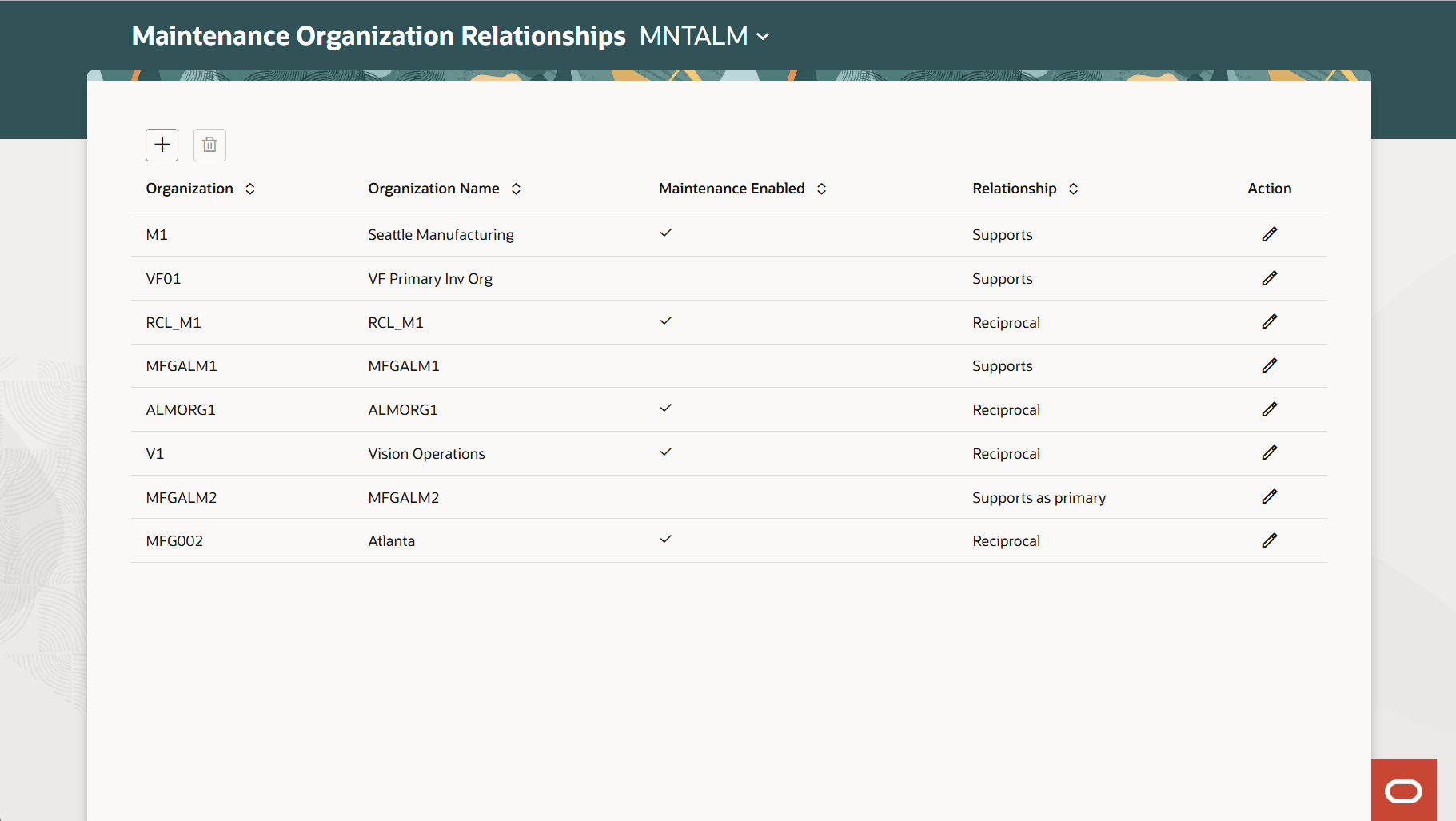
Set Up Maintenance Organization Relationships Page
If the primary support organization is already defined, you get an error message. In that case, deselect the primary support organization and then set another organization as the primary support organization.
This feature expands asset visibility and management capabilities, allowing users to search, view, and edit assets across related organizations using a new Redwood page.
Steps to enable and configure
- In the Setup and Maintenance work area, use the following:
- Offering: Manufacturing and Supply Chain Materials Management
- Functional Area: Maintenance Management
- Task: Maintenance Organization Relationships
- Use the Set Up Maintenance Organization Relationships page to define how maintenance and non-maintenance organizations interact for asset maintenance and work order management.
- Save your changes.
Key resources
- See the Set Up Maintenance Organization Relationships section in the Implementing Manufacturing and Maintenance guide.