Redwood: Use Electronic Signatures and Electronic Records When Completing Operations During Production Execution
Critical production activities governed by the U.S. FDA Good Manufacturing Practices (GMP) often require authenticated approvals and traceable records to ensure product quality and regulatory compliance.
With this enhancement, you can now capture inline electronic signatures and automatically generate compliant electronic records when completing a work order operation using the Redwood Production Execution experience. This ensures that each step of the operation completion process—such as recording the operation transaction and completing to inventory—is tied to a validated approval and an audit-ready record.
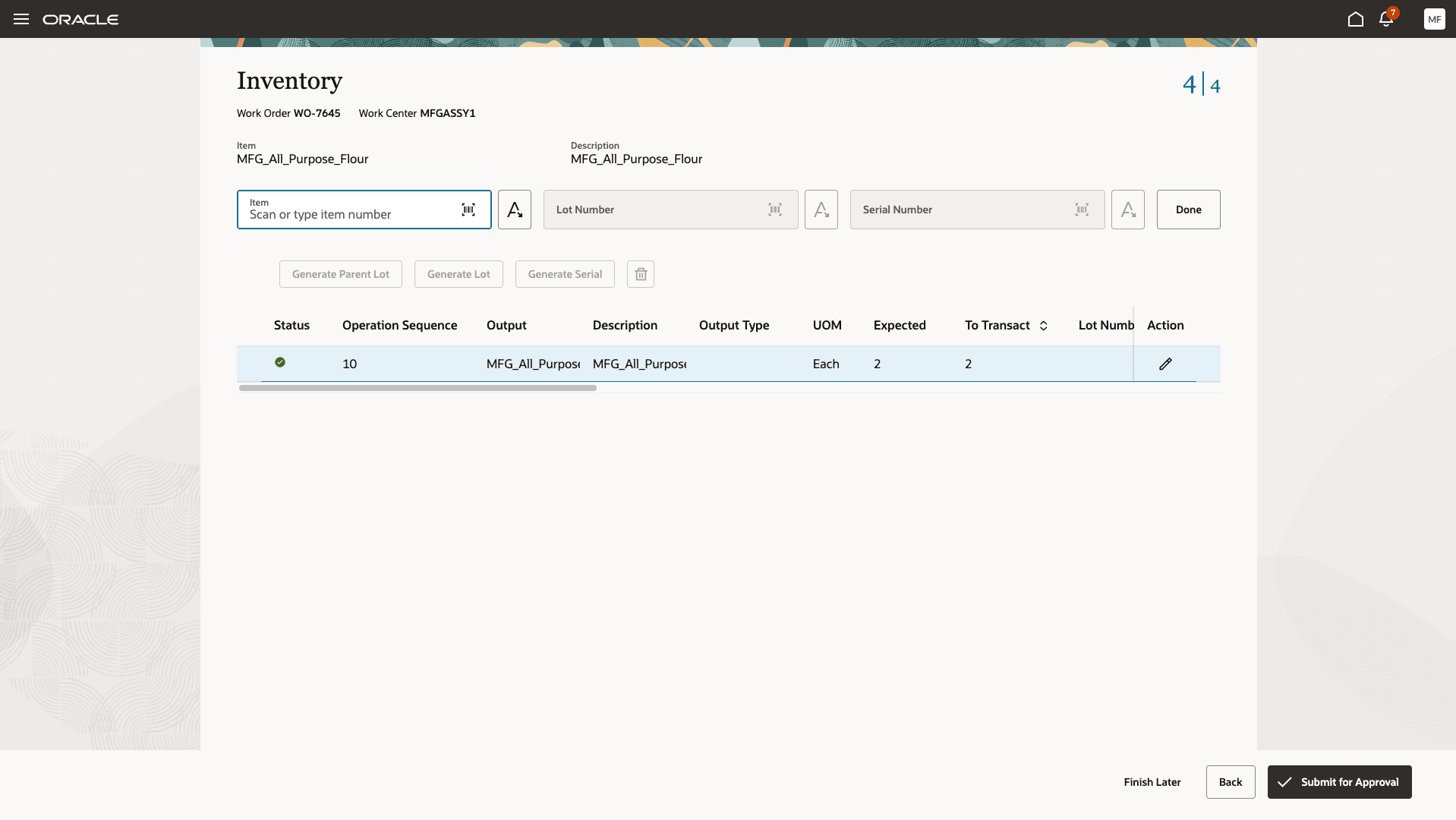
Submit Operation Transaction For Approval
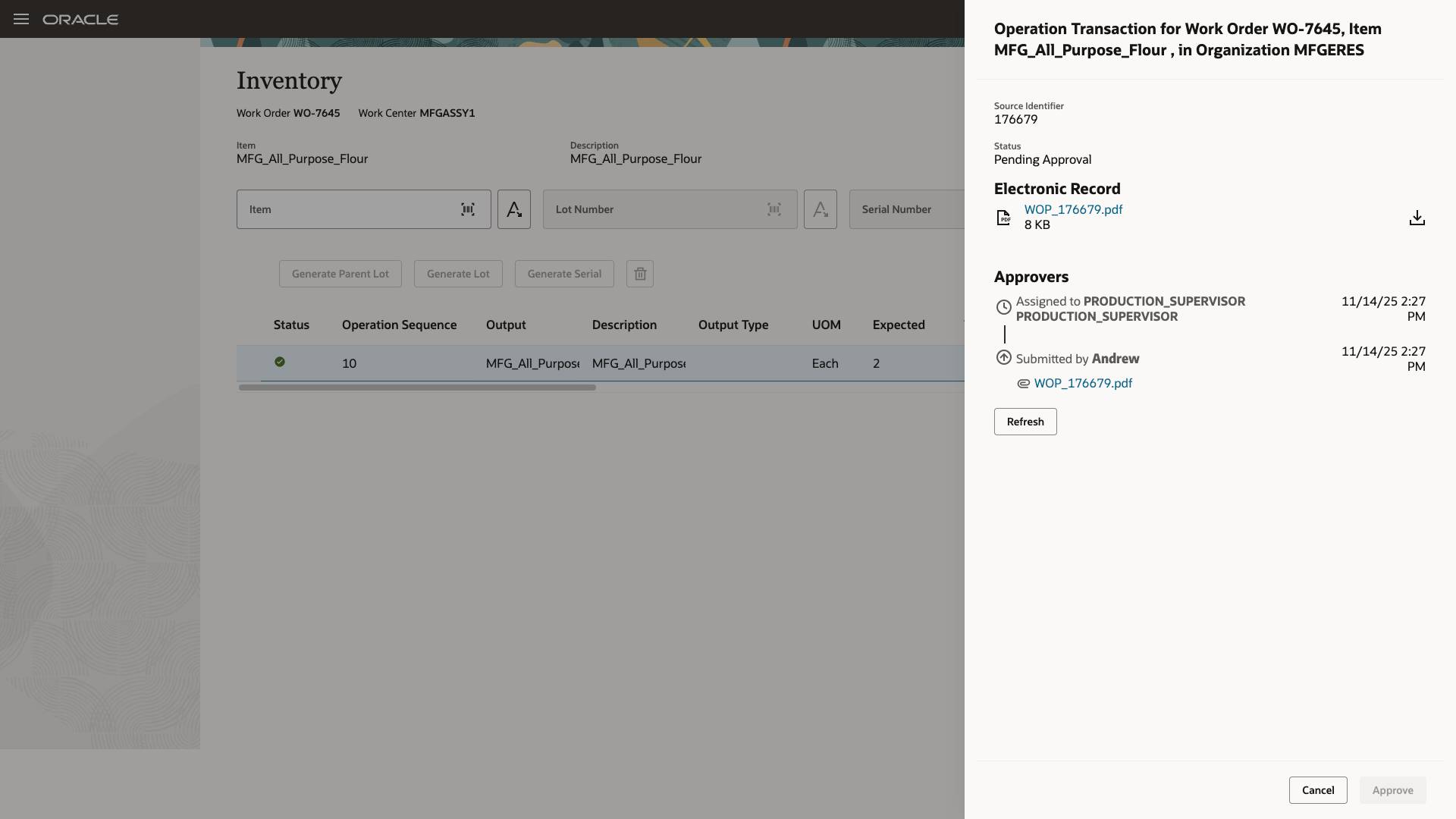
Operator Awaiting Approval
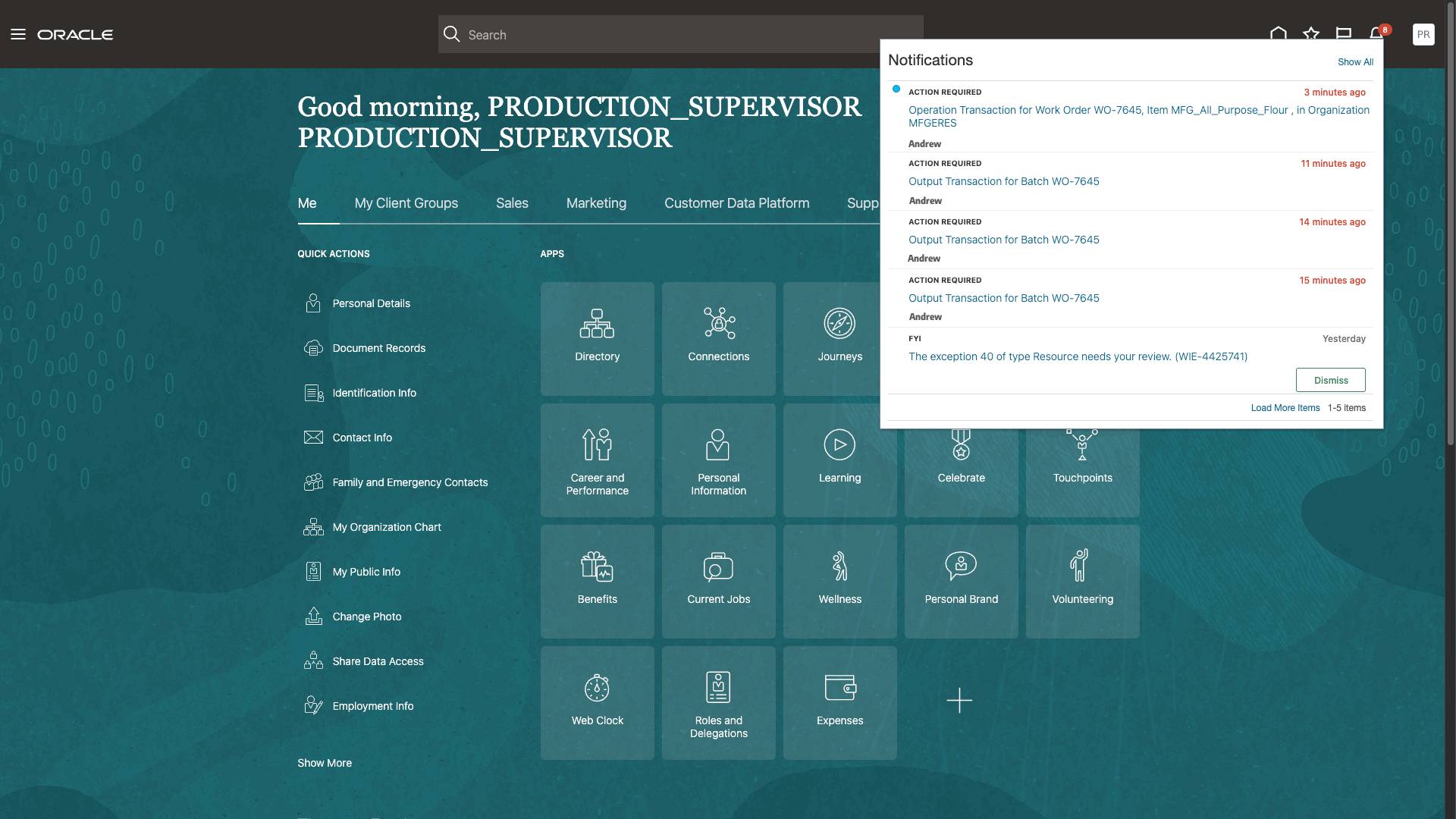
Approvers Receive Notification for the Approval Request
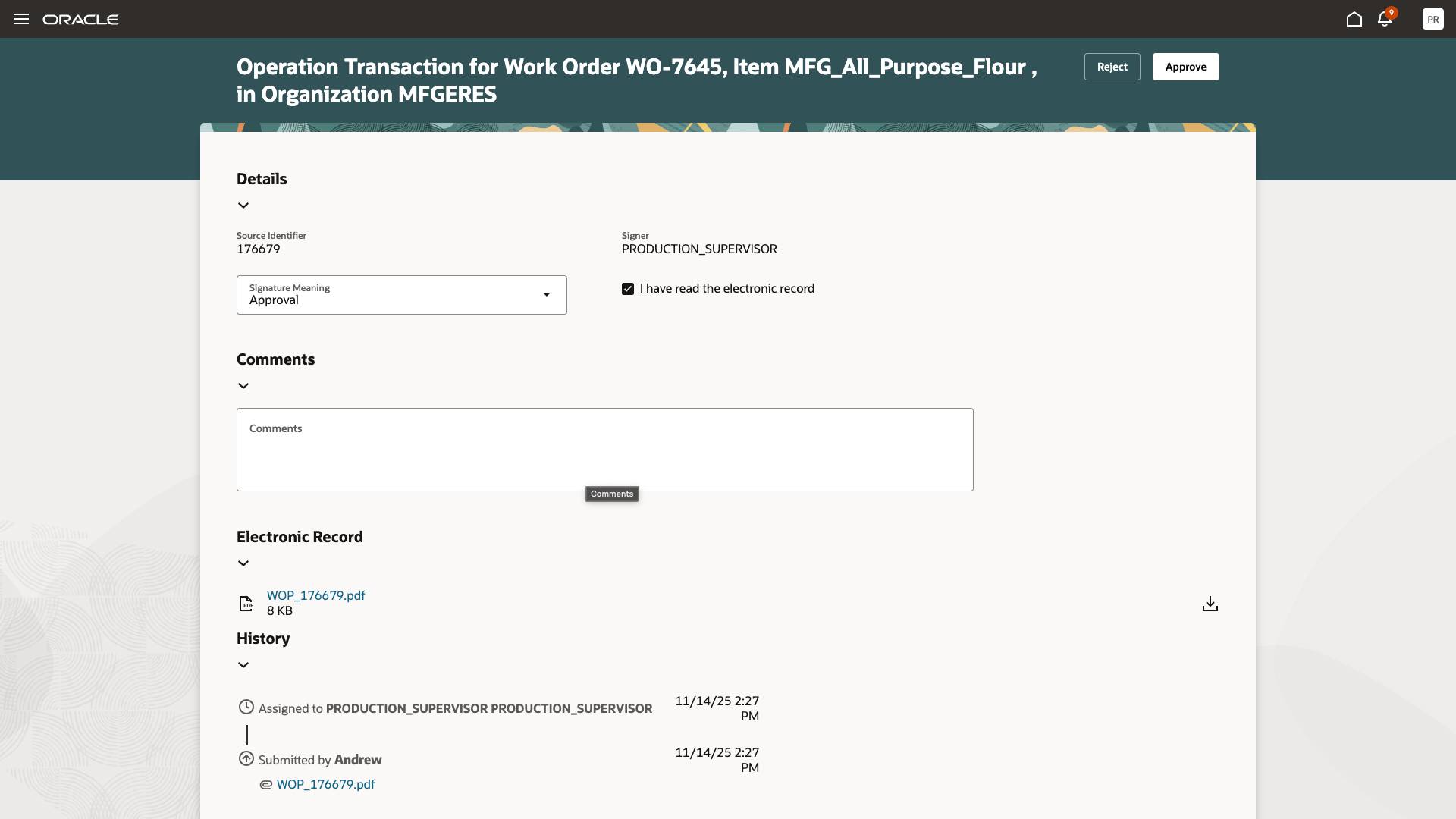
Approver Reviews the Transaction Record
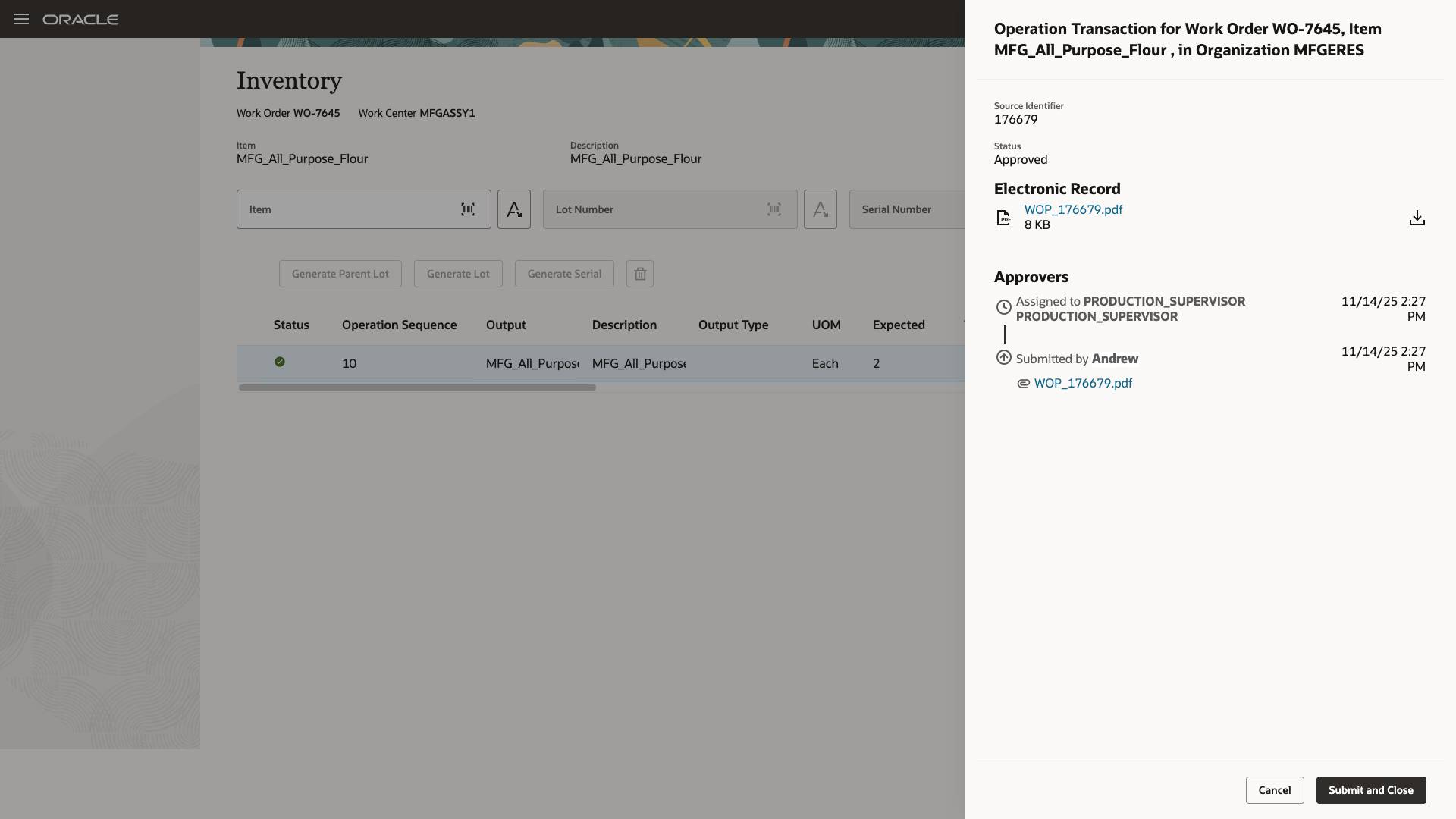
Operator Submits the Operation Transaction After it's Approved
This feature strengthens compliance with regulatory frameworks such as FDA 21 CFR Part 11 by embedding signature validation directly into the operation completion workflow. Manufacturers gain improved data integrity, reduced reliance on manual paperwork, and enhanced audit readiness. The streamlined approvals help maintain production velocity while ensuring oversight, accuracy, and full traceability for all operation completion events.
Here's the demo of these capabilities:
Steps to Enable and Configure
Follow these steps to use this feature:
- Enable the Opt In for the "Capture Electronic Records and Electronic Signatures for Supply Chain Management Transactions" feature.
- Configure e-signature preferences by enabling Work Order Material Transaction for inline electronic signature approval for an organization under the task "Configure Electronic Signature Preferences". Refer to Configure E-Signature Preferences.
- After you enable electronic signatures for a transaction, you should also define configurable business process rules in Oracle Business Process Management using the Manage Task Configurations for Supply Chain Management task, and the Manage Approval Groups task in the Setup and Maintenance work area to determine the approvers for each transaction.
Tips And Considerations
- The electronic signature approval is supported only through the user interface. Electronic signature approval is not supported using Rest APIs, FBDI, and ADFdi.
- When completing operations, electronic signatures and electronic records can only be generated in-line during execution. The operator has to wait on the approval screen till an approver approves the request.
Key Resources
- Watch the Redwood: Use Electronic Signatures and Electronic Records When Completing Operations During Production Execution demo.
- Refer to the Oracle Fusion Cloud SCM: Using Manufacturing guide, available on the Oracle Help Center.
- Refer to the Oracle Fusion Cloud SCM: Implementing Manufacturing and Supply Chain Materials Management guide, available on the Oracle Help Center.
- Refer to Using E-Signatures and E-Records.
- Refer to Implementing E-Signatures and E-Records.
Access Requirements
Users who are assigned a configured job role that contains these privileges and codes can access this feature:
Electronic Signature Approval Privileges :
- Electronic Signatures (EDR_ADD_ESIGNATURES_TRANSACTIONS_PRIV)
- View Electronic Records and Signatures (EDR_VIEW_RECORDS_ESIGNATURES_PRIV)
Guided Journeys : Role Codes
- Use REST Service - Guided Journeys Read Only (Role Code ORA_PER_REST_SERVICE_ACCESS_GUIDED_JOURNEYS_RO)
- Use REST Service - Guided Journey Responses (Role Code ORA_PER_REST_SERVICE_ACCESS_GUIDED_JOURNEY_RESPONSES)
Redwood Production Execution Privileges:
- Execute Production at a Workstation (WIP_EXECUTE_WORKSTATION)
- View Workstations (WIS_VIEW_WORKSTATIONS_PRIV)
These privileges were available prior to this update.