Check In and Execute Production at Multiple Workstations Simultaneously
In complex manufacturing environments and for scenarios where resources are limited, production supervisors often require operators to work at multiple workstations, sometimes running parallel jobs at the same time. With this update, operators can check in to multiple workstations concurrently and run work order operations in parallel. This is also useful in scenarios such as unplanned leaves, and during night shifts.
Production supervisors can now configure the system to allow concurrent check-ins for the selected operators, ensuring optimal use of the available workforce with accurate labor tracking. They can also enable operators to review and edit resource transactions after operators stop execution.
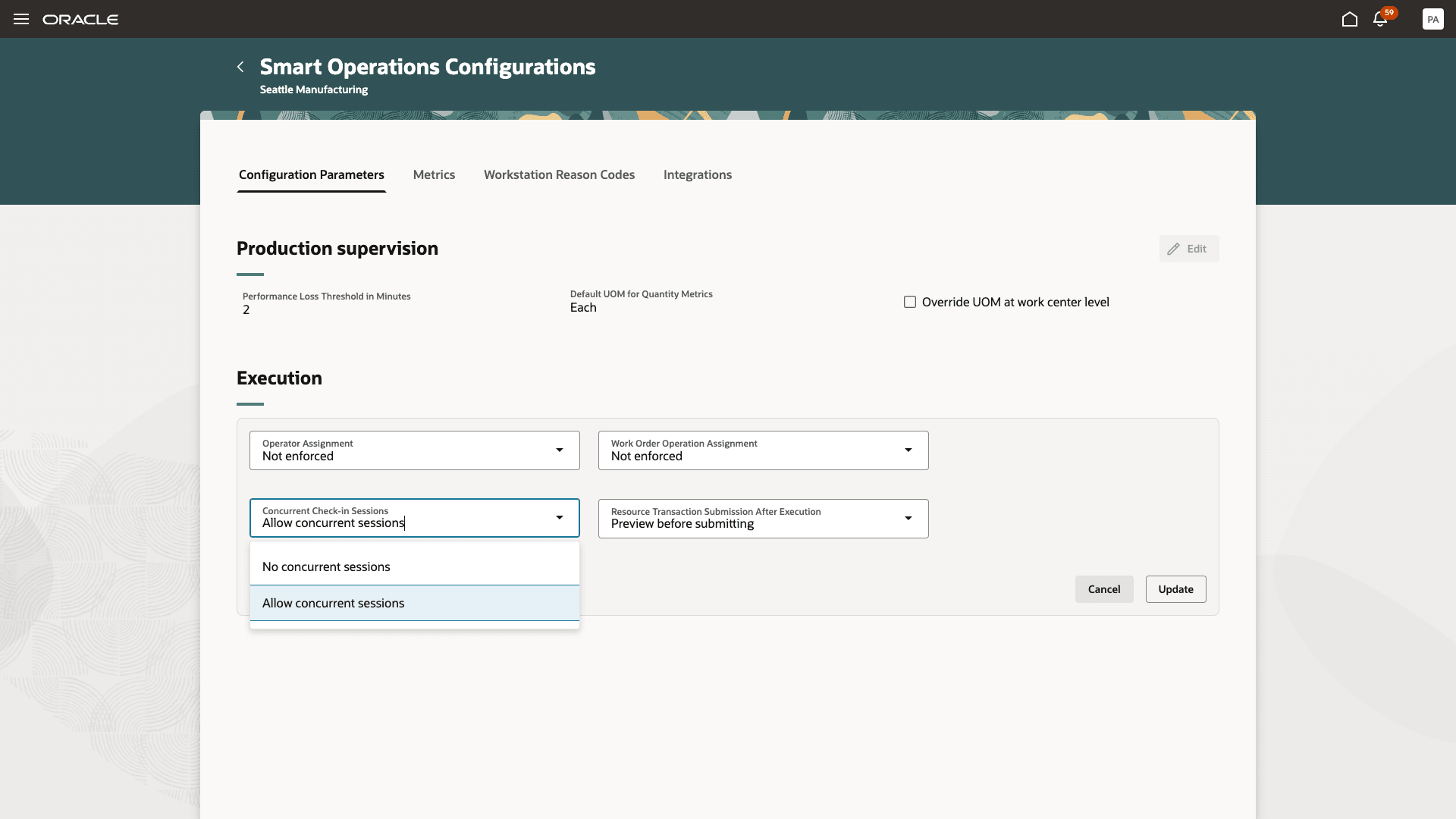
Enable Operators to Check In to Multiple Workstations Simultaneously
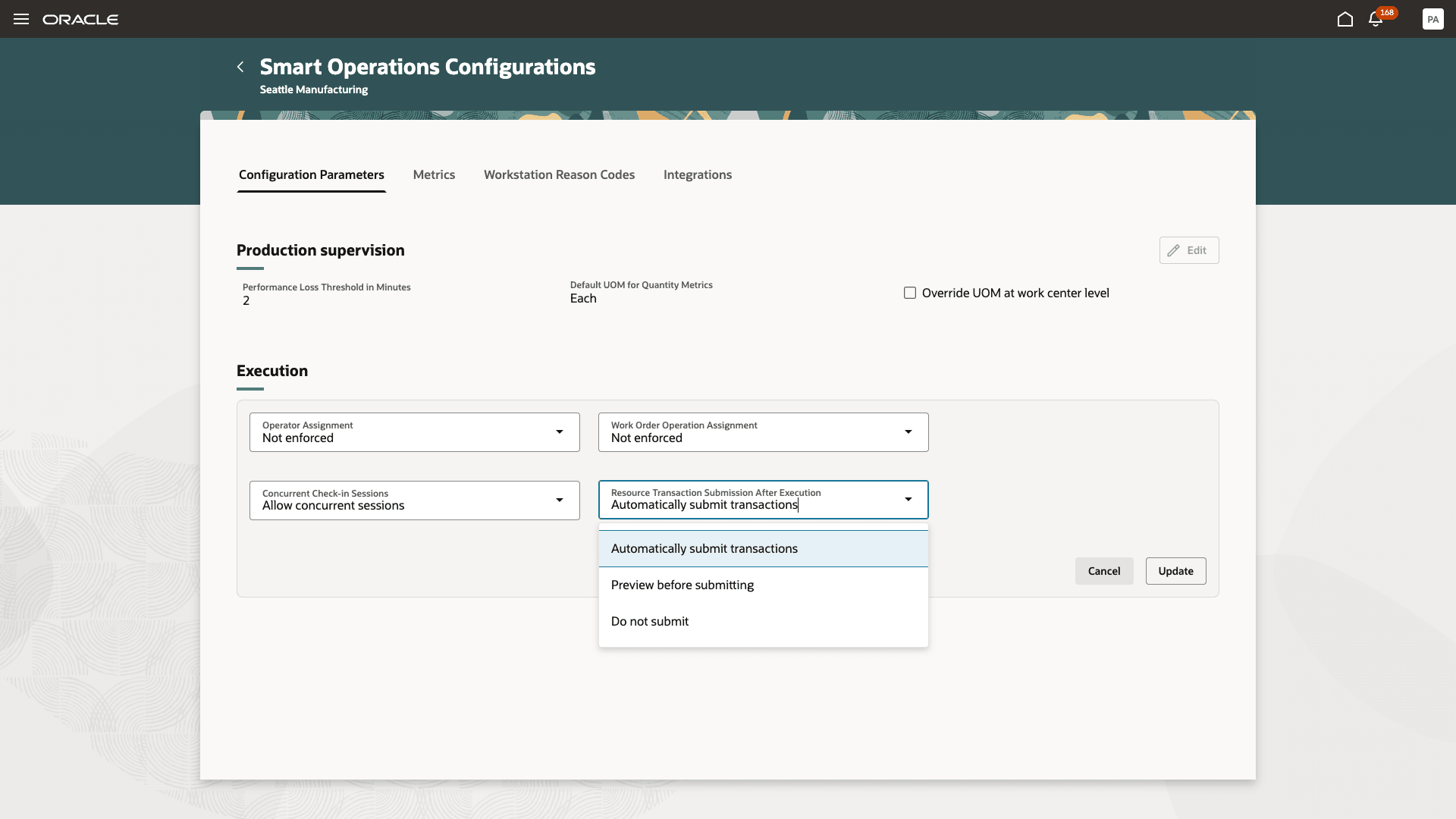
Enable Operators to Preview Resource Transactions Before Submission
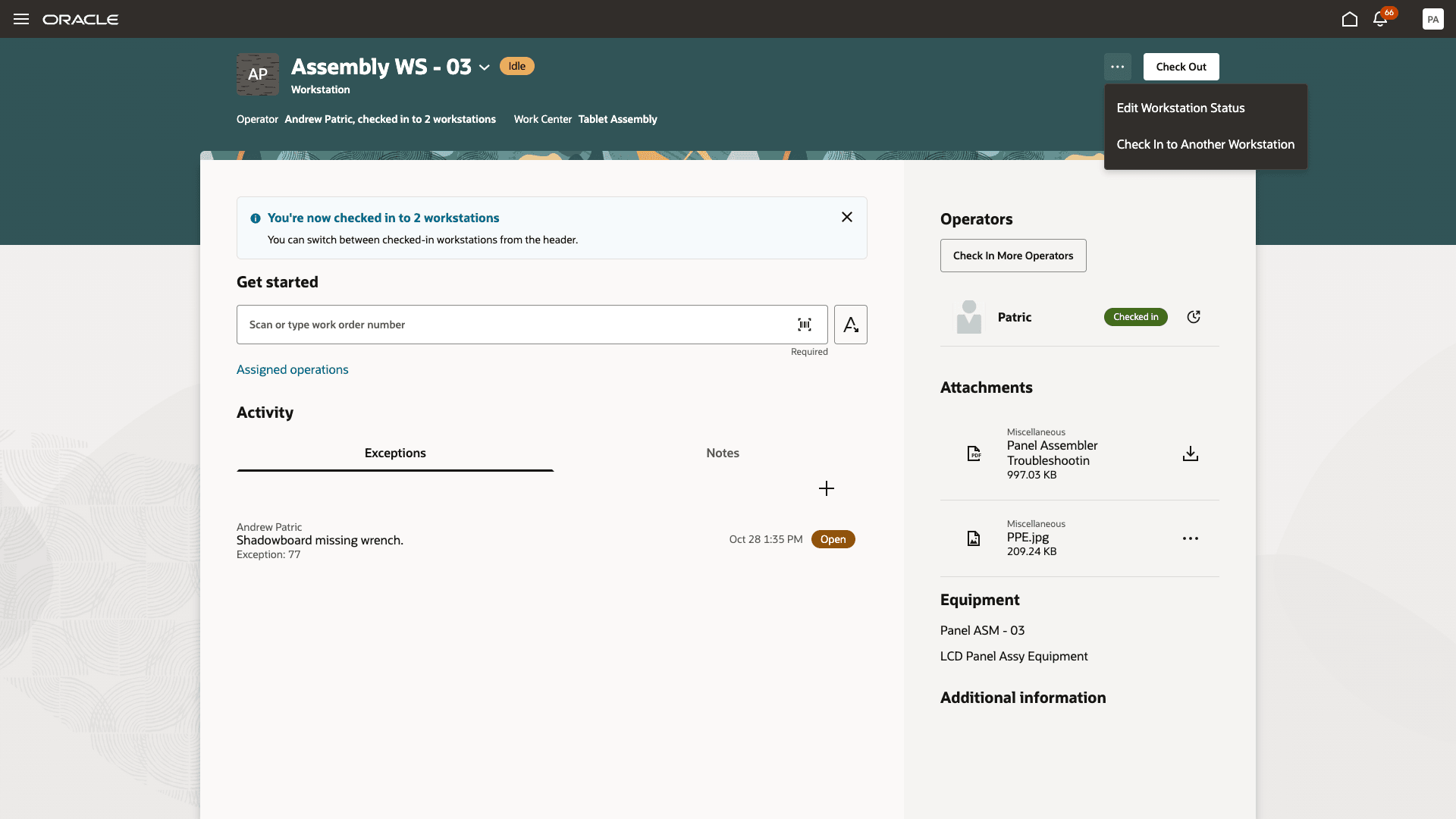
Check In to Another Workstation
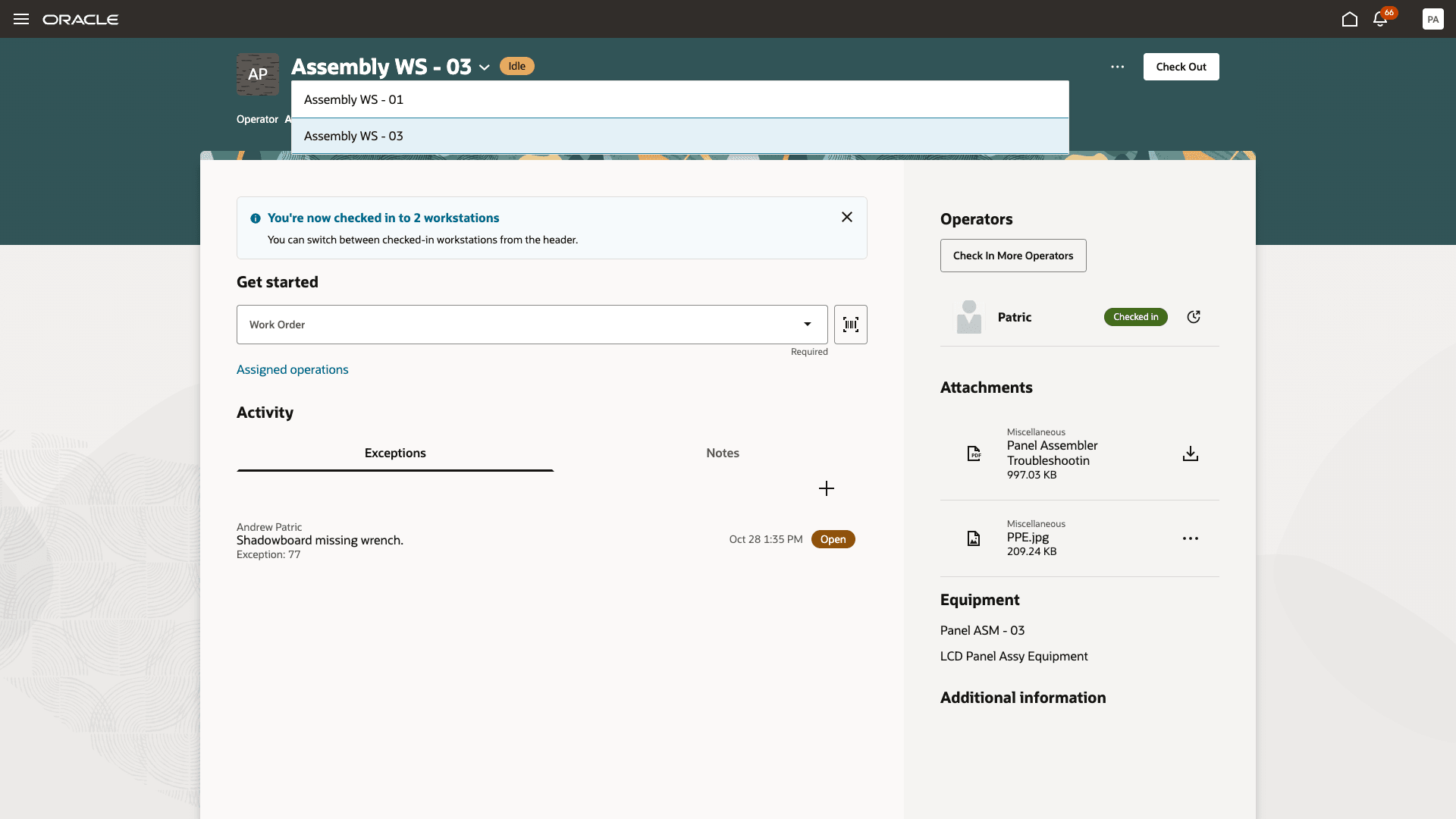
Switch Between Checked In Workstations
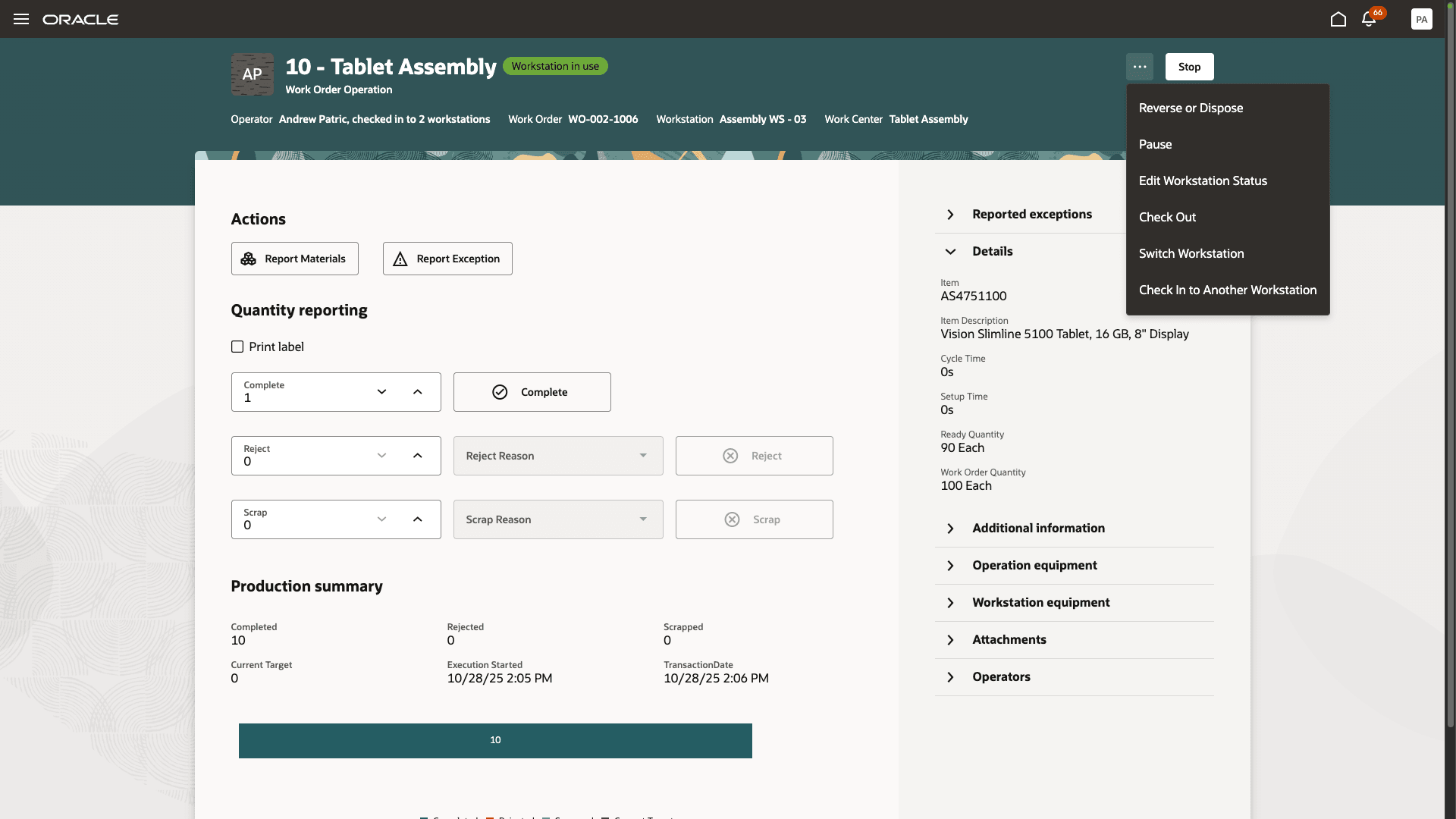
Switch Between Workstations During Execution of Work Order Operations
- Increased Operational Efficiency: Operators can manage multiple workstations without the need to check out and check in repeatedly, reducing both downtime and administrative overhead.
- Improved Workforce Utilization: Supports scenarios where limited staff must cover several stations, especially during off-peak hours or during unexpected staff shortages.
- Accurate Labor Tracking: By clearly assigning and tracking an operator’s time and activities across multiple workstations, production performance and labor resource allocation becomes more precise.
- Streamlined User Experience: Operators can easily switch between active sessions within the Production Execution UI, creating a seamless workflow.
Here's the demo of these capabilities:
Steps to Enable and Configure
Follow these steps to use this feature:
- Select the Smart Operations Configurations action in the Work Execution work area.
- In the Execution section of the Configuration Parameters tab, select Allow concurrent sessions for the Concurrent Check-In Sessions field to enable operators to work from multiple workstations simultaneously.
- In the Execution section of the Configuration Parameters tab, select Preview before submitting for the Resource Transaction Submission After Execution field to enable operators to preview resource transactions before submitting.
Tips And Considerations
- Transaction Reviews: When enabled, operators can review and, if required, edit resource charging durations before submitting the transaction.
- Business Rules Apply: Existing business rules controlling workstation access and operator assignments are still enforced.
- Resource Charging: In concurrent scenarios, ensure that labor resource charging accurately reflects the time spent at each station. Operators should validate and update charge durations where necessary.
Key Resources
- Watch the feature demo for Check In and Execute Production at Multiple Workstations Simultaneously.
- Oracle Fusion Cloud SCM: Refer to the Using Manufacturing guide, available on the Oracle Help Center.
- Oracle Fusion Cloud SCM: Refer to the Implementing Manufacturing and Supply Chain Materials Management guide, available on the Oracle Help Center.
Access Requirements
Users who are assigned a configured job role that contains the following privileges can use this feature:
Redwood Production Execution Privileges:
- Execute Production at a Workstation (WIP_EXECUTE_WORKSTATION)
- View Workstations (WIS_VIEW_WORKSTATIONS_PRIV)
Smart Operations Configuration Privileges:
- Configure Smart Operations Parameters (WIP_CONFIGURE_SMART_OP_PARAMETERS)
- View Smart Operations Parameters (WIP_VIEW_SMART_OP_PARAMETERS)
Guided Journeys: Role Codes
- Use REST Service - Guided Journeys Read Only (Role Code ORA_PER_REST_SERVICE_ACCESS_GUIDED_JOURNEYS_RO)
- Use REST Service - Guided Journey Responses (Role Code ORA_PER_REST_SERVICE_ACCESS_GUIDED_JOURNEY_RESPONSES)