Automate Quality Inspections Using Connected Equipment and Vision Systems
In manufacturing environments where precision, speed, and repeatability are critical, visual inspections performed manually by operators often lead to inconsistencies, operator fatigue, and higher inspection costs. With this update, manufacturers can now execute quality inspections using AI-enabled machine vision, seamlessly integrated within the Production Execution flow of Oracle Cloud Manufacturing. Automated use of machine vision images for quality results is an optional capability. Manufacturers can select the inspection characteristics that require image capture and analysis. You can select machine vision models to automatically detect visual defects and to classify the results against predefined acceptance criteria. Inspection outcomes are automatically recorded as inspection results, complete with images where applicable, eliminating subjective judgment and ensuring data-driven decision making.
In a prior release, you could only send characteristic values for the reported quantities. Now, you can also send along characteristic comments as well as an image attachment to capture along with the inspection results. You can also specify if any of the characteristic requires an image, without which the disposition is incomplete.
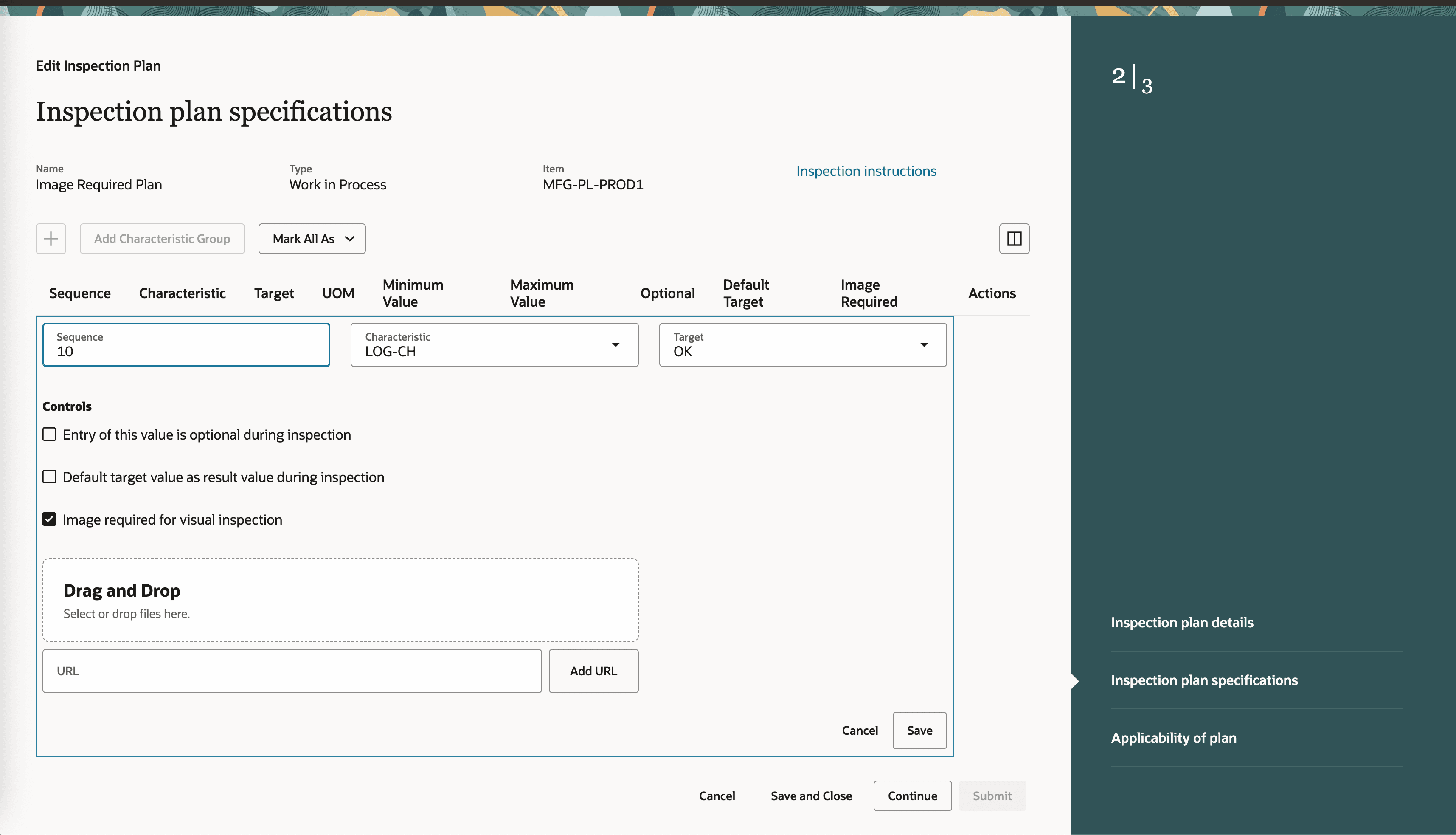
Optional Image Required for Visual Inspection on Inspection Plan Specification
When an automated execution of an operation is in progress at a workstation, the incoming quantity report events get disposed based on the configured inspection plan and the progress bar updates accordingly.
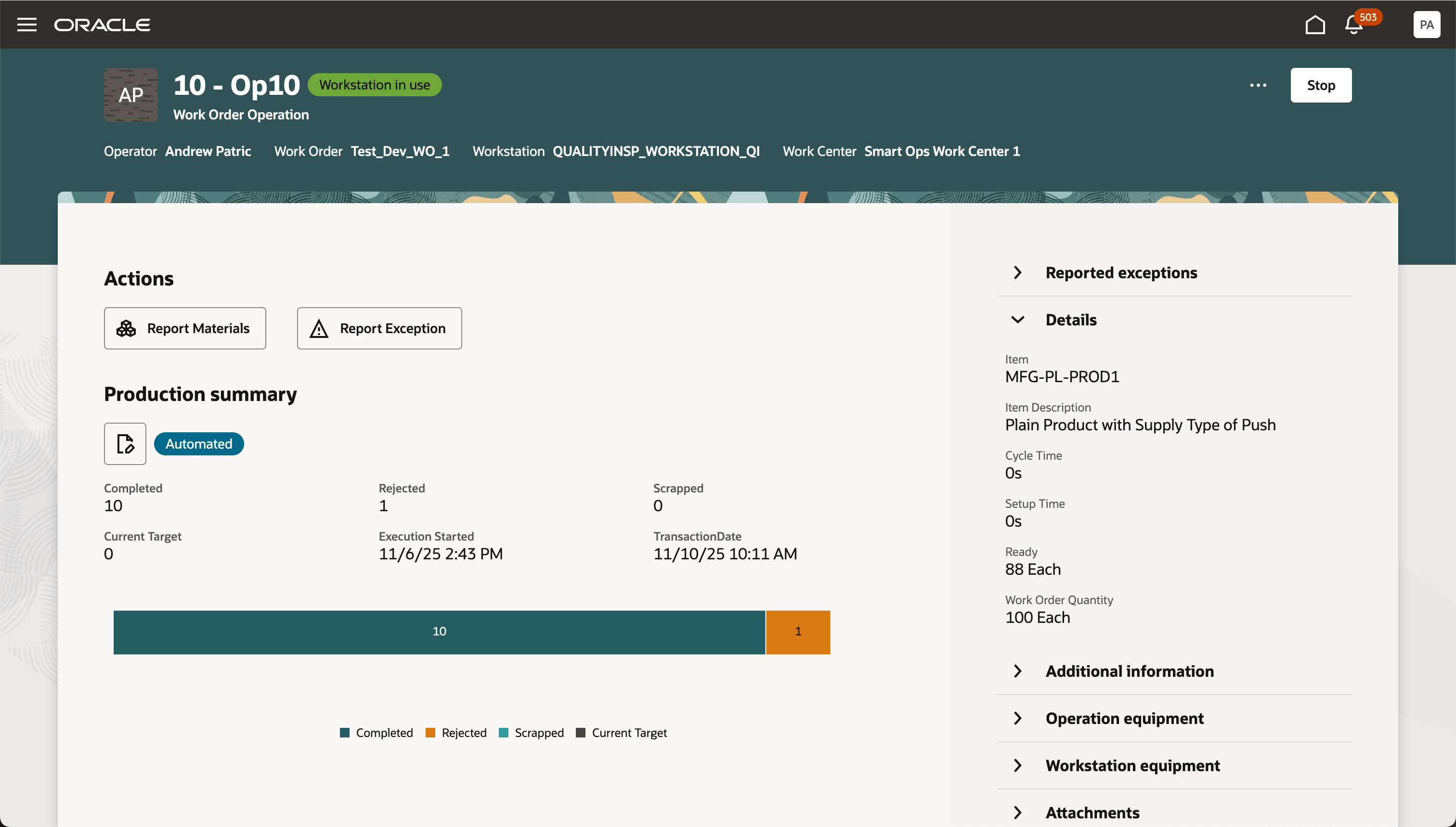
Automated Execution Progress at a Workstation
The associated image attachments can be viewed from Inspection Results for an operation transaction.
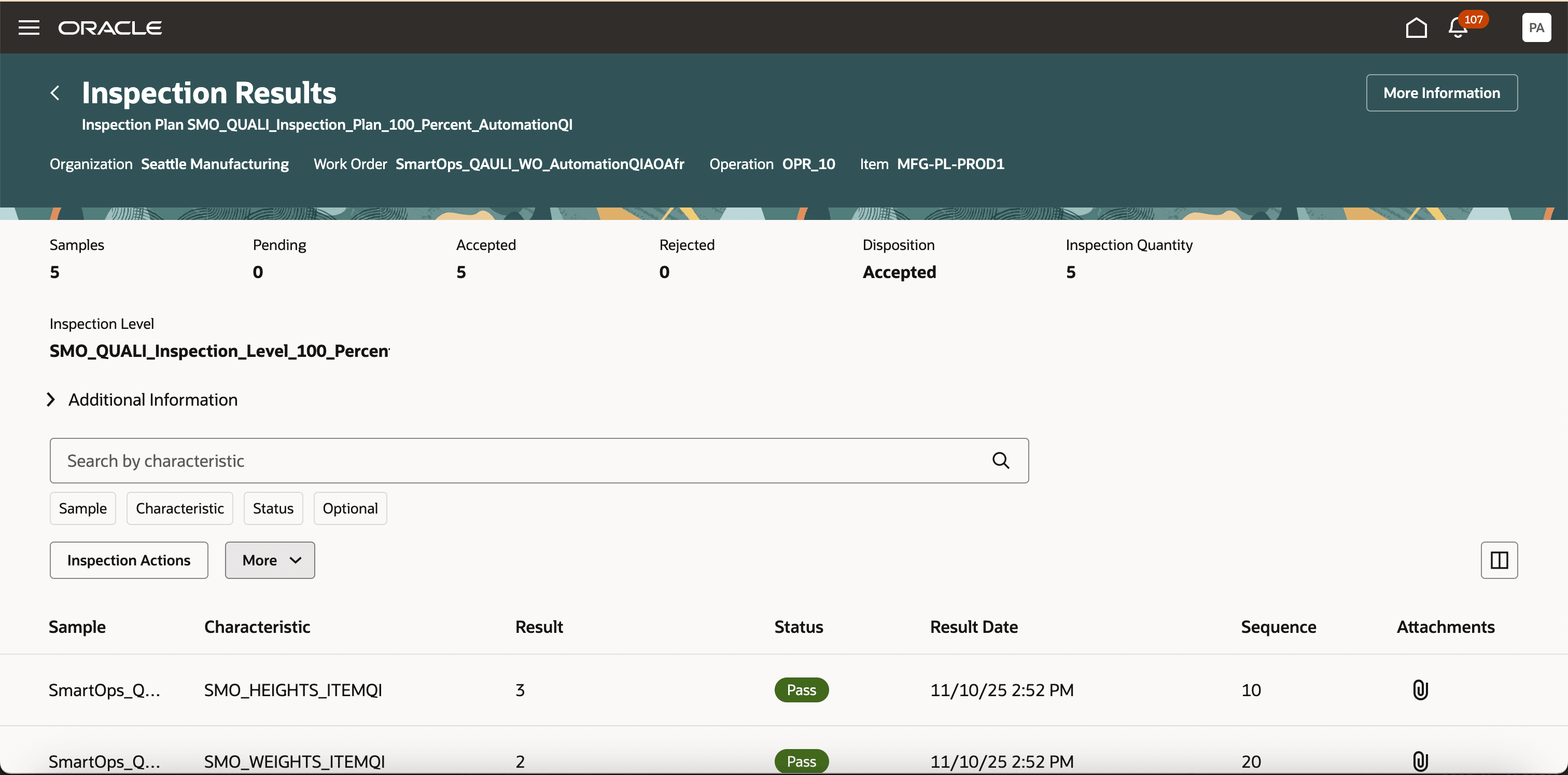
Inspection Result with Attachment
-
Increased Inspection Accuracy: Automated vision inspection ensures consistent evaluation of every unit without human bias, fatigue, or oversight, resulting in more reliable quality outcomes.
-
Improved Throughput and Productivity: The ability to inspect items continuously and at high speed reduces inspection cycle times and minimizes production slowdowns.
-
Enhanced Traceability: Each inspection result is automatically logged with timestamped images and outcomes, enabling full traceability across regulated and high-precision industries.
Here's the demo of these capabilities:
Steps to Enable and Configure
To enable this feature you need to log a Service Request (SR).
- Select Product Module - Oracle Fusion Manufacturing Cloud Service.
- Select Category - Work Execution.
- Select Subcategory - Manage Work Orders.
- Select Component: Installation Issue (INSTALL).
- Copy and paste this text into description area of the SR: Enable the SCM Core Service-Smart Operations.
This feature requires the SCM Core Service-Smart Operations service to be provisioned on your instance. Please note that this service can be enabled only on pods that are available on Oracle Public Cloud regions. Once this service is enabled, you can access the Using Manufacturing guide and the Implementing Manufacturing and Supply Chain Materials Management guide to learn more about this feature and how to set it up.
Tips And Considerations
- Equipment instances capable of communicating through industrial communication protocols can optionally send inspection characteristic results with image attachment (received from the machine vision system) and comments using the "Quantity Report" event to Fusion Manufacturing Cloud.
- Inspection characteristic results in the event is applied for the quantities for which quality inspection is being performed.
- Inspection Plan Specification can optionally be marked as “Image Required” using the Inspection Plan task in the Quality Management work area.
- The “Image Required” flag doesn't show up by default. It can be enabled on Redwood UI using business rules.
- We recommend that you configure an Inspection Level of “Fixed 1” for inspection plans with expected image attachment.
- Image attachment content for inspection characteristic within "Quantity Report" event must be in a base64 encoded format.
- Quantity Report event payload size post base64 encoding must not be more than 10MB.
- Event content including attachments must not contain any malware.
- Workstation must be enabled for automated execution of work order operations.
- For automated execution, equipment resource instances must be associated with an asset configured in Oracle Fusion Maintenance Cloud. The asset's location organization must be the same as the equipment resource instance's manufacturing organization.
- Equipment instance signals received through industrial communication protocols need to be converted to a JSON payload that Fusion Manufacturing Cloud can ingest and take actions on. You can receive events via HTTPS REST or through the MQTT mechanism.
- For HTTPS REST, the details and accepted payload specifications are documented here: REST API for Oracle Fusion Cloud SCM.
- For MQTT, you need to configure an integration of type MQTT in Smart Operation Configurations to receive events from the connected equipment. The payload specification is same as mentioned in the REST API for Oracle Fusion Cloud SCM.
- Events received from an equipment can be viewed in the Events tab using the "Operational Data" task in the Work Execution work area.
- If a quality inspection result could not be reported, you can also check the reason for the failure to process.
Key Resources
- Watch the feature demo for Automate Quality Inspections Using Connected Equipment and Machine Vision Systems.
- Oracle Fusion Cloud SCM: Refer to the Using Manufacturing guide, available on the Oracle Help Center.
- Oracle Fusion Cloud SCM: Refer to the Implementing Manufacturing and Supply Chain Materials Management guide, available on the Oracle Help Center.
Access Requirements
Users who are assigned a configured job role that contains the following privileges and duty roles can use this feature:
- Execute Production at a Workstation (WIP_EXECUTE_WORKSTATION)
- View Operational Events (SMO_VIEW_EVENT_LOGS_PRIV)
- View Operational Events (ORA_DR_SMO_VIEW_OPERATIONAL_EVENTS_MFG_DUTY)
- Manage Operational Rules and Events (ORA_DR_SMO_MANAGE_OPERATIONAL_RULES_AND_EVENTS_MFG_DUTY)
- Manage Smart Operations Integrations (ORA_DR_SMO_MANAGE_SMART_OPERATIONS_INTEGRATIONS_DUTY)
- Application Deployment Administration (ORA_DR_ASM_APPLICATION_DEPLOYER_DUTY)
- View Smart Operations Integrations (ORA_DR_SMO_VIEW_SMART_OPERATIONS_INTEGRATIONS_DUTY)
- Manage Smart Operations Integrations (SMO_MANAGE_SMART_OPERATIONS_INTEGRATIONS_PRIV)
- View Smart Operations Integrations (SMO_VIEW_SMART_OPERATIONS_INTEGRATIONS_PRIV)
- View Smart Operations Integration Connectivity Status (ORA_DR_SMO_VIEW_SMART_OPERATIONS_INTEGRATION_STATUS_DUTY)
Guided Journeys: Role Codes
- Use REST Service - Guided Journeys Read Only (Role Code ORA_PER_REST_SERVICE_ACCESS_GUIDED_JOURNEYS_RO)
- Use REST Service - Guided Journey Responses (Role Code ORA_PER_REST_SERVICE_ACCESS_GUIDED_JOURNEY_RESPONSES)