Use Scheduled Workers as Manufacturing Labor Resource Instances
With this update, you can use persons from Workforce Scheduling for the following execution activities in Manufacturing:
- Track labor using a specific person reference when manually reporting resource transactions in Work Execution.
- Specify a person when reporting production exceptions of type labor resource.
- View person details in the Transaction History page in Production Supervision.
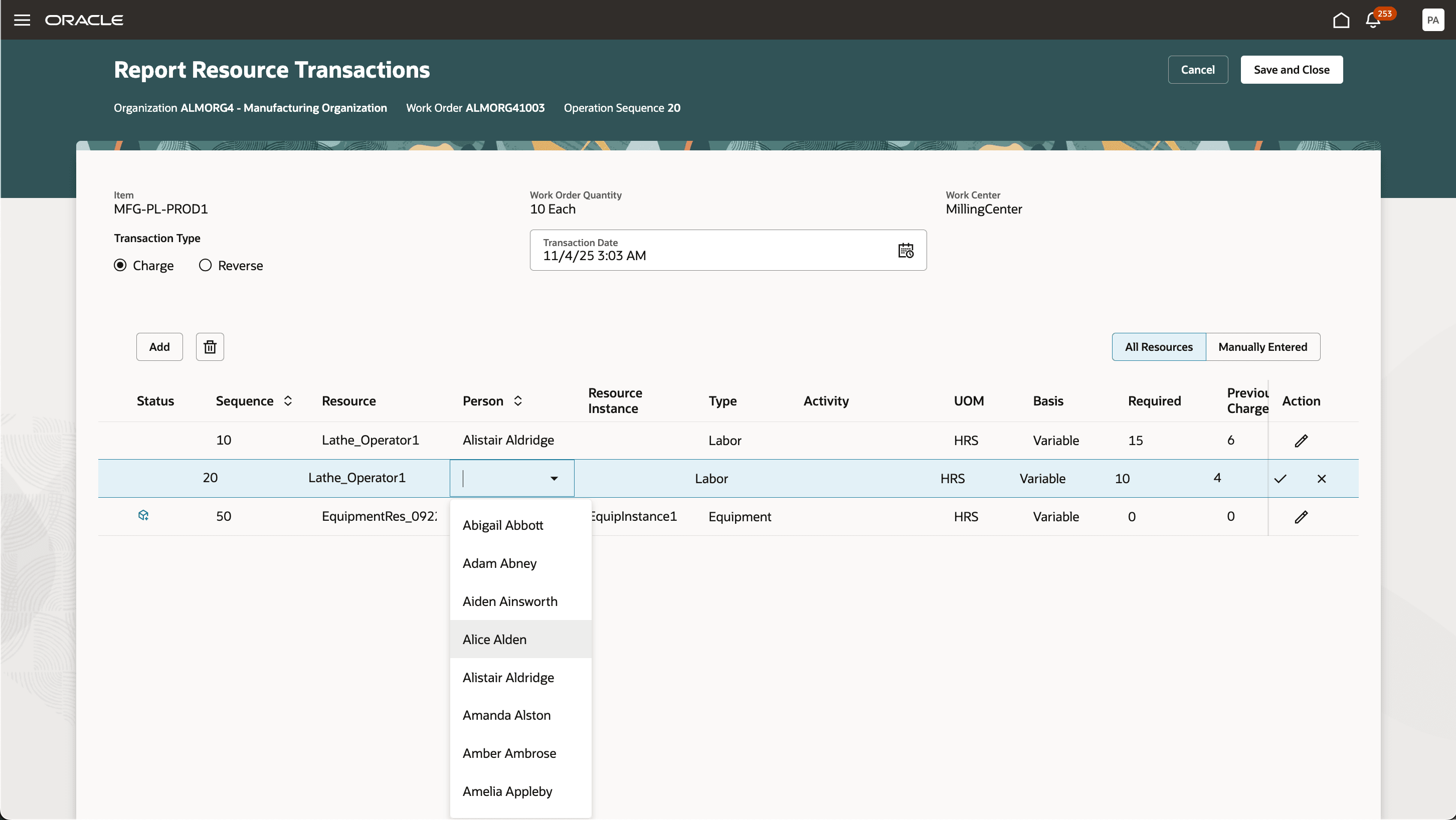
Use Persons When Reporting Resource Transactions
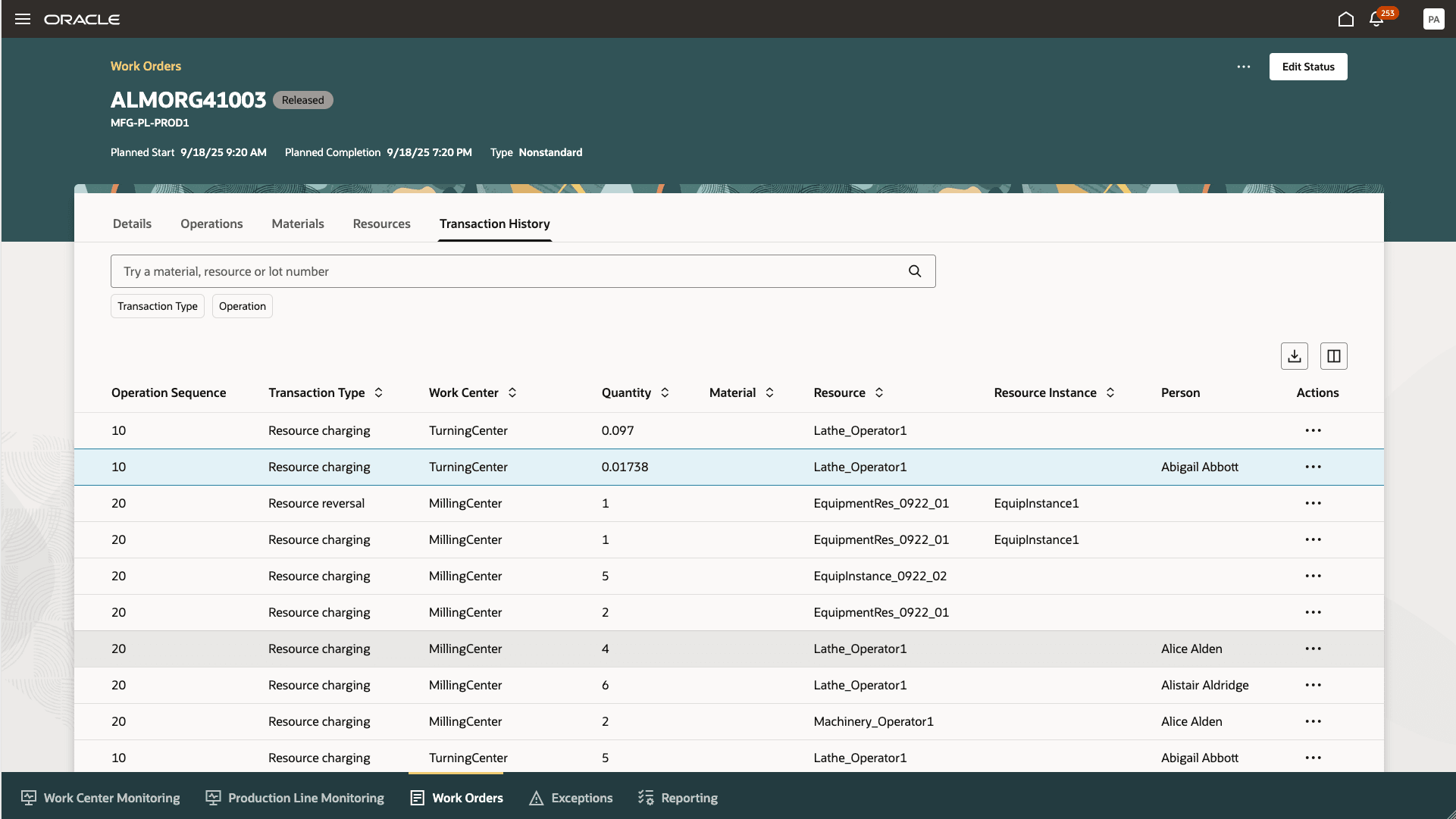
View Person Name in the Production Transaction History
You can now track resource usage and exceptions at the person level without having to define labor instances in Manufacturing.
Steps to Enable and Configure
Use the Opt In UI to enable this feature. For instructions, refer to the Optional Uptake of New Features section of this document.
Offering: Manufacturing and Supply Chain Materials Management
- Use Workforce Scheduling in the Production Supervisor Workbench for Operator Assignments is required to Opt In for this feature. Refer to the release documetation for additional setup instructions.
- With this update, the feature Use Workforce Scheduling in the Production Supervisor Workbench for Operator Assignments no longer requires an SR to be logged for it to be enabled. It is available using the following Opt In:
- Enable this by navigating to My Enterprise > New Features. The feature is available on the Available Features tab for the Manufacturing functional area.
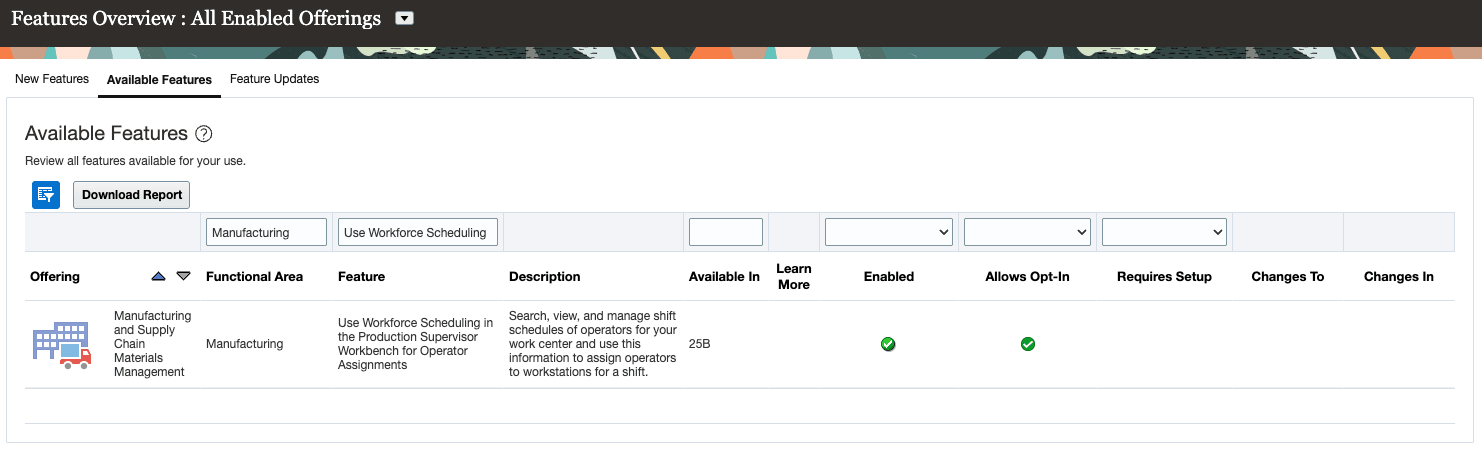
Opt In to Enable Workforce Scheduling in Production Supervision
Tips And Considerations
- This feature requires HCM Workforce Scheduling to be set up and worker schedules to be generated and published in Oracle Workforce Scheduling.
- Only persons who are scheduled to work are eligible to be reported in resource transactions and exceptions. They should be scheduled to work within a week of the transaction date for manual resource transaction reporting.
Key Resources
- Refer to the main feature release from 25B 'Use Workforce Scheduling in the Production Supervisor Workbench for Operator Assignments' to understand how to use, set up, and access Workforce Scheduling.
- Refer to the enhancements made to this feature in 25C 'Enhancements for Workforce Scheduling in the Production Supervisor Workbench' to understand the additional changes made to this feature.
Access Requirements
With this release, you can access the Workforce Scheduling feature with the following simplified roles and privileges.
- View Work Execution Workforce Schedule (ORA_HTS_WIE_VIEW_WORK_EXEC_WORKFORCE_SCHEDULE) is required to view workforce schedules for the departments within the manufacturing organization.
- Manage Work Execution Workforce Schedule (ORA_HTS_WIE_MANAGE_WORK_EXEC_WORKFORCE_SCHEDULE) is required to edit workforce schedules for the departments within the manufacturing organization.
- Manage Work Execution Workload Plans (ORA_HTS_WIE_MANAGE_WORK_EXEC_WORKLOAD_PLAN) is required to manage the workload plans of all the work centers within the manufacturing organization.
- Publish Workloads to Workforce Scheduling (WIP_PUBLISH_WORKLOADS_TO_WORKFORCE_SCHEDULING_PRIV) privilege allows the user to publish the workloads using the ESS program.
- Use REST Service - Departments List of Values (ORA_PER_REST_SERVICE_ACCESS_DEPARTMENTS_LOV) privilege allows the user to access the list of HCM departments.
These privileges were available prior to this update.