Generate and Print License Plate Numbers in Labels When Reporting Completions into Inventory
With Advanced Inventory, you can now generate and print license plate numbers (LPN) in labels when reporting operation, output, orderless, and flow schedule completions into inventory. While doing so, users can select their preferred printer and immediately print the LPN labels.
You can generate and print LPNs using any of the following Redwood user experiences:
- Production Execution
- Report Orderless Completion
- Flow Schedule Execution
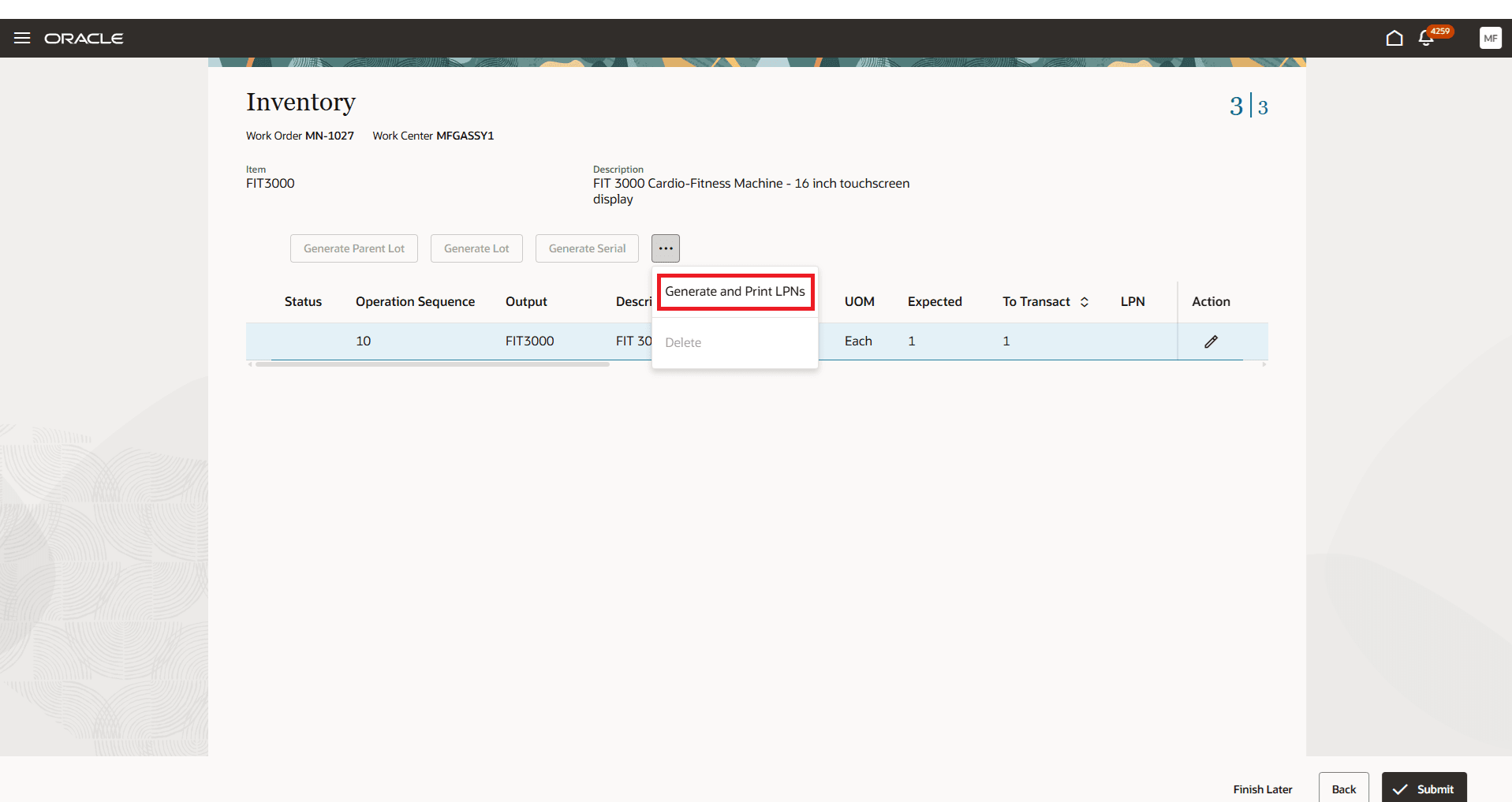
Generate and Print LPNs While Reporting Work Order Product Completion
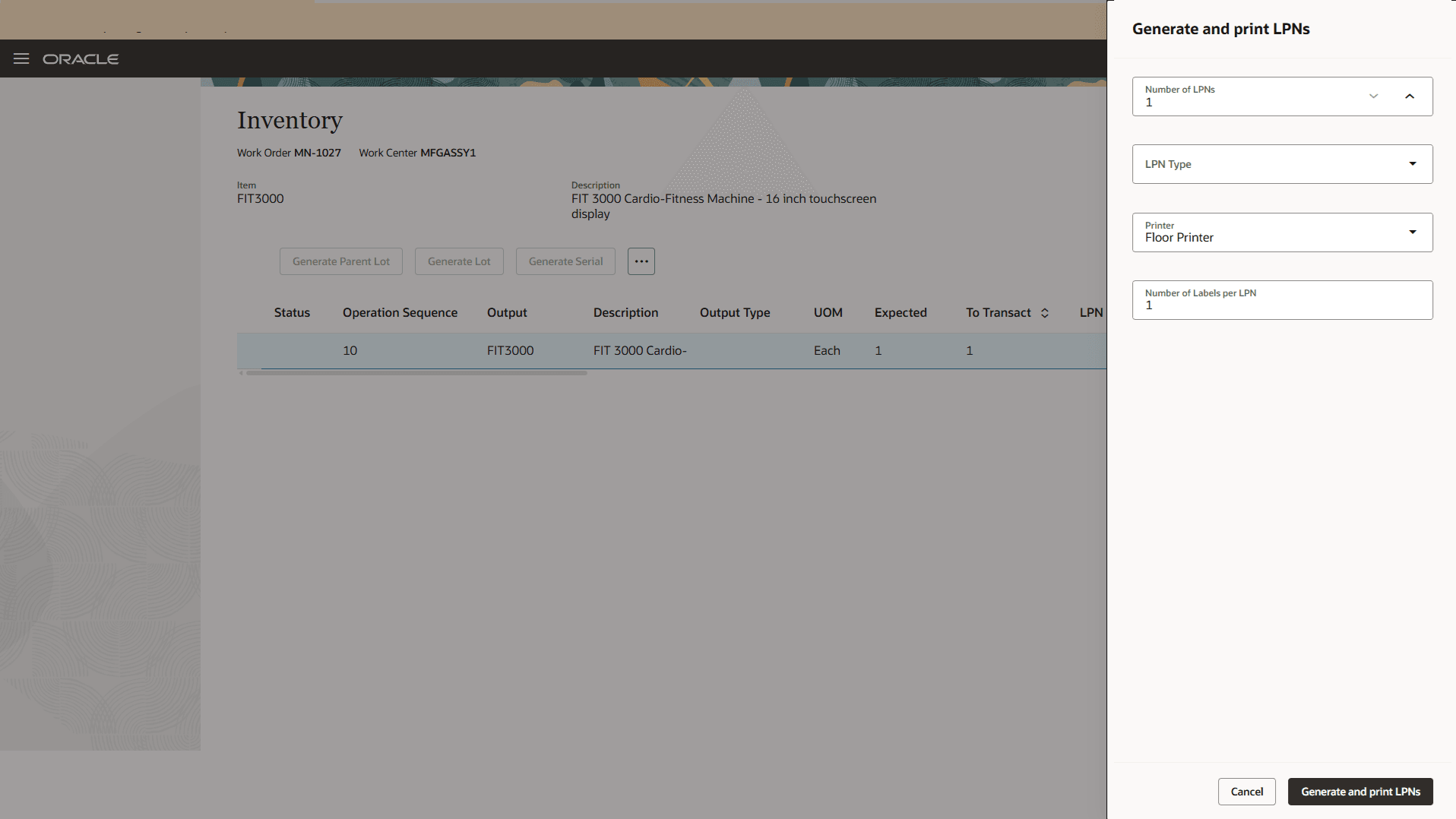
Specify the Details to Print LPN Labels
This built-in process to generate and print LPNs reduces friction for factory workers, minimizing errors and enhancing operational efficiency.
Here's the demo of these capabilities:
Steps to Enable and Configure
Refer to the Redwood: Use License Plate Numbers to Perform Inventory Transactions feature for more information about the setups needed for using LPNs.
Tips And Considerations
- Refer to the 25D feature Issue Materials and Complete Products in a Work Order Operation Using a License Plate Number for more information about LPN support using Oracle Fusion Cloud Manufacturing and Advanced Inventory.
- You can't generate and print LPNs in labels when using the mobile production reporting with industrial, handheld devices to report operation, output, orderless, and flow schedule completions into inventory.
Key Resources
- Watch the Generate and Print License Plate Numbers in Labels When Reporting Completions into Inventory demo.
- Oracle Fusion Cloud SCM: Refer to the Using Manufacturing guide, available on the Oracle Help Center.
- Oracle Fusion Cloud SCM: Refer to the Implementing Manufacturing and Supply Chain Materials Management guide, available on the Oracle Help Center.
Access Requirements
Users who are assigned a configured job role that contains this duty role can access this feature:
- Advanced Inventory Transaction Duty (ORA_INV_ADVANCED_INVENTORY_MAINTENANCE_DUTY)
This duty role is available from 25C.
NOTE: The Advanced Inventory Transaction Duty duty role is not assigned to any predefined job roles. In the Security Console, you must manually assign the duty role to a configured job role.