Redwood: Capture Supplier Discounts on Purchase Orders
Capture order discounts and line discounts using a Redwood page. Discounts can be expressed as a percentage or a fixed amount, and reasons for the discount can be included.
These screen captures illustrate how order level and line level discounts are captured in the Redwood application.
The Apply Discount action is available from the actions menu once at least one line exists on the purchase order.
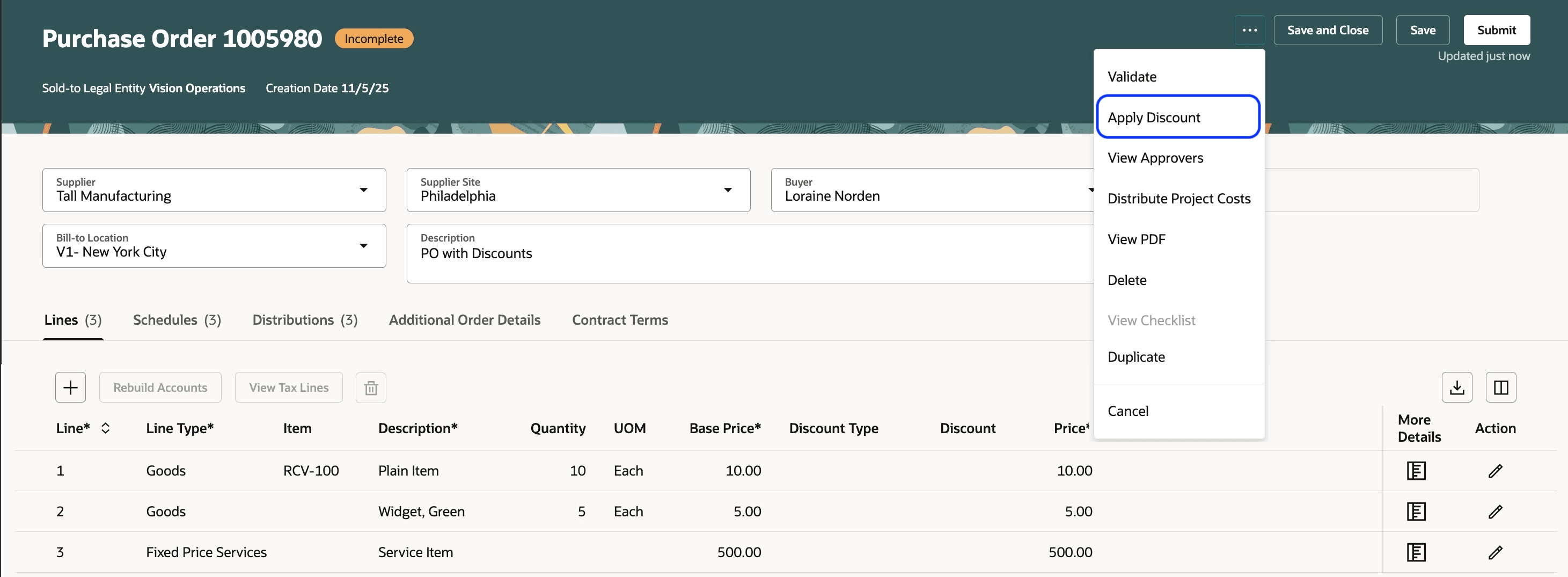
Apply Discount Action
You can enter an order-level discount as either a fixed amount or a percentage. For percentage-based discounts, the same percentage is applied to all line items. For amount-based discounts, the total amount is distributed proportionally across all the lines, ensuring that the total discount matches the value entered in the Apply discount drawer.
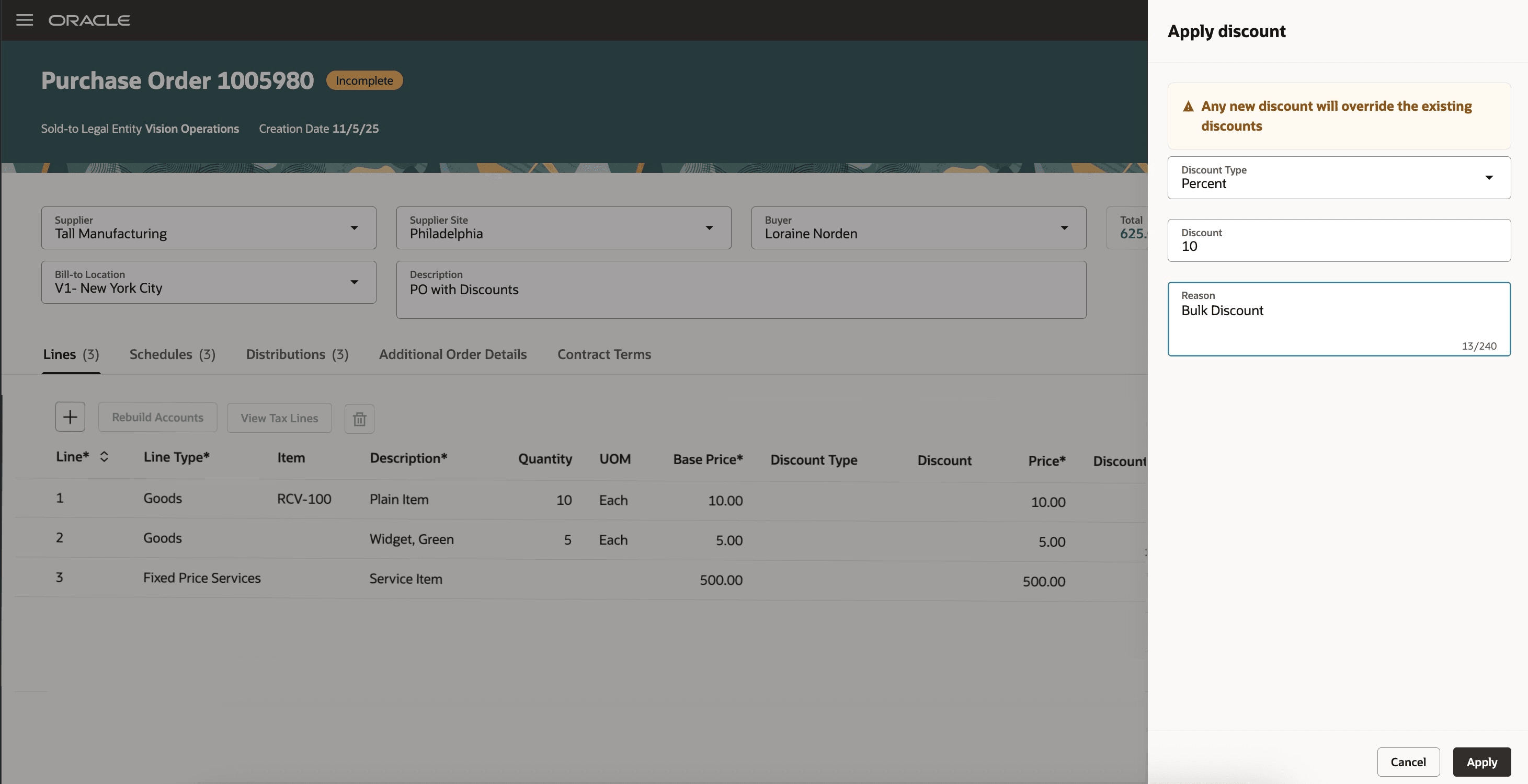
Apply discount Drawer
After the discount is applied, the order total is updated and you can view the breakdown of the total, including the total discount.
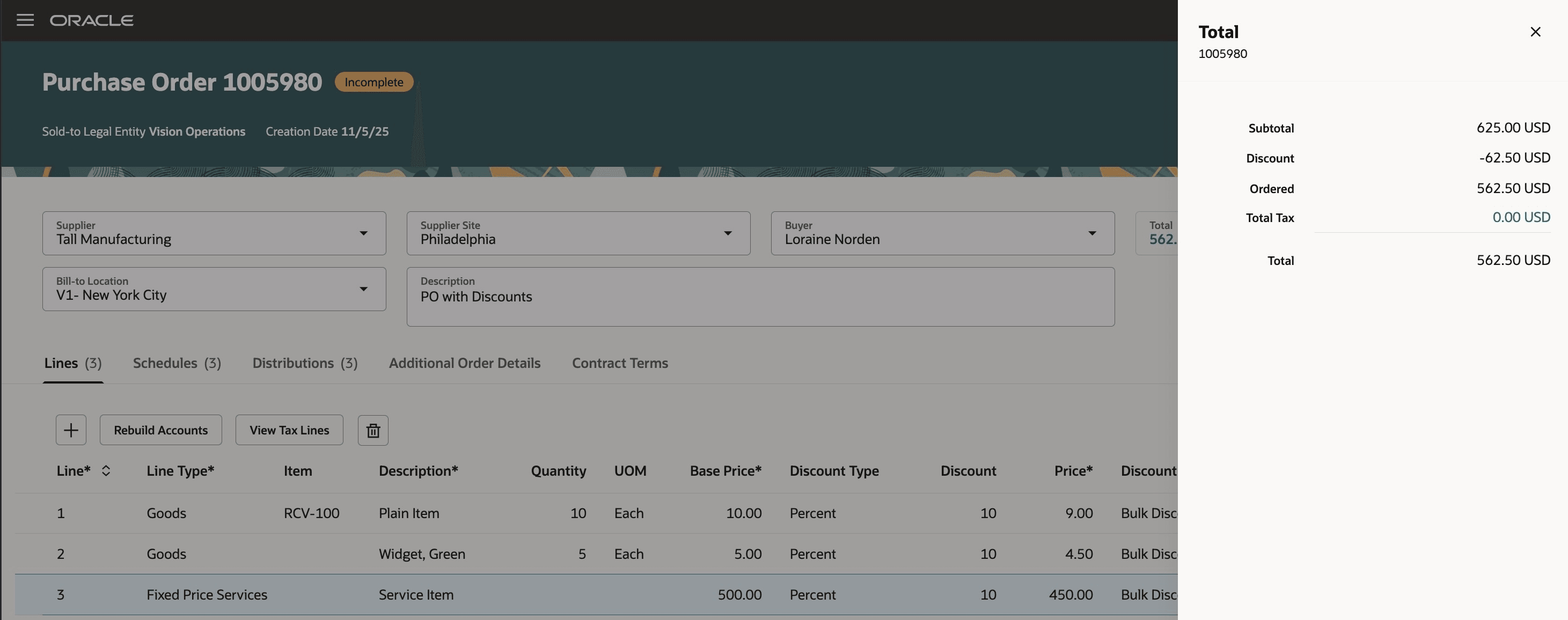
Order Total Showing Discount Amount
You can also provide discounts at the line level, either as an override to an order-level discount or as a standalone line-level discount.
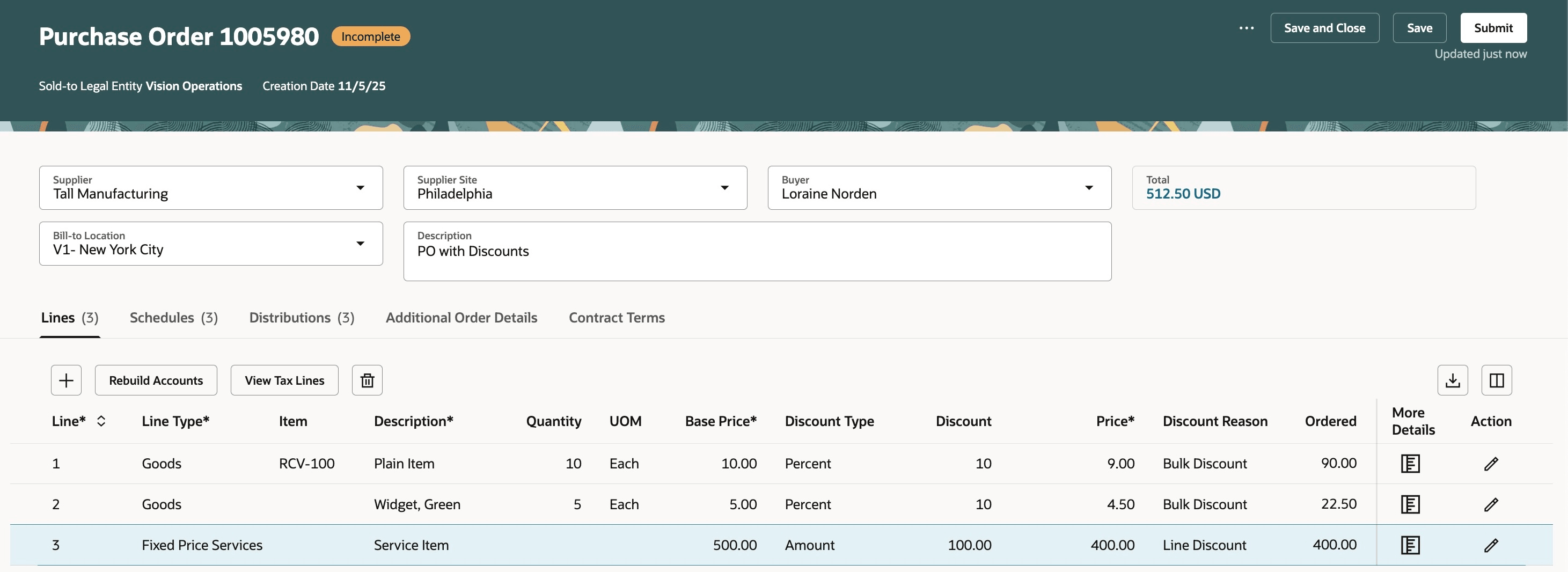
Apply Line-Level Discount
The Discount column, introduced in Update 25C, can be exposed in the search results of the Purchase Orders page for both buyers and suppliers.
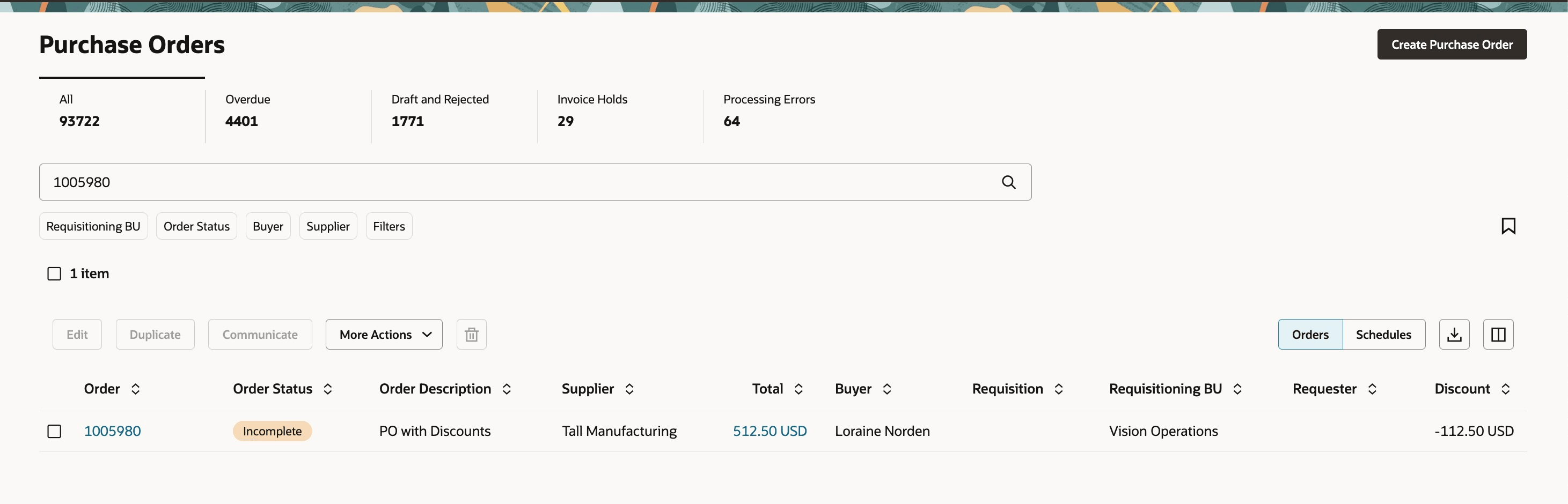
Purchase Orders Search Results Showing Credit Value
Finally, suppliers can view the discount-related fields when acknowledging a purchase order with applied discounts.
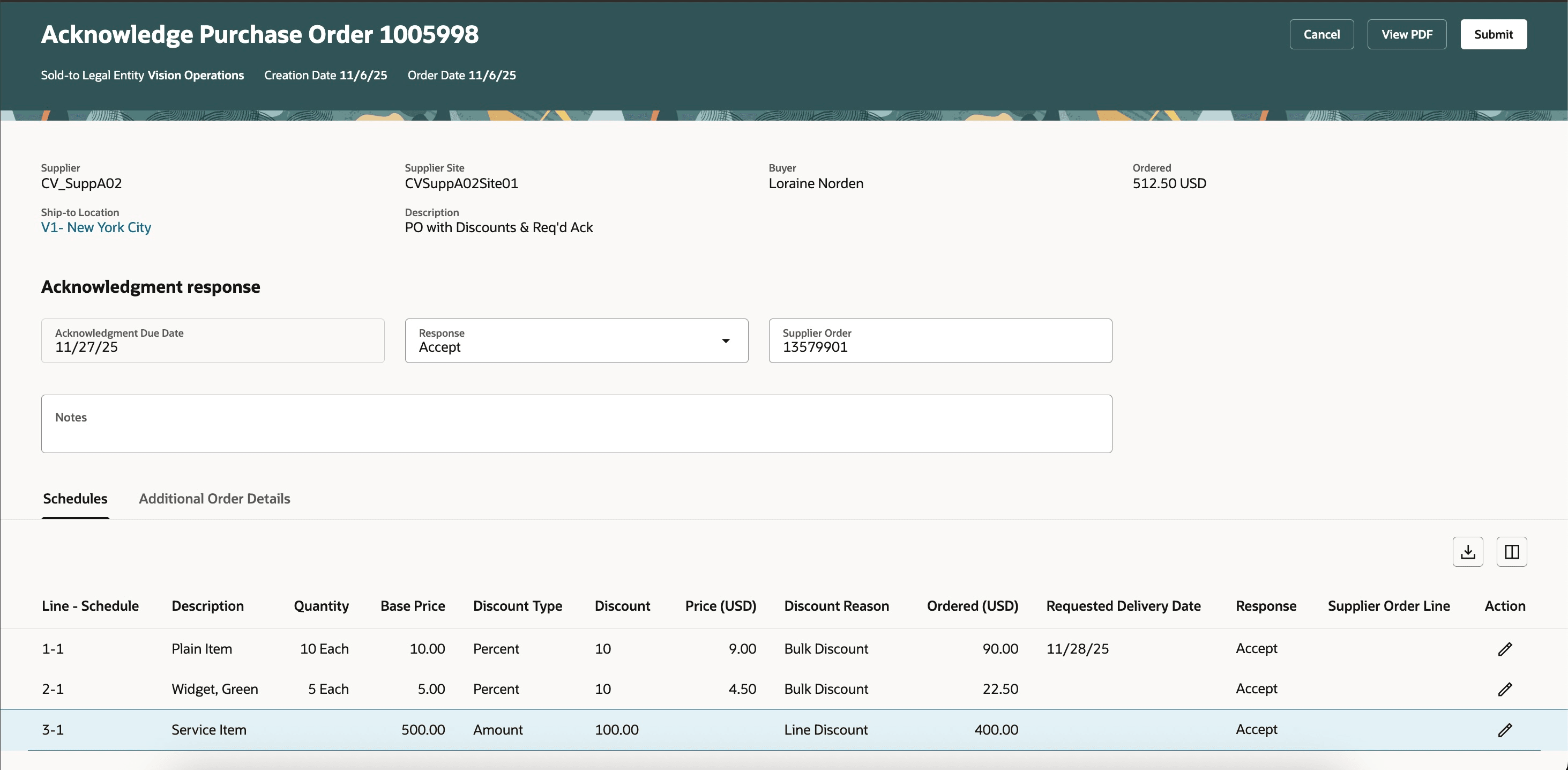
View Discounts During Acknowledgment
Steps to enable and configure
You don't need to do anything to enable this feature.
Tips and considerations
- The Apply Discount action is disabled in these scenarios:
- At least one line has been received or invoiced and the application is configured to prevent price updates on fulfilled orders.
- At least one line references a blanket purchase agreement that doesn't allow price override.
- At least one line references a punchout item that doesn't allow price override.
- At least one line references a smart form where the smart form definition doesn't allow price override.
- The only lines on the purchase order are credit lines.
- When using this feature, the base price is shown automatically in the lines table, but the other discount-related fields (Discount Type, Discount, and Discount Reason) are hidden by default. You can choose to expose these columns through column management. Administrators can choose to make these fields always visible or always hidden through business rules.
- When using this feature, suppliers using the Redwood application for acknowledgment will be able to add the discount-related fields to the schedules table. These fields are not available in the classic UI.
Key resources
- To enable Redwood for Purchasing, see the Getting Started with Redwood in Purchasing topic on the SCM Resource Center in Customer Connect.
- For information about using Oracle Visual Builder Studio to extend your Redwood application pages, see Oracle Fusion Cloud HCM and SCM: Extending Redwood Applications for HCM and SCM Using Visual Builder Studio.
- For more information on using line-level discounts, refer to the How You Capture Supplier Discounts on Purchase Order Lines topic.
- For more information on applying order-level discounts, refer to the Apply Discount to All Purchase Order Lines feature, available in Oracle Fusion Cloud Procurement What's New, update 23A.
Access requirements
No specific privileges are needed to create or view purchase orders with discounts.