Redwood: Create Purchasing Documents with Compliance Checklists
As a buyer, you can reference compliance checklists on purchasing documents and their associated change documents using the Redwood purchasing pages.
The checklist is prepared to track compliance requirements for a specific procurement transaction. This could be a purchase order, purchase agreement, or change order that may result in a new document revision. You can associate the checklist with its intended document before the document is submitted for approval.
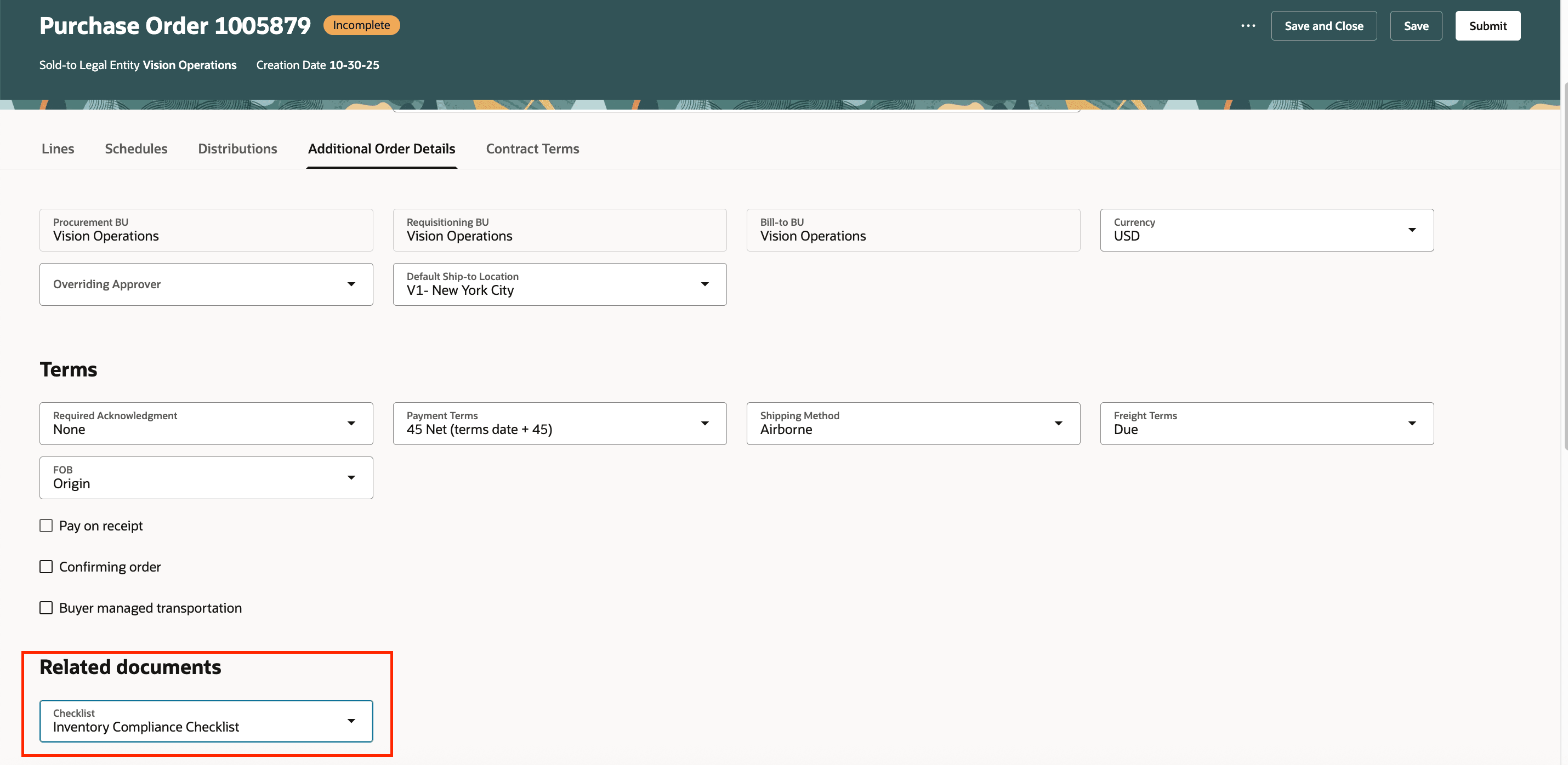
Associate a Checklist with a Purchasing Order
You can drill down to a checklist from a purchase order or a purchase agreement.
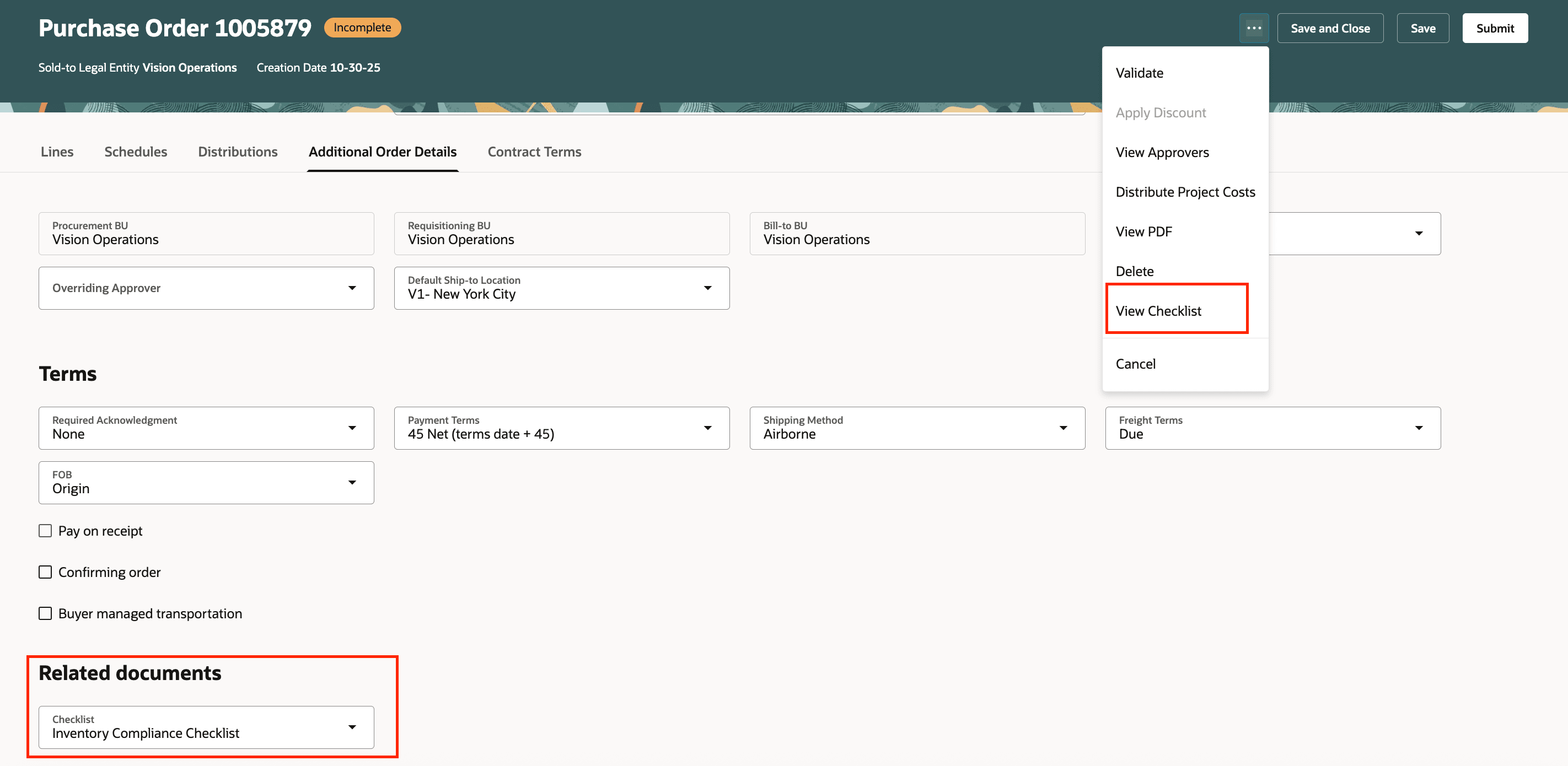
View Checklist Action on the Purchase Order
Each checklist is unique for a purchasing document and any revision of such a document. You can access the checklists associated with a purchasing document and its associated change documents from the Revision History and Change History pages.
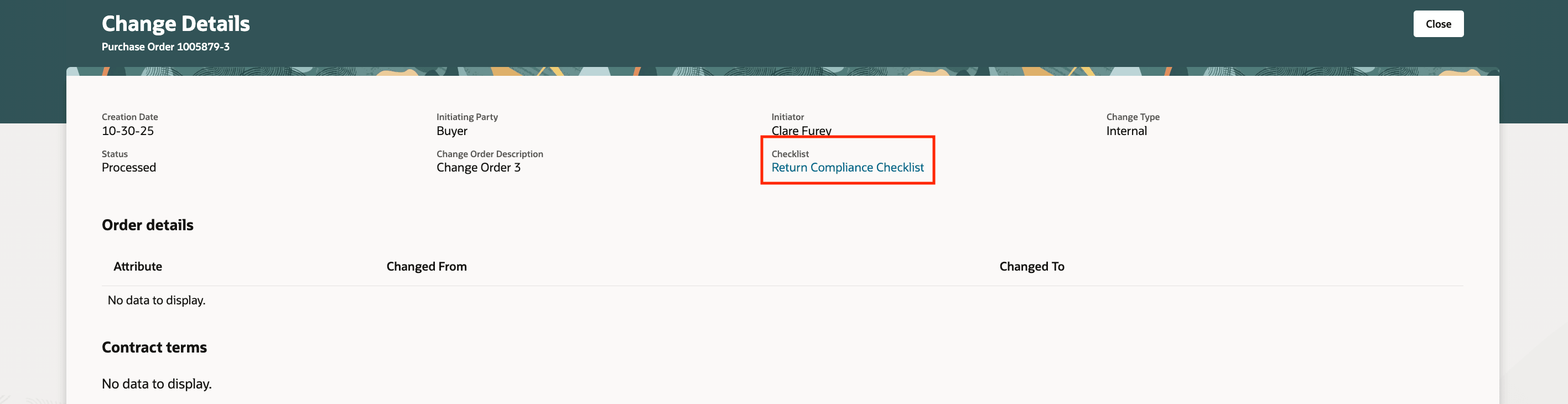
Checklist on the Change Details Page
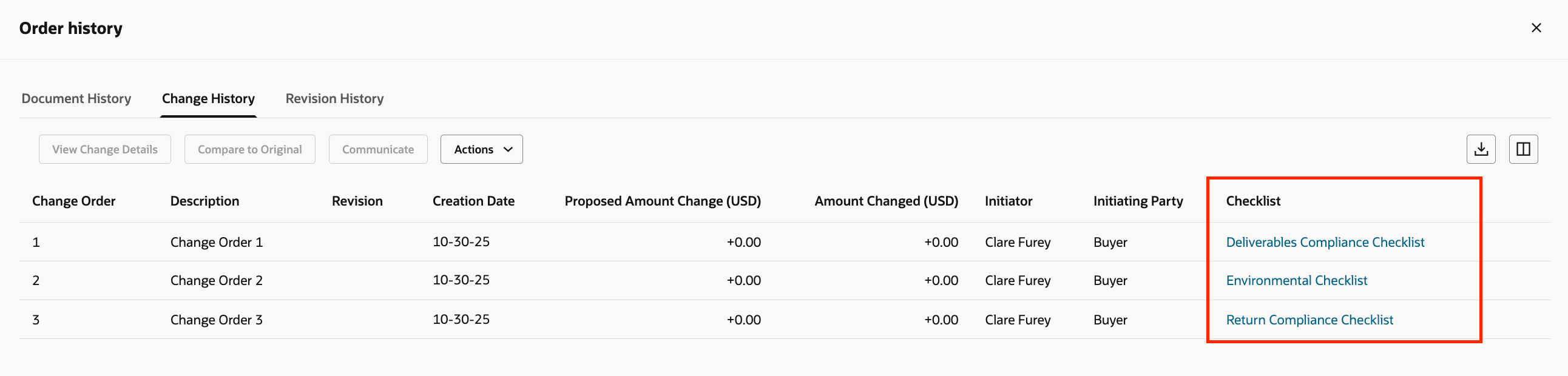
Checklist on the Change History Page

Checklist on the Revision History Page
Steps to enable and configure
To enable this feature, opt in to the Create Compliance Checklists for Purchasing Documents feature under the Procurement offering.
Tips and considerations
- You can’t submit a purchasing document for approval if the checklist associated with the document was canceled.
- You can't reference the same checklist on multiple purchasing documents.
- Buyers can only view the checklist attached to the original document on the Redwood View Purchase Order or Redwood View Purchase Agreement and their corresponding Revision History pages.
- Buyers can only view the checklist attached to the change order on View Change Details, Change History, and Revision History pages.
Key resources
- To enable Redwood for Purchasing, see the Getting Started with Redwood in Purchasing topic on the SCM Resource Center in Customer Connect.
- For information about using Oracle Visual Builder Studio to extend your Redwood application pages, see Oracle Fusion Cloud HCM and SCM: Extending Redwood Applications for HCM and SCM Using Visual Builder Studio.
- To know how you can create a compliance checklist, refer to the Create a Compliance Checklist topic.
- To know how you can associate a checklist with purchasing documents, refer to the How You Associate a Checklist with Purchasing Documents topic.
Access requirements
Users who are assigned a configured job role that contains this privilege can access this feature:
- View Compliance Checklist (PO_VIEW_COMPLIANCE_CHECKLIST_PRIV)
This privilege was available prior to this update.