Redwood: Create and Edit Purchase Orders Requiring Special Handling
Create purchase orders requiring special handling by your suppliers. You can now capture and revise handling details using the Redwood Purchasing pages. For example, create bill-only documents that include details such as the physician's name and the item's lot and serial number.
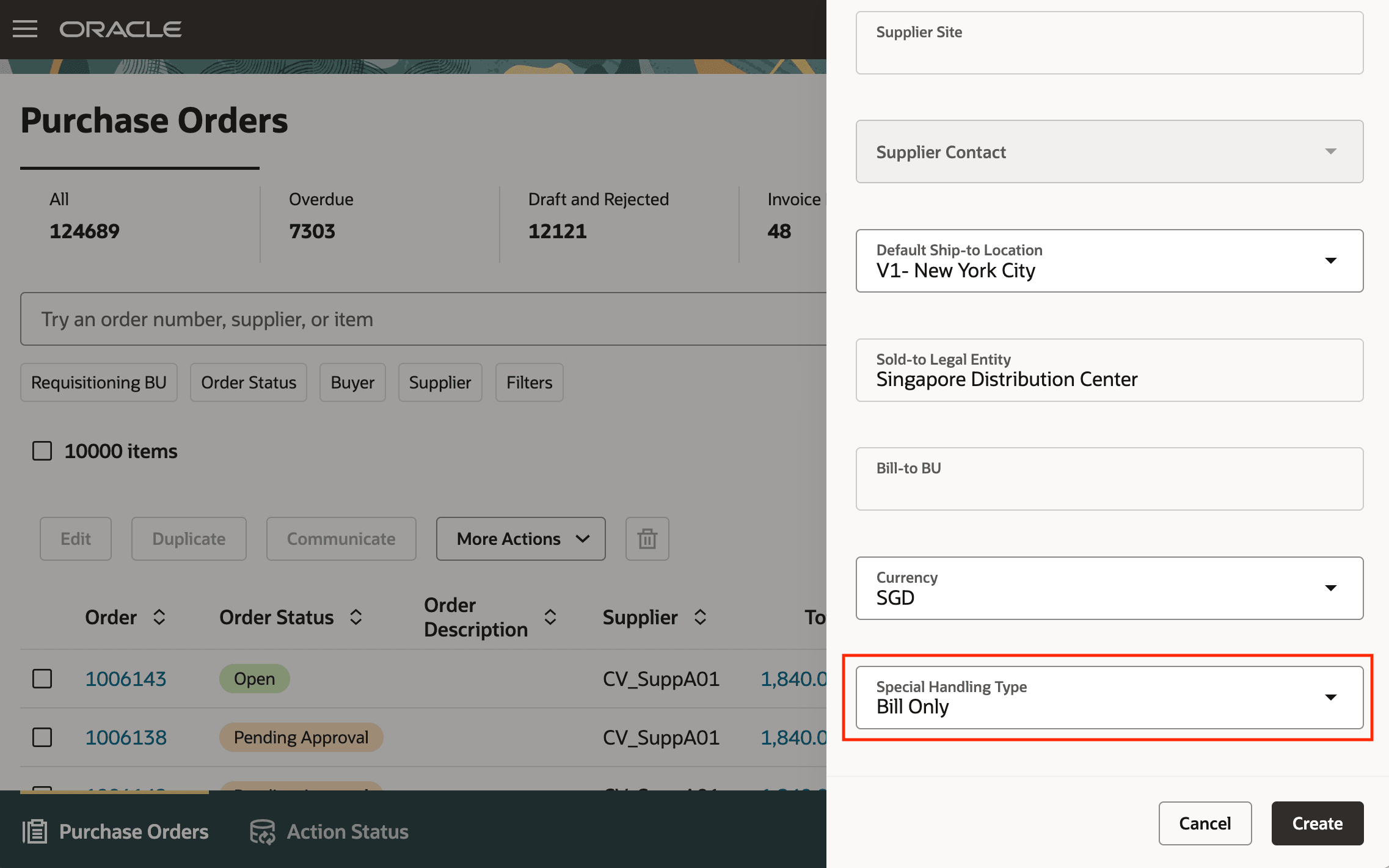
Create Special Handling Orders from the Redwood Purchase Orders Page
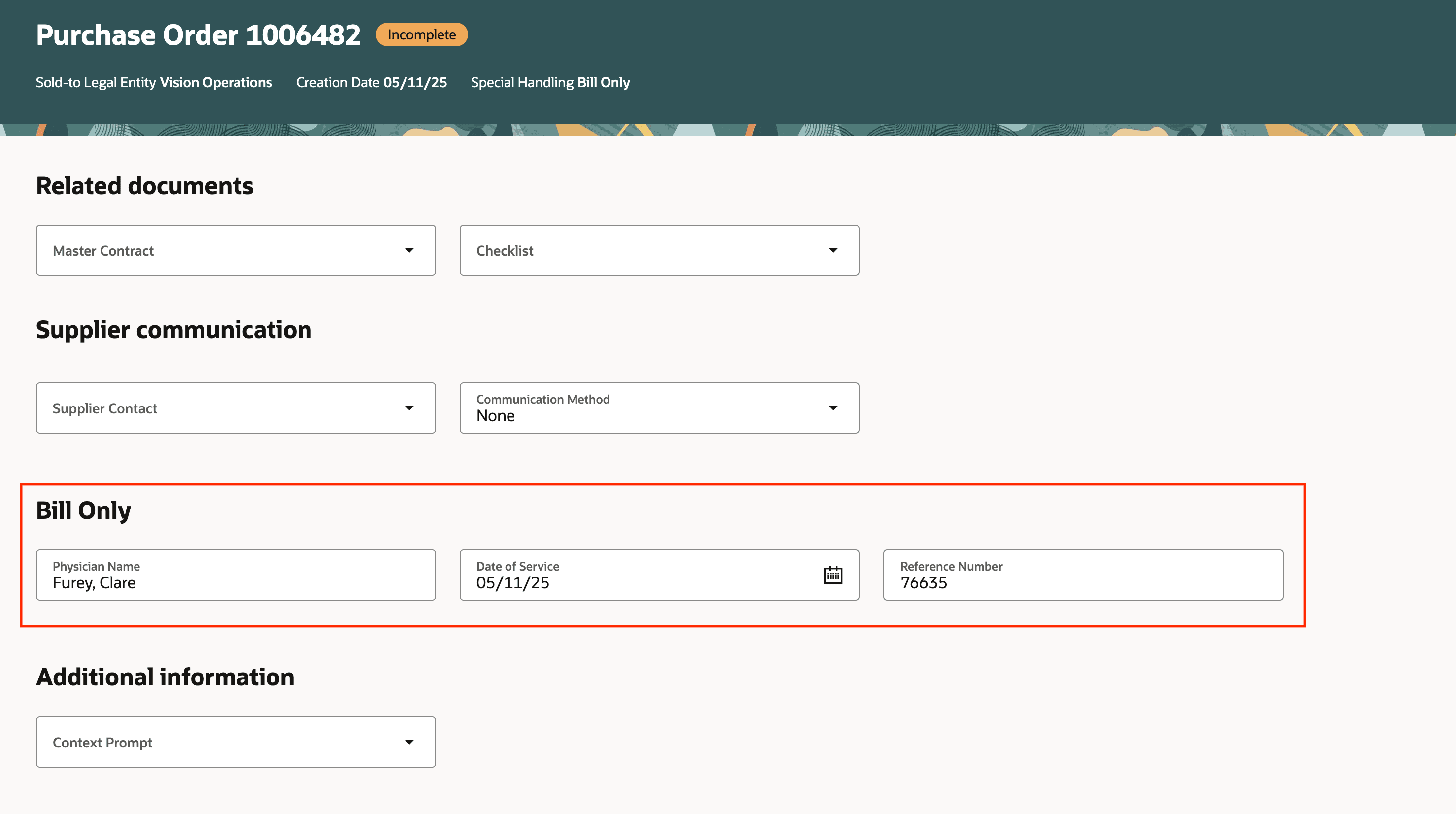
Special Handling Details on the Purchase Order
Steps to enable and configure
You don't need to do anything to enable this feature.
Tips and considerations
- You can't create special handling orders using styles that have consignment terms, configuration ordering, outside processing, or complex work enabled.
- You can't create special handling orders if the requisitioning business unit is located in Brazil and has fiscal document processing enabled.
- If Automatically Create Receipt is enabled for the special handling type:
- You can't create lines with items that are lot or serial-controlled.
- Receipt routing will be read-only and set to Direct Delivery.
- The destination type must be Expense.
- After opt in to this feature, the Override B2B Communication setting will be available on purchase orders without needing to opt in to the Override B2B Communication of Purchase Orders feature. You will still need the Override Purchase Order B2B Communication privilege to change the value. For more details about the the Override B2B feature, refer to the How You Override B2B Communication of Purchase Orders topic.
- If B2B messages are set up for the document and the supplier site, the application will enable Override B2B Communication on special handling orders if the Override B2B communication for special handling orders setting on the supplier site is enabled.
- You can't duplicate special handling orders.
Key resources
- To enable Redwood for Purchasing, see the Getting Started with Redwood in Purchasing topic on the SCM Resource Center in Customer Connect.
- For information about using Oracle Visual Builder Studio to extend your Redwood application pages, see Oracle Fusion Cloud HCM and SCM: Extending Redwood Applications for HCM and SCM Using Visual Builder Studio
- For details on configuring special handling types, refer to the Manage Special Handling Types topic.
- For details on creating special handling orders, refer to the How You Create Special Handling Purchase Orders topic.
Access requirements
No specific privileges are needed to create and edit special handling purchase orders.