Redwood: Create and Edit Purchase Orders with Retainage Terms
Create and edit purchase orders with retainage terms by specifying retainage rates and maximum retainage amounts using a Redwood page. If needed, you can set up different retainage rates by schedule for the same purchase order line. Invoices matched to such purchase orders will automatically withhold an amount as per the specified rate. The maximum retainage amount sets the limit up to which you can withhold retainage from matched invoices.
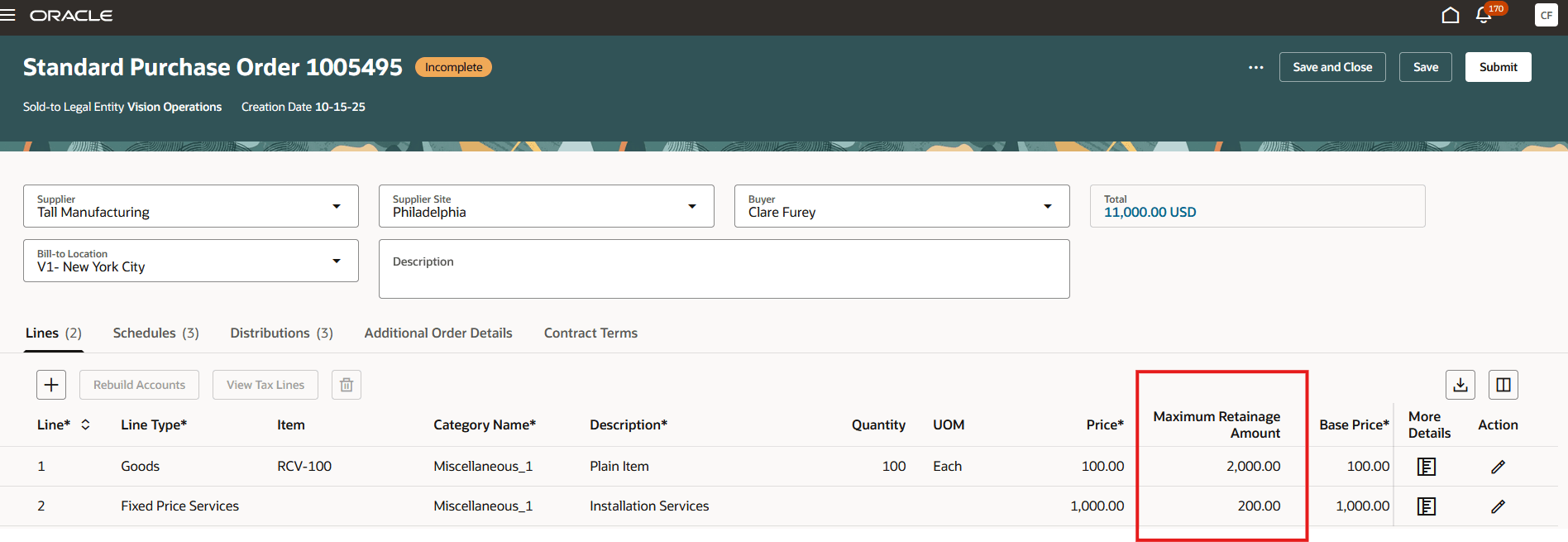
Enter Maximum Retainage Amount on Purchase Order Lines
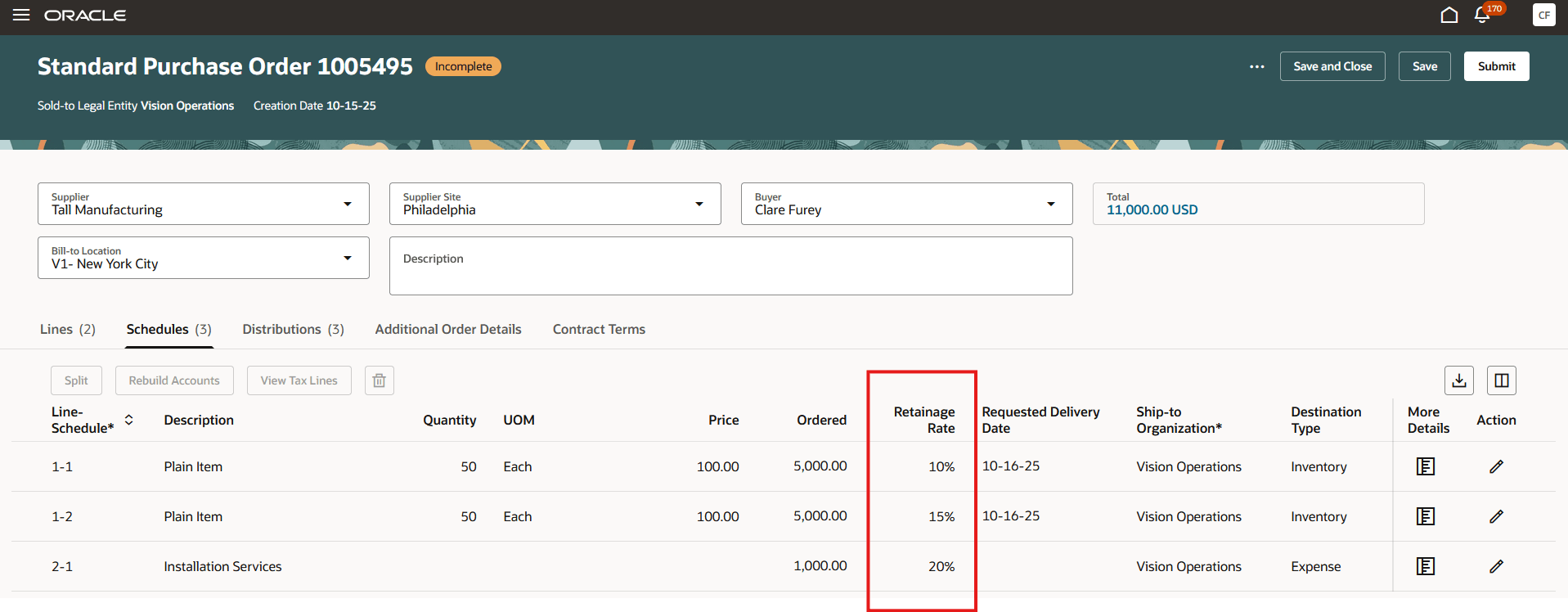
Different Retainage Rates on Purchase Order Schedules
Buyer, supplier, and requester users can now view retainage terms in the Schedules drawer of the View Purchase Order page.
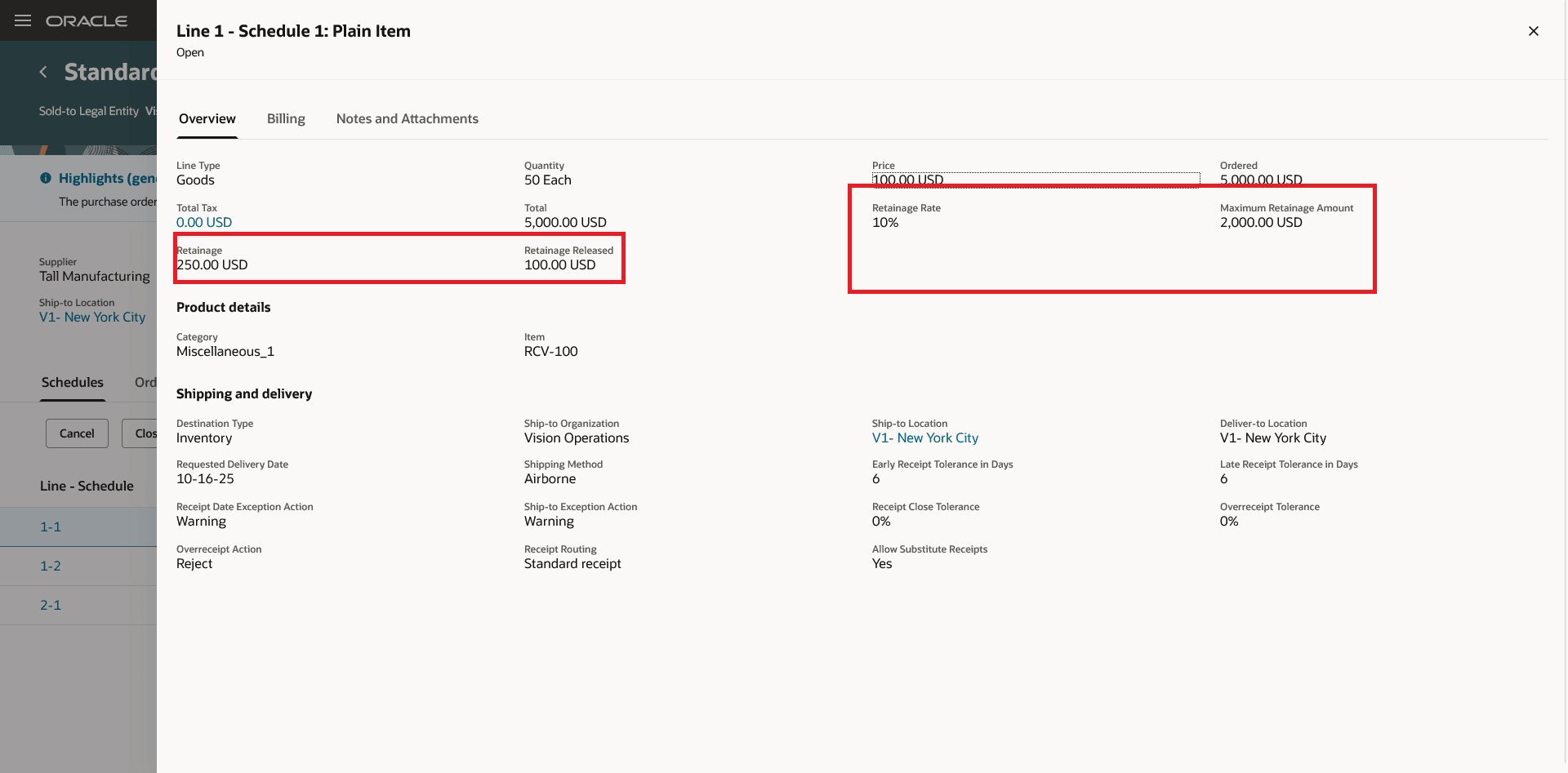
Retainage Fields on the View Purchase Order Page
Buyer, supplier, and requester users can now view retainage terms on the Edit and View Change Order pages.
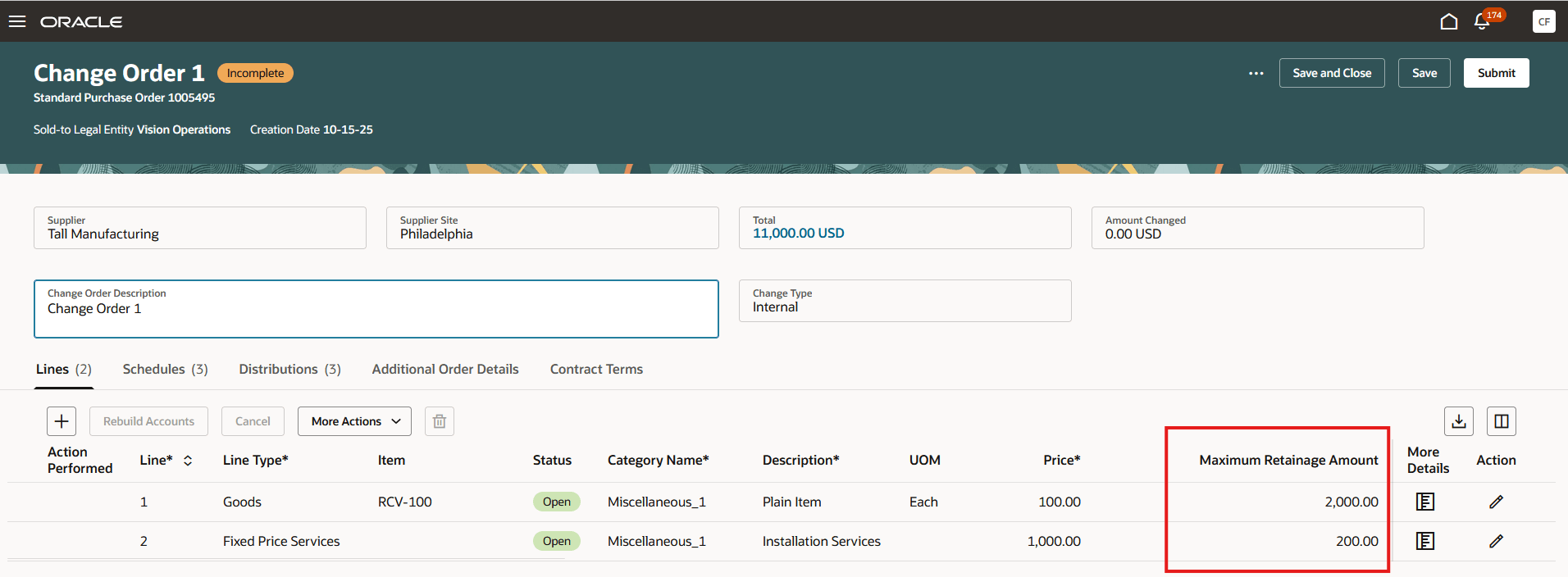
Maximum Retainage Amount on Change Order Lines
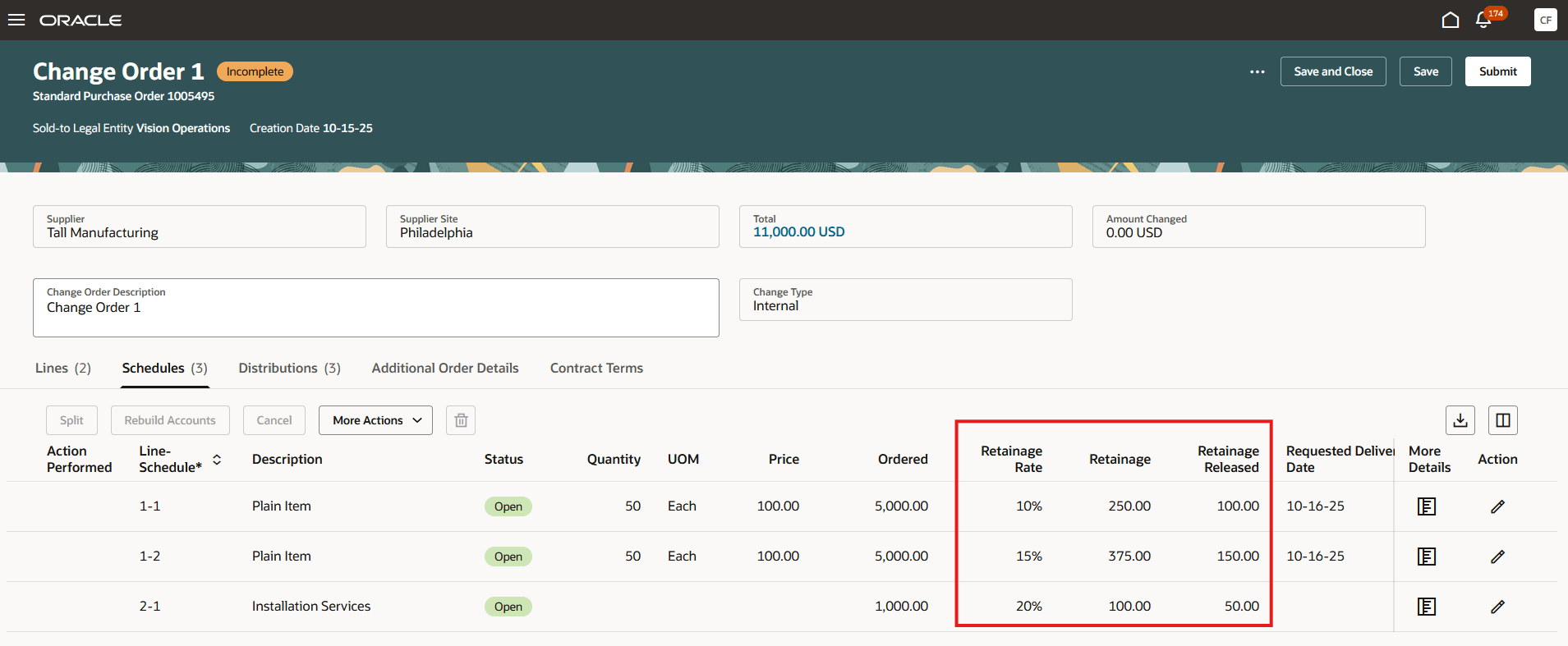
Retainage Rate and Retainage Balance on Change Order Schedules
Buyer and supplier users can now view retainage terms when acknowledging a purchase order or its changes.
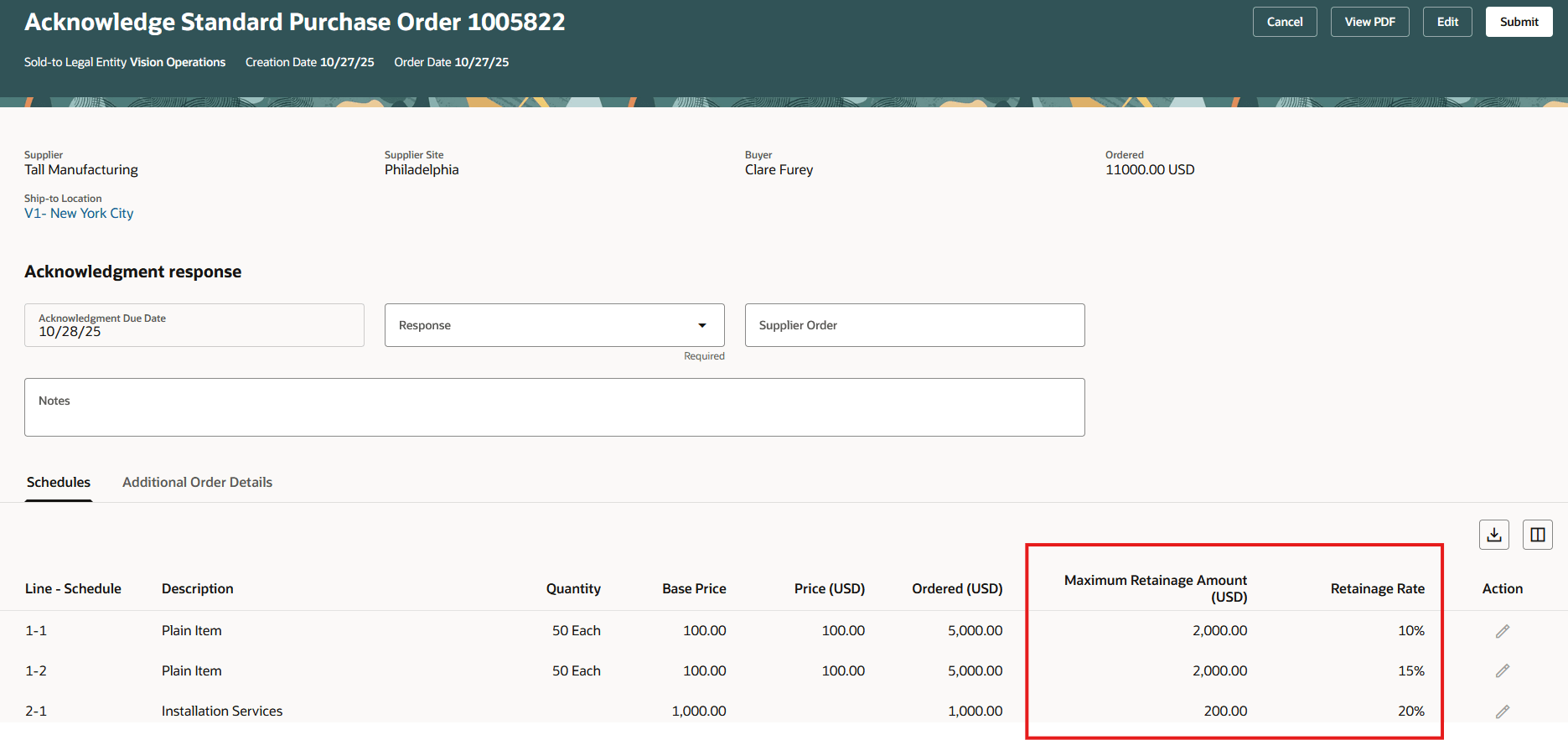
View Retainage Terms While Acknowledging a Purchase Order or Change Order
Using this feature, you can perform these tasks:
- Monitor retainage balances on your purchase orders from the Purchase Order Life Cycle page.
-
Use the All Invoices context filter in the Invoices table on the Order Life Cycle page to view the retainage release invoices in the invoice view.
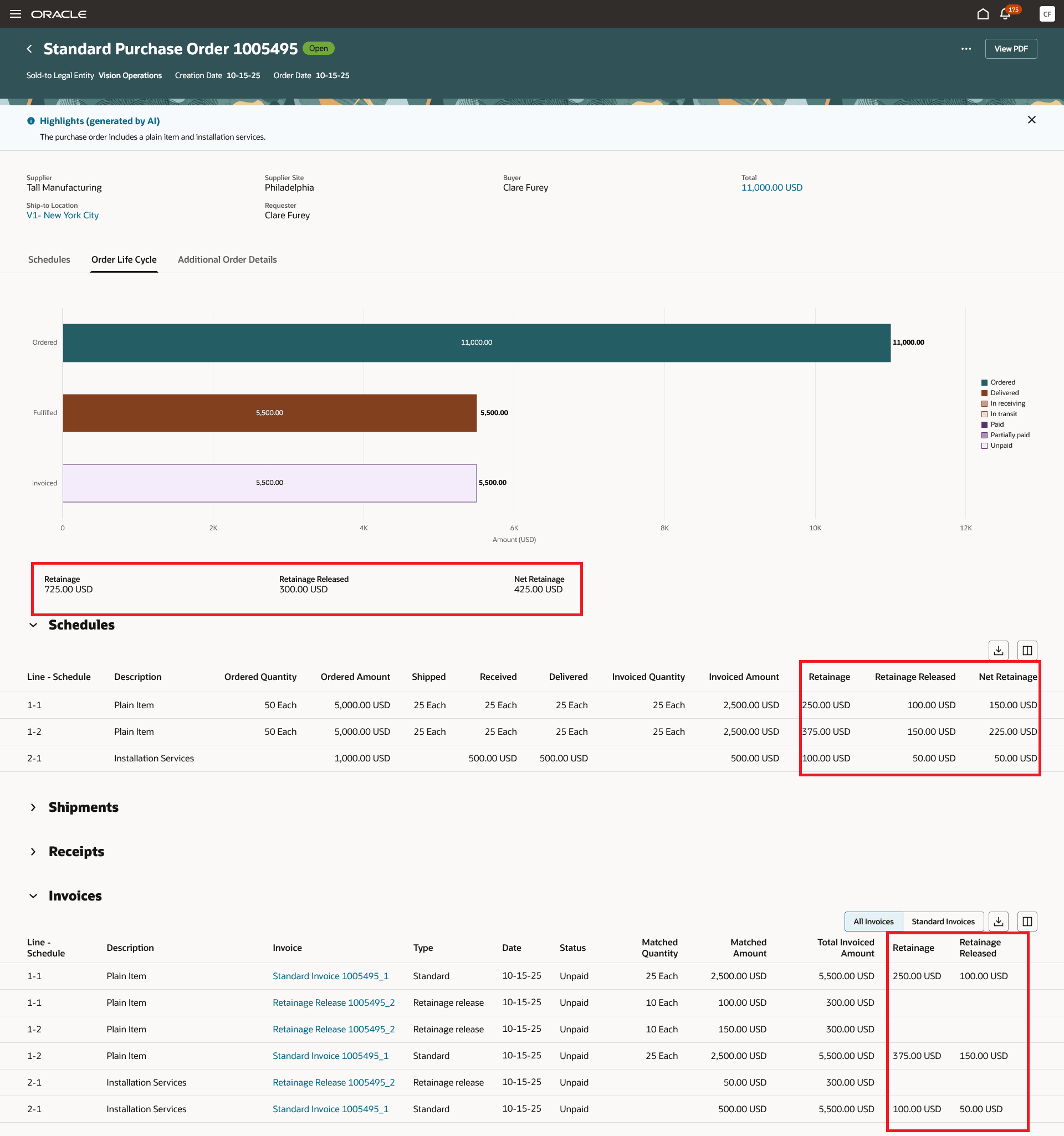
Order Life Cycle Page Showing Retainage Balances for Purchase Order and Individual Schedules
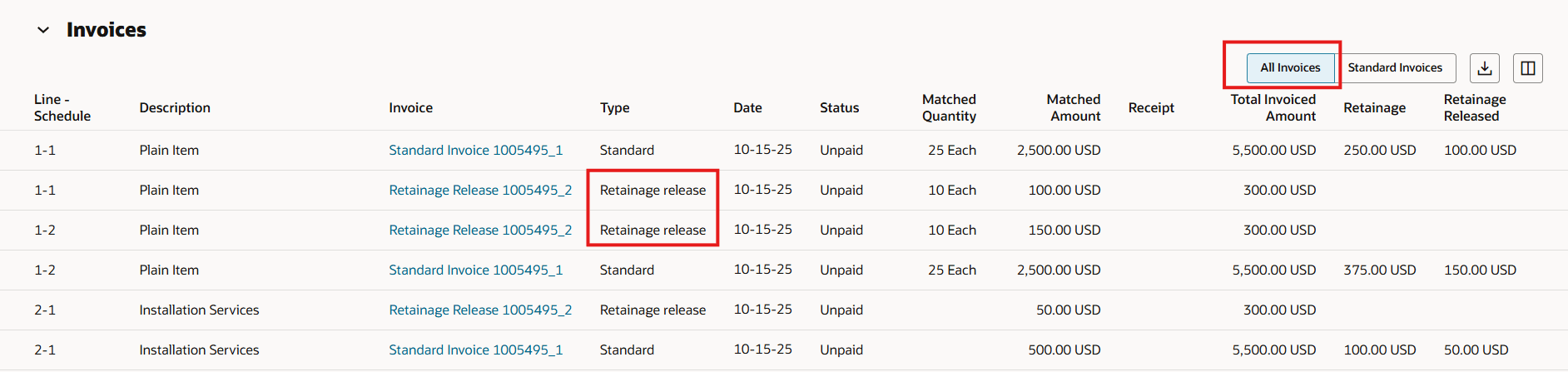
Retainage Release Invoice Included in All Invoices Context Filter on the Invoices Table
Steps to enable and configure
You don't need to do anything to enable this feature.
Tips and considerations
- Use the Manage Document Styles task under the Procurement Offering to enable retainage for existing or newly created user-defined document styles.
- You can't enable retainage terms for seeded document styles: Standard Style, Consignment Purchases Style, Configure to Order Style, and Outside Processing Style.
- The Retainage fields are hidden by default on the Purchase Order and Change Order lines. You can use the column management to configure the columns that are hidden.
- Retainage terms are read-only for supplier and requester users.
- When duplicating the purchase order, the retainage rate and the maximum retainage amount from the original (parent) schedule and line are automatically copied to the corresponding schedule and line in the duplicated order.
- Extensibility capabilities are now supported for retainage fields on both the Purchase Order and Change Order pages.
Key resources
- To enable Redwood for Purchasing, see the Getting Started with Redwood in Purchasing topic on the SCM Resource Center in Customer Connect.
- For details on how to create and manage purchase orders with retainage terms, refer to the Create Purchase Orders with Retainage Terms feature, available in Oracle Fusion Cloud Procurement What's New, update 21A.
- For information about using Oracle Visual Builder Studio to extend your Redwood application pages, see Oracle Fusion Cloud HCM and SCM: Extending Redwood Applications for HCM and SCM Using Visual Builder Studio.
Access requirements
- Users who are assigned a configured job roles that contains this privilege are able to set up this feature:
- Manage Purchasing Document Style (PO_MANAGE_PURCHASING_DOCUMENT_STYLE_PRIV)
- No specific privileges are needed to create or update purchase orders with retainage terms.