Redwood: Set up Supplier Registration and Profile Change Request
You can now view and configure supplier registration and supplier profile change request setup using the Redwood user experience. This also includes new capabilities to configure custom messages for external supplier registration and to configure approval requirements for internal profile management.
On the Supplier Registration Configuration setup page, you can:
- Specify which supplier profile sections are required, enabled, or hidden — such as, company details, bank accounts, and business classifications for both prospective and spend authorized supplier registration.
- Set up required attachments for specific sections like company details or bank accounts.
- Manage default business relationships for registrations originating from external user, internal user, and self service procurement sources.
- Configure custom content, such as welcome and success messages, using an enhanced editor for external registration to communicate information about your onboarding process.
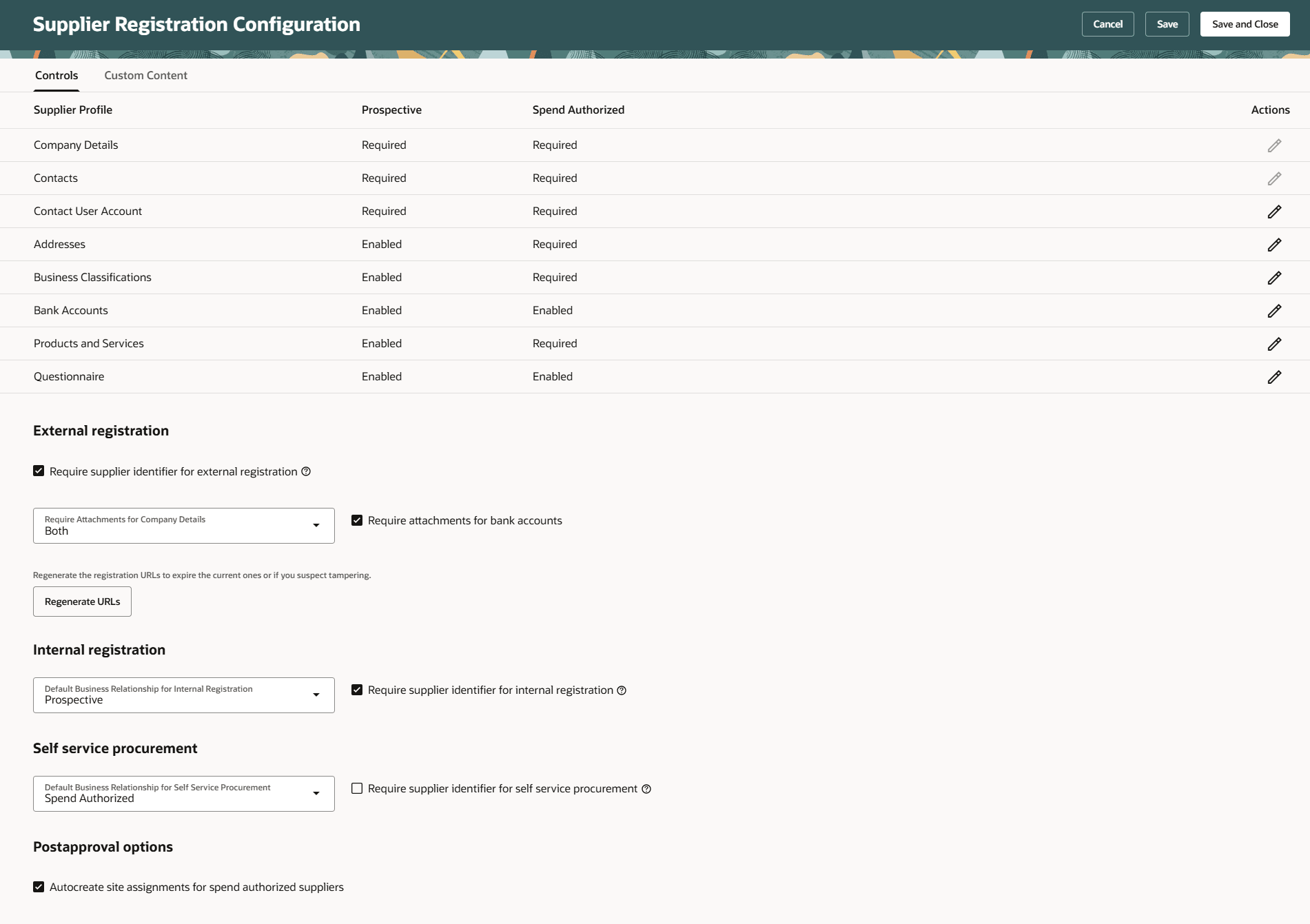
Supplier Registration Configuration - Controls
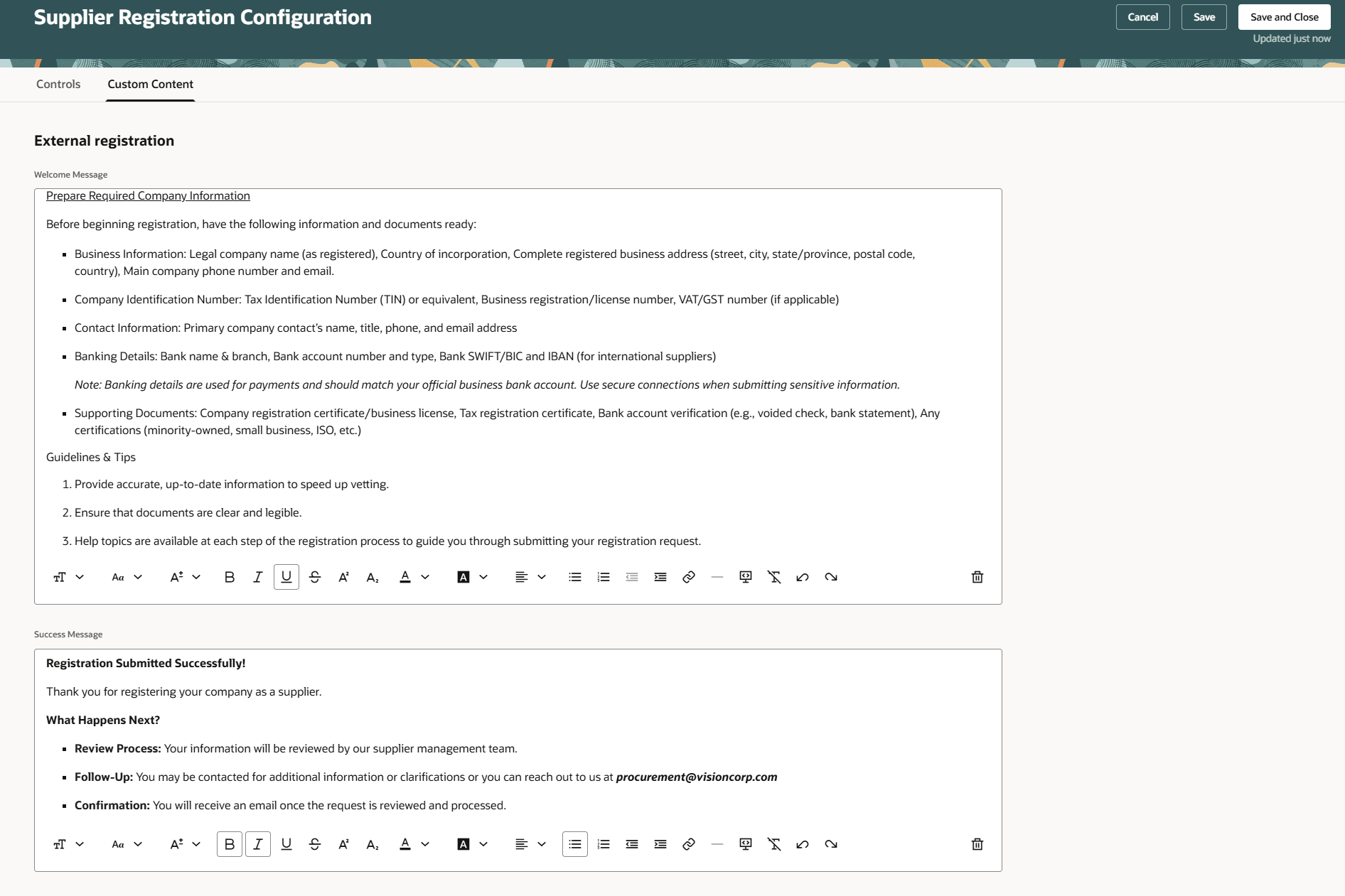
Supplier Registration Configuration - Custom Content
On the Supplier Profile Change Request Configuration setup page, you can:
- Specify which supplier profile sections require approval — such as, addresses, contacts, and bank accounts for internal and supplier initiated profile change requests.
- Set up required attachments for bank accounts.
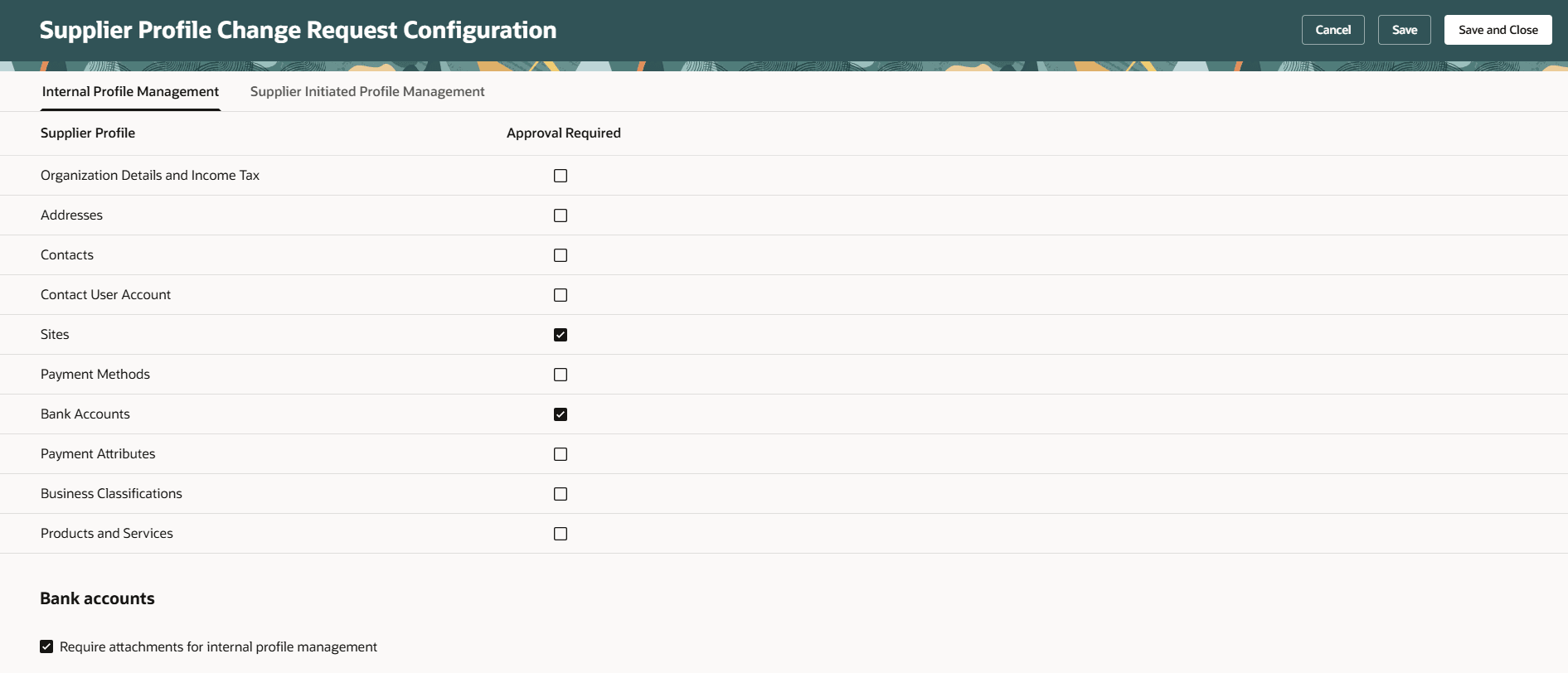
Supplier Profile Change Request Configuration - Internal Profile Management
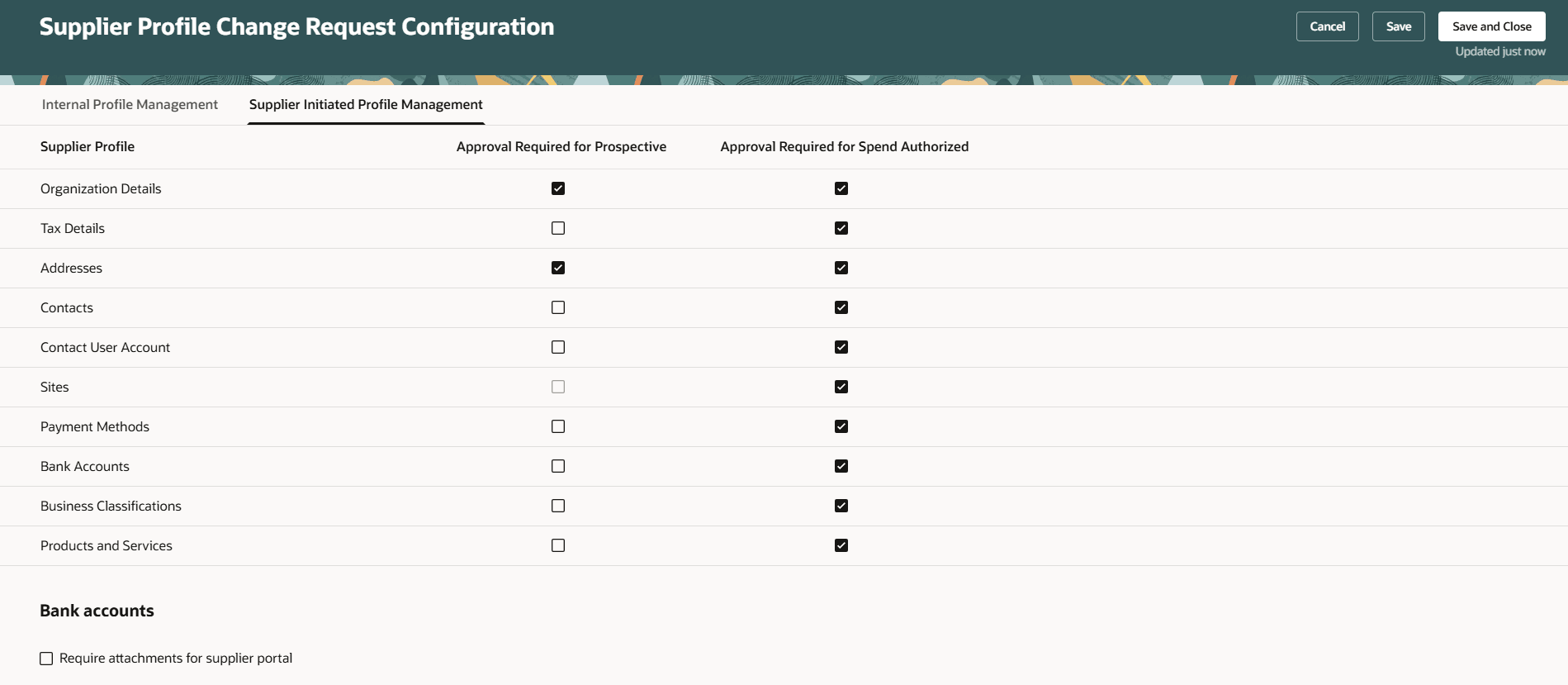
Supplier Profile Change Request Configuration - Supplier Initiated Profile Management
Steps to enable and configure
Use the Opt In UI to enable this feature. For instructions, refer to the Optional Uptake of New Features section of this document.
Offering: Procurement No Longer Optional From: Update 26D
Note: The feature is enabled by default.
Steps to configure supplier registration and supplier profile change management:
- In the Setup and Maintenance work area, search for and select either the Configure Supplier Registration or Configure Supplier Profile Change Request task.
- On the Supplier Registration Configuration or Supplier Profile Change Request Configuration page, set your changes.
- Click Save or Save and Close.
Tips and considerations
When the feature is disabled, only the Configure Supplier Registration task is made available. This classic setup task has been renamed from Configure Supplier Registration and Profile Change Request, but it still supports both supplier registration and supplier profile change request configurations.
Key resources
- See Oracle Help Center – Procurement for product documentation and updates.
Access requirements
Users who are assigned a configured job role that contains this privilege can use these setup pages:
- Configure Supplier Registration (POZ_CONFIGURE_SUPPLIER_REGISTRATION_PRIV)
This privilege was available prior to this update.