Redwood: Use Redwood-Style Procurement Notifications
Existing Redwood-style workflow notifications for procurement documents and transactions have been enhanced. This update brings a consistent and seamless Redwood user experience to both email and worklist notifications.
Here are some highlights:
- The following Oracle Analytics Publisher notification now has the latest Redwood-style incorporated:
- Respond to Questionnaire Notification
- The following Oracle Analytics Publisher notifications are updated with links that redirect to the Redwood page:
- Spend Authorization Approval Notification
- Review Supplier Profile link - redirects to View Supplier Profile page
- Supplier User Account Request Failed Notification
- Review Supplier Profile link - redirects to View Supplier Profile page
- Supplier Profile Change Request FYI Notification for Internal User
- View Supplier Profile Change Request link - redirects to View Supplier Profile Change Request page
- Supplier Profile Change Request Approval Notification
- View Supplier Profile Change Request link - redirects to View Supplier Profile Change Request page
- Assessment Updated Notification
- View Qualification link - redirects to Qualification page
- Spend Authorization Approval Notification
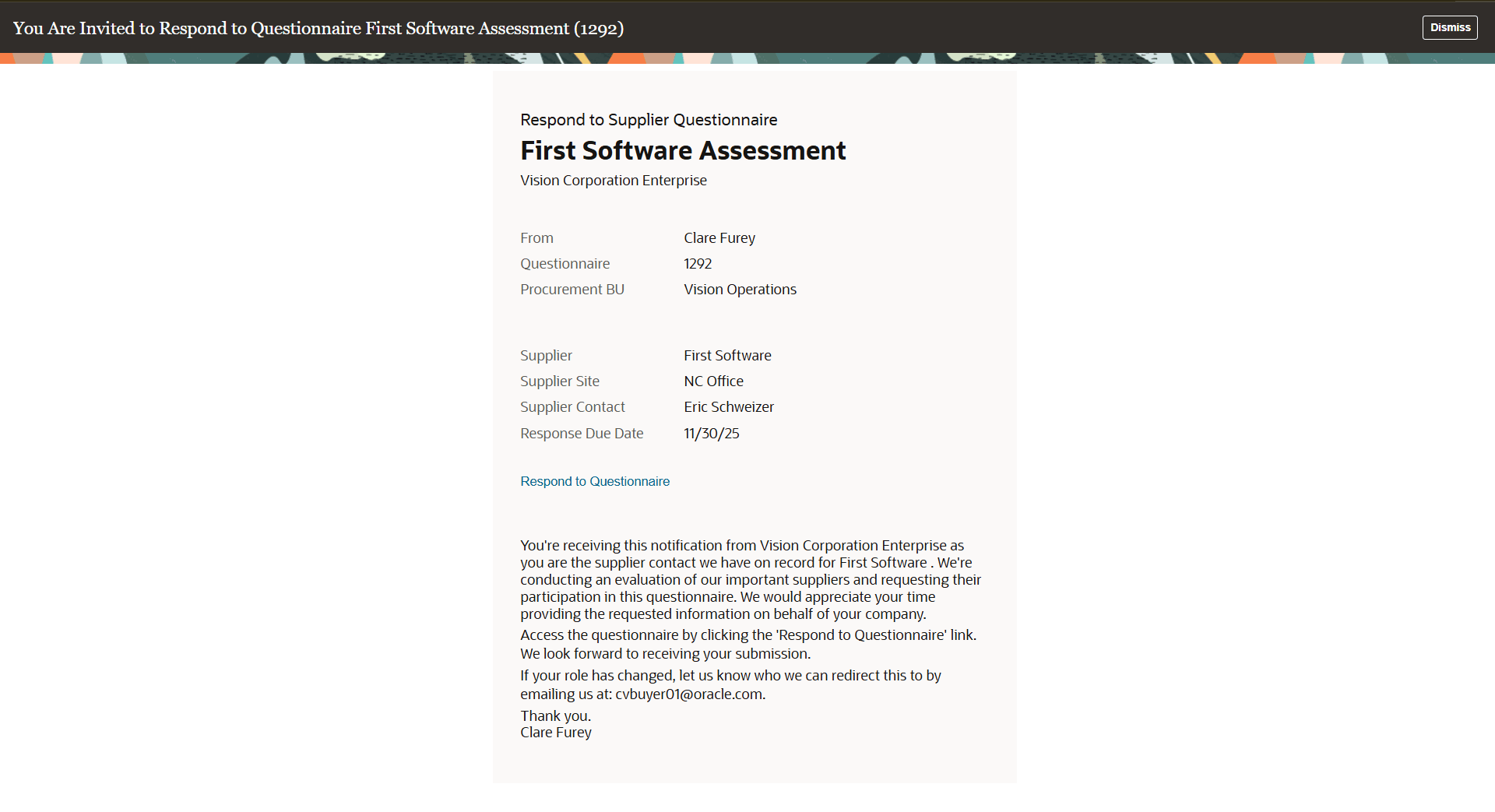
Respond to Questionnaire Redwood Notification
Steps to enable and configure
To access the new Redwood pages through the notification links, you must enable the following profile options. Enabling these profile options will also activate their corresponding Redwood pages:
- Redwood Pages for Supplier Profile Enabled (ORA_POZ_SUPPLIER_PROFILE_REDWOOD_ENABLED) — Supplier Profile and Supplier Profile Change Request pages
- Redwood Qualifications Pages Enabled (ORA_POQ_QUALIFICATIONS_REDWOOD_ENABLED) — Qualification page
For instructions on enabling a profile option, refer to the Set Profile Option Values topic.
To receive the Redwood-style notification, enable the corresponding opt-in if you haven't already. For more details, refer to the Key Resources section.
If you have modified the Oracle Analytics Publisher templates for these Procurement notifications, review and identify the current modifications to your existing templates and apply those modifications to the latest Redwood Oracle Analytics Publisher template.
Key resources
- To know more about the opt-ins and BIP templates for the Redwood-style workflow notifications:
- For Respond to Questionnaire notification, refer to the Configure Respond to Questionnaire and Evaluate Qualification Notifications Using Oracle Analytics Publisher topic.
- For Spend Authorization Approval notification, refer to the Redwood: Use and Configure Redwood-Style Spend Authorization Approval and FYI Notifications topic.
- For Supplier User Account notification, refer to the Redwood: Use and Configure Redwood-Style Supplier User Account Notifications topic.
- For Supplier Profile Change Request FYI notification, refer to the Redwood: Use and Configure Redwood-Style Supplier Profile Change Request FYI Notifications topic.
- For Supplier Profile Change Request Approval notification, refer to the Redwood: Use and Configure Redwood-Style Supplier Profile Change Request Approval Notifications topic.
- For Assessment Updated notification, refer to the Redwood: Use and Configure Redwood-Style Automatic Evaluation, Assessment Updated, and Supplier Repository Update Incomplete FYI notifications topic.
- To learn more about the Redwood pages accessed through the preceding notification links:
- For Qualifications page, refer to the Redwood: Qualifications topic.
- For Supplier Profile and Supplier Profile Change Request pages, refer to the Redwood: Manage Supplier Profile topic in this What's New.
Access requirements
Users who are assigned a configured job role that contains these privileges can access these notifications:
For Spend Authorization Approval notification:
- Supplier Profile Management (ORA_POZ_SUPPLIER_PROFILE_MANAGEMENT_DUTY)
For Supplier User Account notification and Supplier Profile Change Request FYI notification:
- BI Consumer Role (BIConsumer)
Users who are assigned a configured job role that contains this duty role can configure the Respond to Questionnaire notification with Oracle Analytics Publisher:
- BI Administrator (BIAdministrator)
Administrators who are assigned a configured job role that contains this duty role can configure the Spend Authorization Approval notification, Supplier User Account notification, Supplier Profile Change Request FYI notification, Supplier Profile Change Request Approval notification, and Assessment Updated notification with Oracle Analytics Publisher:
- BI Author Role (BIAuthor)