Redwood: Configure Search Views for Purchase Orders, Purchase Agreements, and Process Requisitions
Configure the search keywords, filter chips, and default display columns on the Purchase Orders, Purchase Agreements, and Process Requisitions Redwood pages. You can also include your descriptive flexfields as display columns.
Default search views are available for the Purchase Orders, Purchase Agreements, and Process Requisitions Redwood pages, and you can additionally configure a new view and make that your default view.
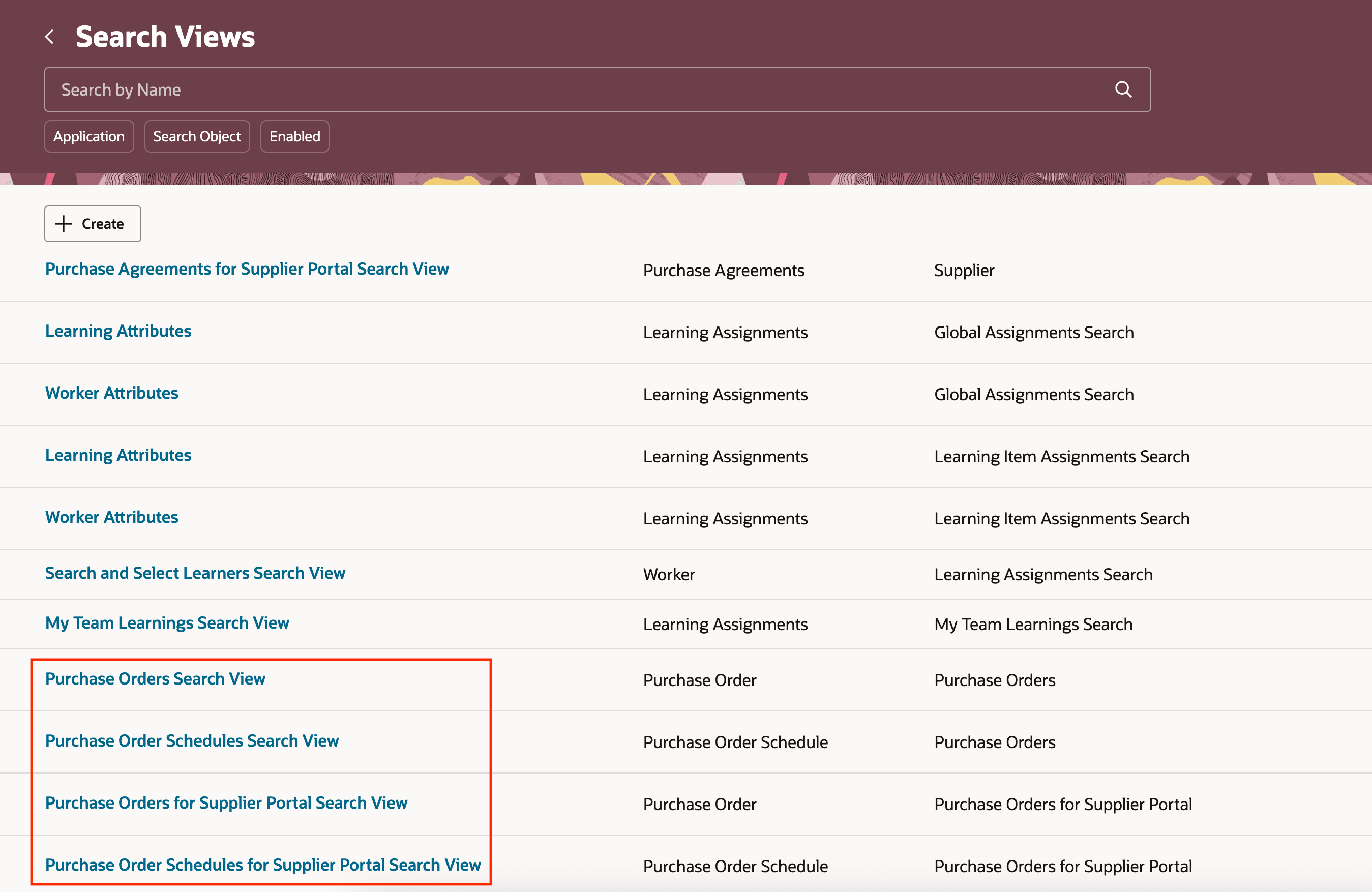
Default Search Views
This table provides the default views available for Purchasing.
Default Search Views
| Search View | Redwood Page |
|---|---|
| Purchase Orders Search View | Purchase Orders |
| Purchase Order Schedules Search View | Purchase Orders |
| Purchase Agreements Search View | Purchase Agreements |
| Purchase Agreement Lines Search View | Purchase Agreements |
| Process Requisitions Search View | Process Requisitions |
Configure the view to manage the behavior of attributes for keyword search, filters, and results columns on the Redwood Purchasing pages.
- Keyword Search
- Enable or disable an attribute for keyword search.
- Filters
- Enable or disable a filter from appearing on the search page.
- Results Columns
- Enable or disable a column from appearing on the search page.
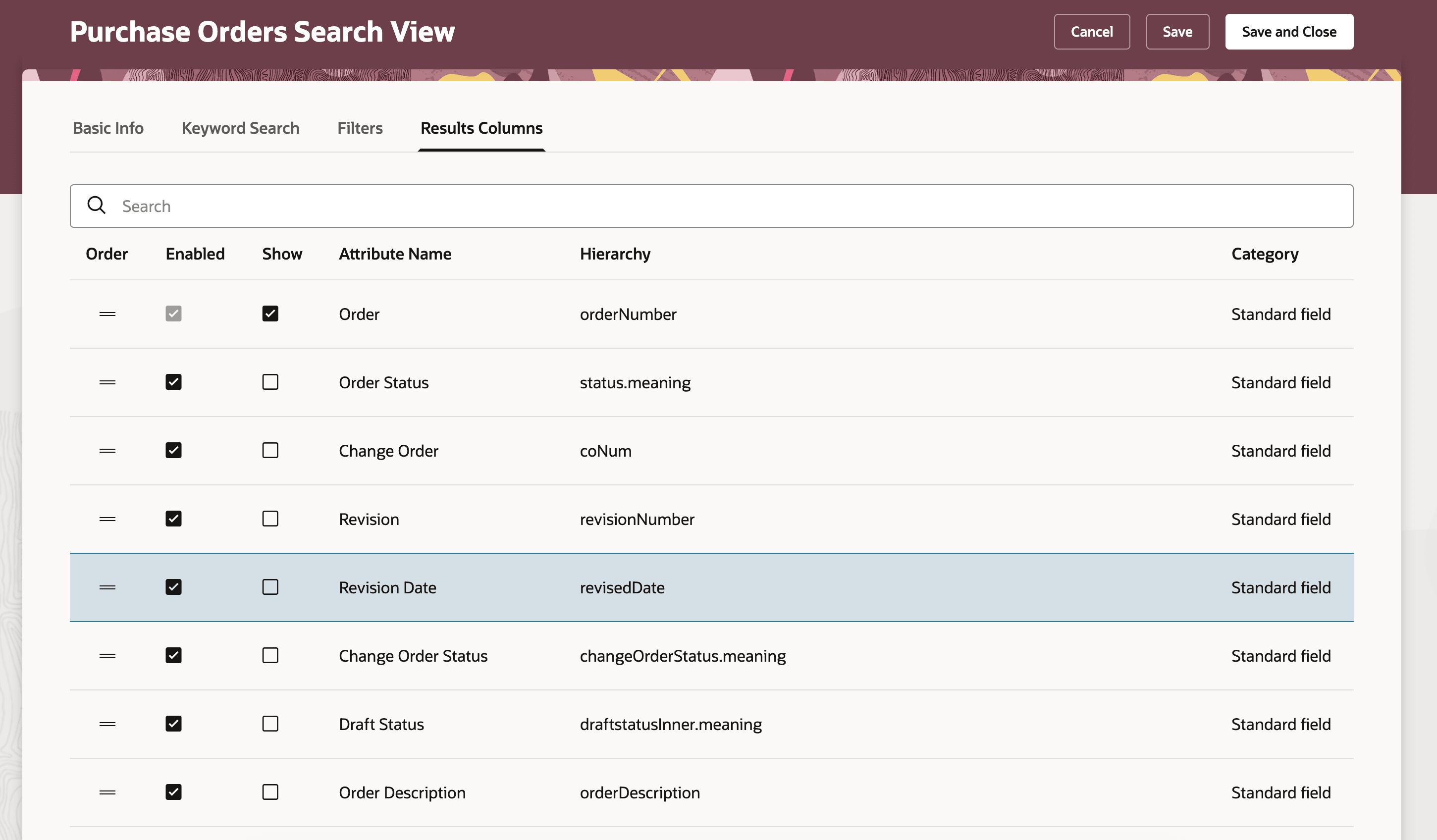
Configure Search View
Use the Manage Search Indexes task to add flexfields to your indexes. This table lists the indexes that are applicable for each page.
Purchasing Indexes
| Index | Redwood Page |
|---|---|
| fa-prc-po | Purchase Orders |
| fa-prc-po-schedules | Purchase Orders |
| fa-prc-pa | Purchase Agreements |
| fa-prc-pa-line | Purchase Agreements |
| fa-prc-por | Process Requisitions |
After you've added the flexfields to your index, they will be available in the results columns in your search views.
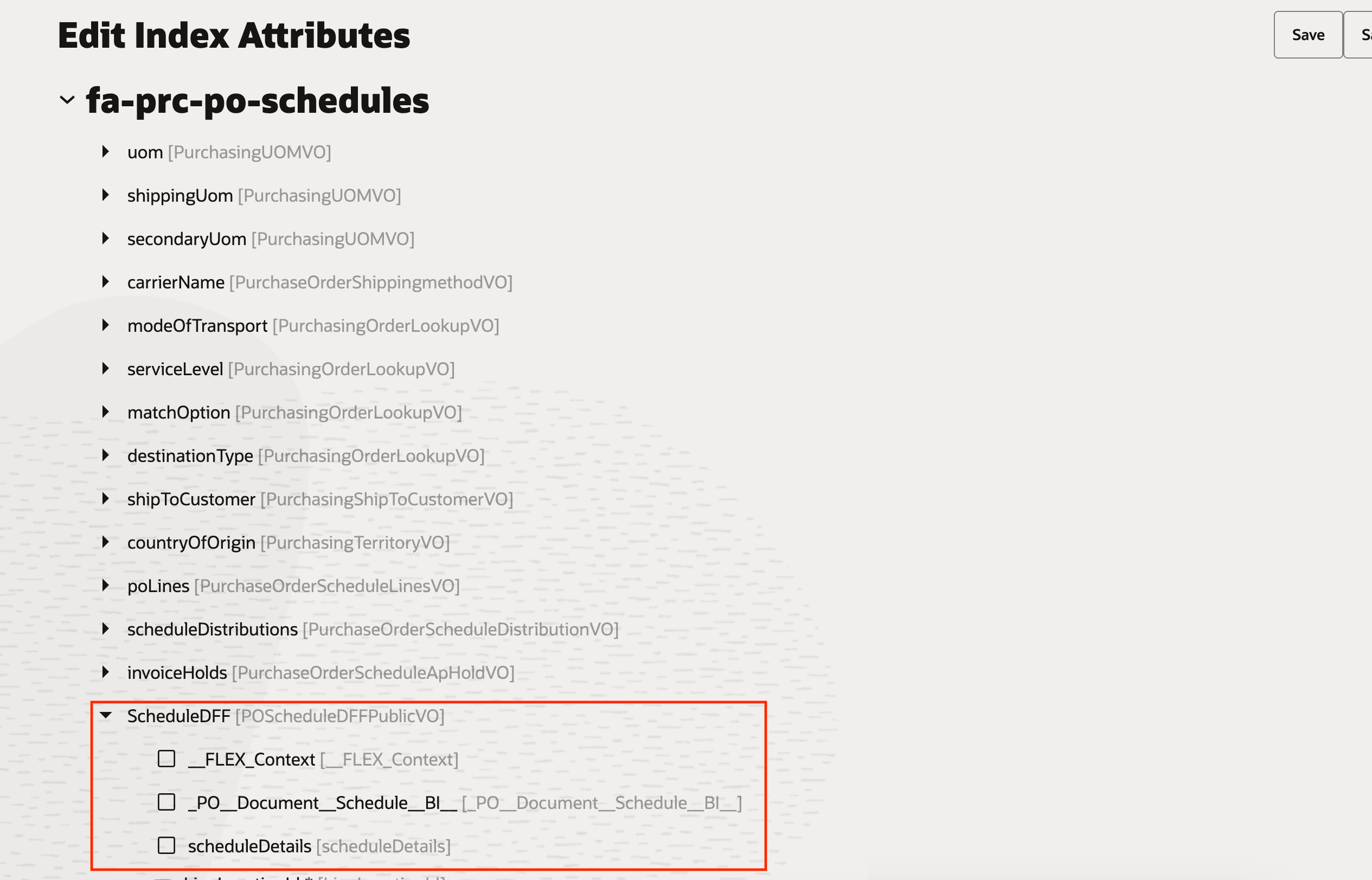
Enable Flexfields on the Index
Steps to enable and configure
- If you're satisfied with the default search experience, then you don't need to use this feature to configure your pages.
- If you want to enable flexfields in your search view, you need to first add the flexfields to your index using the Manage Search Indexes setup task.
Tips and considerations
- You can access the Search Views page through the quick action: My Client Groups > Data Exchange > Search Views.
- Enabling an attribute in the search view will control whether it's available on the page. By default, all attributes are available.
- Enabled results columns attributes are visible based on your business rule configuration. The Show setting on the search view isn't used for results columns.
- The purchase order schedules and agreement lines views only support results columns. Keyword search and filters can be configured on the search view for the header object.
- You can only configure flexfields as result columns.
- Context sensitive flexfields are not supported by search views.
- The search views will not be applied for suppliers.
Key resources
- To enable Redwood for Purchasing, see the Getting Started with Redwood in Purchasing topic on the SCM Resource Center in Customer Connect.
- For information about using Oracle Visual Builder Studio to extend your Redwood application pages, see Oracle Fusion Cloud HCM and SCM: Extending Redwood Applications for HCM and SCM Using Visual Builder Studio.
- For information about configuring search views, refer to the Configure Search Experience Using Search Views feature, available in Oracle Fusion Cloud HCM Common What's New, update 25A.
- For information about configuring indexes, refer to the Manage Search Indexes section available in the Oracle Fusion Cloud Applications: Implementing Applications guide.
Access requirements
Administrators who are assigned a configured job role with this duty role or this existing privilege can configure the search views.
- Role
- Procurement Application Administrator (ORA_PO_PROCUREMENT_APPLICATION_ADMIN_JOB)
- Privilege
- Manage Search Views (HRC_MANAGE_SEARCH_VIEWS)
Buyers who are assigned a configured job role with these duty roles or this privilege will see the configured search views applied to their pages.
- Role
- Purchase Order Inquiry (ORA_PO_SPO_INQUIRY_DUTY)
- Purchase Agreement Inquiry (ORA_PO_BPA_CPA_INQUIRY_DUTY)
- Requisition Line Processing (ORA_POR_REQUISITION_LINE_PROCESSING_DUTY)
- Privilege
- Use REST Service - Search Views Read Only (HRC_REST_SERVICE_ACCESS_SEARCH_VIEWS_RO_PRIV)