Redwood: Award Negotiation
You can now quickly award negotiations using the new award analysis dashboard. This enhanced Redwood experience automatically selects the best supplier response, reducing manual steps for faster award processing. You can easily review and edit the recommended award directly from the supplier responses tab. You get a clear, structured comparison of all responses and can adjust awards for individual lines or split quantities as needed. For negotiations that have award approvals enabled, you can track progress with clear status updates as your award moves through review. You can finalize your award with a single click and instantly create orders—ensuring a smooth, efficient process from negotiation to purchase.
Here are some of the key enhancements in the Redwood experience compared to the classic application:
- Award summary metrics – Get a quick summary of the award metrics such as awarded supplier, awarded lines, awarded amount, and savings percent with the KPI scorecard. You can configure and add your own metrics and visualizations on this page.
- Default award to a single best supplier - Speed up your process with system-recommended awards based on the lowest response price or highest composite score. For partial responses, the best choice is automatically selected for each line, reducing manual effort and decision time.
- Quick award from the Supplier Responses tab – Update your award decisions directly from the supplier responses tab, without having to navigate to the comparison grid.
- Structured grid for response comparison - Easily compare supplier responses in a clear, structured grid on the Analyze and Award page. Choose the information you want to see for a customized view. You can also compare and award individual line items, including splitting quantities among suppliers.
- Edit Page Layout - If you're an administrator, you can use the Edit Page Layout button to modify the tabs or create your own tabs by adding either seeded or OTBI-based KPIs and data visualizations that best represent your business and are critical for your category managers.
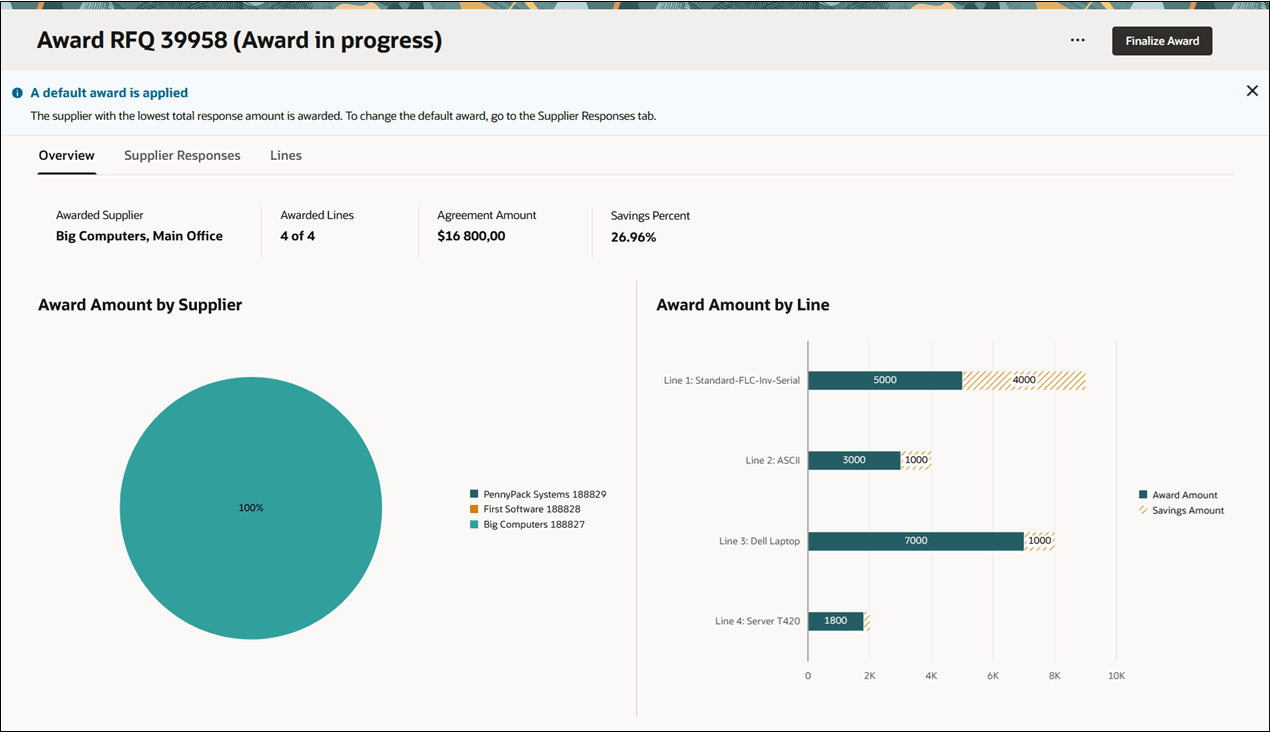
Award Analysis Dashboard
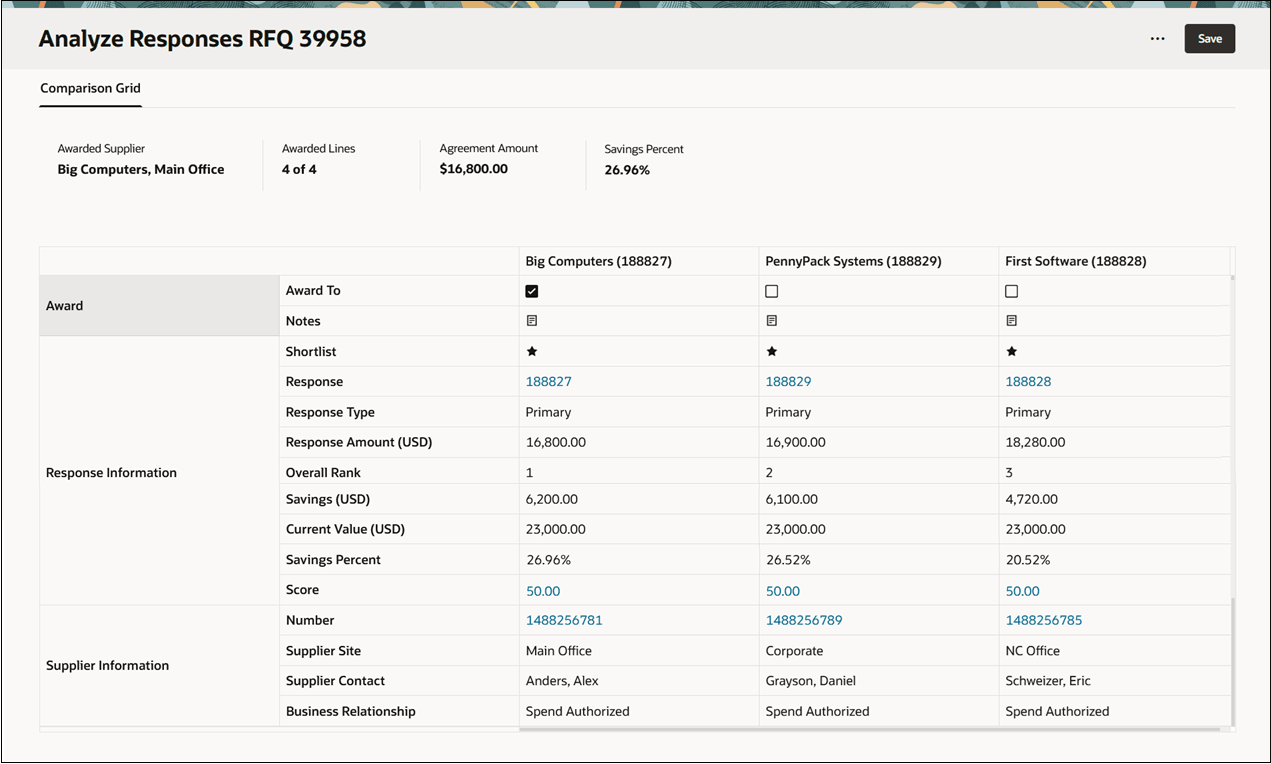
Analyze Supplier Responses
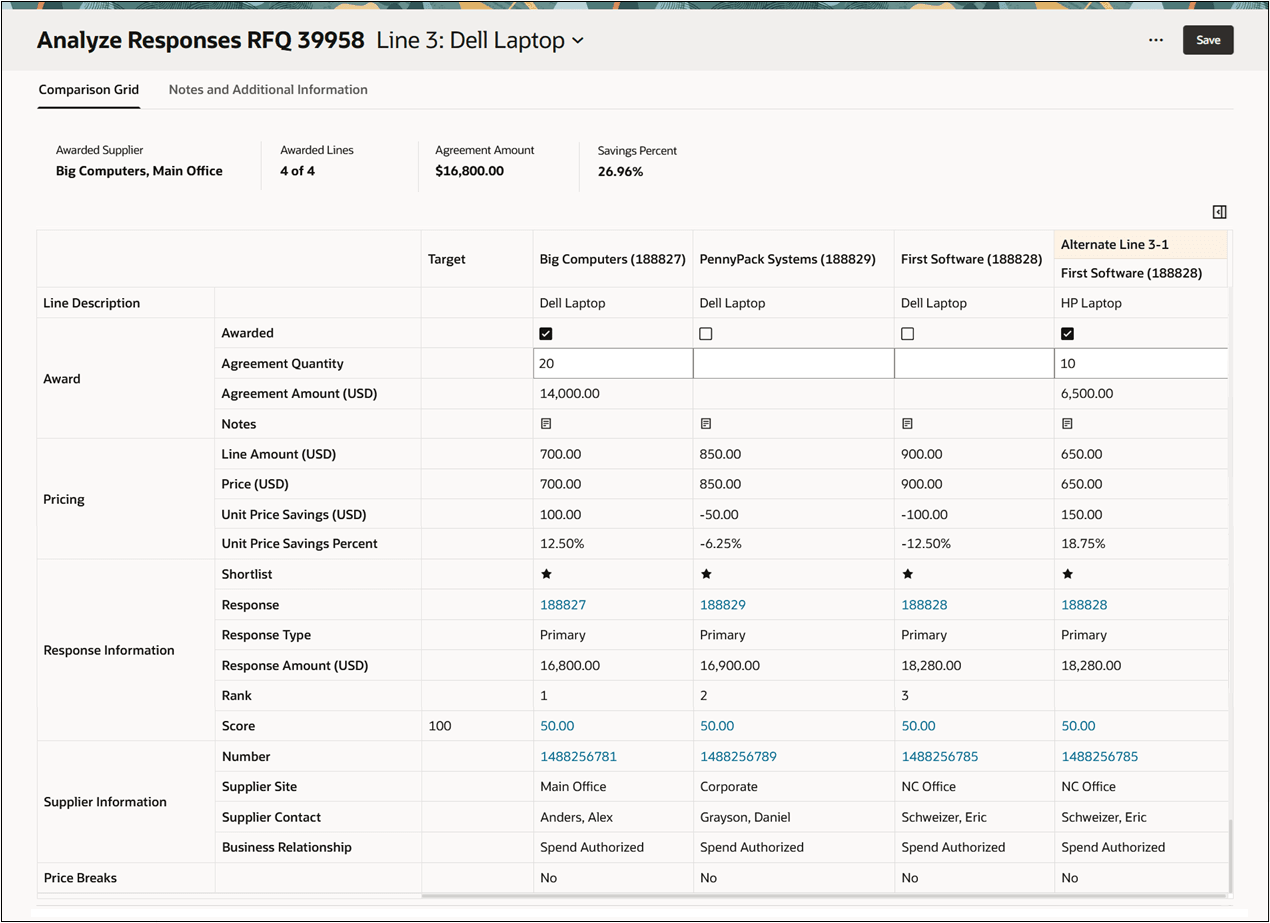
Analyze Supplier Responses for Each Line
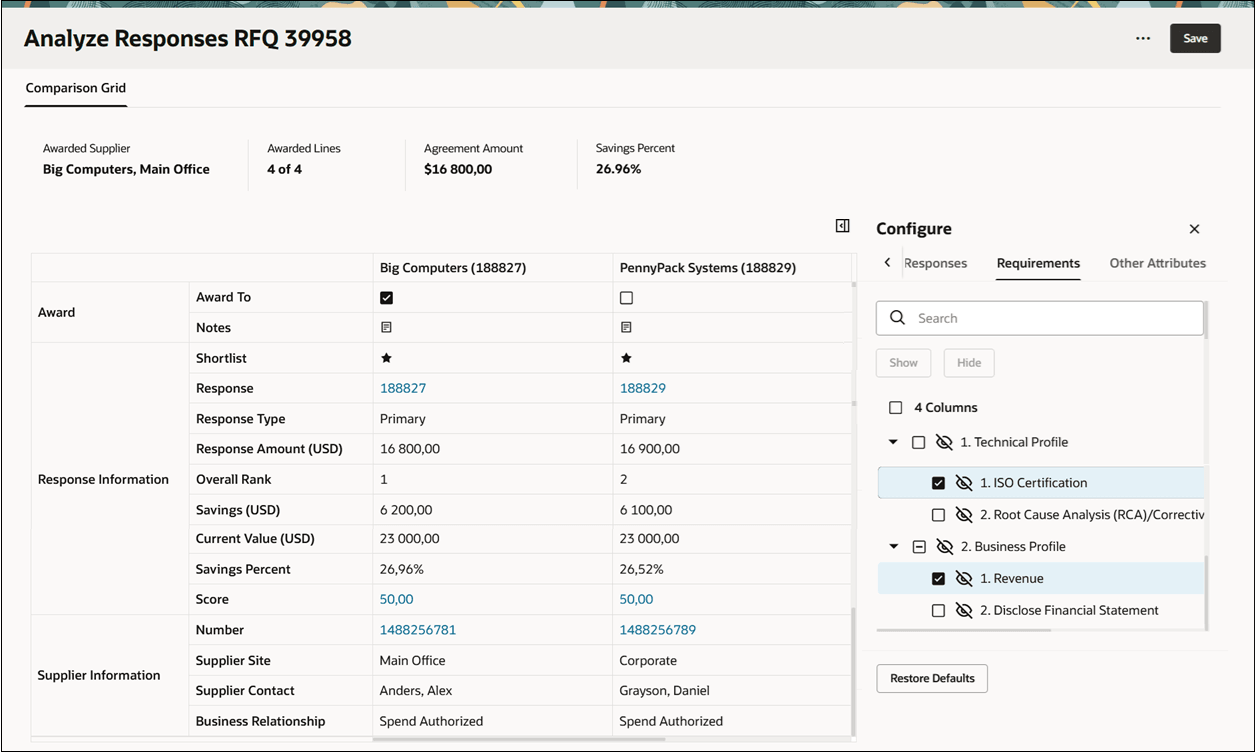
Configuration Panel to Change Attributes for Comparison
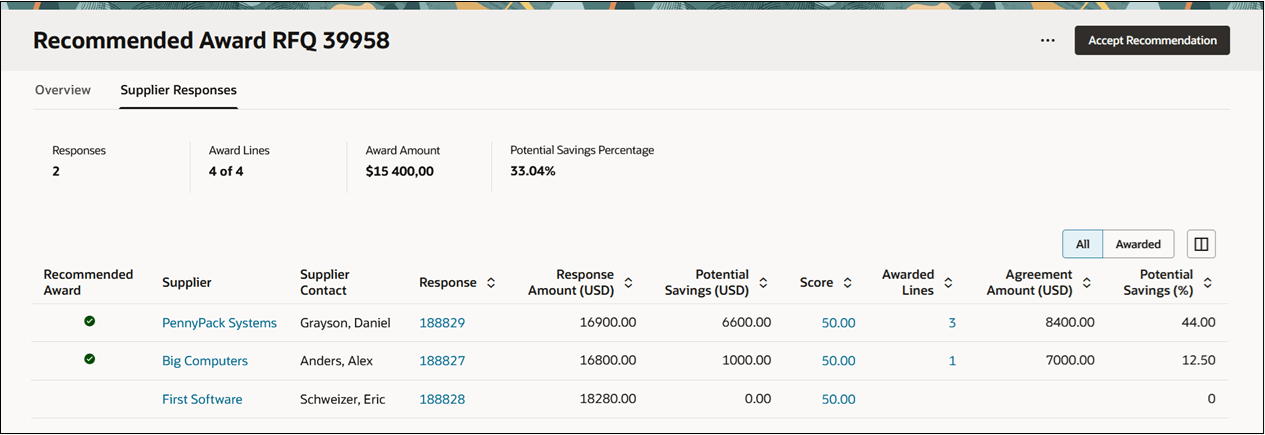
Recommended Award
The enhanced award analysis dashboard streamlines supplier response review and saves you time with system-recommended award decisions, enabling better sourcing results.
Steps to enable and configure
To use this feature, you must enable these profile options if you haven't already.
- Redwood Pages for Sourcing Enabled (ORA_PON_SOURCING_REDWOOD_ENABLED).
- Redwood Page to Create Negotiation Enabled (ORA_PON_CREATE_NEGOTIATION_REDWOOD_ENABLED)
- Redwood Page to Award Negotiation Enabled (ORA_PON_AWARD_NEGOTIATION_REDWOOD_ENABLED)
For instructions on enabling a profile option, refer to the Set Profile Option Values topic.
Tips and considerations
In this update, you can't perform these actions. These will be supported in a future update.
- Add award attachments
- Export and import award analysis spreadsheet.
Key resources
- For information about using Oracle Visual Builder Studio to extend your Redwood application pages, see Oracle Fusion Cloud HCM and SCM: Extending Redwood Applications for HCM and SCM Using Visual Builder Studio.
- Refer to Overview of Guided Journeys in the Oracle Fusion Cloud Human Resources: Implementing and Using Journeys guide, available on the Oracle Help Center.
Access requirements
Users who are assigned a configured job role that contains either one of these privileges can access this feature:
- Award Supplier Negotiation (PON_AWARD_SUPPLIER_NEGOTIATION_PRIV)
- Award Supplier Negotiation as Owner (PON_AWARD_SUPPLIER_NEGOTIATION_OWNED_BY_SELF_PRIV)
These privileges were available prior to this update.