Redwood: Create Purchasing Documents from Award
Category managers can now finalize awards and create purchasing documents using the Redwood experience.
This feature streamlines moving from finalized negotiation awards to purchasing outcomes by validating, staging, allocating, and submitting purchase orders or agreements in a guided flow. It also supports completing awards without creating purchasing documents when appropriate.
Some of the key improvements in the Redwood experience are highlighted below.
One-Click Award:
Quickly finish the award process with a single click by selecting Create final orders or Create final agreements. This action validates and locks award decisions, groups awarded lines into staged purchasing documents, automatically allocates quantities, and generates purchasing documents in order. Ideal for sole source and straightforward award scenarios, this feature streamlines your workflow and saves time.
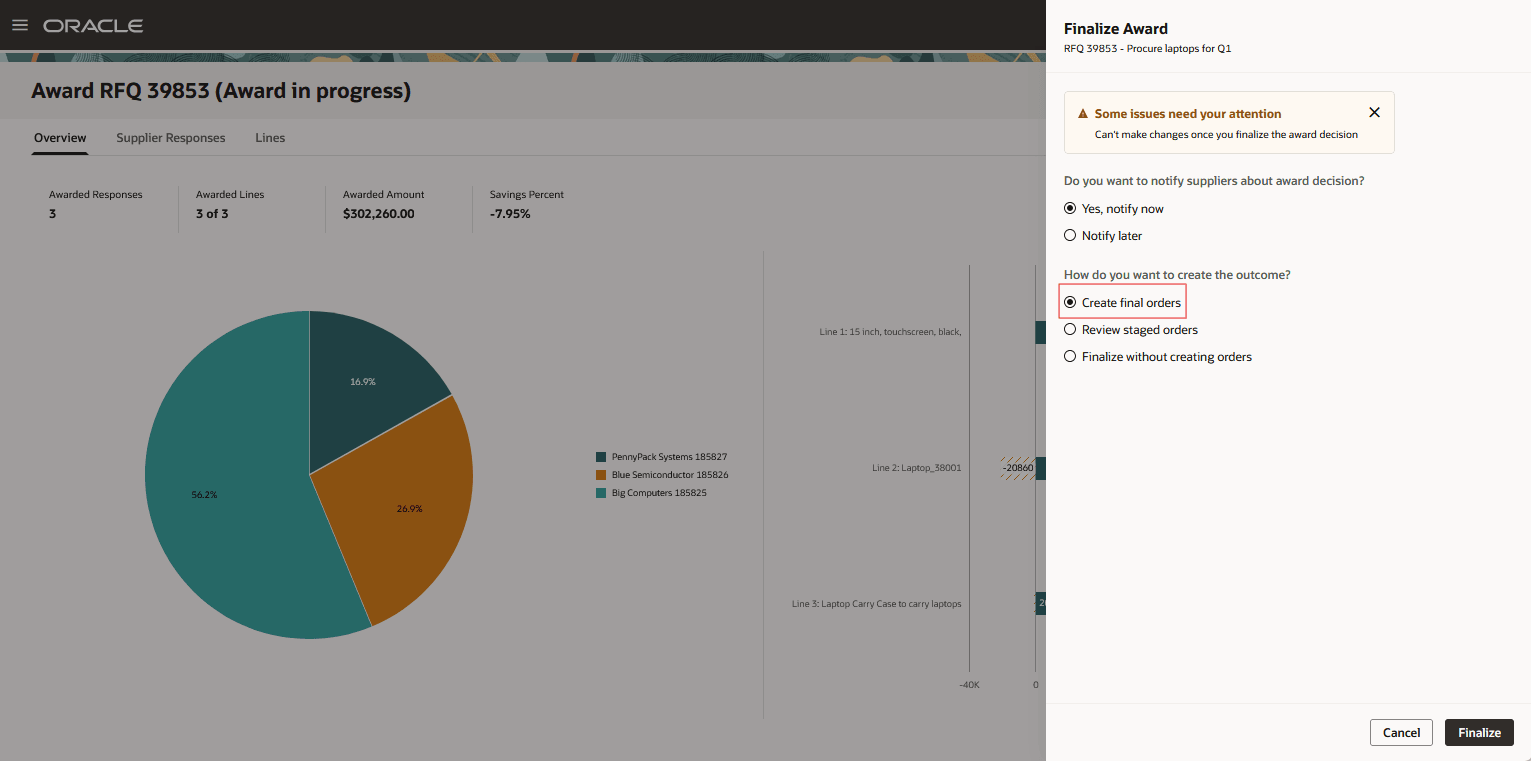
Create Final Orders
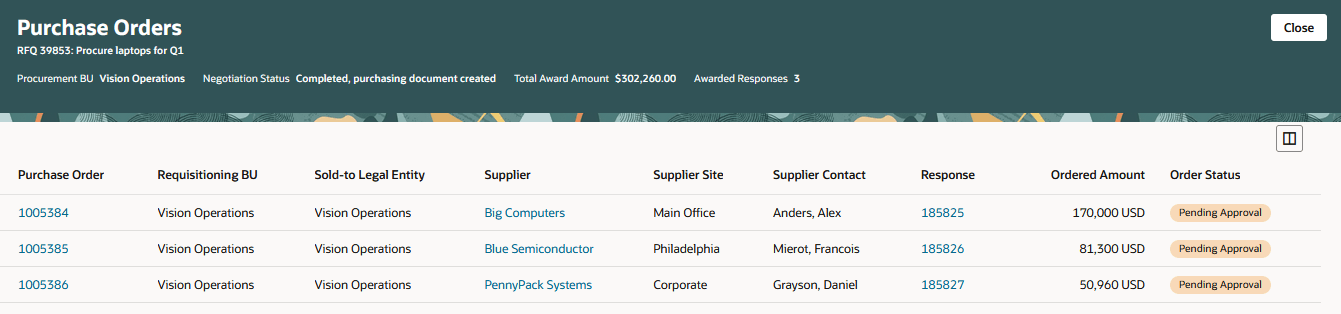
View Purchase Orders
Review Staged Orders or Agreements:
Easily review and edit orders or agreements generated from award decisions by selecting Review staged orders or Review staged agreements. Adjust header details as needed before submitting. This option is ideal for managing complex awards and ensures accuracy before finalizing.
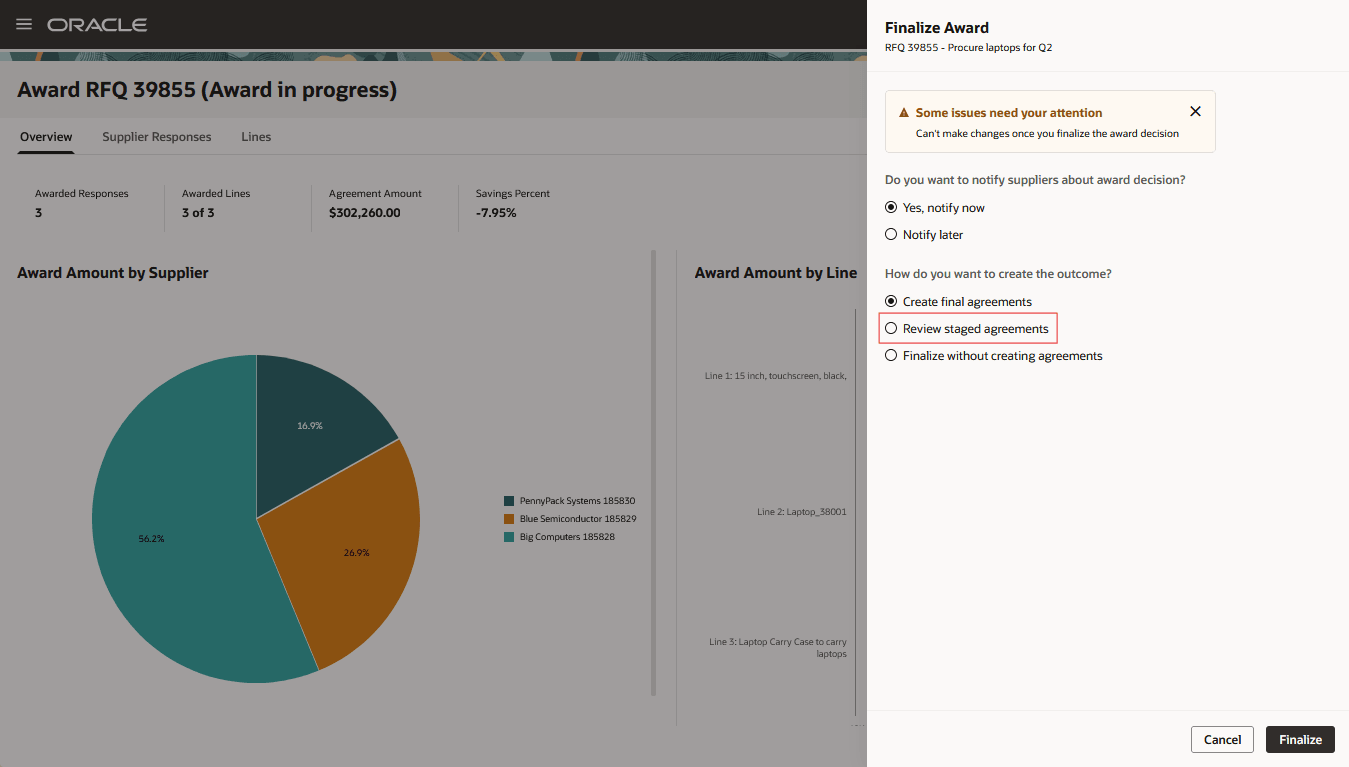
Review Staged Agreements
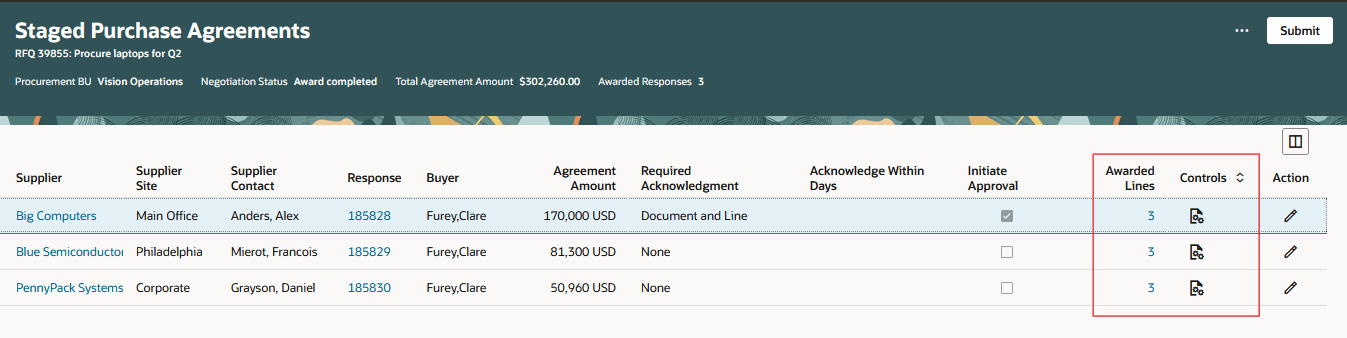
Staged Purchase Agreements
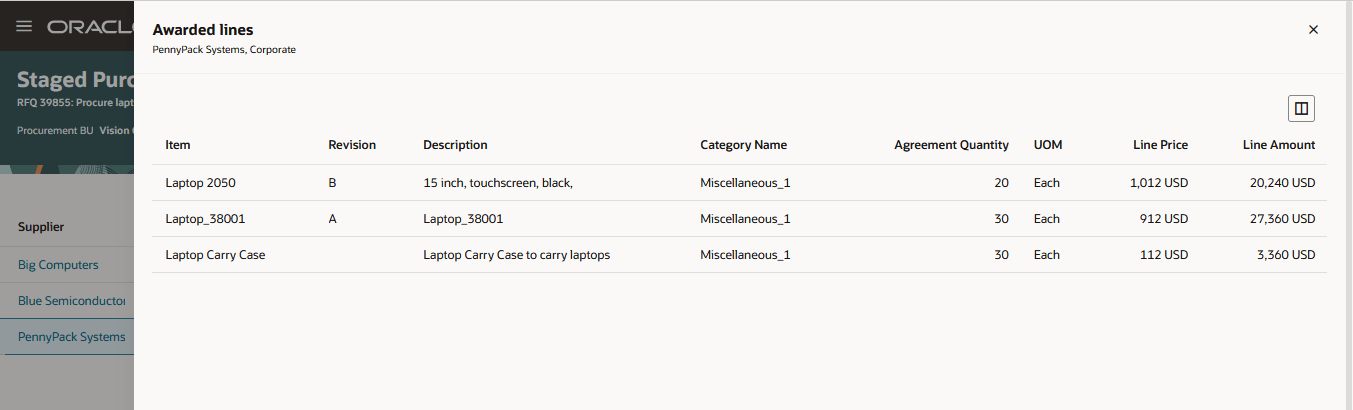
Awarded Lines Within Each Staged Purchase Agreement
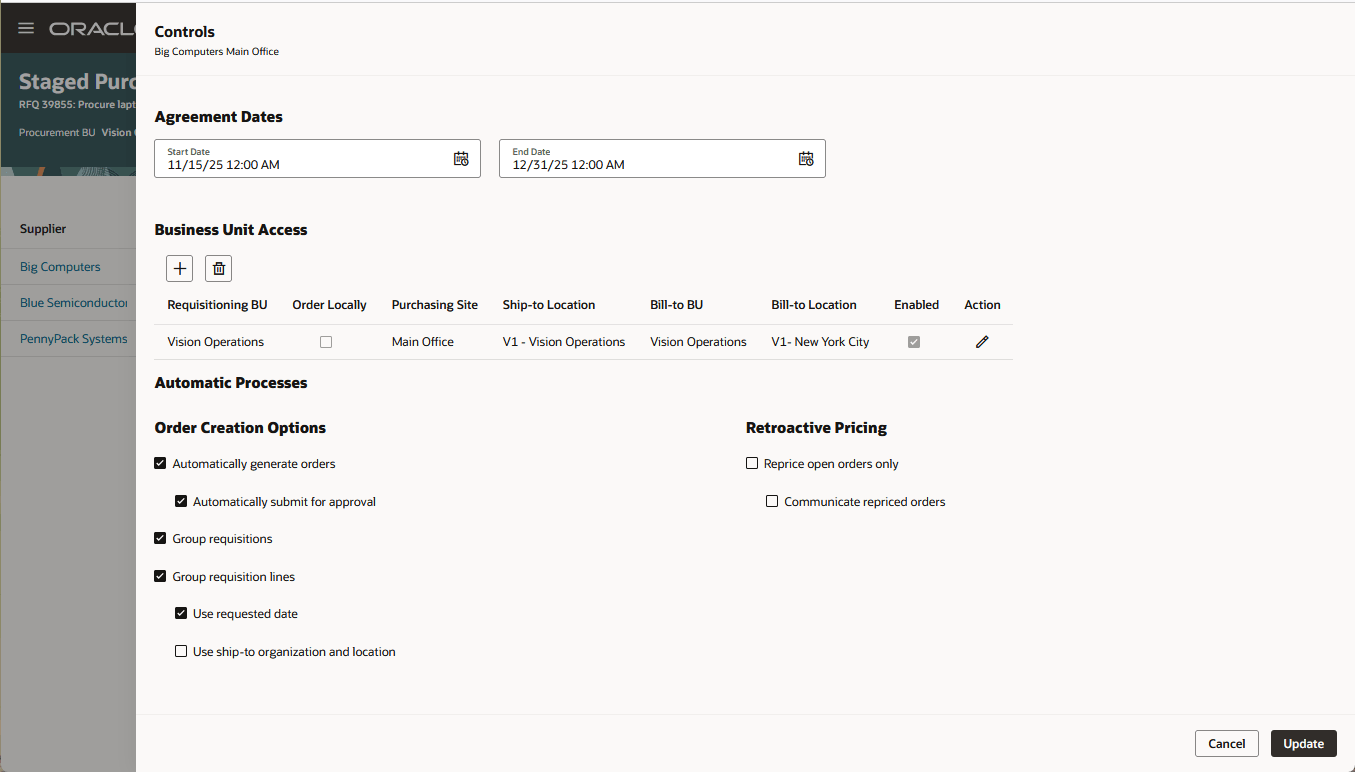
Update Controls for Staged Purchase Agreements
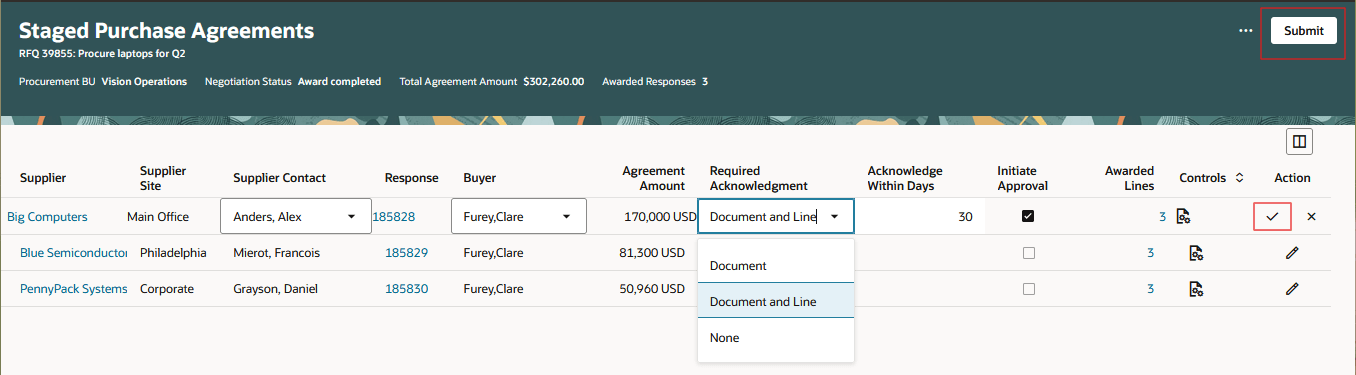
Edit Header Information for Staged Purchase Agreements
Smart Allocation Management:
The award quantity is automatically allocated to fulfill backing requisitions. Select Review staged orders or Review staged agreements to view, edit, and reallocate award quantities across requisition lines.
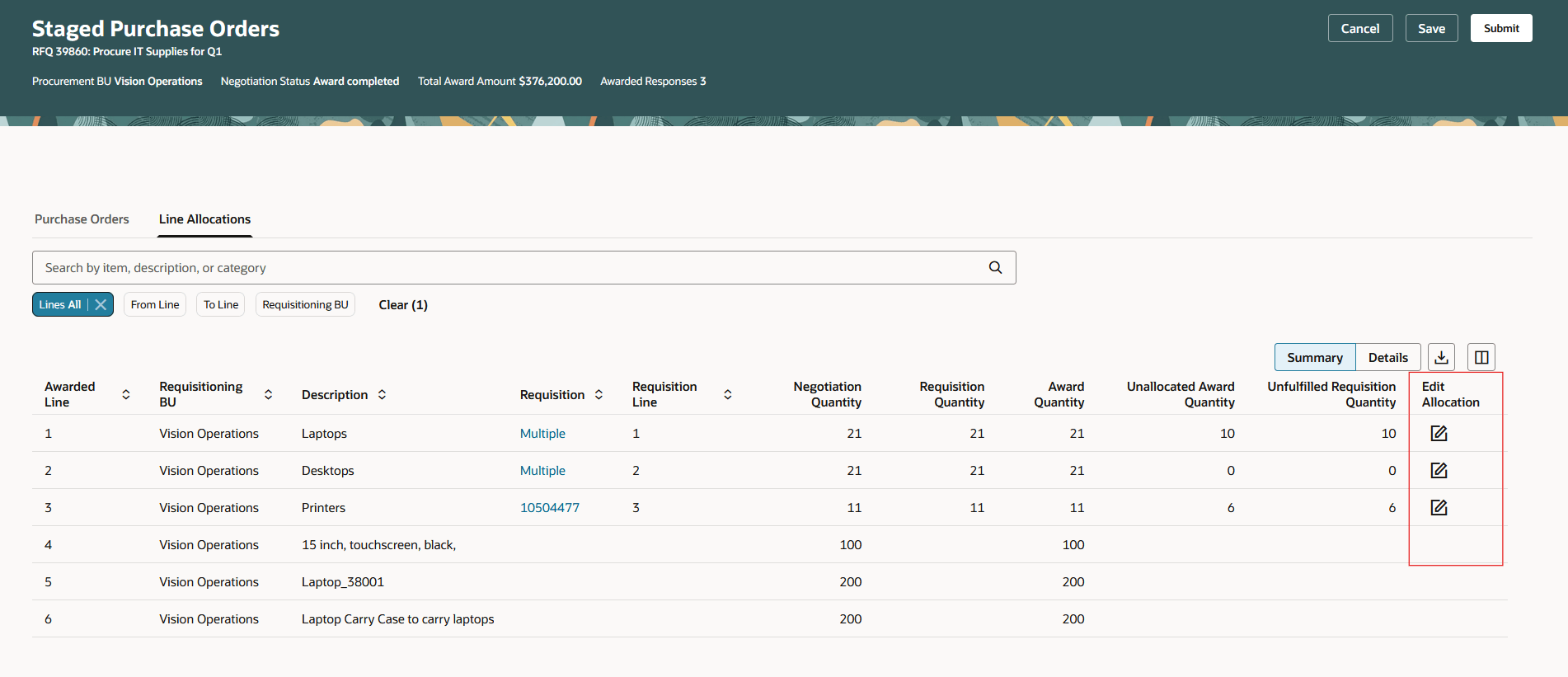
Line Allocations Summary View
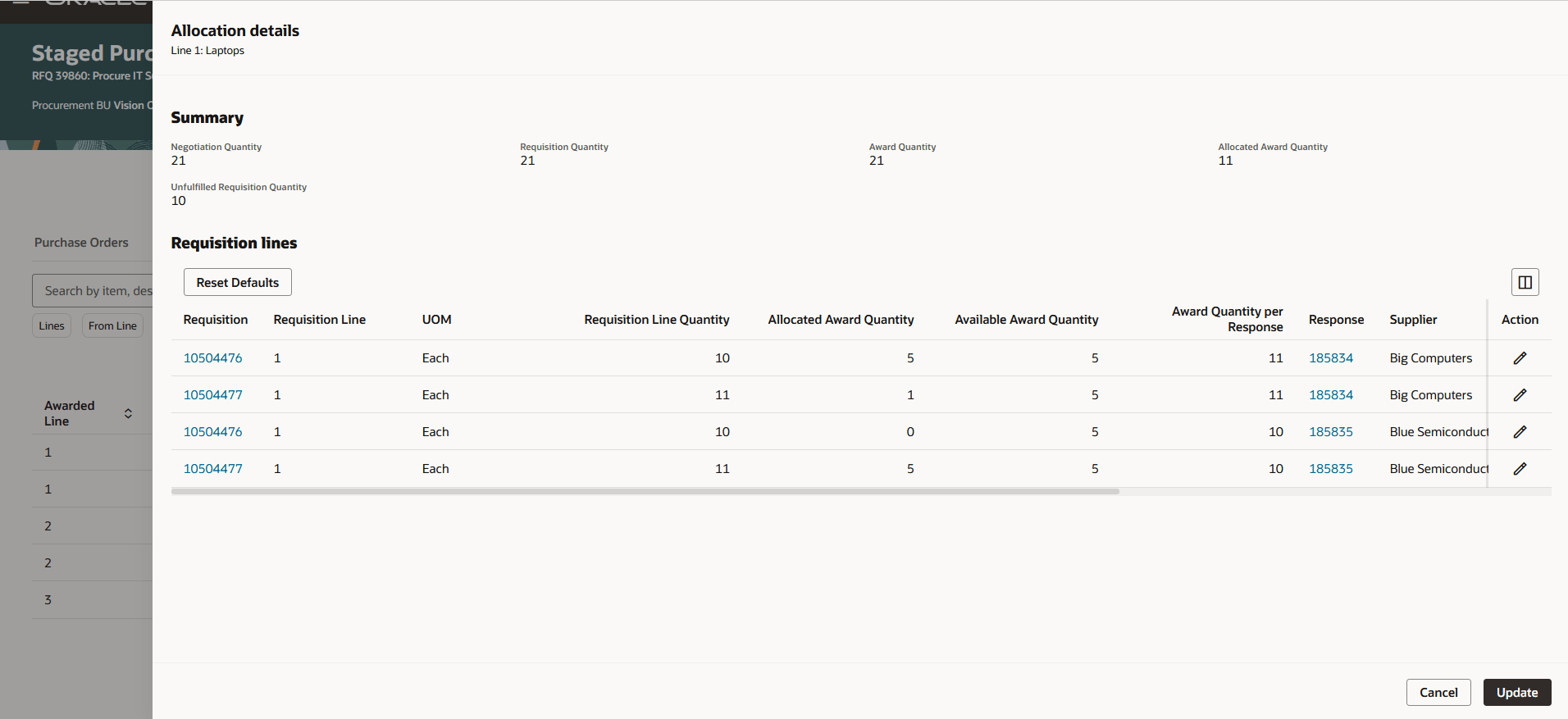
Edit Line Allocations
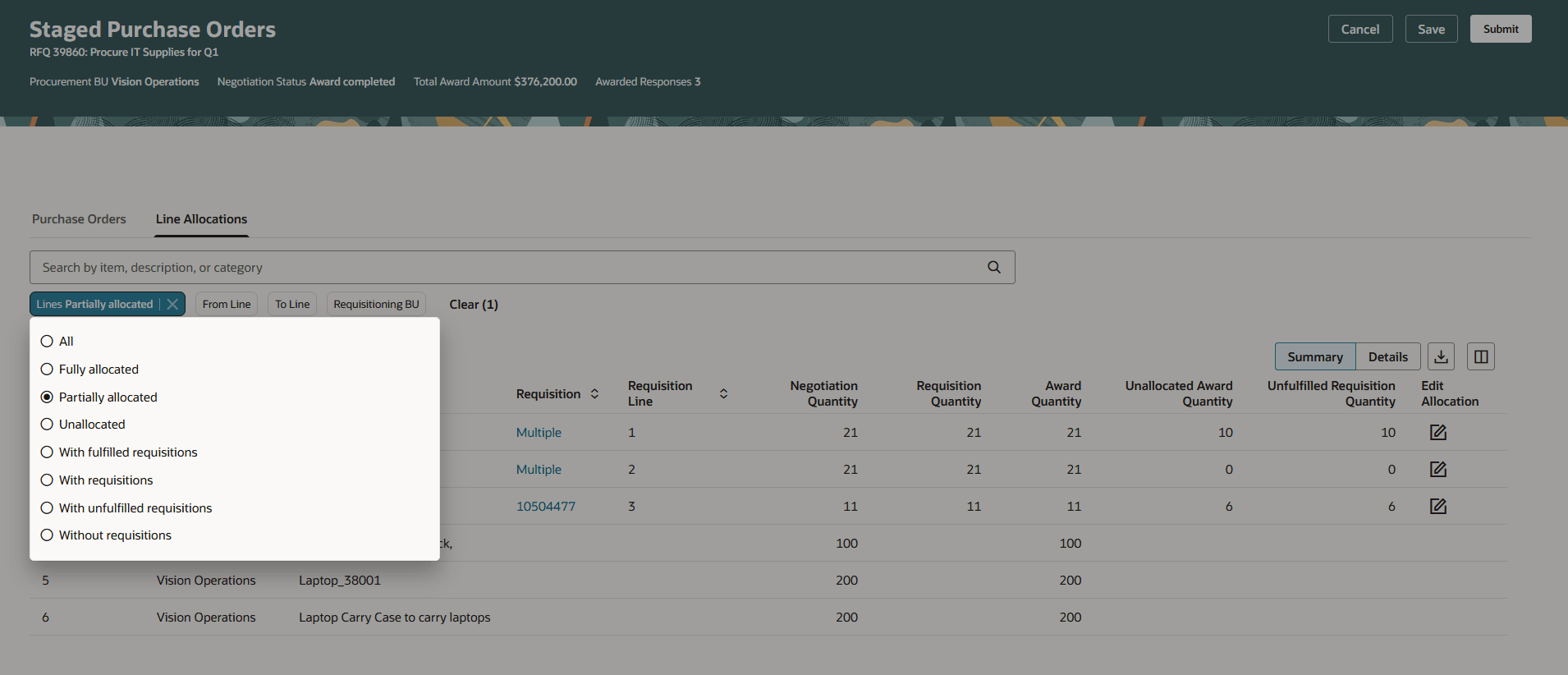
Line Allocations Search Filters
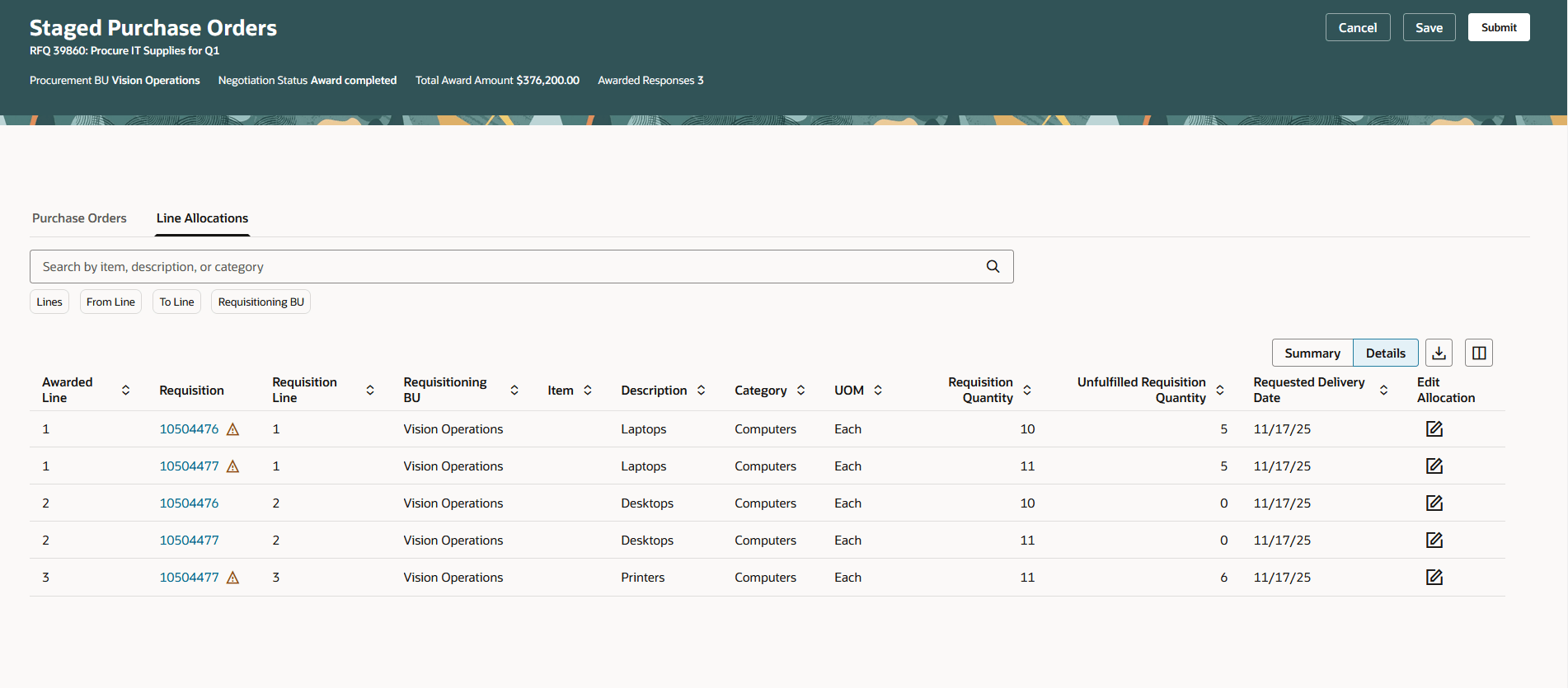
Line Allocations Details View
When agreements have backing requisitions, you are given an option to automatically create orders to fulfill them.
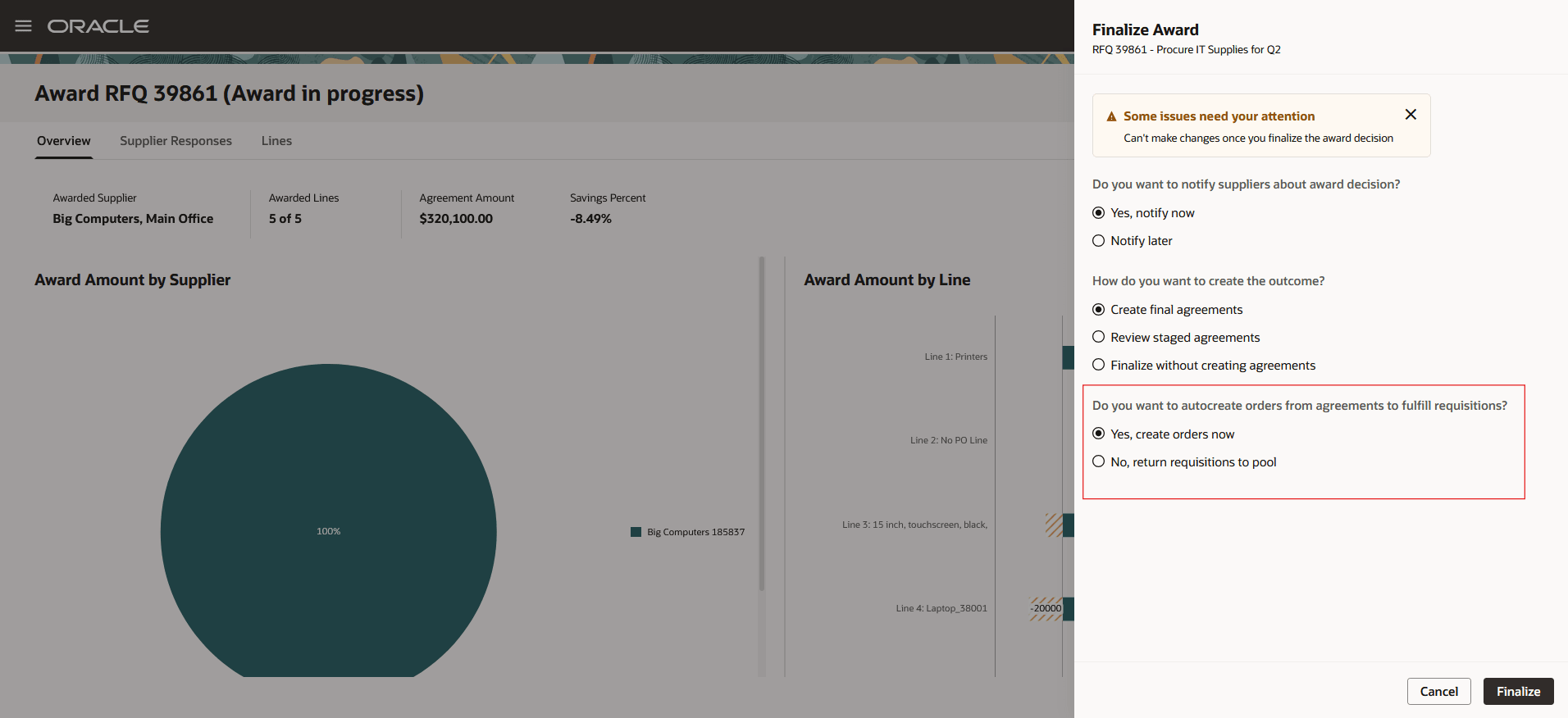
Auto Create Orders to Fulfill Requisitions
Flexible Award Completion:
You also have the option to finalize the award without creating purchasing documents.
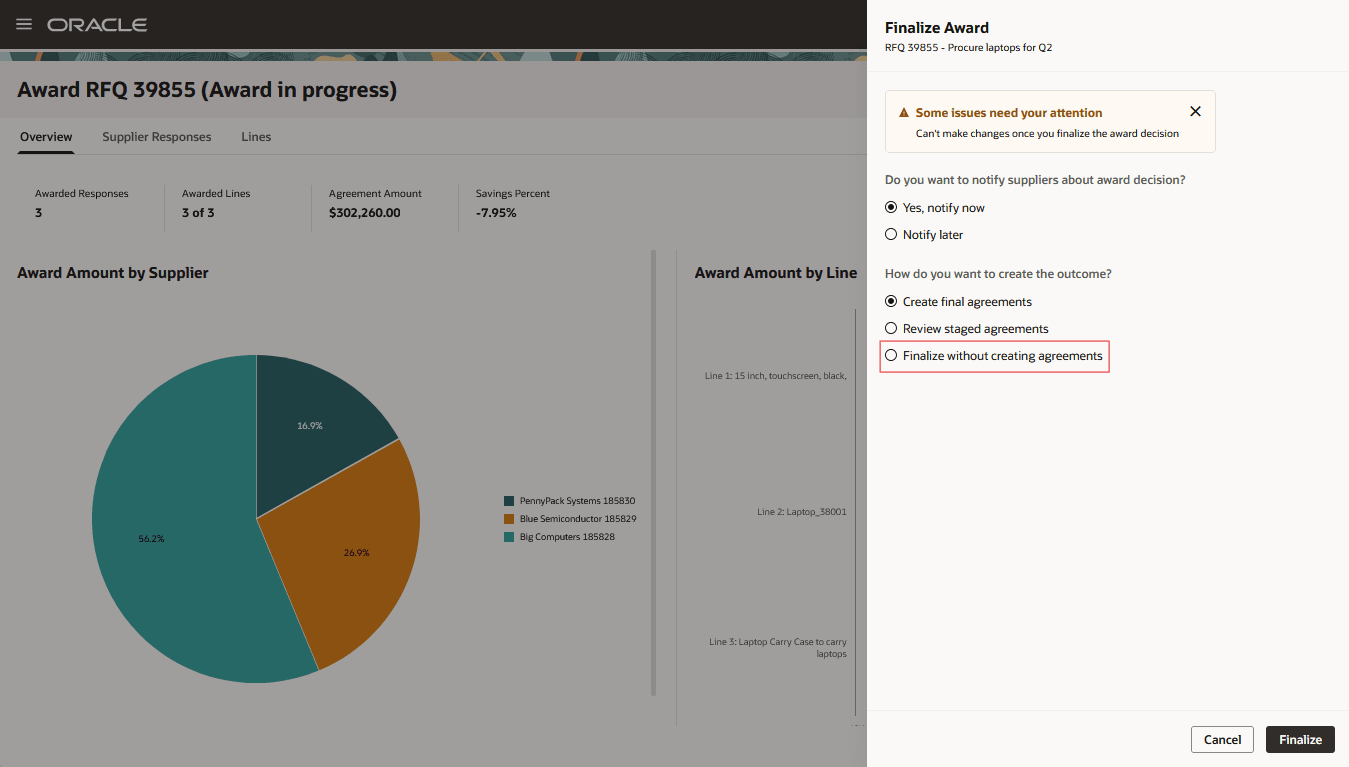
Finalize Without Creating Agreements
Speed up the transition from award to purchase orders or agreements with an easy, one click process to create documents. Gain flexibility to manage exceptions by reviewing outcome documents, editing allocations, or finalizing award without creating documents and returning requisitions when needed.
Steps to enable and configure
To use this feature, you must enable these profile options if you haven't already.
- Redwood Pages for Sourcing Enabled (ORA_PON_SOURCING_REDWOOD_ENABLED).
- Redwood Page to Create Negotiation Enabled (ORA_PON_CREATE_NEGOTIATION_REDWOOD_ENABLED)
- Redwood Page to Award Negotiation Enabled (ORA_PON_AWARD_NEGOTIATION_REDWOOD_ENABLED)
For instructions on enabling a profile option, refer to the Set Profile Option Values topic.
Tips and considerations
In this update, take note of these constraints:
- Updating existing agreements or reopening an award after it's finalized isn't supported.
- If you award to multiple suppliers by splitting award quantities for budget-controlled requisition lines with reserved funds or encumbrance accounting, the purchase order may fail if funds run out, leaving the requisition stuck in process.
- You won't be able to finalize the award if you've awarded to prospective suppliers.
These will be supported in a future update.
Key resources
-
For information about using Oracle Visual Builder Studio to extend your Redwood application pages, see Oracle Fusion Cloud HCM and SCM: Extending Redwood Applications for HCM and SCM Using Visual Builder Studio.
-
Refer to Overview of Guided Journeys in the Oracle Fusion Cloud Human Resources: Implementing and Using Journeys guide, available on the Oracle Help Center.
Access requirements
Users who have been assigned a job role that contains these existing privileges can access this feature:
- Complete Supplier Negotiation Award (PON_COMPLETE_SUPPLIER_NEGOTIATION_AWARD_PRIV)
- Create Purchase Order (PO_CREATE_PURCHASE_ORDER_PRIV)
- Create Purchase Agreement (PO_CREATE_PURCHASE_AGREEMENT_PRIV)