Update a Manual Corrections Training Set for an Approved Classification Batch
You now have the option to add the manual corrections entered for a classification batch after it has been approved into any existing manual corrections training set. Alternatively, you can name a new training set that will be used for storing the corrections.
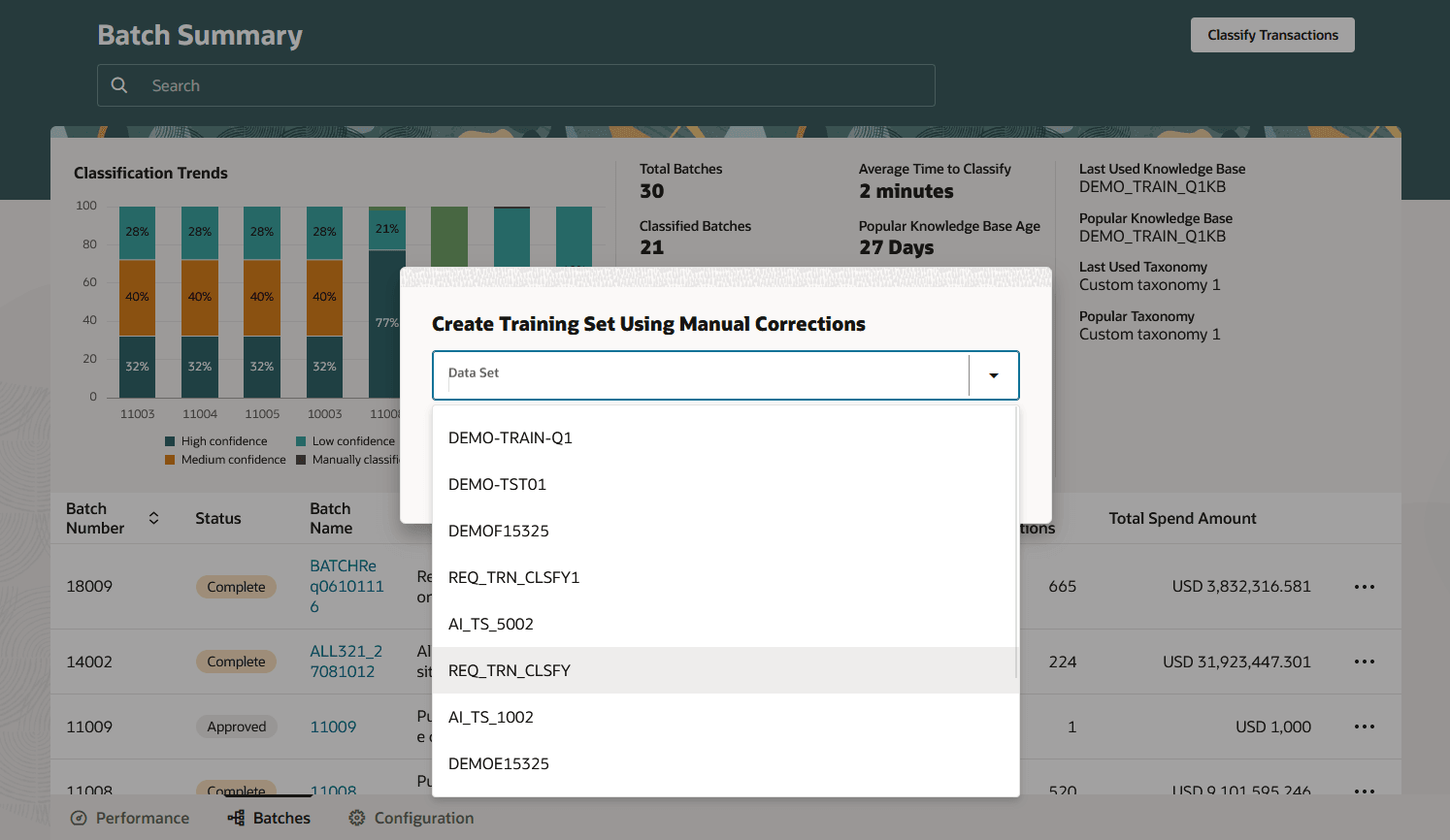
Add Manual Corrections to Existing Training Set
Prior to this update, a data administrator was always required to create a fresh training set if they wanted to gather the manual category assignment corrections applied to the spend records in a batch.
With this update, manual corrections made across multiple different classification batches will be maintained in a single training set, making it easier to manage corrections records that can be used to improve a knowledge base used for reclassifying spend data. This will also simplify administration of the Spend Classification application by reducing the proliferation of manual correction training sets that can be generated during the initial tuning of the knowledge base.
Steps to enable and configure
You don't need to do anything to enable this feature.
Tips and considerations
Attention should be paid to the naming of the manual correction training sets now that they can contain records from across multiple batches.
Key resources
- Refer to Spend Classification in the Oracle Fusion Cloud Procurement: Using Procurement guide, available on the Oracle Help Center.
Access requirements
Users who have access to Spend Classification do not require any additional setups to make use of this new feature, as long as they have the 'Procurement Data Analyst' abstract role (or Role Hierarchy).