Redwood: Use Composite Scoring in Response Evaluation
Use composite scoring to evaluate supplier responses in the Redwood experience. With composite scoring a supplier's rank is based on combination of requirement scores and pricing. This helps buyers make well-informed decisions based on overall value rather than price alone.
You can now select overall ranking method as composite scoring on the Controls step of the Create Negotiation guided process. A Pricing section is then automatically added to score the supplier's response amount.
- You can assign weights to requirement sections including pricing.
- A relative score is calculated for the pricing section based on the supplier's response amount. Evaluators score the other requirements.
- Composite score is calculated by adding the weighted requirement score and the weighted relative score.
- Overall composite rank is derived based on the composite score of response amount and requirements.
- Category managers can see both overall ranks - based on composite score and response amount.
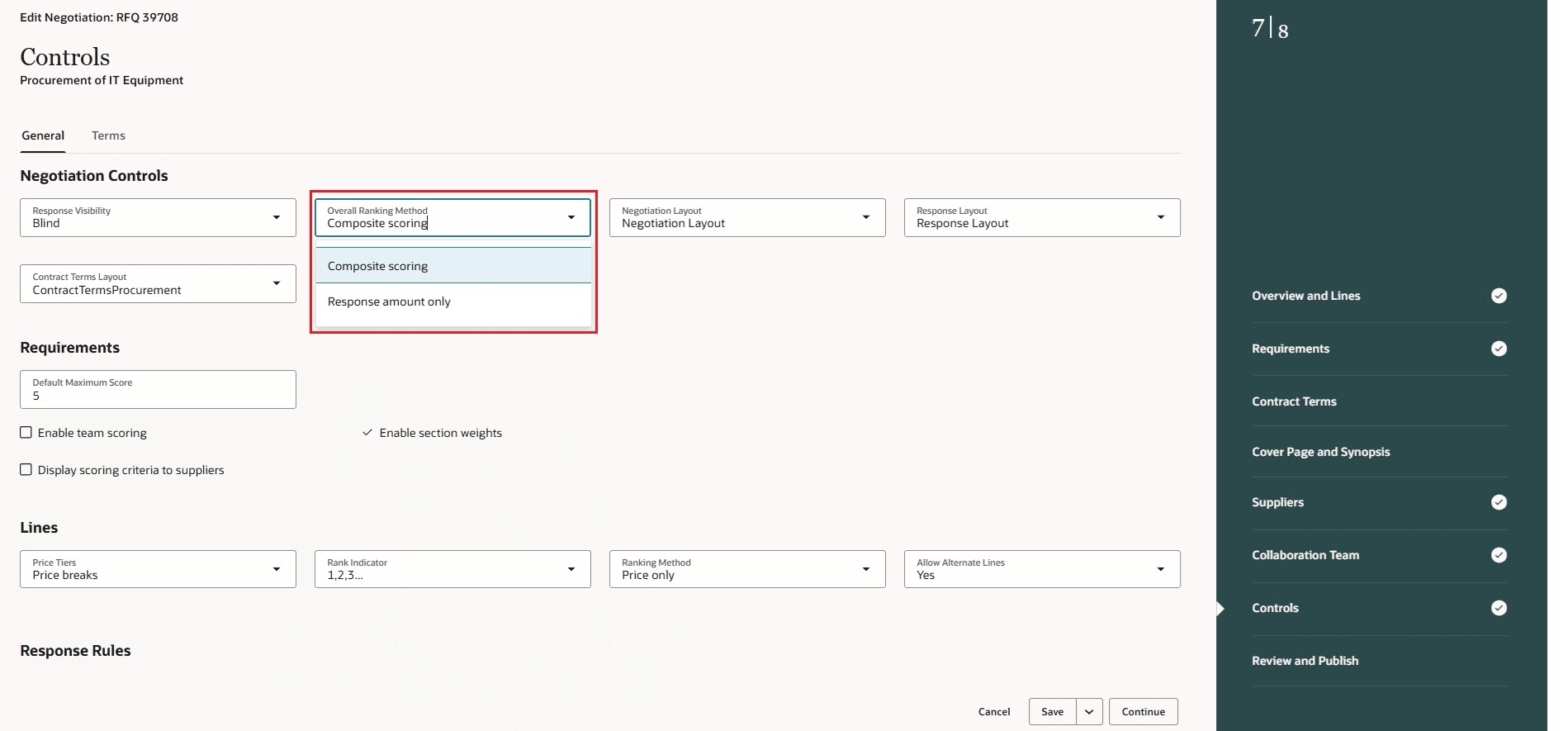
Overall Ranking Method as Composite scoring
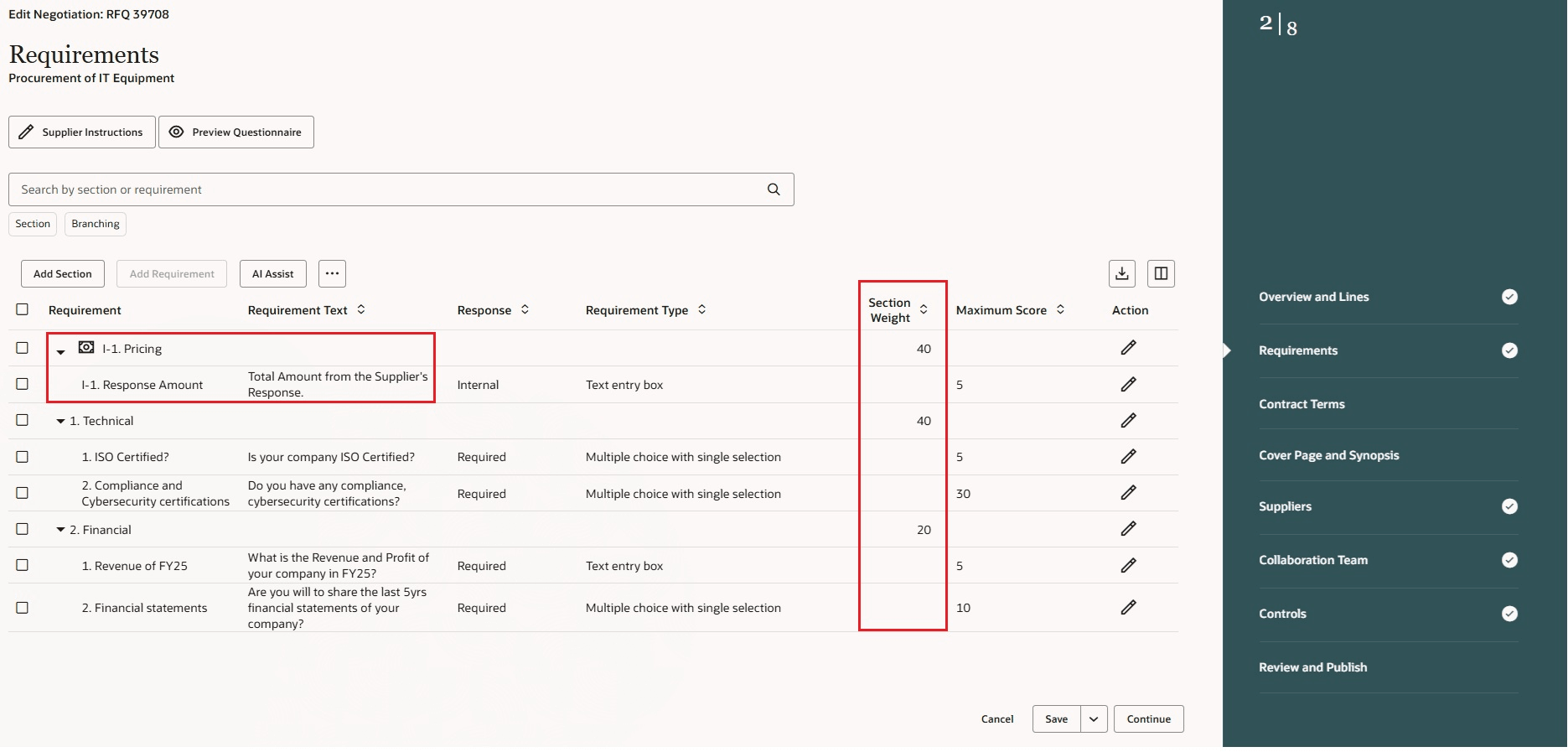
Pricing Section Added and Section Weight Is Assigned
You can adjust section weights during analysis and instantly see the updated composite score and overall response ranks. You have the option to override the composite scores based on your business needs.
Higher the composite score, the better the supplier's overall composite rank.
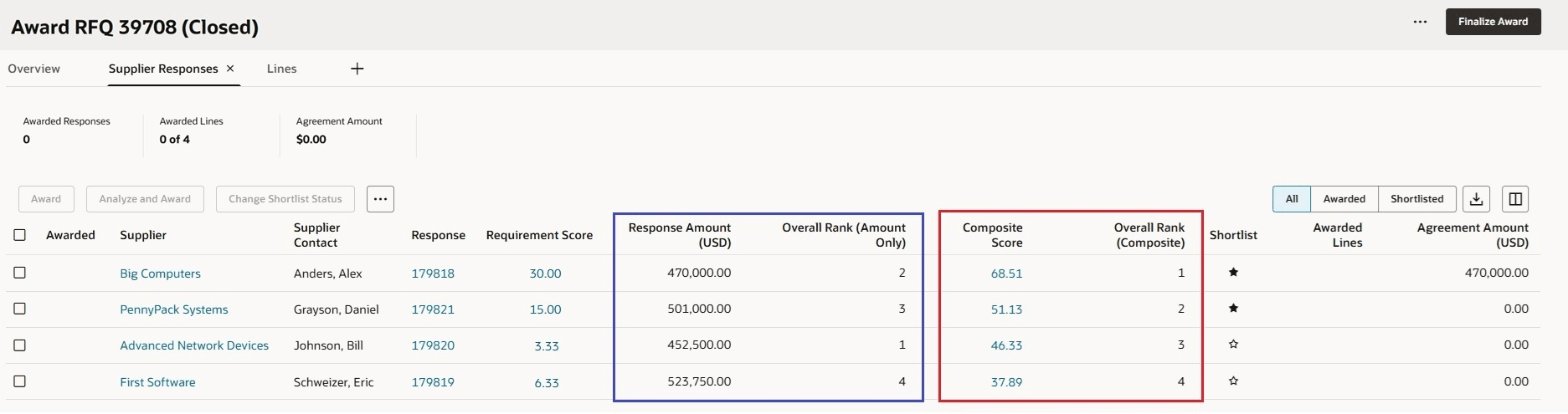
Award Suppliers Based on Overall Composite Rank
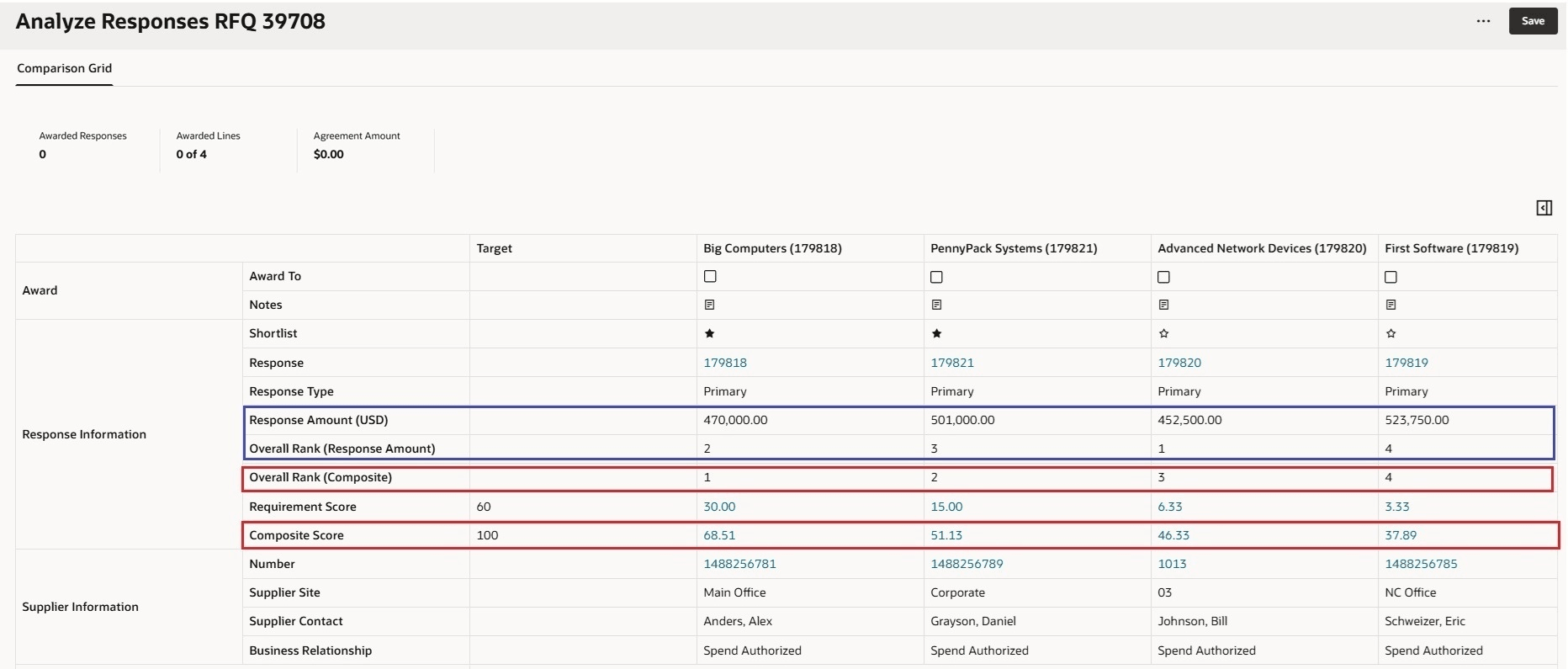
Compare Composite Scores and Ranks to Award Suppliers
When comparing supplier responses, category managers can gain more insight beyond just price. Ranking suppliers based on both pricing and requirements, provides a more accurate picture of the supplier’s standing.
Steps to enable and configure
To use this feature, you must opt in to the required feature and enable the corresponding profile option if you haven’t already.
- Feature: Rank Suppliers Based on the Composite Score of Pricing and Requirements opt-in within the Sourcing functional area under the Procurement offering. For instructions on opting into a feature, refer to the Optional Uptake of New Features section of this document.
- Redwood Pages for Sourcing Enabled (ORA_PON_SOURCING_REDWOOD_ENABLED).
- Redwood Page to Create Negotiation Enabled (ORA_PON_CREATE_NEGOTIATION_REDWOOD_ENABLED)
For instructions on enabling a profile option, refer to the Set Profile Option Values topic.
Tips and considerations
- This feature is supported only when negotiation type is RFQ.
- This feature can't be used if you have enabled internal cost factors in the negotiation style.
Key resources
- For more details on overall response rank, please refer to 19D Oracle Cloud Readiness.
- For more details on rank suppliers based on Composite score, please refer to 21D Oracle Cloud Readiness.
Access requirements
Users who are assigned a configured job role that contains these privileges are able to access this feature.
- Score Supplier Negotiation Response (PON_SCORE_SUPPLIER_NEGOTIATION_RESPONSE)
- Update Response Scores for Another Member (PON_UPDATE_OTHER_MEMBER_SCORES)
These privileges were available prior to this update.