Redwood: Manage Public Negotiation Abstracts
Category managers can now easily manage public negotiation abstracts from the View Negotiation page. When the abstract feature is enabled for a negotiation, users can open the negotiation, go to Actions, and select Manage Public Abstract Listing. This will open a side panel with the following actions:
- Post or Withdraw Abstract: Make the abstract visible on the public website or remove it after publishing the negotiation. This action will be available after the negotiation is published.
- Post or Withdraw Negotiation PDF: Post or remove the negotiation PDF from the public abstract.
- Post or Withdraw Response Tabulation: Post or withdraw the response tabulation PDF after the negotiation closes.
- Post or Withdraw Award Notice: Add and publish an award notice PDF when awarding, or withdraw it as needed.
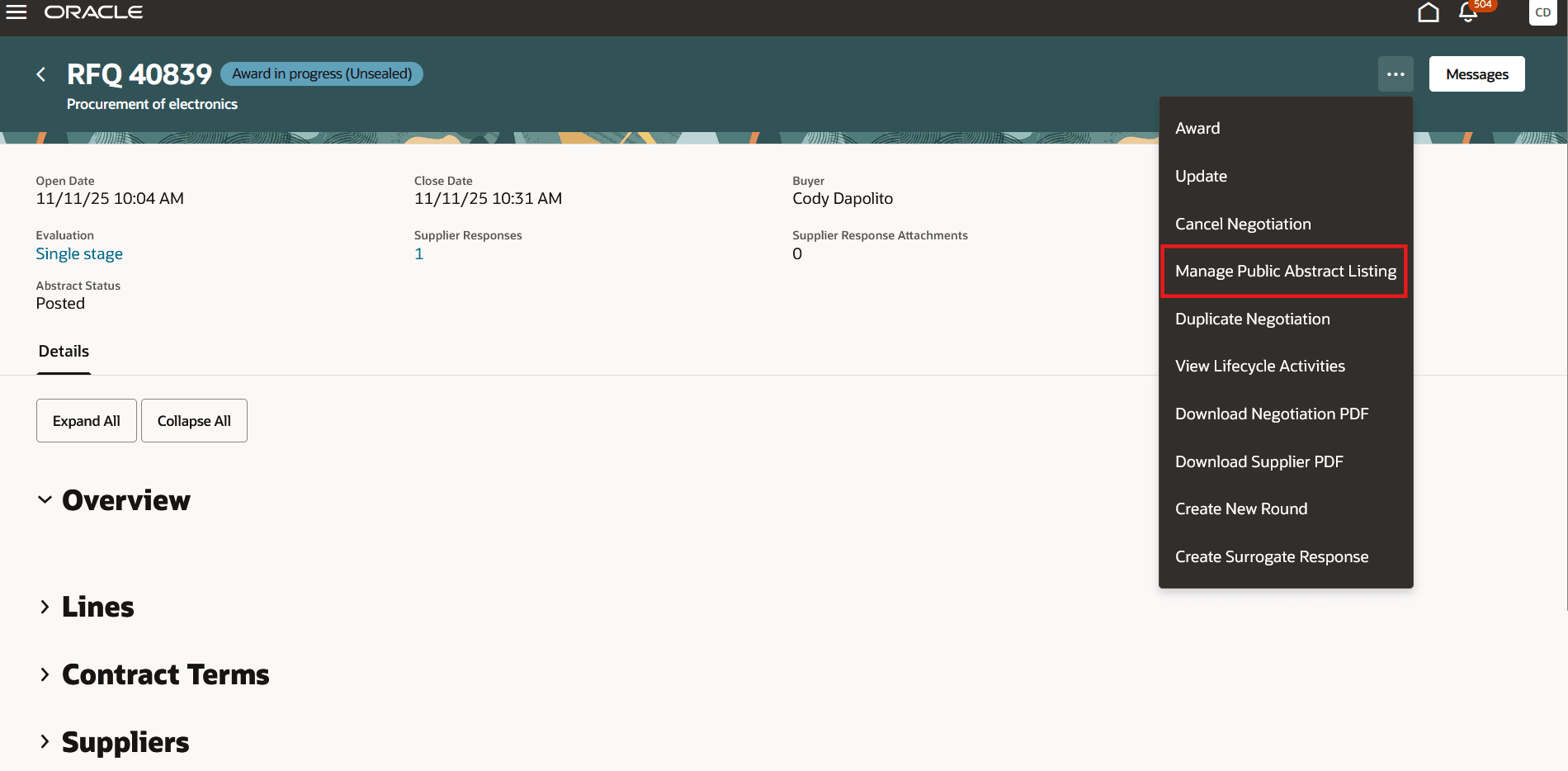
Manage Public Abstract Listing
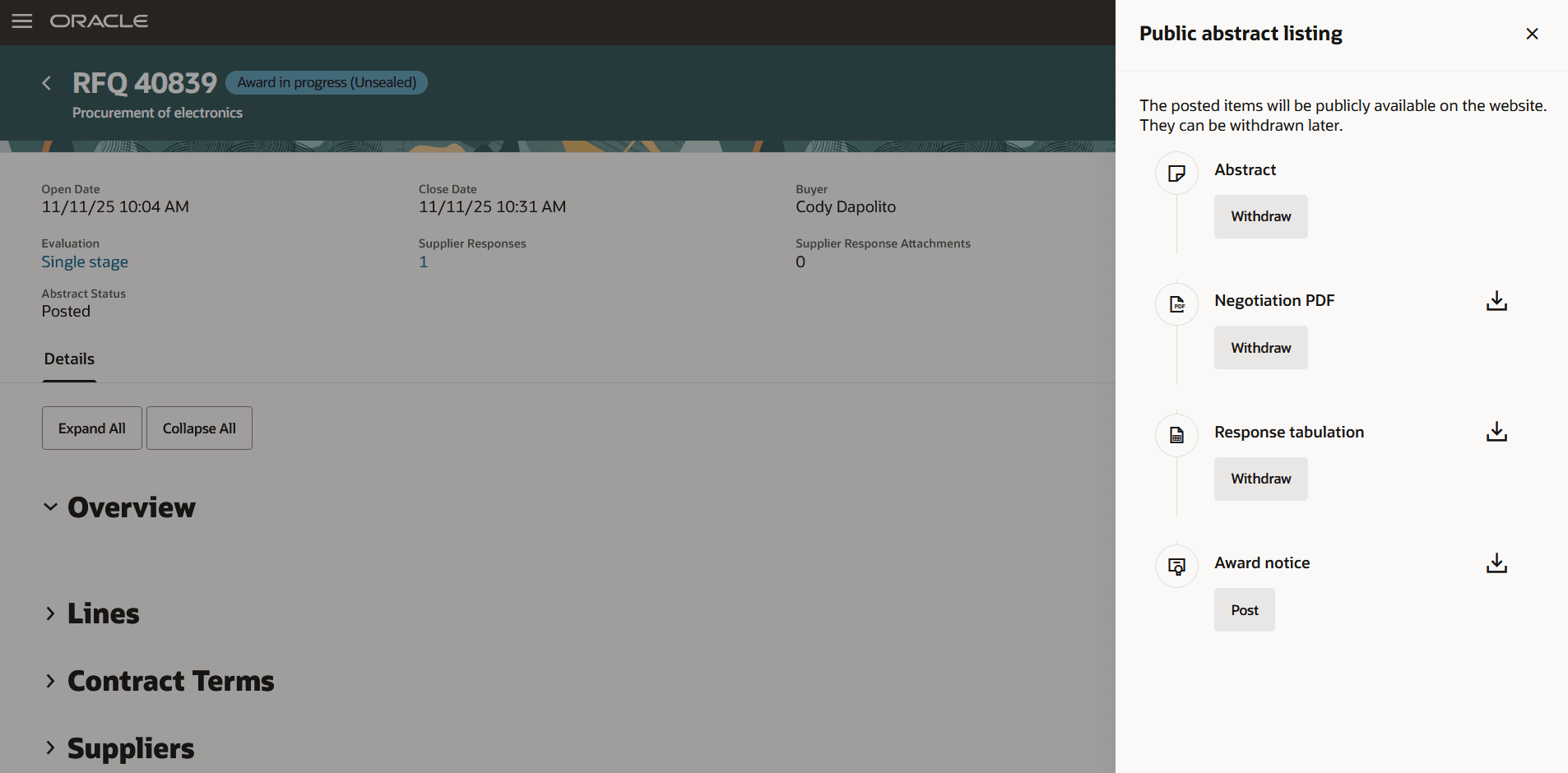
Public Abstract Listing
You can also access this panel from the Controls section using the Manage Public Abstract Listing button. To preview the posted abstract at any time, click the Preview Abstract button.
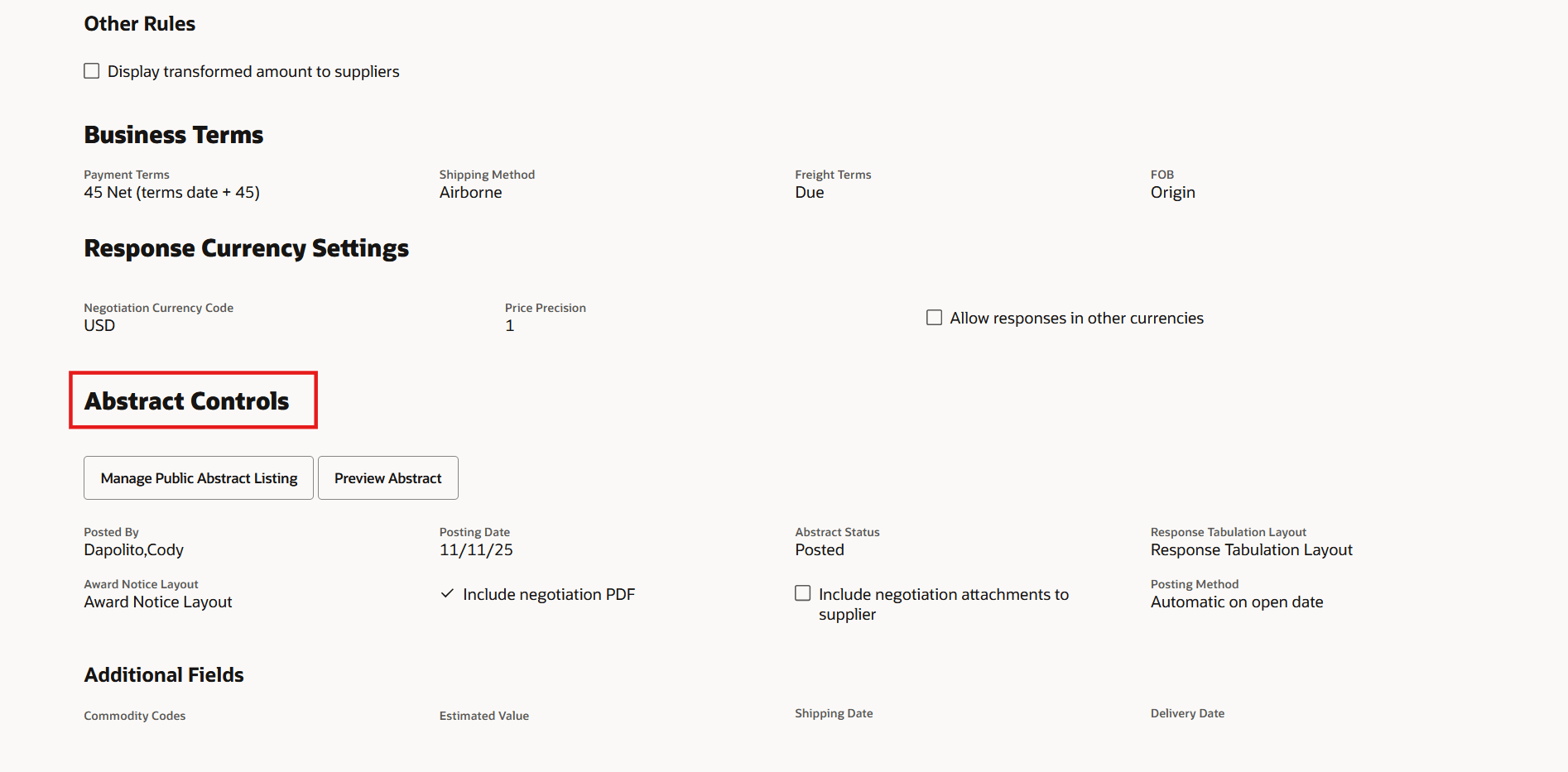
Abstract Controls
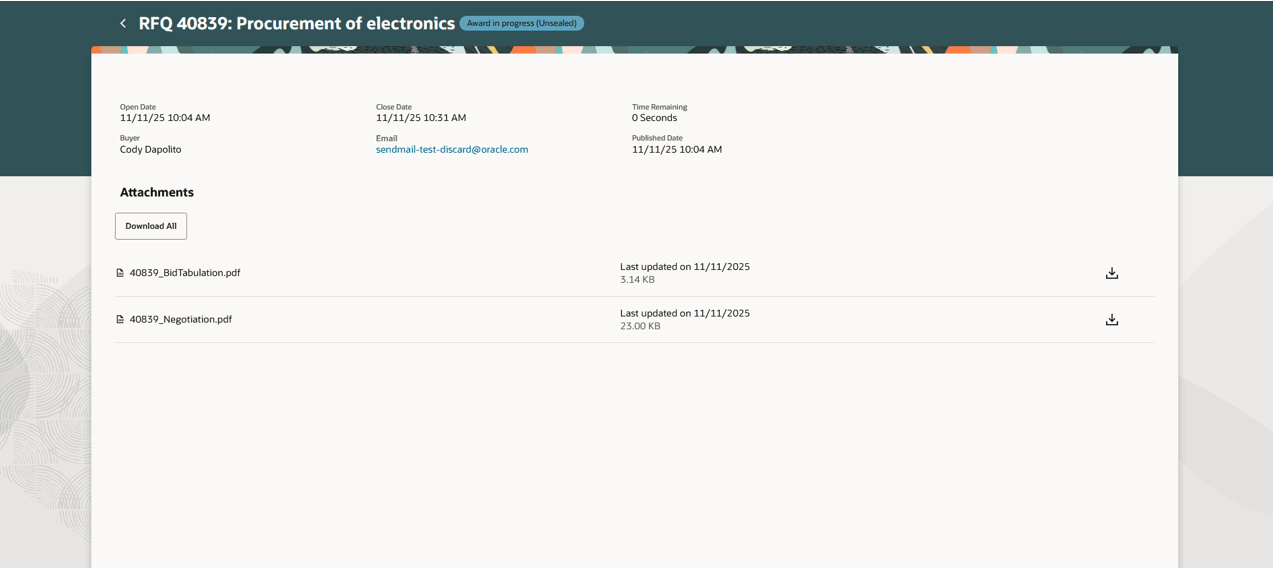
Preview Abstract
Key fields, such as abstract status, posted by, posting date, and PDF inclusion, are now updated automatically in negotiation controls.
This enhancement centralizes public abstract management, streamlining the process and saving time for category managers.
Steps to enable and configure
To use this feature, you must enable these profile options if you haven't already.
- Redwood Pages for Sourcing Enabled (ORA_PON_SOURCING_REDWOOD_ENABLED).
- Redwood Page to Create Negotiation Enabled (ORA_PON_CREATE_NEGOTIATION_REDWOOD_ENABLED)
For instructions on enabling a profile option, refer to the Set Profile Option Values topic.
Tips and considerations
- The post or withdraw response tabulation action isn't available for negotiations when the response visibility is set to blind.
- The post or withdraw award notice action is currently not available on the Award page; it will be added in the next update.
- You can download the Negotiation, response tabulation, and award notice PDFs from the Public Abstract Listing panel to preview them before posting them to the abstract.
Key resources
- For information about using Oracle Visual Builder Studio to extend your Redwood application pages, see Oracle Fusion Cloud HCM and SCM: Extending Redwood Applications for HCM and SCM Using Visual Builder Studio.
Access requirements
Users who have been assigned a job role that contains these existing privileges can access this feature:
- PON_SUBMIT_SUPPLIER_NEGOTIATION: Allows users to publish supplier negotiations.
- PON_PUBLISH_RESPONSE_TABULATION: Allows users to publish the response tabulation on an external website.
- PON_COMPLETE_SUPPLIER_NEGOTIATION_AWARD: Allows users to finalize the negotiation award process.