Redwood: Review Currencies Using a New User Experience
Using the Currencies table in the Plan Inputs, you can search for and review the currencies that have been collected.
In the Redwood work area named Supply Chain Planning, go to the Plan Inputs by doing one of the following:
- Select Plan Inputs from the context selector. The Plan Inputs will open on the same tab.
- On the More Actions menu, select View More, and in the Actions drawer, in Plan Inputs, select Plan Inputs. The Plan Inputs will open on a new browser tab.
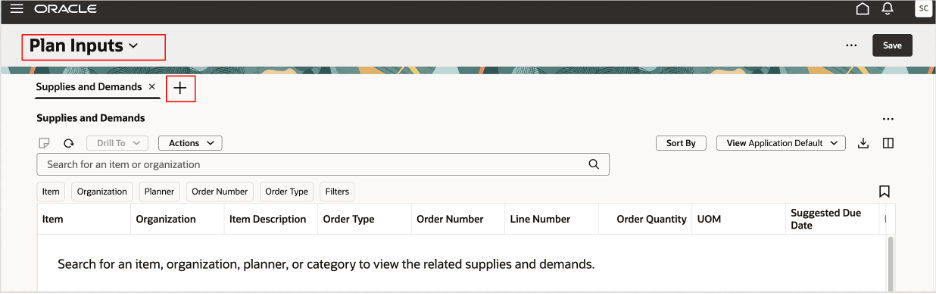
Plan Inputs
In the Plan Inputs, select the Add icon to open the Pages drawer.
On the Visualizations tab, search for the Currencies table, and select it.
The Currencies table will open on a new tab for the Plan Inputs.
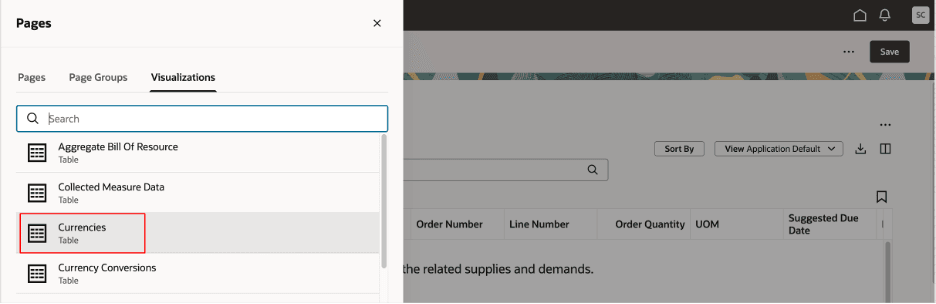
Pages Drawer in Plan Inputs
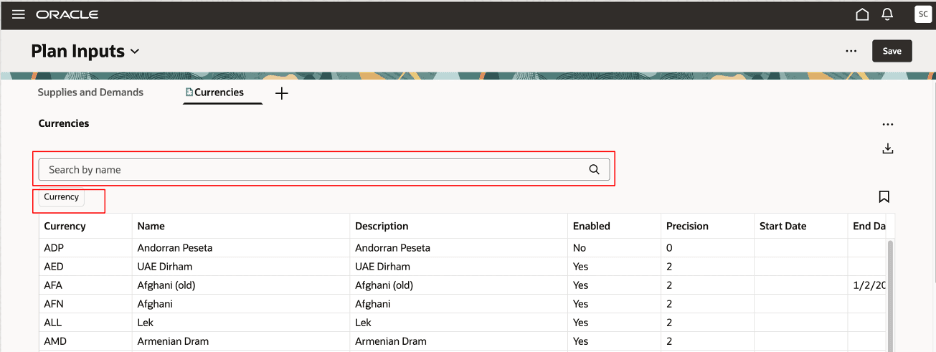
Currencies Table
You can use the sorting options for each column. Also, you can search by currency name in the search bar and use the Currency suggested filter to select one or more currencies.
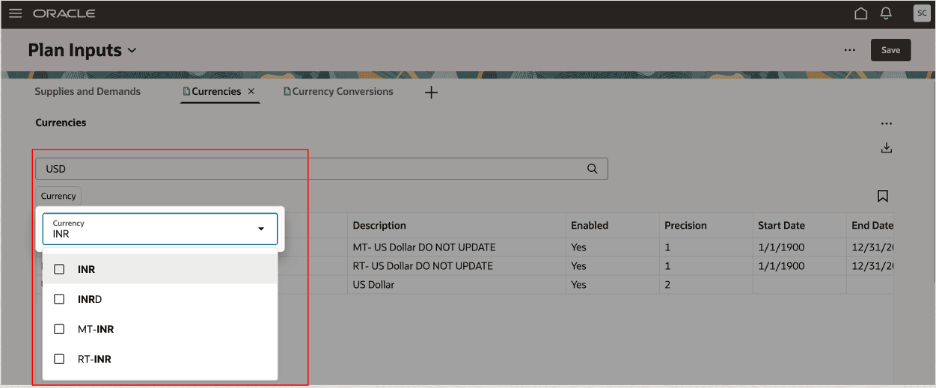
Search Bar and Suggested Filter for Currencies Table
Steps to enable and configure
Use the Opt In UI to enable this feature. For instructions, refer to the Optional Uptake of New Features section of this document.
Offering: Supply Chain Planning
Tips and considerations
If you want to use the Redwood: Review Currencies Using a New User Experience feature, then you must opt in to its parent feature: Replenishment Planning. If you’ve already opted in to this parent feature, then you don’t have to opt in again.
Key resources
- Refer to the Cloud Applications Readiness content for the following features:
- Redwood: Manage Plans Using a New User Experience (Update 25B)
- Redwood: Manage Visualizations Using a New User Experience (Update 25B)
- Visit https://redwood.oracle.com/ for more information about the Redwood experience.
Access requirements
Users who are assigned a configured job role that contains this privilege can access this feature:
- Review Planning Currencies (MSC_REVIEW_PLANNING_CURRENCIES_PRIV)
This privilege was available prior to this update.