Redwood: Create ASN or ASBN Using a Spreadsheet
Advance Shipment Notices (ASNs) and Advance Shipment Billing Notices (ASBNs) from suppliers are crucial in modern supply chain management. They provide advance notification about inbound supply, such as contents, quantities, and expected delivery dates, and helps you prepare for incoming deliveries, coordinate warehouse resources, improve inventory accuracy, and streamline the receiving processes. Now, you can create ASNs and ASBNs with a predefined spreadsheet template that's configured using the Oracle Visual Builder Add-in for Excel.
Select the Upload ASN or ASBN Using Spreadsheet task to download the Excel template for uploading ASN or ASBN data.
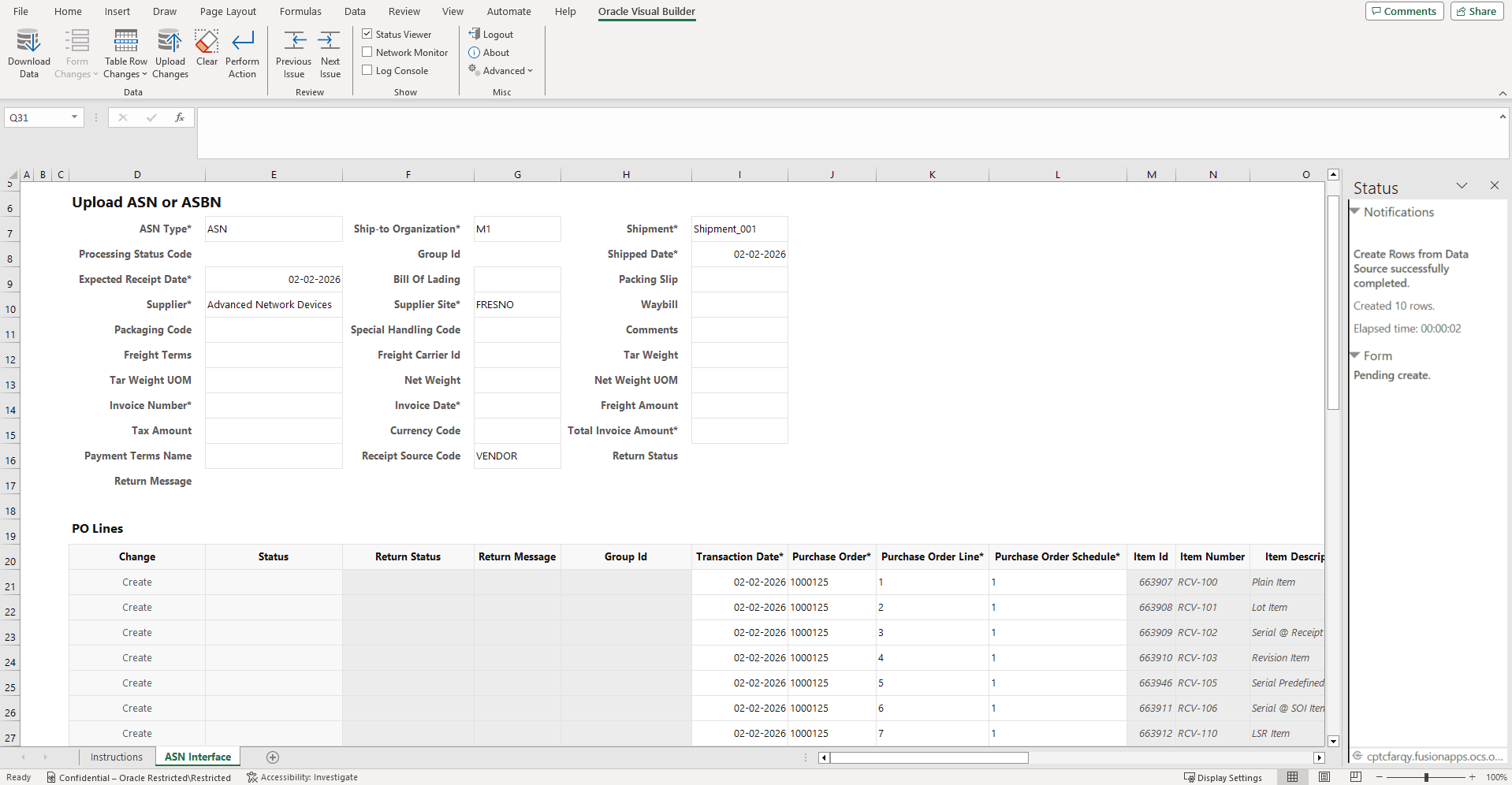
Upload ASN or ASBN Using Spreadsheet
This feature saves you time and effort by providing the ability to quickly create ASNs and ASBNs using an Excel workbook.
Steps to enable and configure
Follow these steps to enable or disable this feature in Inventory Management:
- In the Setup and Maintenance work area, search for and select the Manage Administrator Profile Values task.
- On the Manage Administrator Profile Values page, search for and select the ORA_RCV_ASN_ASBN_IN_SPREADSHEET_REDWOOD_ENABLED profile option code.
- In the Profile Values section, set the Site level to Yes or No. The default value is No.
- Y = enables the feature
- N = disables the feature
- Click Save and Close. Changes in the profile value will affect users the next time they sign in.
Follow these steps to enable or disable this feature in the Supplier Portal:
- In the Setup and Maintenance work area, search for and select the Manage Administrator Profile Values task.
- On the Manage Administrator Profile Values page, search for and select the ORA_RCV_ASN_ASBN_IN_SPREADSHEET_SUPPLIER_PORTAL_REDWOOD_ENABLED profile option code.
- In the Profile Values section, set the Site level to Yes or No. The default value is No.
- Y = enables the feature
- N = disables the feature
- Click Save and Close. Changes in the profile value will affect users the next time they sign in.
Tips and considerations
Download the latest version of Oracle Visual Builder Add-in for Excel.
Key resources
Oracle Fusion Cloud SCM: Using Inventory Management guide, available on the Oracle Help Center.
Access requirements
Users who are assigned a configured job role that contains this privilege can access this feature:
- Upload Advance Shipment Notice or Advance Shipment Billing Notice (RCV_UPLOAD_INBOUND_SHIPMENT_ADVANCE_SHIPMENT_NOTICE_OR_ADVANCE_SHIPMENT_BILLING_NOTICE_PRIV)
This privilege was available prior to this update.