 Redwood: Add Attachments and Update Descriptive Flexfields on Existing Receipts
When you receive goods, your internal policy may require users to attach supplier documents or record specific details in Descriptive Flexfields (DFFs). During peak hours, receiving agents might overlook attaching a document or may enter incorrect information. In such cases, it's important to have the capability to attach necessary documents or update the DFF values after the receipt is created. Now, you can add attachments and update DFF values on existing receipts.
You can access the Receipt Summary page by selecting a receipt from the Received Lines page. After you select a specific receipt, you can click the Attachments icon to add a new attachment or remove an existing attachment.
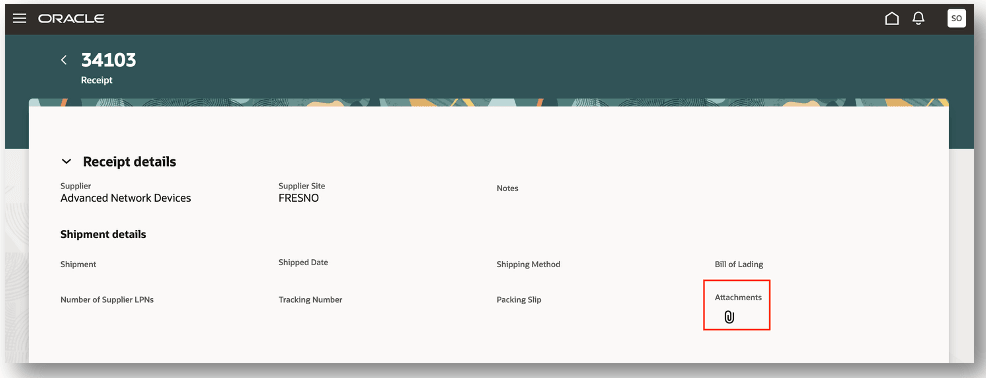
Receipt Summary
In the Attachments panel drawer, you can drag and drop new attachments, upload a file, or add a URL. If you want to remove an existing file or URL, you can click the Remove icon.
After you complete your edits, save your changes to update an existing receipt.
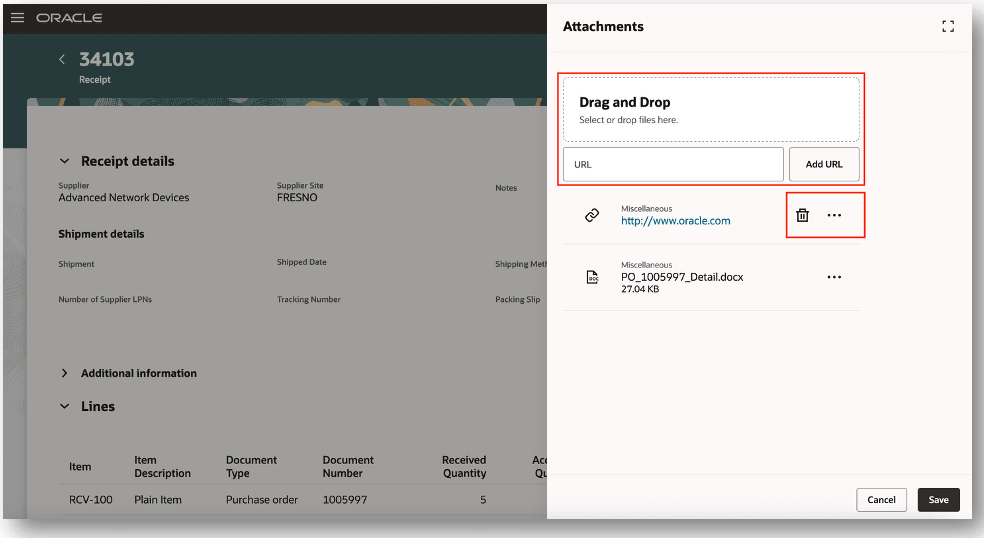
Attachments
You can access the Receiving Transaction History page from the Receipt Summary page. You can edit attachments and descriptive flexfields from the Receiving Transaction History page.
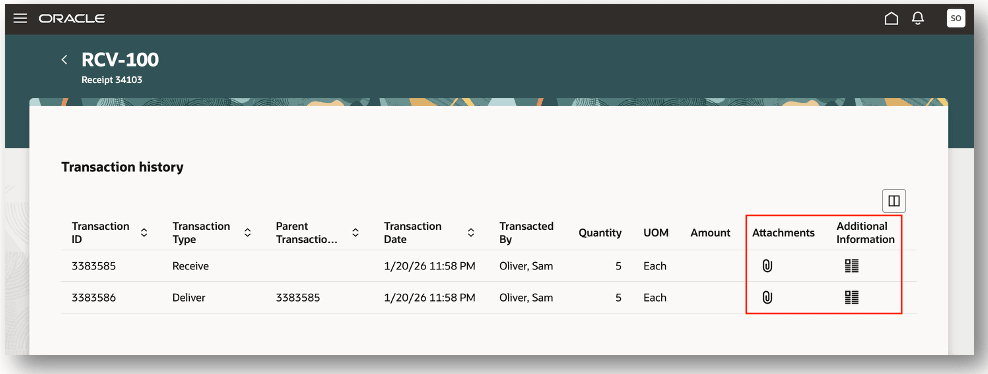
Receiving Transaction History
In the Additional Information panel drawer, you can update existing descriptive flexfield details. After you complete your edits, save your changes to update an existing receipt.
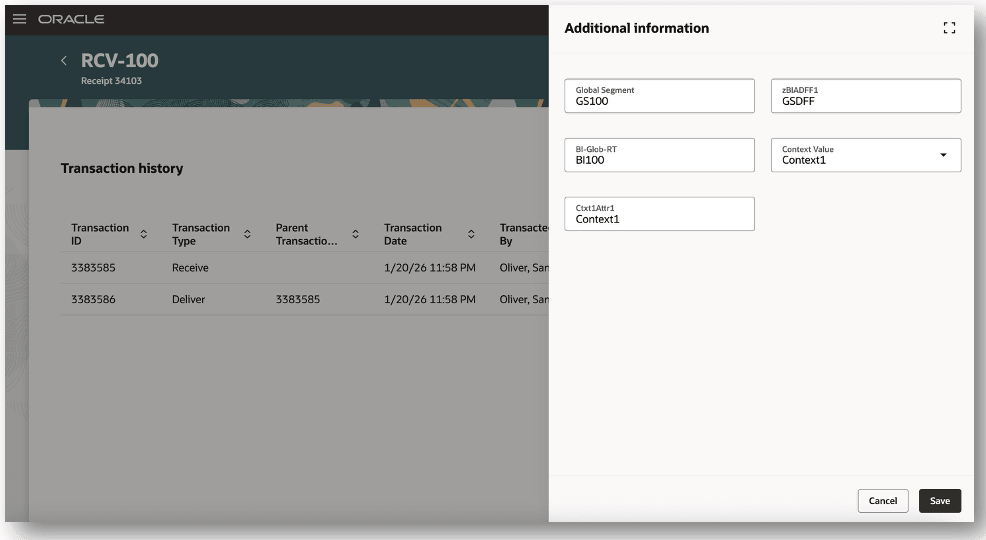
Additional Information
This feature helps reduce errors and improve internal compliance by allowing updates to existing receipts if users forget to attach documents or provide incorrect DFF values.
Steps to enable and configure
This feature is enabled by assigning orphan privileges using the Oracle Security Console.
The Edit Receipt Attachments (RCV_EDIT_RECEIVING_RECEIPT_ATTACHMENTS_PRIV) privilege must be provisioned to edit receipt attachments from the Receipt Summary page.
The Edit Flexfield and Attachment for Receiving Transaction (RCV_EDIT_FLEXFIELD_ATTACHMENT_RECEIVING_TRANSACTION_PRIV) privilege must be provisioned to edit receipt attachments and descriptive flexfields from the Receiving Transaction History page.
Key resources
- Oracle Fusion Cloud SCM: Using Receiving guide, available on the Oracle Help Center.
- Oracle Fusion Cloud SCM: Implementing Manufacturing and Supply Chain Materials Management guide, available on the Oracle Help Center.
- Oracle Fusion Cloud SCM: Security Reference for Manufacturing and Supply Chain Materials Management guide, available on the Oracle Help Center.
Access requirements
Users who are assigned a configured job role that contains these new privileges can access this feature.
Privileges:
- Edit Receipt Attachments (RCV_EDIT_RECEIVING_RECEIPT_ATTACHMENTS_PRIV)
- Edit Flexfield and Attachment for Receiving Transaction (RCV_EDIT_FLEXFIELD_ATTACHMENT_RECEIVING_TRANSACTION_PRIV)
These privileges are new in this update.
These privileges are not assigned to any predefined job roles. You must manually assign these privileges to configured job roles.