Manage Global Maintenance Work Definitions
Work definitions are defined at the maintenance organization level based on organization-specific work areas, work centers, material items, and resources. In this update, if you have work definitions with the same scope across multiple maintenance organizations, you can manage them globally.
Global work definitions are available only in the Redwood-enabled Work Definitions page. These are defined in a maintenance-enabled master organization and replicated to selected child maintenance-enabled organizations. You can do global source control, revisions, and versioning, which reduces the effort of managing common definitions individually. When launching the Maintenance Work Definitions task, select the master organization on the Maintenance Management landing page.
The following screenshot shows the Maintenance Management landing page with the master organization selected.
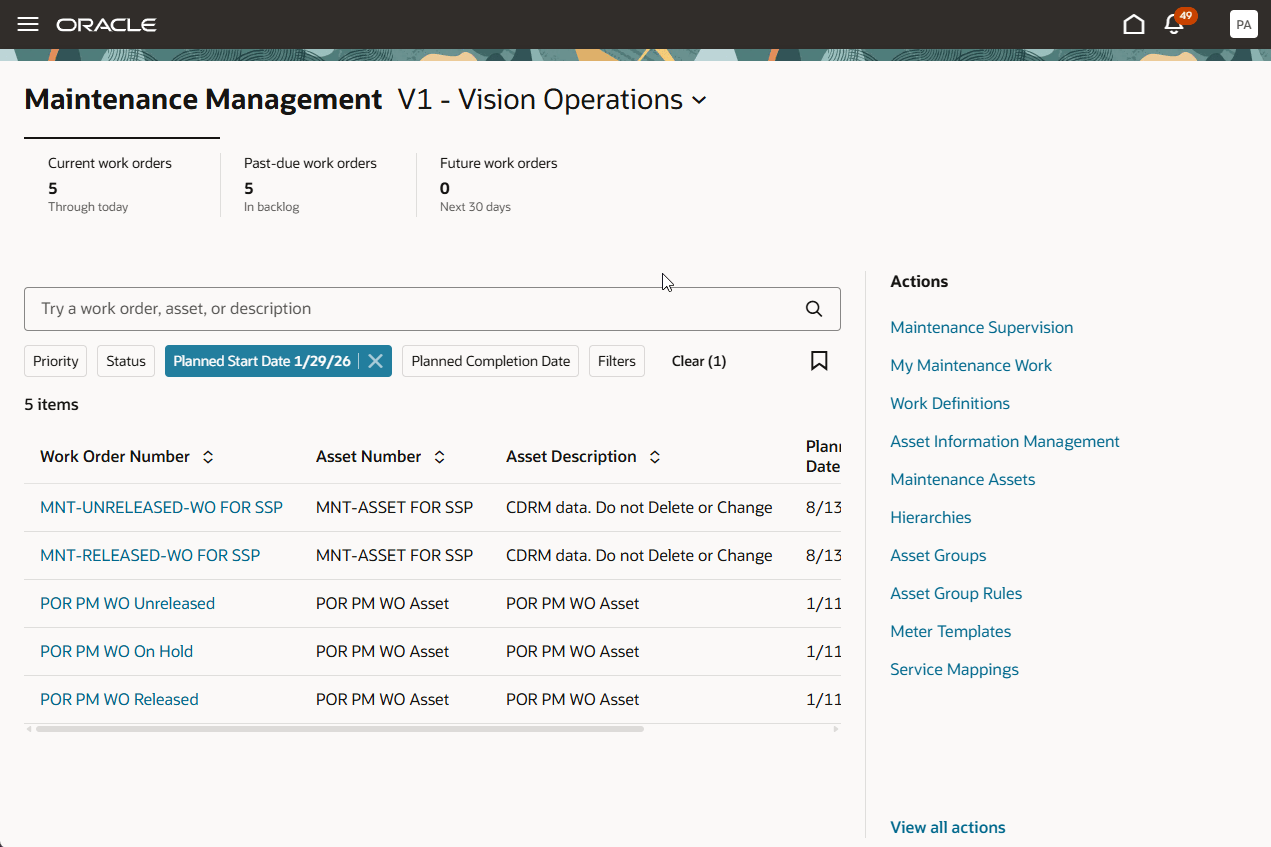
Navigation from Maintenance Management Landing Page to Work Definitions
Before you define a new global maintenance work definition, all of the data attributes including work areas, work centers, standard operations, and items and resources, must be set up in both the master and child organizations.
A new Assign Global Work Definition action is available on the Maintenance Work Definitions page when working in the master maintenance organization.
The following screenshot shows the new action on the Maintenance Work Definitions page.
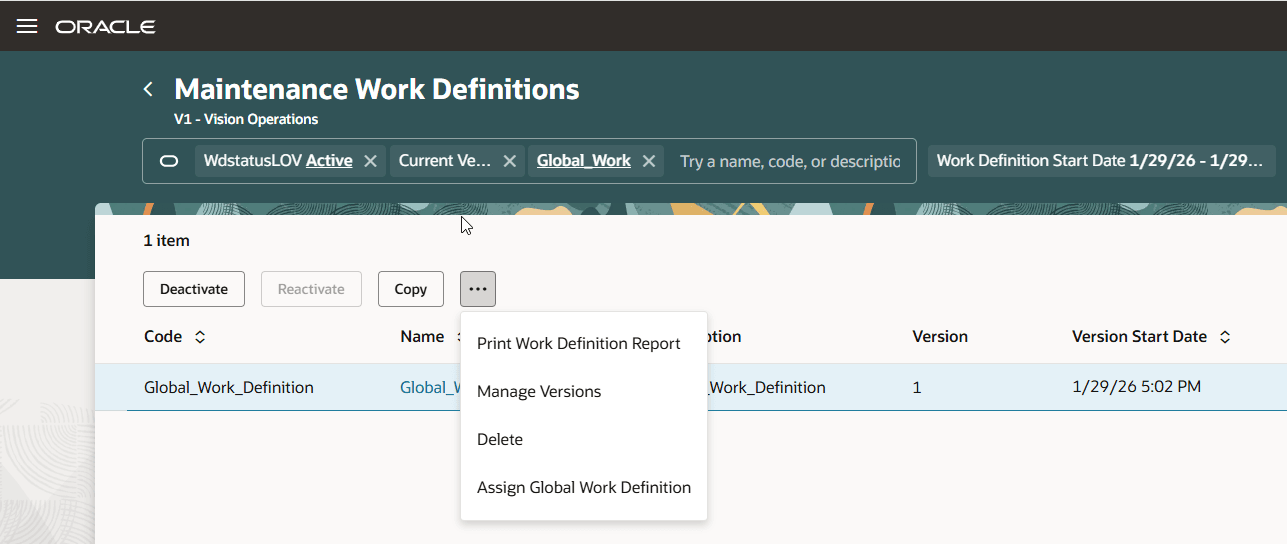
Assign Global Work Definition Action
Using this action, the new Assign global work definitions to organizations drawer opens, as shown in the following screenshot. You can selectively assign a global maintenance work definition to specific or all child organizations.
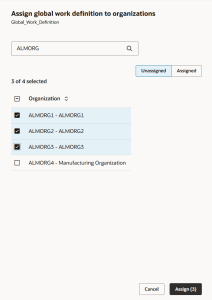
Drawer to Assign Work Definition to Child Organizations
The assignment is executed through the Propagate Global Maintenance Work Definitions scheduled process. Processing results and any errors are captured in the scheduled process output. You can monitor the process, review the output details, and take corrective action as needed. After all the errors are resolved, you can replicate the work definition to the child organization.
The following screenshot shows the process with errors that must be resolved before the work definition can be replicated in a child organization.
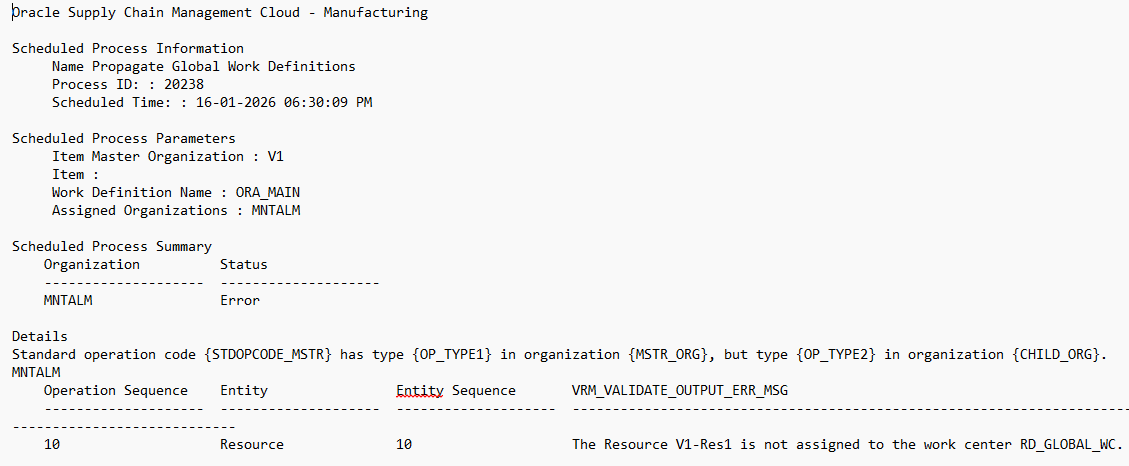
Scheduled Process Summary Showing Errors in Work Definition Assignment
When a global maintenance work definition is successfully copied, a replicated work definition is automatically created in the child maintenance organizations.
The following screenshot shows that the work definitions were replicated.
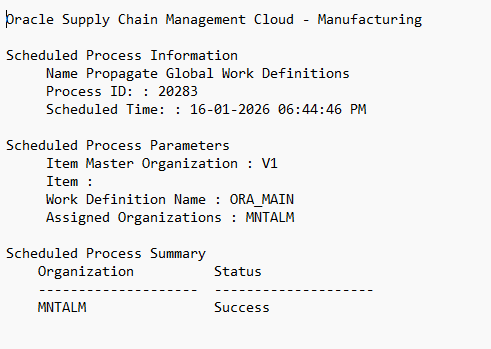
Scheduled Process Summary Showing Successful Work Definition Assignment
You can create a new version and the changes are replicated to the child organizations as a copy. However, if any additional edits are made to an existing organization, you need to manually synchronize the changes.
Additional actions such as activation and deactivation of the work definition, or deletion of the work definition are propagated across the child organizations.
The Replicated column indicates if a work definitions is synchronized with the global master. The following screenshot shows the Replicated indicator in a child organization.
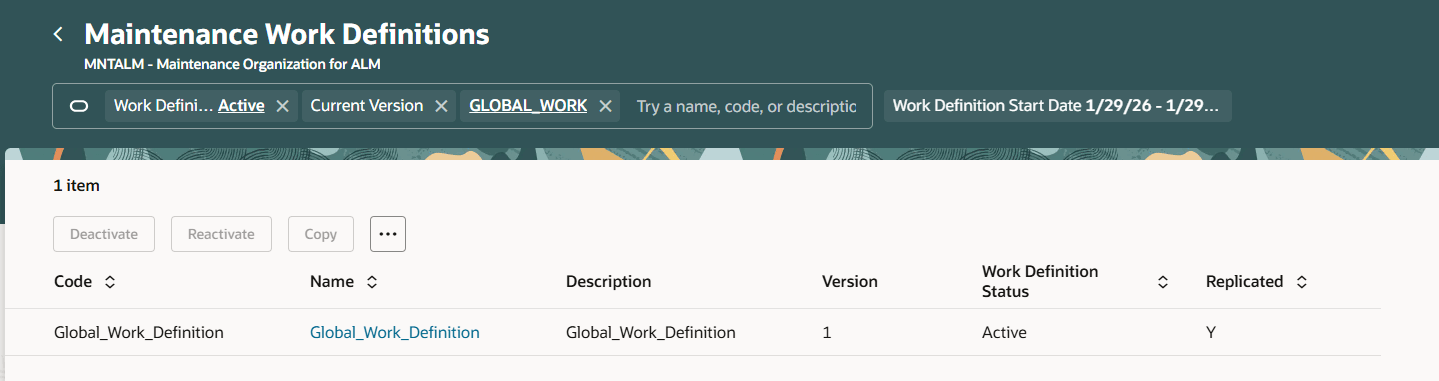
Copy of Work Definition in Child Maintenance Organization with Replicated Indicator
Replicated work definitions are read-only, except for the following attributes:
-
Allow out-of-sequence completion
-
Completion subinventory and locator
-
Supply subinventory and locator
-
Supplier and supplier site for supplier operations
The following screenshot shows a read-only work definition in a child organization.
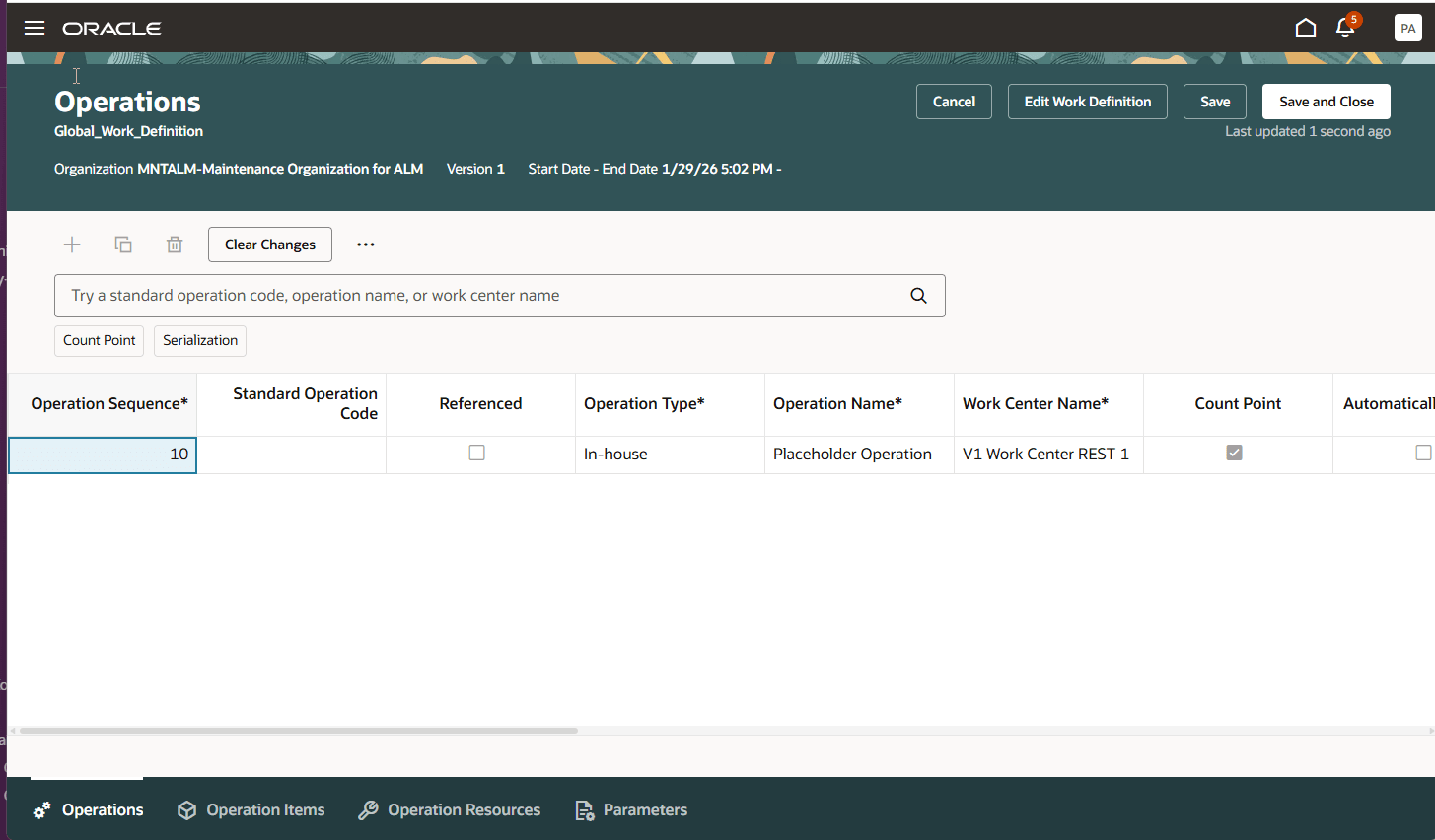
Read-Only Work Definition in Child Organization
If needed, you can break the association with the global work definition by clearing the Replicated indicator in the child maintenance organization. After that, the work definition becomes independent and will no longer receive updates from the global work definition.
This feature enables centralized management of maintenance work definitions, so organizations can define standard work definitions in a master organization and replicate them across multiple maintenance organizations.
Steps to enable and configure
Use the Opt In UI to enable this feature. For instructions, refer to the Optional Uptake of New Features section of this document.
Offering: Manufacturing and Supply Chain Materials Management No Longer Optional From: Update 26D
Access requirements
Users who are assigned a configured job role that contains these privileges can use this feature:
- Propagate Global Work Definitions
- WIS_PROPAGATE_GLOBAL_WORK_DEFINITIONS_PRIV
- WIS_UNLINK_REFERENCED_WORK_DEFINITION
Users require inventory access for the master organization in order to define a maintenance work definition and replicate it across child organizations.