AI Agent: Work Definition Change Management Assistant
The Work Definition Change Management Assistant for manufacturing helps manufacturing engineers implement resource changes across work definitions.
Agent Name:
Work Definition Change Management Assistant
Agent Description:
Work Definition Change Management Assistant helps users update resources across work definitions.
With this agent, you can make the following changes to resources using natural language input:
- Edit resources (make changes to usage, units, cost basis, and charge type)
- Find and replace a resource (search and replace)
- Delete resources
The agent searches and provides a list of work definitions impacted by the resource update. Once you confirm that the changes can be implemented, the agent initiates the changes in bulk using a scheduled process.
The process ID for the scheduled process helps obtain the details of the changes that have been completed successfully.
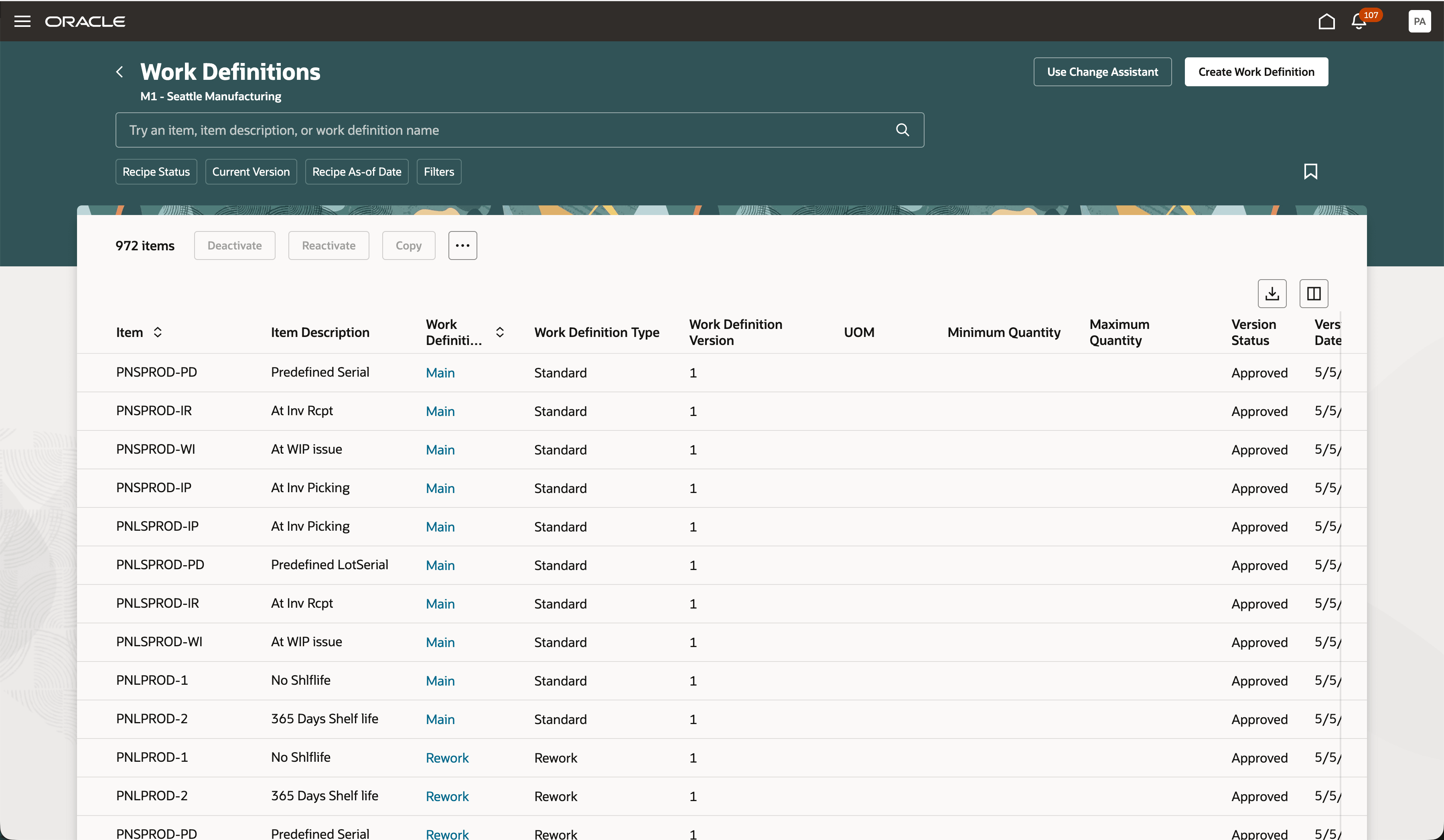
Access Change Assistant from the Work Definitions Page
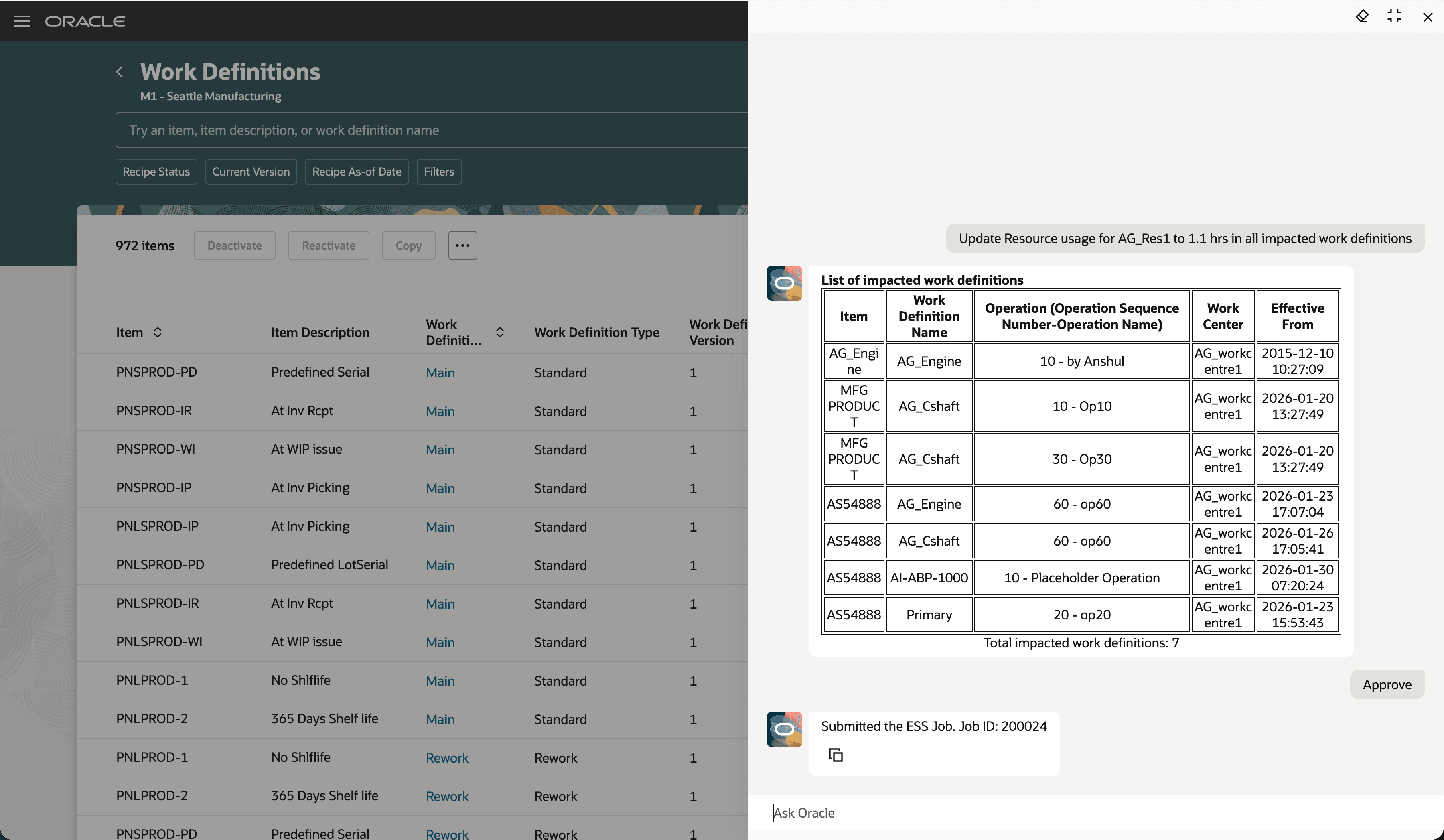
Using Change Assistant to Make Resource Updates Across Work Definitions
With the Work Definition Change Management Assistant, manufacturing engineers can make changes to resources for multiple work definitions based on the criteria provided without having to manually navigate to each work definition.
Here's the demo of these capabilities:
Steps to enable and configure
1. Publishing Agent team in AI Studio
- Use the provided agent team template to create the agent team.
- Publish the agent team.
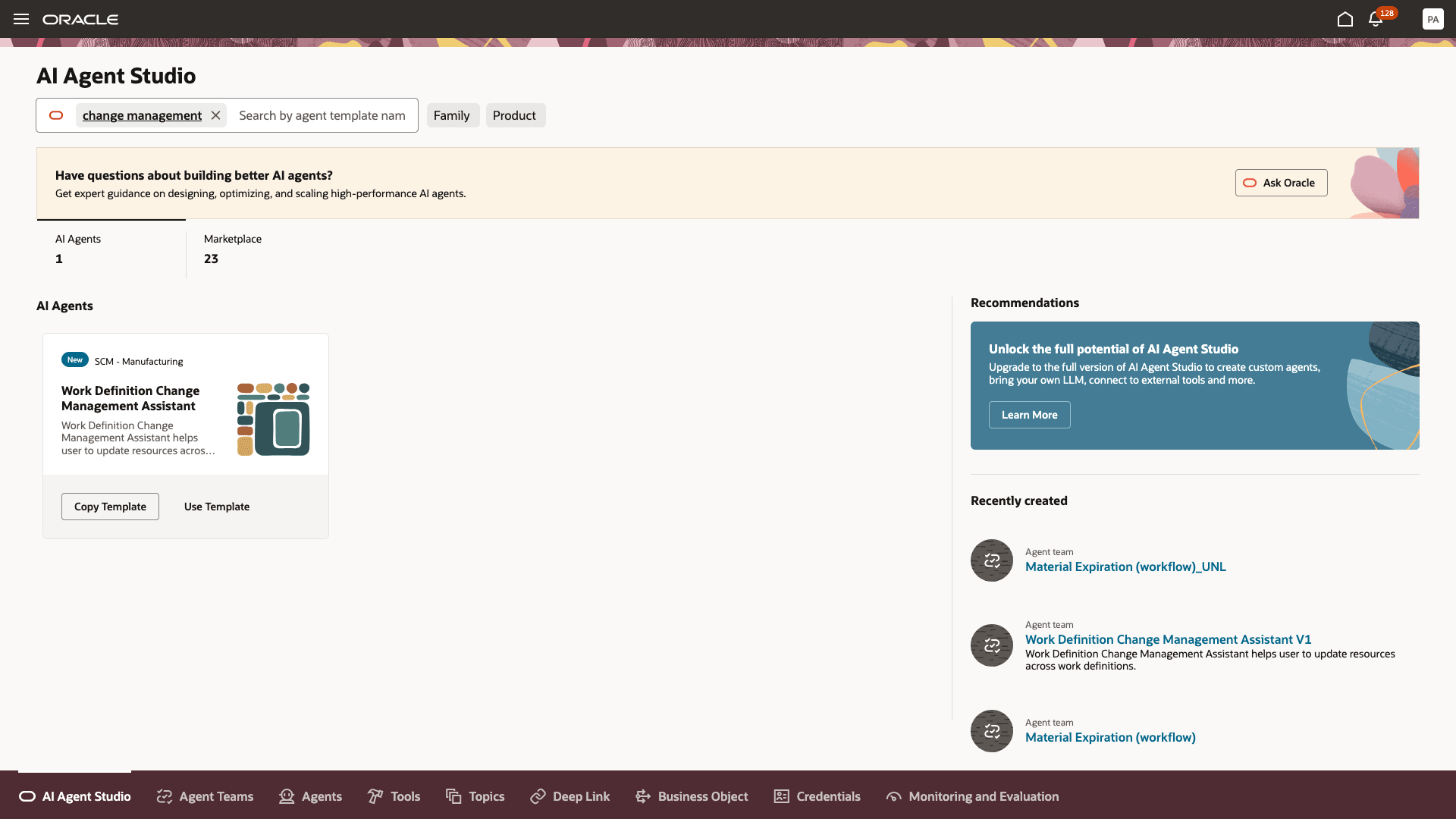
Create the Agent Team from the Template
2. Add the Agent Team to the Work Definitions Page
- Navigate to Visual Builder from the Work Definitions page.
- Add the Agent Team Code and publish the changes.
- After the changes are published, the option to Use Change Assistant appears on the page.
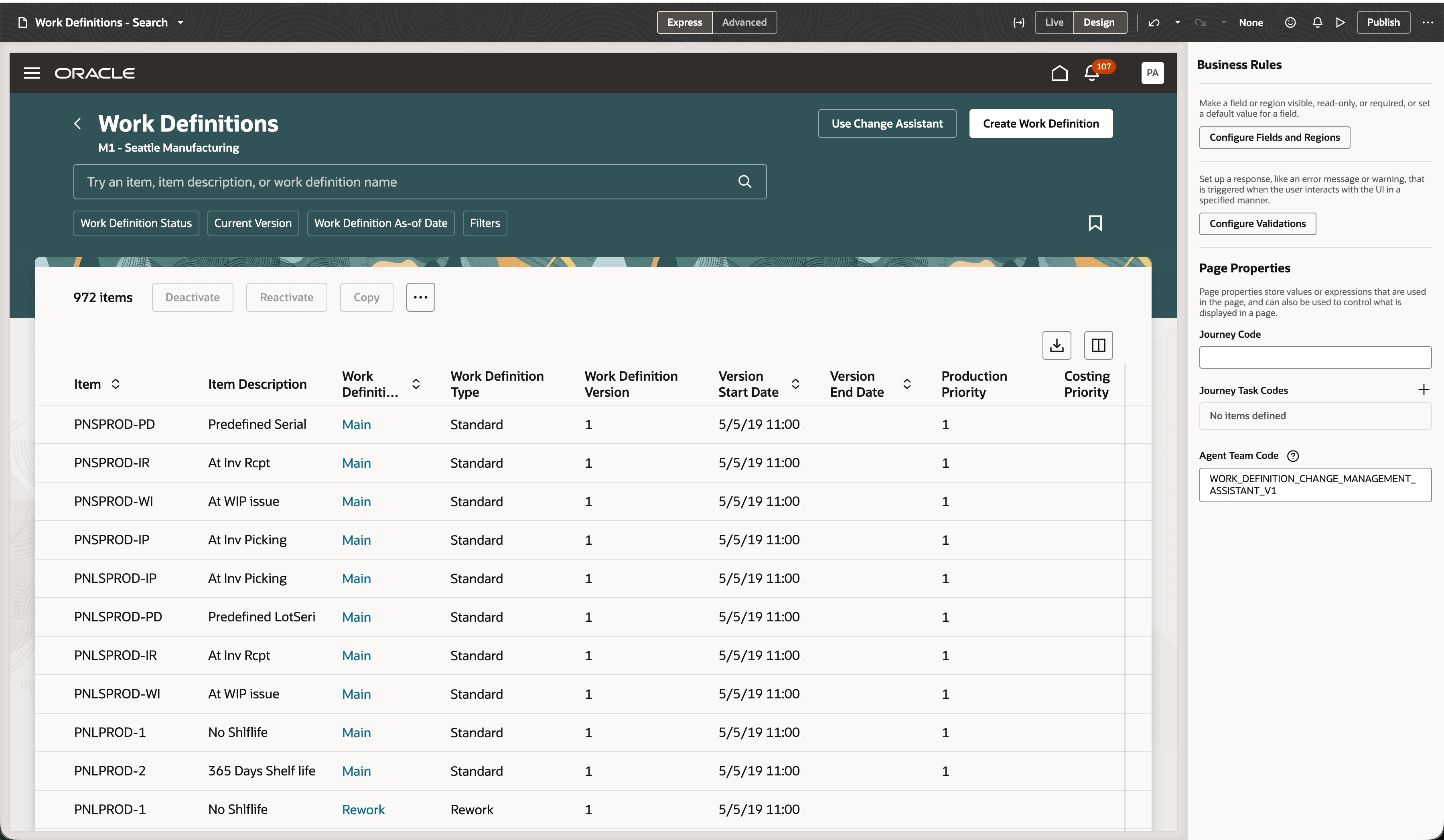
Adding the Agent Team to the Work Definitions Page
Tips and considerations
Tips & Considerations:
- The agent allows changes to be performed for multiple work definitions in a single organization.
- You need to know the name or code of the resources, and the agent does not recommend based on fuzzy matching.
- You can approve or reject the changes, but you currently can't provide additional feedback or request for changes.
- To determine whether the changes were successfully completed, you can check the scheduled process details. Processing of errors is not supported through the agent.
Key resources
- To learn more about how to use the Work Definitions Change Management Assistant, see the feature demo.
- To learn more about the AI Agent Studio, refer to the feature release update.
Access requirements
See Access Requirements for AI Agent Studio (for administrators) and How can I give users access to AI agents (for end-users) for more information.
To access the Oracle AI Agent Studio for Fusion Applications and manage SCM AI agents, users must be assigned a configured job role that contains these duty roles:
- SCM Intelligent Agent Management Duty (ORA_RCS_SCM_AI_AGENT_MANAGEMENT_DUTY and ORA_RCS_SCM_AI_AGENT_MANAGEMENT_DUTY_HCM – both duty role codes are required)
- Fai Genai Agent SCM Administrator Duty (ORA_DR_FAI_GENERATIVE_AI_AGENT_SCM_ADMINISTRATOR_DUTY)
To interact with AI agents in product pages, users must be assigned a configured job role that contains this duty role:
-
Fai Genai Agent Runtime Duty (ORA_DR_FAI_GENERATIVE_AI_AGENT_RUNTIME_DUTY)
To access the Work Definition module, users must be assigned the following privileges:
- Manage Work Definition Work Area (WIS_MANAGE_WORK_DEFINITION_WORK_AREA_PRIV) allows users to access the work definition work area
- Manage Work Definitions (WIS_MANAGE_WORK_DEFINITIONS_PRIV) allows users to create, update, and delete work definitions.