 Redwood: Use the Lot Information from Material Reservations When Issuing Material
When material lots are reserved, picked, and moved to the location where production occurs, these lots must be consumed in production as originally selected. You can now issue or backflush a material lot that has been preselected and staged through the reservation, picking, and move processes for a discrete or process manufacturing work order.
A new plant parameter Default Lot from Material Reservations during Material Issue Transactions controls whether reserved lot information is carried forward in material transactions for a work order operation.
- The default setting for the plant parameter is disabled. You can select the lot for material issue when the supply type is push. Or you can automatically backflush the lot based on another plant parameter Lot Selection During Backflush, which supports manual, First In First Out (FIFO), or First Expired First Out (FEFO).
- When the Default Lot from Material Reservations during Material Issue Transactions plant parameter is enabled, the reserved lot number in addition to the reserved quantity, item revision, project, and task are automatically filled in during the material issue or backflush transaction.
The lot and the corresponding information default from the material reservation in the following Redwood pages:
- Report Material Transactions
- Production Execution - Report Materials and Backflush Materials
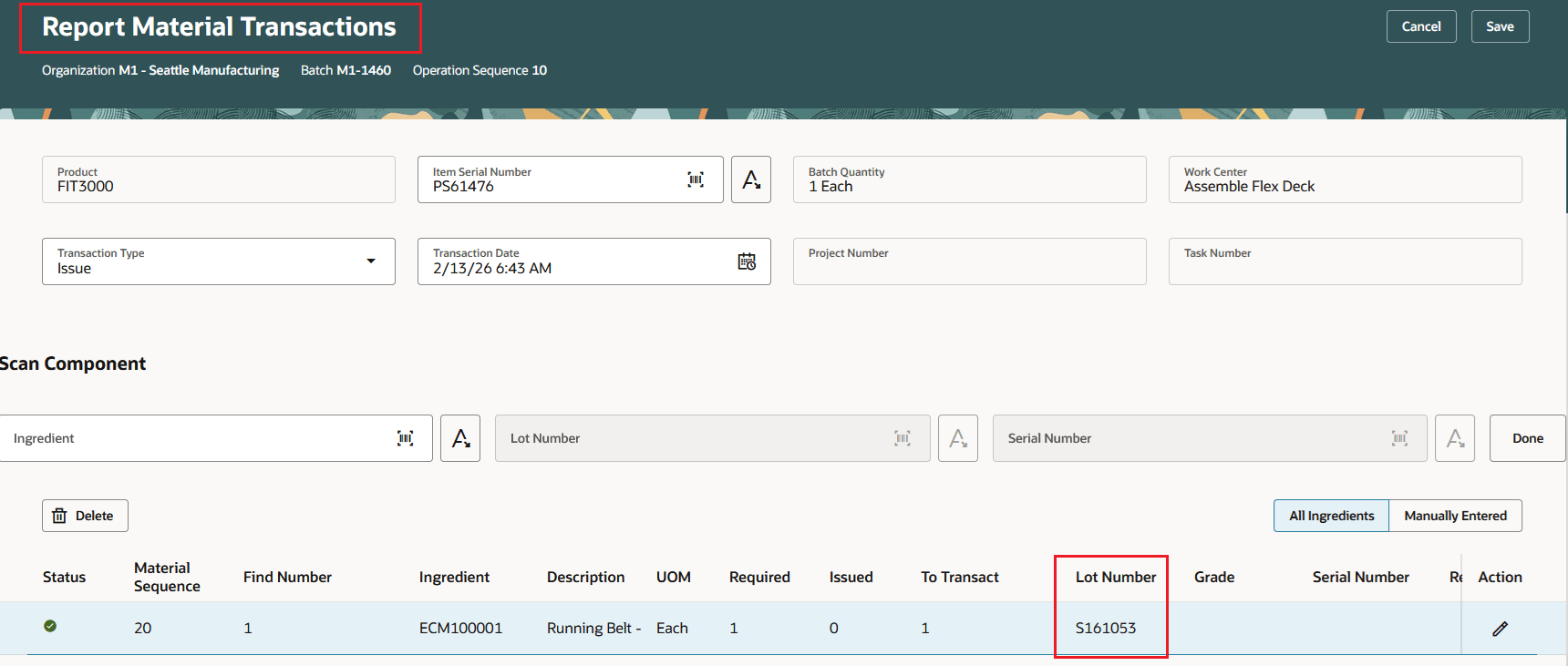
Report Material Transactions
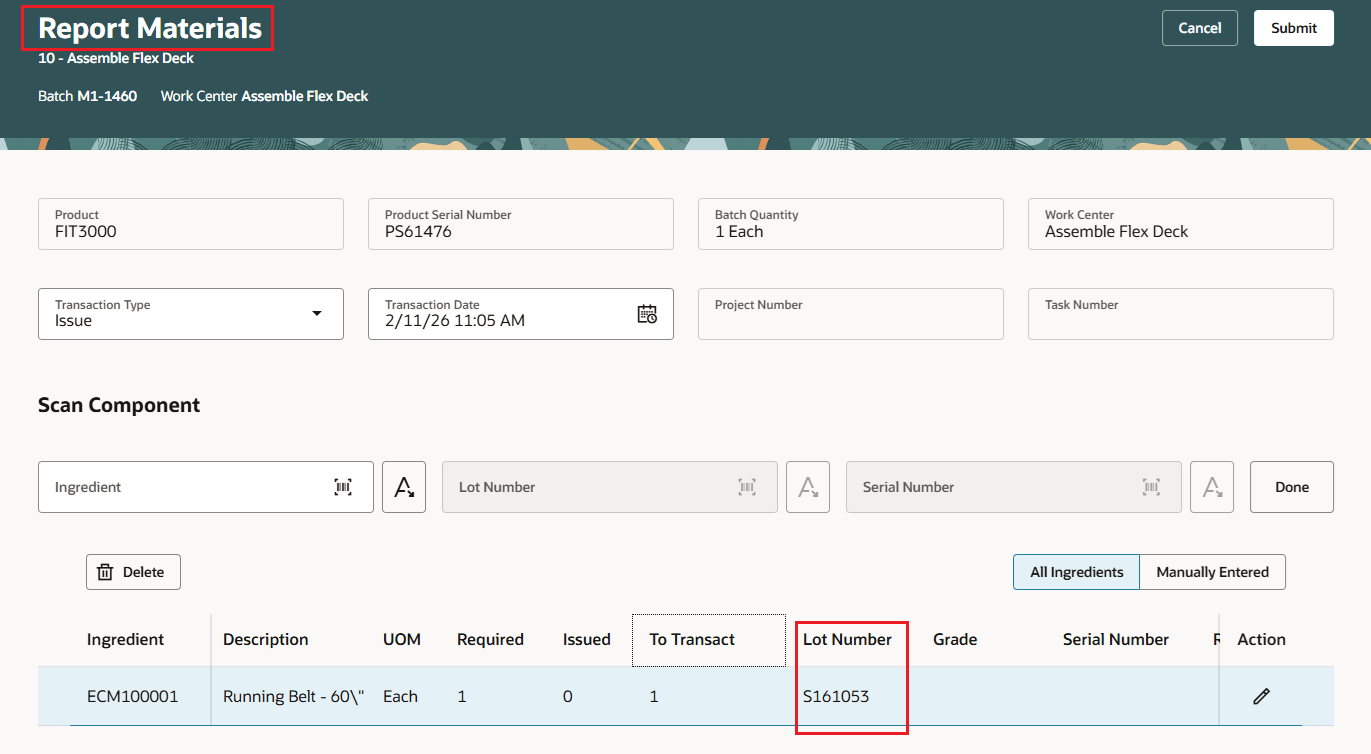
Report Materials for Items with Push Supply Type
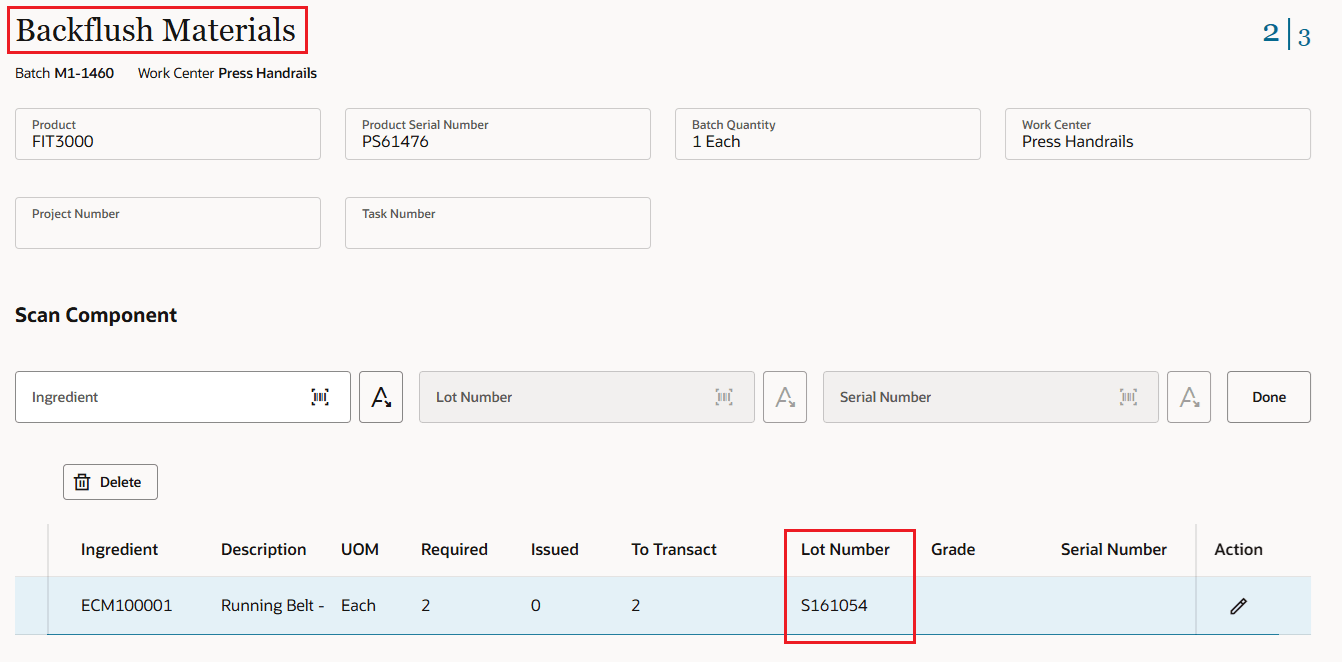
Backflush Materials for Items with Pull Supply Type
Defaulting the reserved lot information minimizes the risk of data entry errors when reporting material transactions, maintaining the integrity of reservations and aligning with the physical process for coordinating materials for production.
Here's the demo of these capabilities:
Steps to enable and configure
Enable the feature using the new plant parameter Default lot from material reservations during material issue transactions.
The parameter is available for organizations under 'Execute Production'.
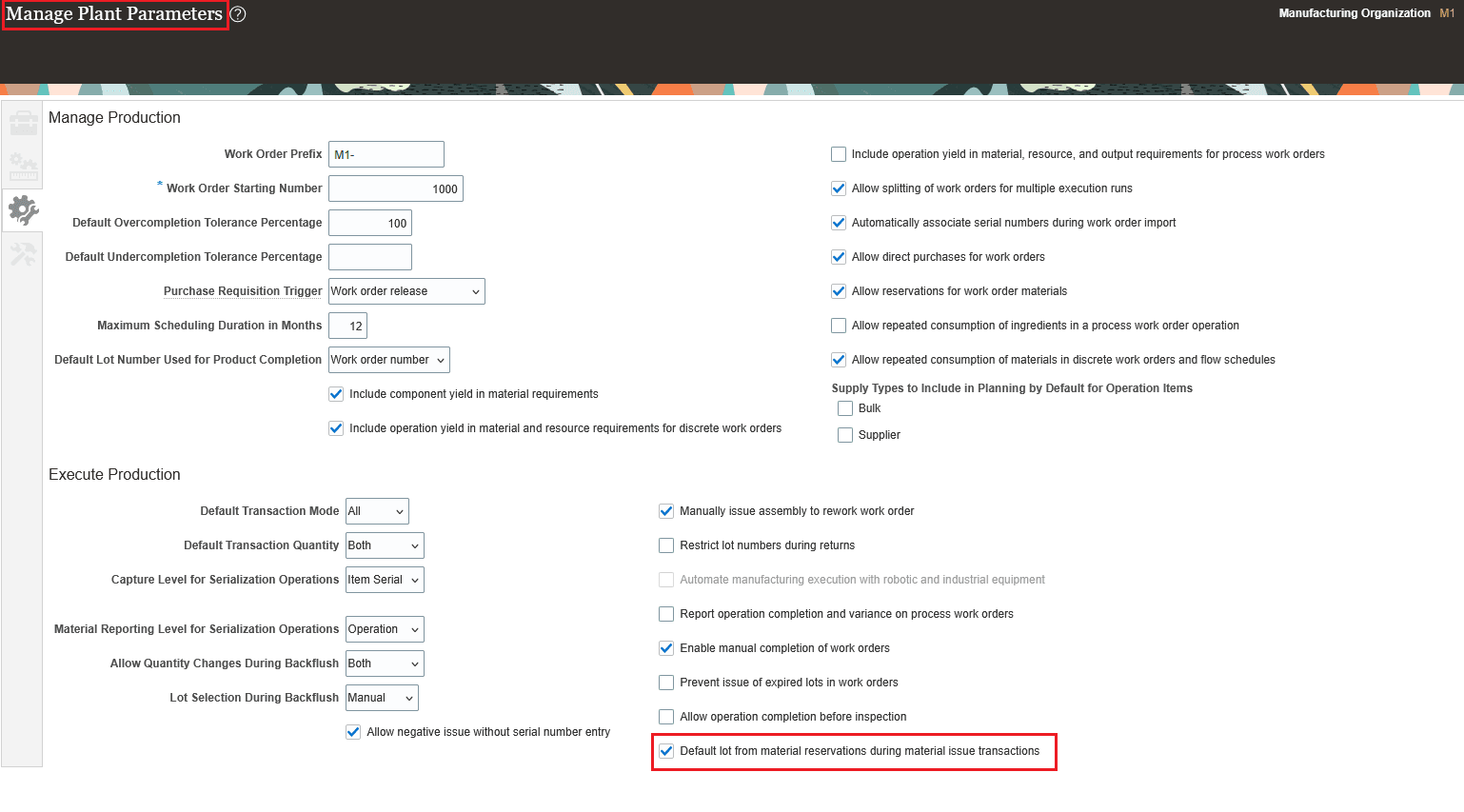
Plant Parameter
Tips and considerations
- You can default the reserved lot information when the same supply subinventory and locator is specified in the material reservation and the work order operation.
- If multiple lots are reserved for the work order operation, only the single lot that matches the subinventory and locator is defaulted during the material transaction.
- You can update the lot and its details that are defaulted from the material reservation to correct the information.
- You can't default the serial number, a combination of lot and serial numbers, country of origin, or grade from a material reservation to the work order material transaction at this time.
- You can't default the reserved lot information to material transactions using mobile production reporting, postproduction reporting, File-Based Data Import (FBDI), or REST API at this time.
- This feature is available only with the Redwood experience. For a consistent user experience, you can enable the Redwood pages for work orders and production transaction history.
Key resources
- Watch the Use the Lot Information from Material Reservations When Issuing Materials demo.
- Oracle Fusion Cloud SCM: Refer to the Using Manufacturing guide, available on the Oracle Help Center.
- Oracle Fusion Cloud SCM: Refer to the Implementing Manufacturing and Supply Chain Materials Management guide, available on the Oracle Help Center.
Access requirements
There are no new privileges to use this feature. Users with the existing privileges to perform material transactions can access this feature.