 Control Access to Reopen Closed Work Orders
Manufacturing and maintenance organizations need to restrict and secure access to reopening closed work orders, ensuring that only authorized users can make changes. This level of control safeguards the integrity of cost accounting data and prevents unauthorized modifications to work orders in closed periods.
For discrete and process manufacturing and maintenance work orders, you can now control access to prevent reversal of a closed work order to a prior status and prevent any changes to the closed work order. A new function privilege Lock Closed Work Orders is introduced to restrict reopening closed work orders using the classic and Redwood pages, REST API, and File-Based Data Import (FBDI).
This privilege isn't automatically assigned to any seeded role. You can assign this privilege to your custom roles, which are assigned to users. With the added privilege, users can't change the work order status, perform work order actions, edit work order details, or report additional transactions for closed work orders.
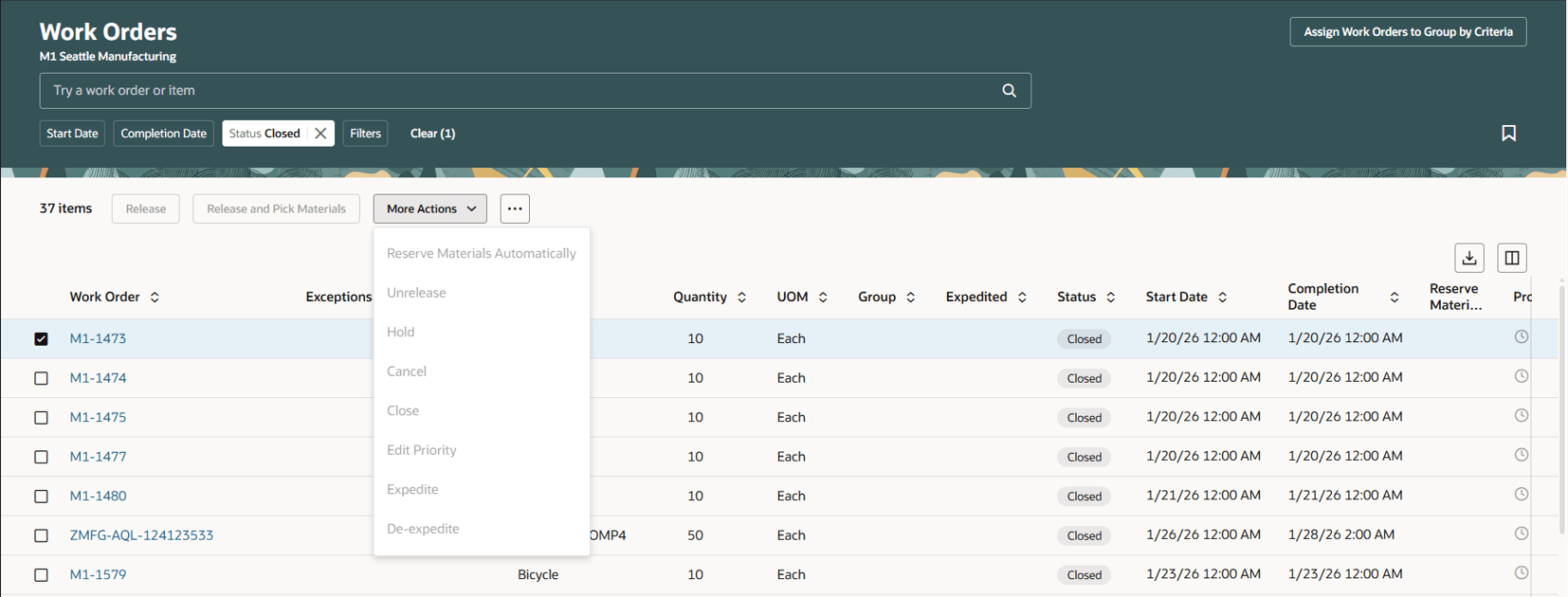
Prevent User from Reopening a Closed Work Order
Secured access to reopening closed work orders and editing them ensures a controlled costing period close process for audit compliance.
Steps to enable and configure
The steps to assign the privilege to user are as follows:
- In the Setup and Maintenance work area, navigate to the following:
- Offering: Manufacturing and Supply Chain Materials Management
- Functional Area: Users and Security
- Roles Tab
- Add security privilege to role. You can add the privilege to an existing or new role.
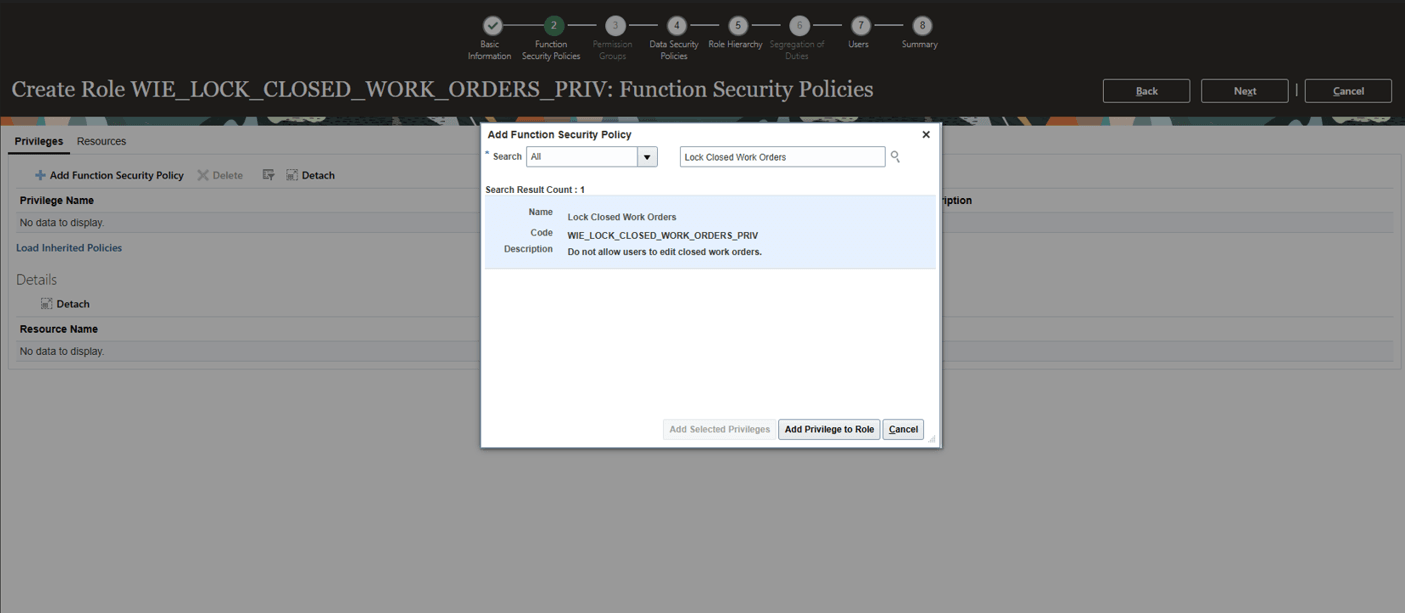
Add Security Privilege to a Role
- You can then assign the role with this privilege to a user who must not reopen a closed work order for editing.
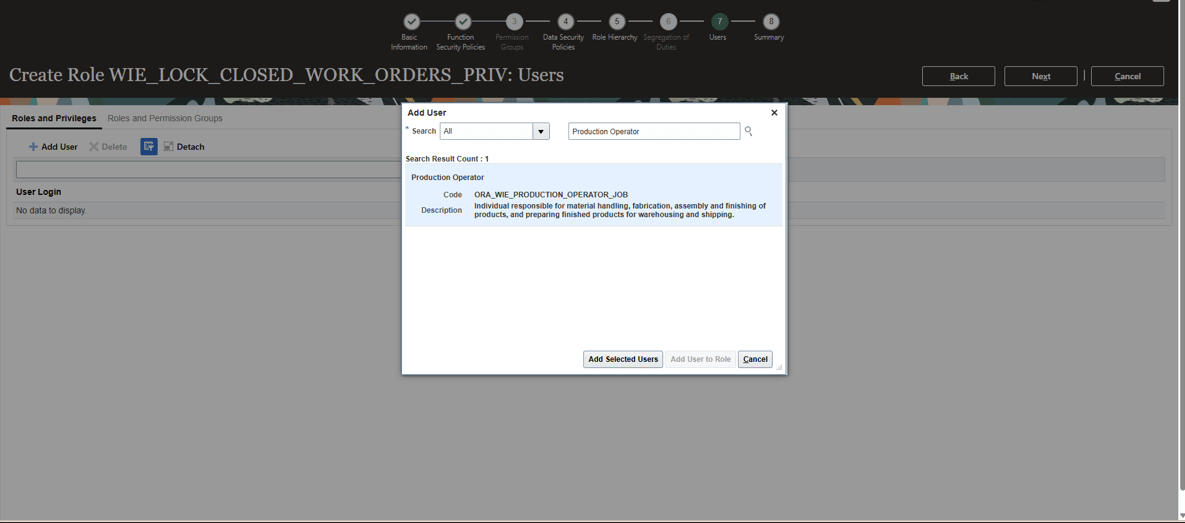
Assign Role to User
Tips and considerations
- The Lock Closed Work Orders privilege is introduced without any seeded role assignments.
- Existing users that have roles without this privilege can reopen a closed work order for further edits and transactions.
- You can add this privilege to your custom roles to restrict access for reopening closed work orders.
-
For the best user experience, you can enable the Redwood pages for work orders, postproduction reporting, and production transaction history.
-
Refer to the following 26A features for additional considerations:
Key resources
- Refer to Assign Security Privileges.
- Oracle Fusion Cloud SCM: Refer to the Using Manufacturing guide, available on the Oracle Help Center.
- Oracle Fusion Cloud SCM: Refer to the Implementing Manufacturing and Supply Chain Materials Management guide, available on the Oracle Help Center.
Access requirements
Users who are assigned a configured job role that contains this privilege are prevented from reopening closed work orders.
- Lock Closed Work Orders
(WIE_LOCK_CLOSED_WORK_ORDERS)