Use Process Manufacturing Terminology with the Redwood User Experience
Use Manufacturing Redwood pages that are consistent with process manufacturing specific terminology. Process manufacturing users get a more intuitive, contextual experience as work areas and application pages use process manufacturing terminologies.
The following terms are updated to provide a more consistent process manufacturing user experience:
| Current Term | Process Manufacturing Term |
|---|---|
| Work Definition | Recipe |
| Work Order | Batch |
| Primary Output | Primary Product |
| Operation Item | Ingredient |
| Operation Output | Product |
| Structure | Formula |
| Work Order Traveler | Batch Ticket |
When you enable the feature, the Redwood pages are updated to reflect the new process manufacturing terminology. Here are some of the key areas where you will see changes:
-
Two new work areas for process manufacturing on the home page:
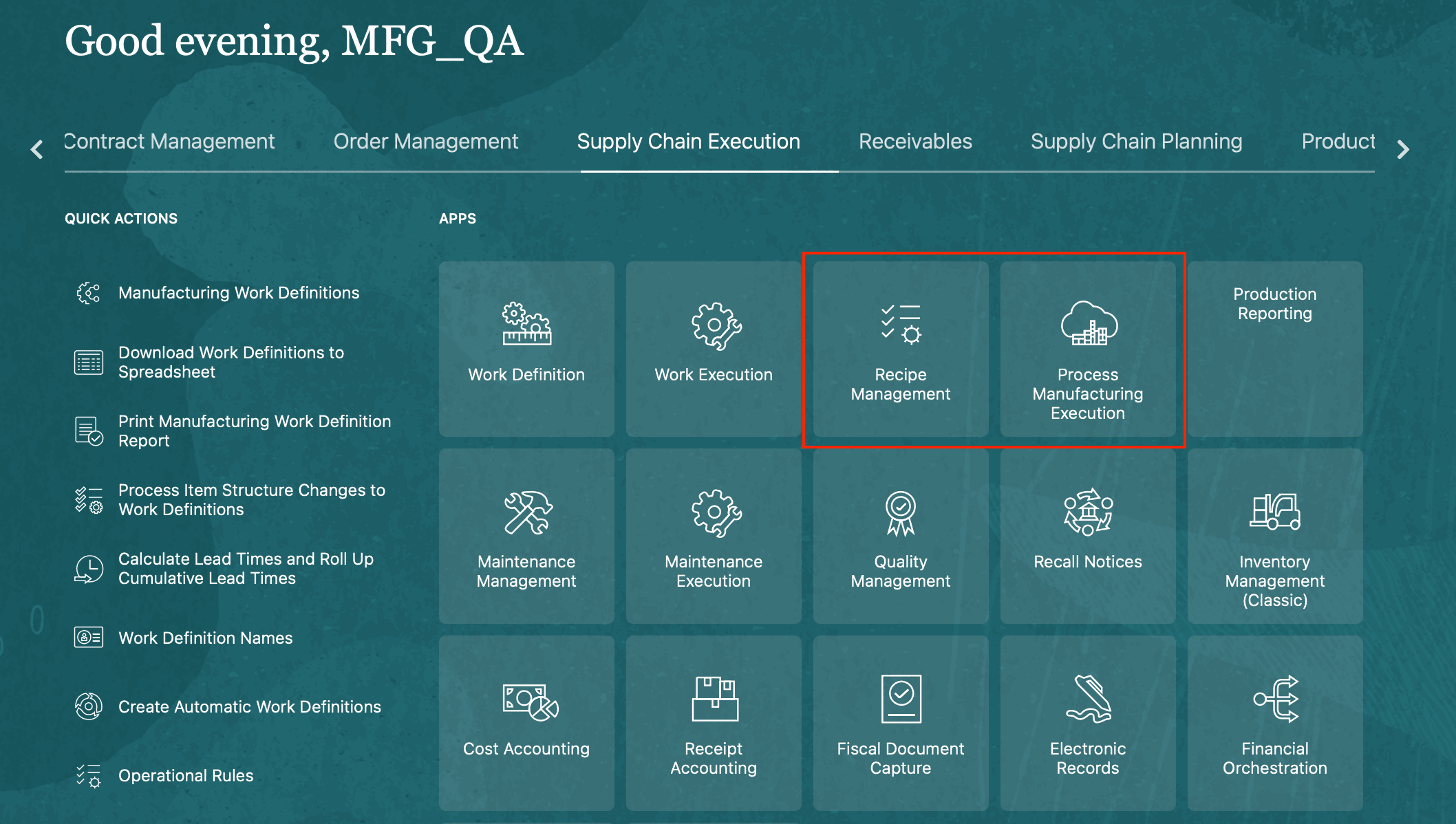
Supply Chain Execution Page -
Redwood pages are updated with the new process manufacturing experience:
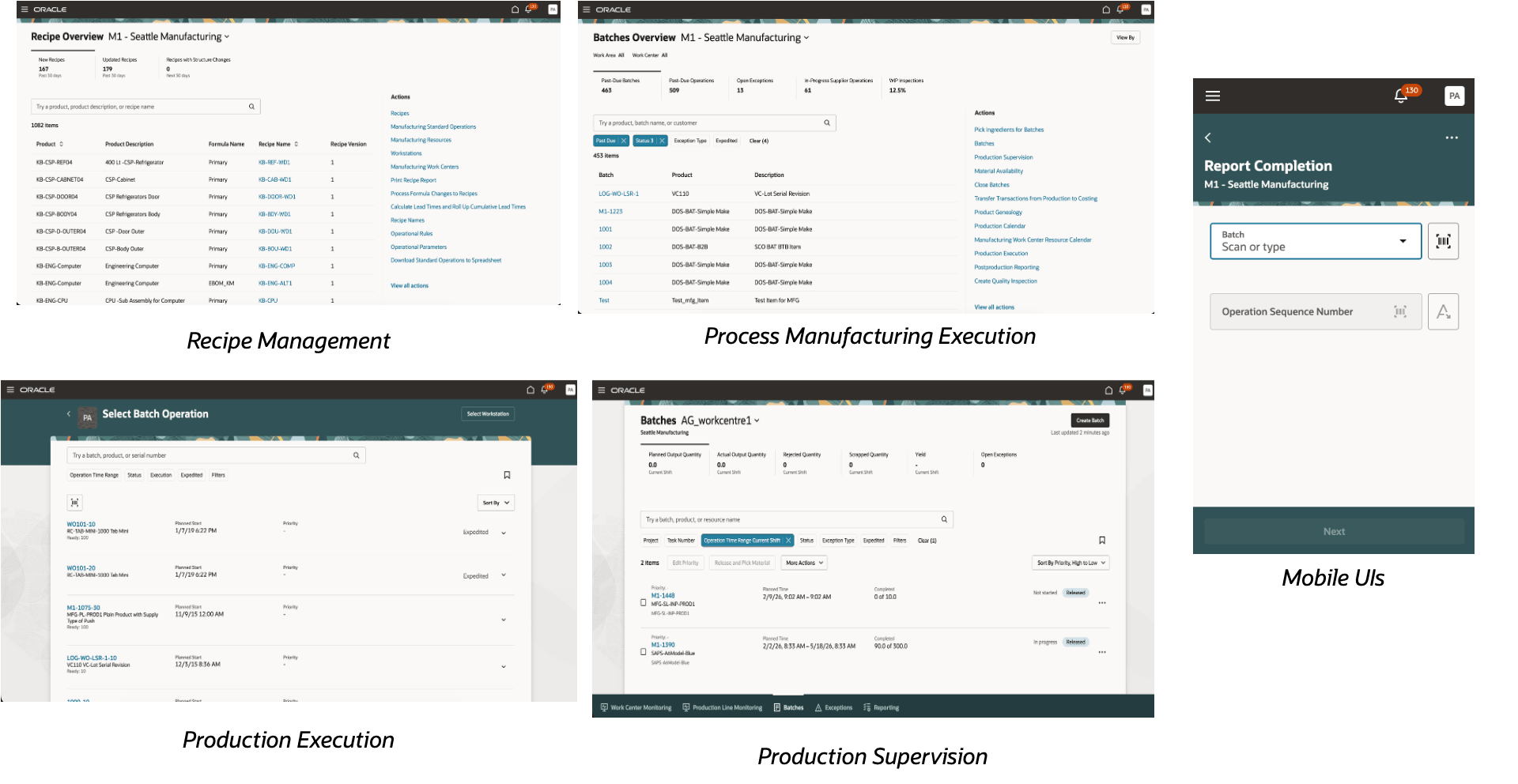
Redwood Pages for Process Manufacturing - Updated overview pages for Recipe Management and Process Manufacturing Execution:
Process manufacturing customers now have dedicated quick action groups tailored for recipe management and process manufacturing execution.
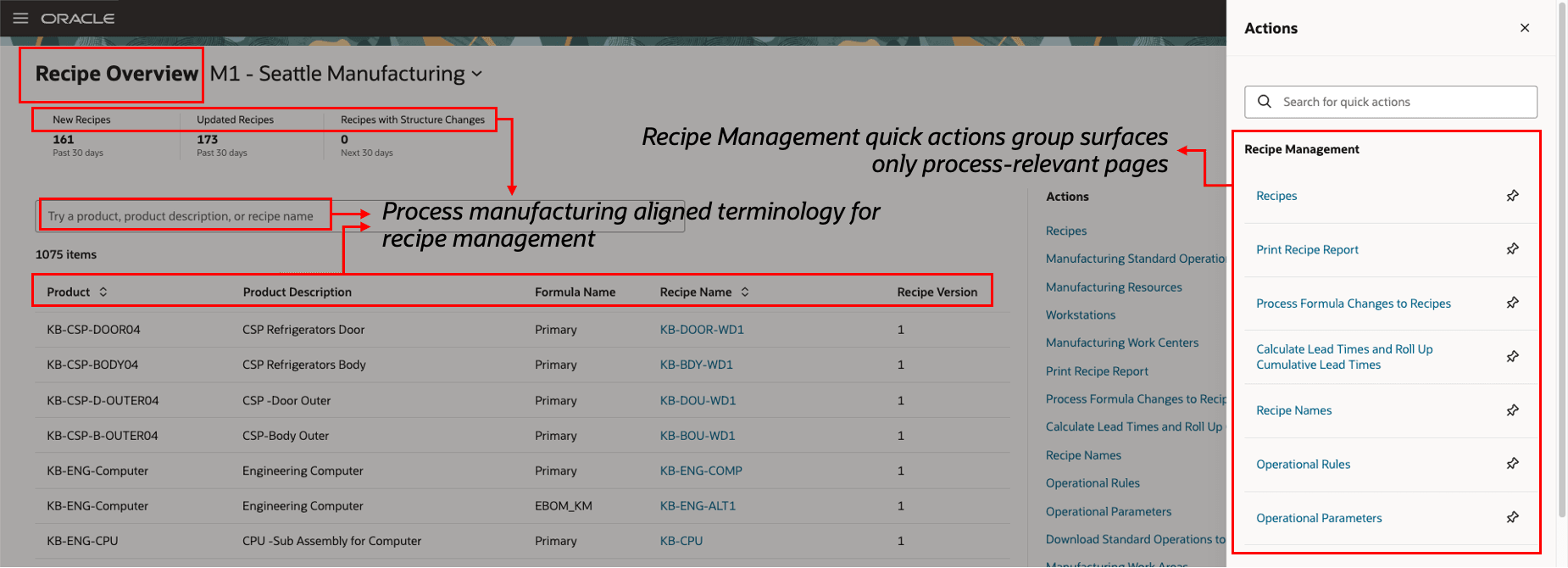
Recipe Overview Page
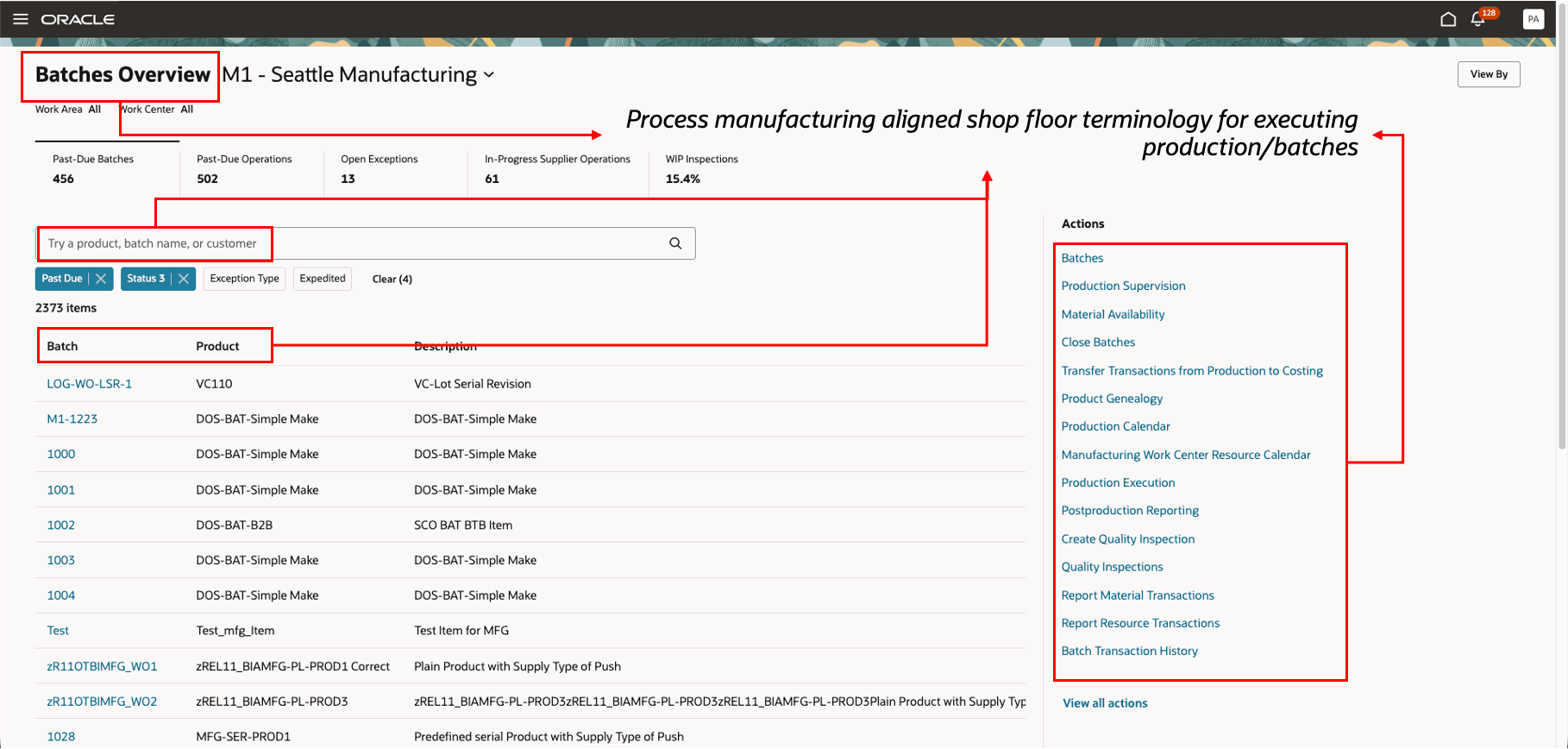
Batch Execution Overview Page
Here's what isn't changing:
- ESS Processes
- BIP Reports
- REST API
- FBDI
- OTBI Reports
- Notifications
- ERES
- Industry-Familiar Experience: Offers an intuitive interface with common process manufacturing terminology across Redwood pages.
- Reduced Training and Onboarding: Cuts down on training time and confusion by removing generic or discrete manufacturing terms.
- Improved User Productivity: Enables users to efficiently handle batch-focused tasks.
- Consistent Experience: Ensures that manufacturing work areas display a process manufacturing focused, industry-aligned interface.
Steps to enable and configure
- In the Setup and Maintenance work area, click the Tasks icon.
- Click Search.
- Search for and select the Manage Administrator Profile Values task.
- On the Manage Administrator Profile Values page, search for the profile option "ORA_WIS_PROCESS_TERMINOLOGY_ENABLED".
- Set the profile option value to "Yes" at the site level.
For details, see How do I enable a profile option?
Tips and considerations
- Enabling the profile option enables process manufacturing terminology for all common pages such as the home page, Ask Oracle, and the Navigator menu.
- Manufacturing plants enabled for process manufacturing start using the process manufacturing terminology after the profile option is enabled.
To enable a manufacturing plant for process manufacturing, set the Enable Process Manufacturing flag to Yes under Manage Plant Parameters. - It’s recommended to enable this option for plants where users primarily work with process manufacturing transactions and do not require mixed-mode (process and discrete) terminology.
For Process Manufacturing Plants
-
This feature is ideal for plants that operate exclusively in process manufacturing mode.
-
When enabled, all manufacturing pages consistently use familiar process-specific terminology such as batches, recipes, formulas, and products.
-
This consistency helps reduce confusion, shortens training time, and improves overall user adoption for process manufacturing teams.
- Enabling this profile option provides a natural and intuitive user experience by aligning the application language with how process manufacturing is planned and executed on the shop floor.
For Mixed-Mode Manufacturing Plants
-
In plants that run both process and discrete manufacturing, consider how users interact with both execution models before enabling this feature.
-
Enabling process-specific terminology may change labels and page language for users who work with discrete manufacturing transactions.
-
It’s recommended to evaluate user roles and daily tasks to ensure that the terminology aligns with how each team works within the plant.
-
For mixed-mode environments, enable this feature only where process manufacturing terminology best reflects the primary execution model for the plant.
-
- This experience is only available for Redwood pages. Once you upgrade to Redwood, enable the profile option for the process manufacturing terminology user experience.
- Newly provisioned customer pods with process enabled plants will have the profile option enabled by default.
- These changes also extend to other integrated applications such as:
- Inventory
- Quality Management
- Cost Management
Access requirements
No changes to privileges. If you have access to these pages, you will have access to this feature by default.