Redwood: View Configuration's Running Summary
Get a comprehensive view of your configuration through a running summary. The summary displays cumulative sales details when you select options, such as pricing for all items that are in the current configuration.
Realize these benefits:
- Faster Sales Cycles: Instantly view cumulative pricing and details to speed up quoting and decision-making.
- Greater Transparency: View real-time impact of your choices, building trust and confidence.
- Fewer Errors: Immediate summary feedback helps prevent configuration and pricing errors.
Try it:
See a real-time summary of your selections and pricing as you configure your item on a sales order from within Order Management as shown in the following screenshot.
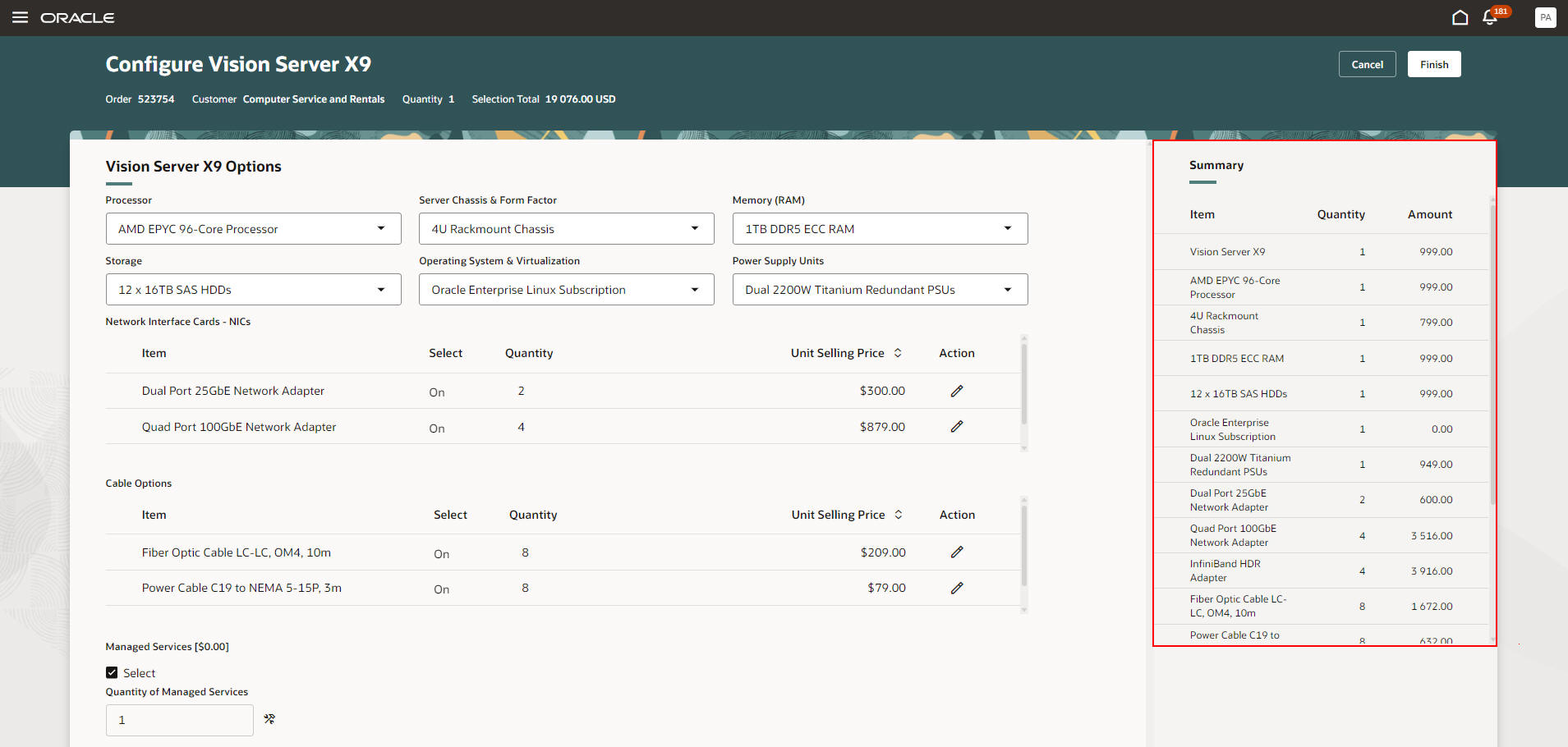
Configurator Running Summary
Steps to enable and configure
To use the Redwood: View Configuration's Running Summary feature, opt in to the Redwood: Manage Configured Items on Sales Orders feature. If you've already opted in to this feature, no further action is required.