Redwood: Add Supplier's Channel Programs to Sales Orders
Automate how you fulfill your supplier's ship and debit flow. Oracle Order Management will automatically add an eligible supplier ship and debit program to the sales order according to how you manage it in Oracle Channel Revenue Management.
Order Management evaluates each order line and applies the program, including pricing and accrual terms, when you create, revise, or price the sales order. Channel Revenue Management will create and manage the supplier's claim according to its predefined terms after you invoice the item. It will make sure reimbursement is accurate and will efficiently settle the financial obligation.
You can apply the program to a standard item, component in a configured item, or a kit.
You can manually search for and apply a program on the order line when you create or revise a sales order.
Realize these benefits:
- Work more efficiently. Automatically apply the supplier program, calculate accrual, and create a claim after you invoice the item.
- Reduce cycle time for each claim. Use scheduled processes to automatically create and settle the claim instead of doing it manually.
- Eliminate the need to manually calculate a rebate. You can use Channel Revenue Management's terms to calculate accrual when you price the item.
- Make sure your supplier's reimbursement is accurate. This feature creates the claim according to the invoiced quantity and accrual on each component.
- Improve audits. You can trace the flow from the order line or component to the supplier claim.
How it Works
- You create or import a sales order in Order Management, then Order Management sends the order line to Channel Revenue Management.
- Channel Revenue Management determines whether the program is eligible on the order line according to:
- Item
- Effective dates
- Program eligibility rules
- Channel Revenue Management sends programs and accrual terms to Order Management, then Order Management applies the program and calculates accruals on the order line.
As an option, you can:
- Manually search and apply a supplier ship and debit program on each order line.
- Decline a program that Channel Revenue Management applied and provide a reason and comment.
- Remove a program before you invoice it. Channel Revenue Management will automatically evaluate the line again.
Ship and Claim
- Order Management records shipment details when it invoices the item.
- Channel Revenue Management gets the invoiced order and line data from Order Management, and then uses the invoiced quantity and accrual terms to calculate the claim.
- Channel Revenue Management creates and manages the claim entirely in Channel Revenue Management.
- Channel Revenue Management tracks, audits, and settles each claim.
Try It
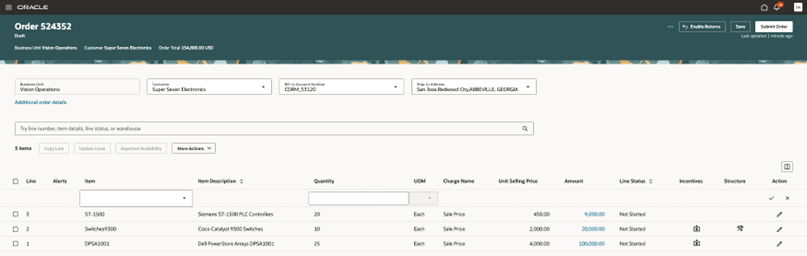
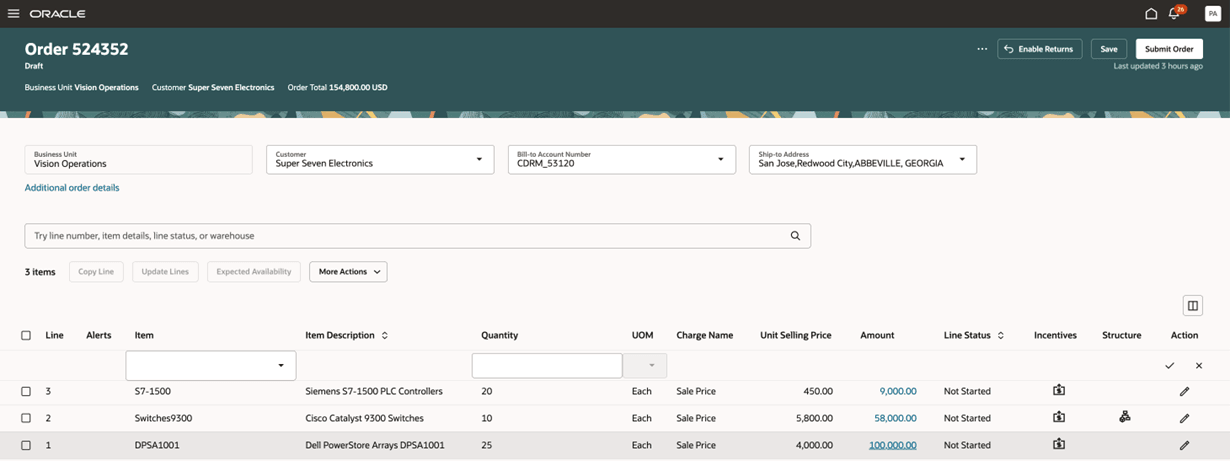
Save, price, or submit your sales order, then click the icon in the order line's Incentives attribute:
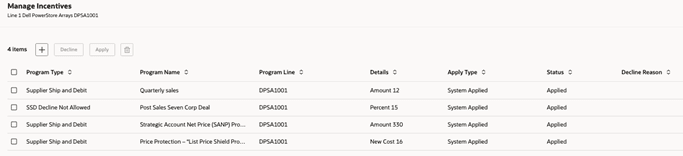
View the programs that the feature applied:
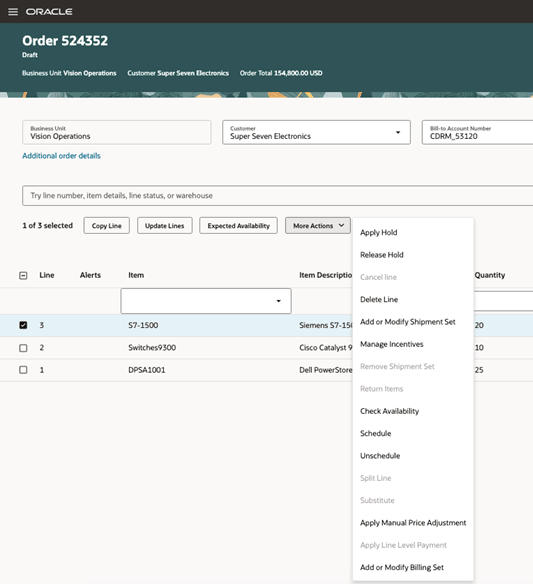
Need to manually apply a program? Select the order line, then click More Actions > Manage Incentives:
Click +, then select the program:
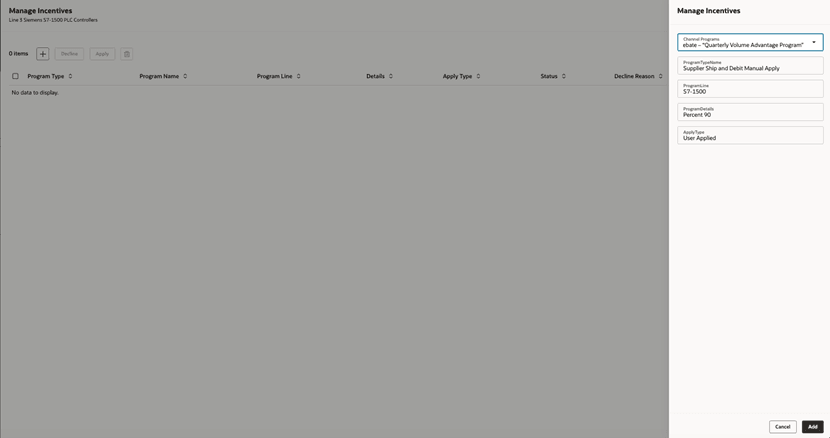
Review:

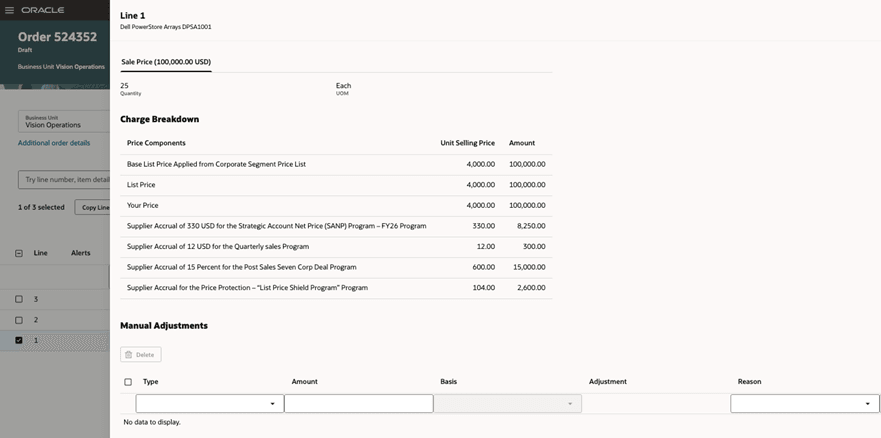
Need to view a program's accrual? Click the value in the order line's Amount attribute. . .
. . . then examine the supplier's accrual lines in the charge breakdown:
You can also decline an automatic program. Select the order line, click More Actions > Manage Incentives, select the incentive, click Decline, set the Decline Reason attribute, then click Apply:
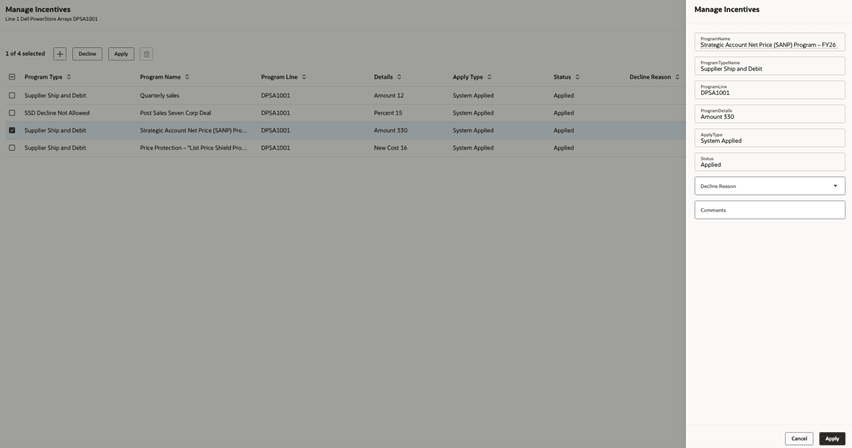
Examine the results:

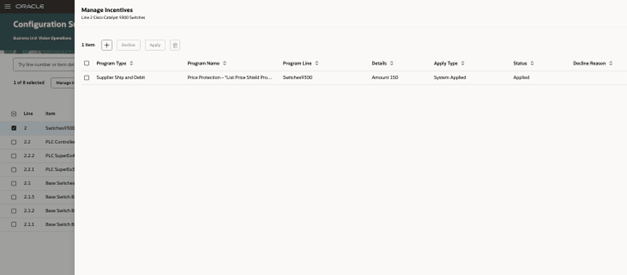
You can apply a program on a configured item's component. Go to the item's summary page, select a component's line that has an icon in the Incentives attribute, then click Manage Incentives:
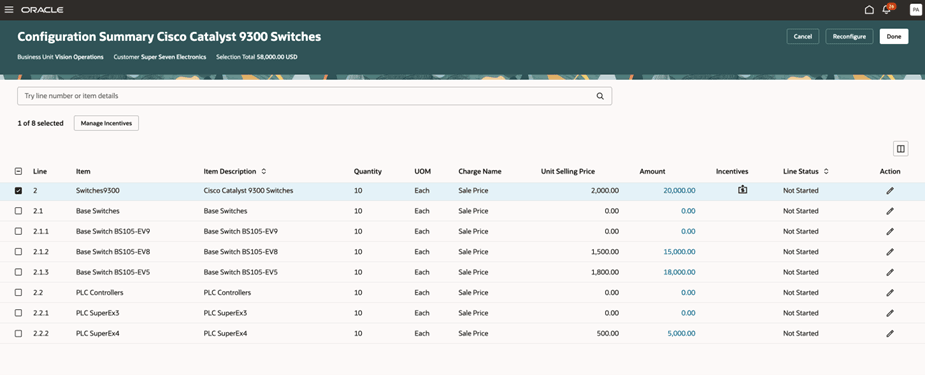
Add, decline, or apply the incentive:
Steps to enable and configure
- Set up your supplier ship and debit program in Channel Revenue Management.
- Set up eligibility rules, accrual terms, and claim behavior in Channel Revenue Management.
- Set up pricing so it supports the accrual's components.
- To use the Redwood: Add Supplier's Channel Programs to Sales Orders feature, you must opt in to the Supplier Channel Management feature in the Channel Revenue Management functional area under the Order Management offering.
If you already opted in, then you don’t have to do it again.
- As an option, give your users the privileges they need to manually search and manage programs. See the Access Requirements subtopic, below.
Tips and considerations
Channel Revenue Management:
- Applies the program only on the order line, not the order header.
- Creates the claim only for the quantity that you invoice.
- Doesn't reapply a program that you decline. If you must reapply, then use the Apply action.
Notice:
- This feature can automatically apply a program on a sales order that you import. You can manually modify it after import.
- You can manually apply a program on an order line only in Order Management. You can't do this in Channel Revenue Management.
- You must not create a claim before you successfully invoice the item.
Key resources
- Implementing Channel Revenue Management
- Implementing Order Management
- Administering Pricing
- Using Supplier Channel Management
Access requirements
End users who are assigned a configured job role that contains these privileges can access this feature:
- Initiate Order (FOM_CREATE_ORDER_PRIV)
- View Orders (FOM_VIEW_ORDERS_PRIV)
- Revise Order (FOM_REVISE_ORDER_PRIV)
- Update Order Incentives (FOM_UPDATE_ORDER_INCENTIVES_PRIV)
These privileges were available before this update.