Redwood: View Scheduled Processes in the Navigator
You can now directly access and view the scheduled process that you have triggered from within the Product Management application. Use the new Scheduled Processes tab displayed in the Navigator to view the following attributes:
- Process ID
- Status
- Process Name
The Search bar and the two filters - Status and Time Range allow you to narrow your search.
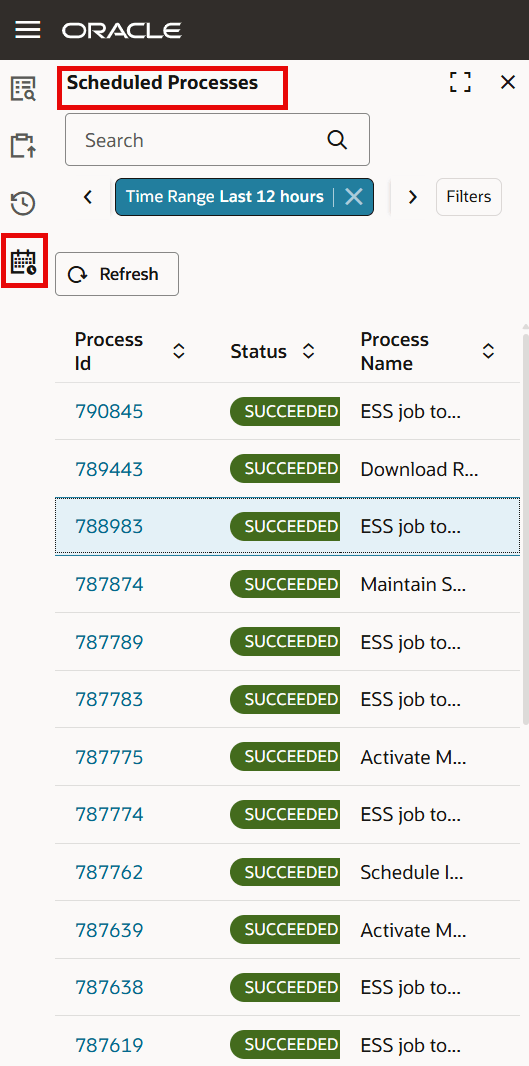
View Scheduled Process in the Navigator
On selecting the Process ID, the process opens in a new dynamic tab, where you can view the details of the process and take the following actions:
- See the expanded hierarchy view for a process that has child processes.
- Actions that you can take on the parent process:
- Resubmit
- Cancel Process
- Put on Hold
- Release Hold
- Force Cancel
- Views
- Show All: Displays the parent and all the child processes.
- Show Errors: Displays the parent process and all the child processes that have resulted in error.
- Download attachment zip file that contains both the output and log file.
- Manage column
You can view the following attributes in the table:
- Process name
- Status
- Process ID
- Scheduled Start
- Attachment
- Parameters
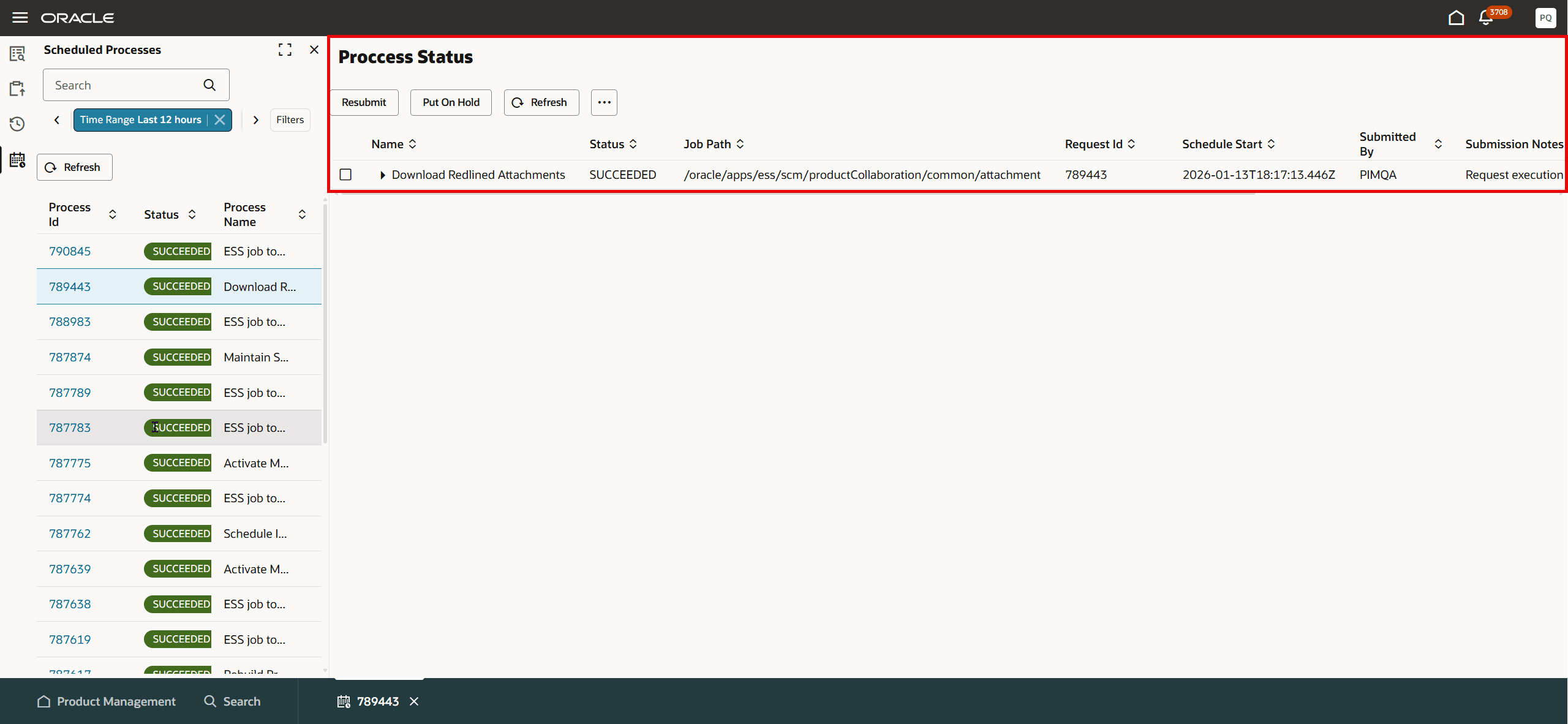
View the Details of the Scheduled Process in the Dynamic Tab
This feature benefits your business by the following:
- Boosts efficiency and productivity by decreasing navigation away from the product management pages.
- Improves user satisfaction by providing a more intuitive and user-friendly user interface.
- Adheres to governance and security permissions by restricting the view to only jobs that the user has submitted.
Steps to enable and configure
You don't need to do anything to enable this feature.
Tips and considerations
- You can only access the scheduled process that you have triggered
- The following attributes are hidden by default:.
- Job Path
- Submitted by
- Use the Manage Column to expose the columns or hide the ones that are displayed by default.
Key resources
- Oracle Fusion Cloud SCM Using Product Development Guide, available on the Oracle Help Center.
- Oracle Fusion Cloud SCM Using Product Master Data Management Guide, available on the Oracle Help Center.
- Oracle Fusion Cloud SCM Implementing Product Management Guide, available on the Oracle Help Center.
Access requirements
Users who are assigned a configured job role that contains these privileges can access this feature:
- View Scheduled Processes (EGP_VIEW_SCHEDULED_PROCESSES) or
- Manage Product Management Scheduled Processes (EGP_PM_MANAGE_SCHEDULED_PROCESSES)