Redwood: Create Revision for Item Without Change Order
You can create new item revisions manually. A new Manage Revisions page-level action allows you to create new item revisions as shown in the following screenshot.
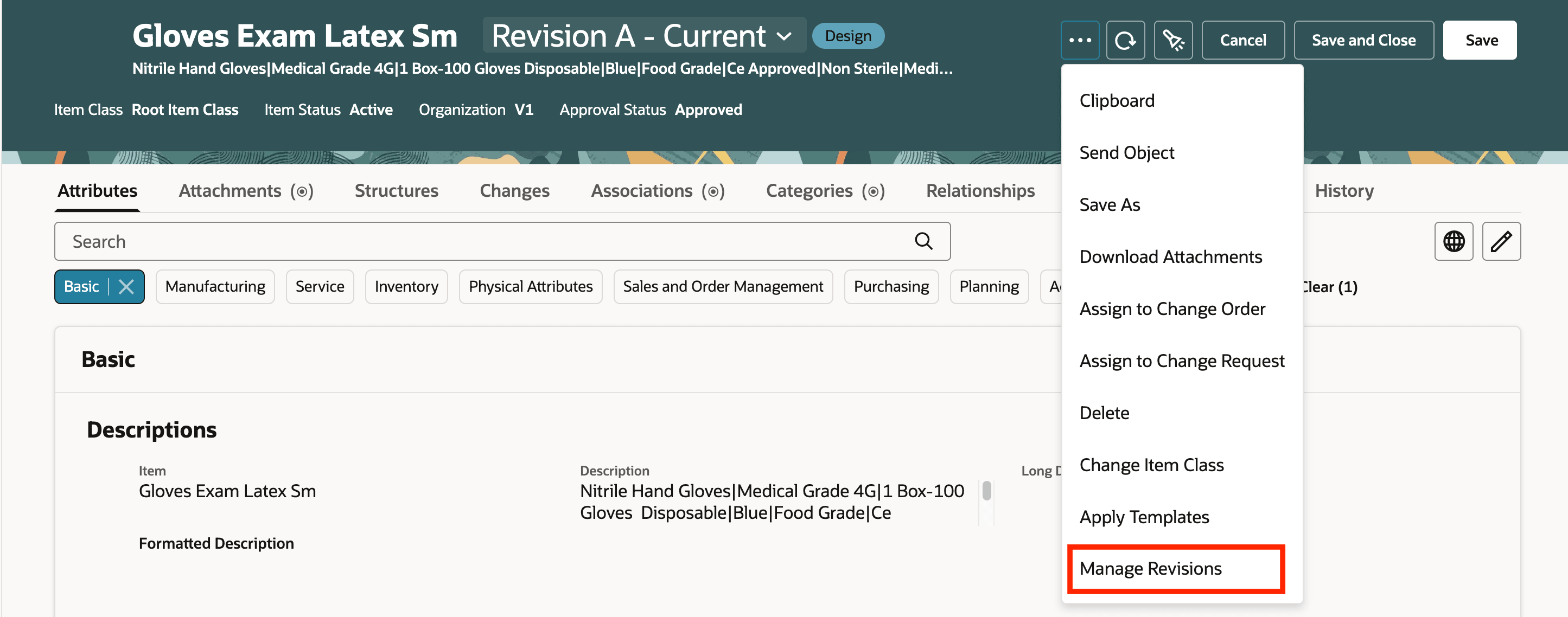
Manage Revision Action
The Manage Revisions drawer is displayed. All the revisions created for the item are listed with their details. You can create a new revision by providing the Revision Code, Revision Description, Revision Reason, and Effective Date.
If the item has revisions created through change orders, the related change order details are displayed.
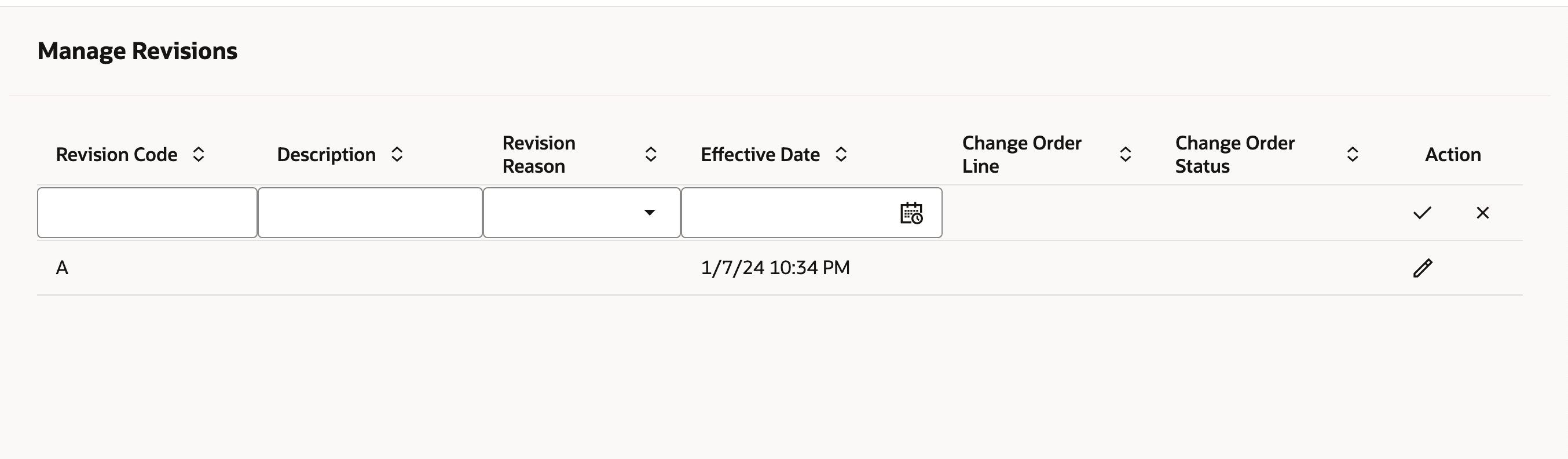
Manage Revisions
You can't create new revisions if the item has revisions that are created through a change order as shown in the following screenshot.
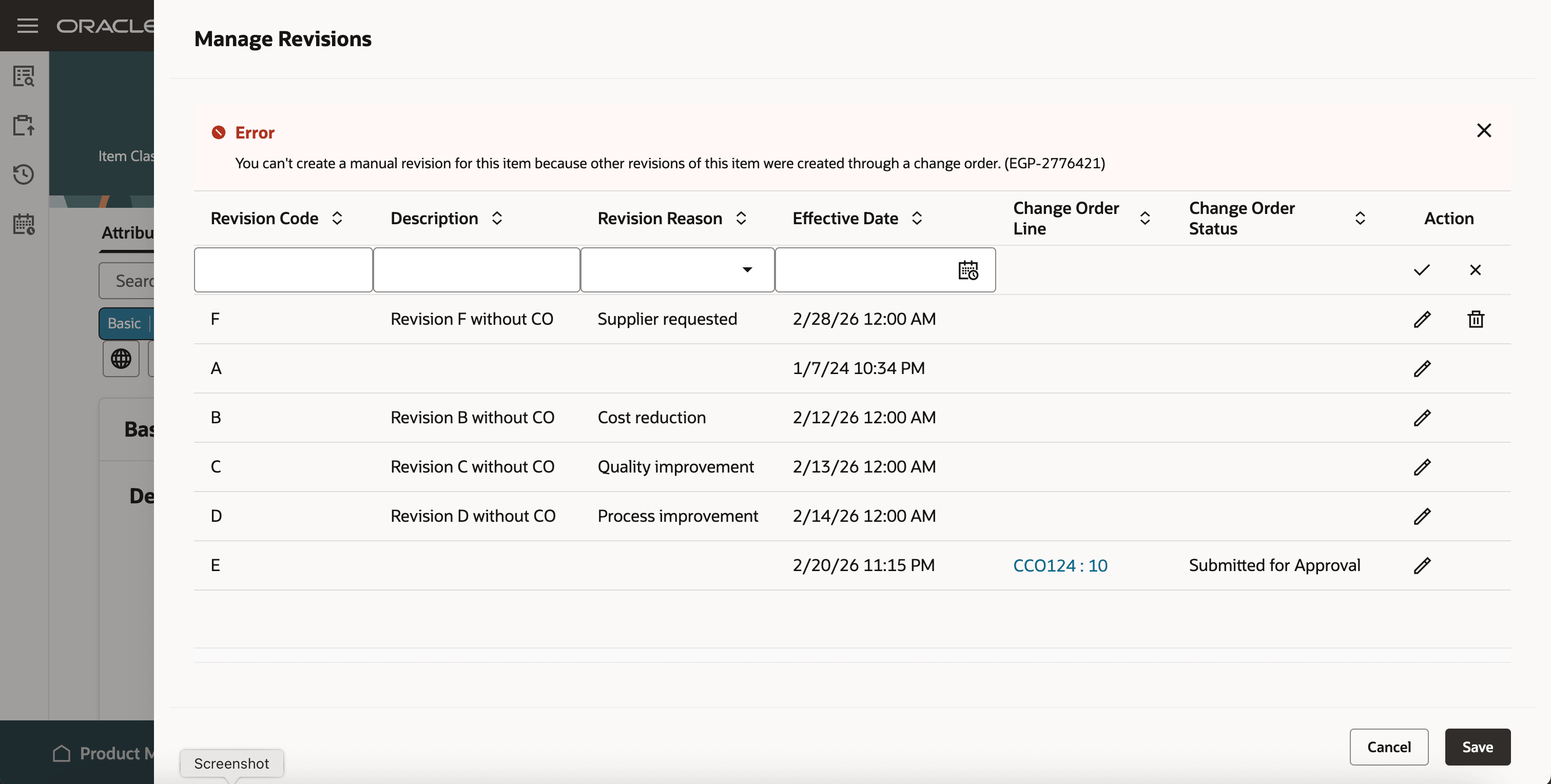
Error Displayed When Revision Has Associated Change Order
This feature benefits your business by enabling faster, more flexible item updates allowing manual item revisions without requiring a change order.
Steps to enable and configure
You don't need to do anything to enable this feature.
Tips and considerations
- Item revisions can’t have an effective date in the past.
- If an item has any previous or future revisions created through a change order, then you can’t create item revisions manually.
- Item revisions created manually are listed in the item header of the Redwood item page.
Key resources
- Redwood: Create and Edit Items What's New documentation, available on the Oracle Help Center.
- Extend SCM Redwood Application Pages Using Visual Builder Studio What's New documentation, available on the Oracle Help Center.
Access requirements
Users who are assigned a configured job role that contains these duty roles and privileges can access this feature:
- View Redwood Revision REST (EGP_VIEW_REDWOOD_REVISION_REST_PRIV)
- Manage Redwood Revision REST (EGP_MANAGE_REDWOOD_REVISION_REST_PRIV)
- Manage Item Redwood (ORA_EGP_REDWOOD_MANAGE_ITEM_DUTY)
- Manage Item Redwood Items (EGP_MANAGE_REDWOOD_ITEM_PRIV)
The first two privileges are new in this update and the last two privileges were available prior to this update.