Redwood: Navigate to Master Contracts from Purchasing Documents
As a buyer, you can now use the master contract link to drill down into procurement master contracts when viewing purchase orders and purchase agreements.
On the Redwood View Purchase Order page, you can drill down to view master contract details from the Additional Order Details tab.
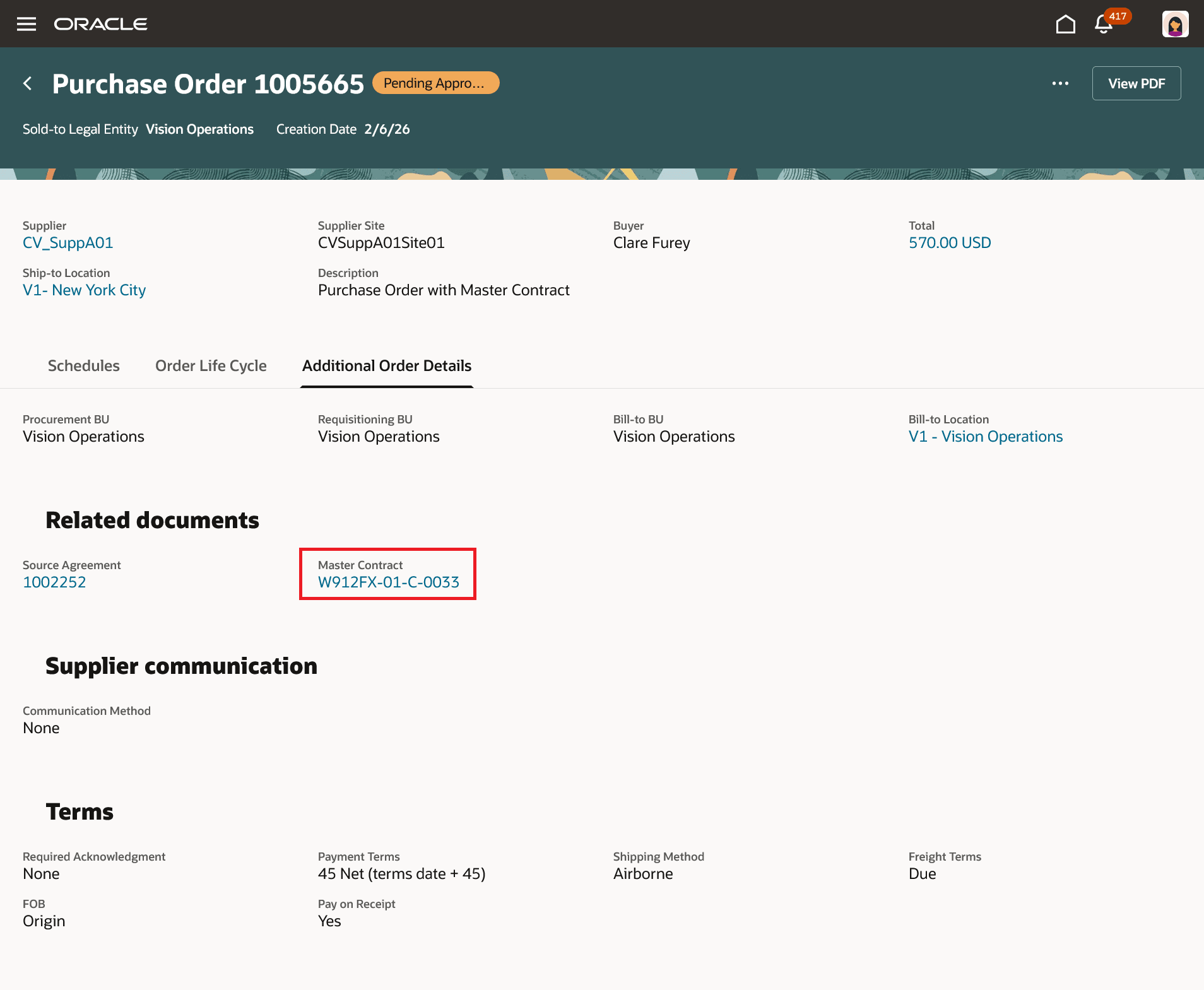
View Master Contract Details from Additional Order Details
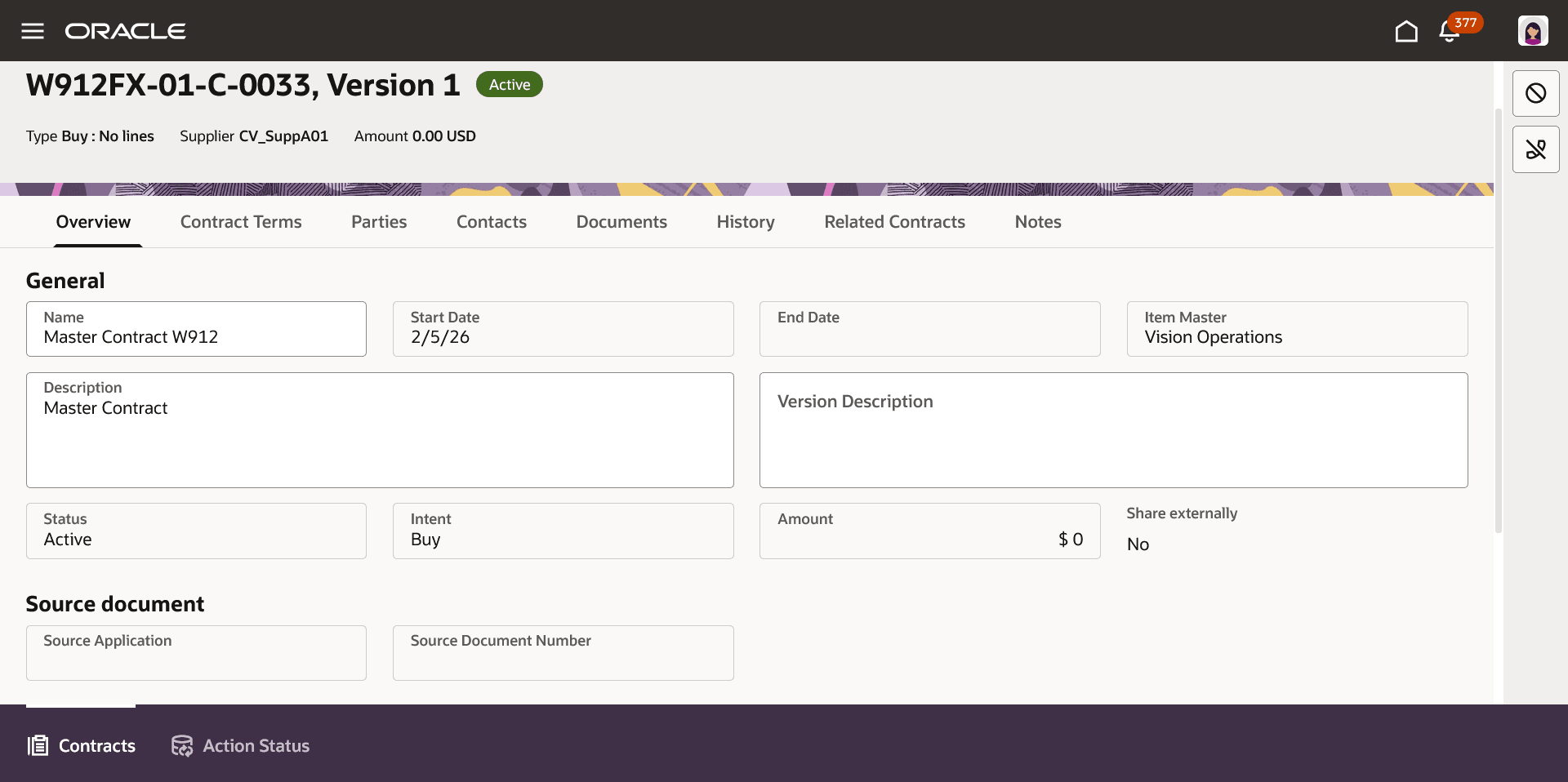
View Master Contract in Redwood Enterprise Contract
Additionally, you can also drill down to view master contract details from the Redwood Purchase Orders page.
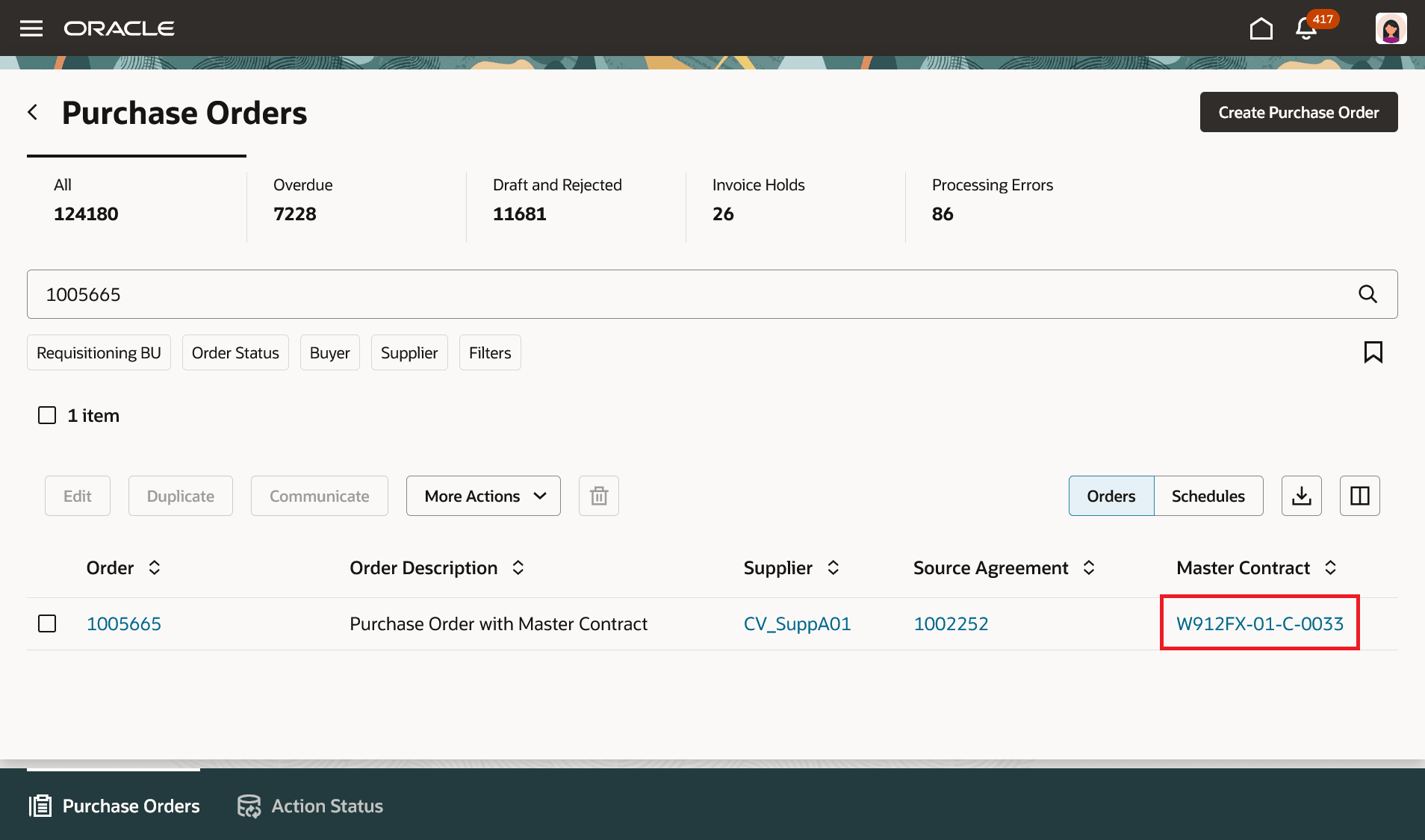
View Master Contract Details from the Redwood Purchase Orders Page
As a buyer, you can drill down to view the master contract details from the Agreement Details tab on the Redwood View Purchase Agreement page.
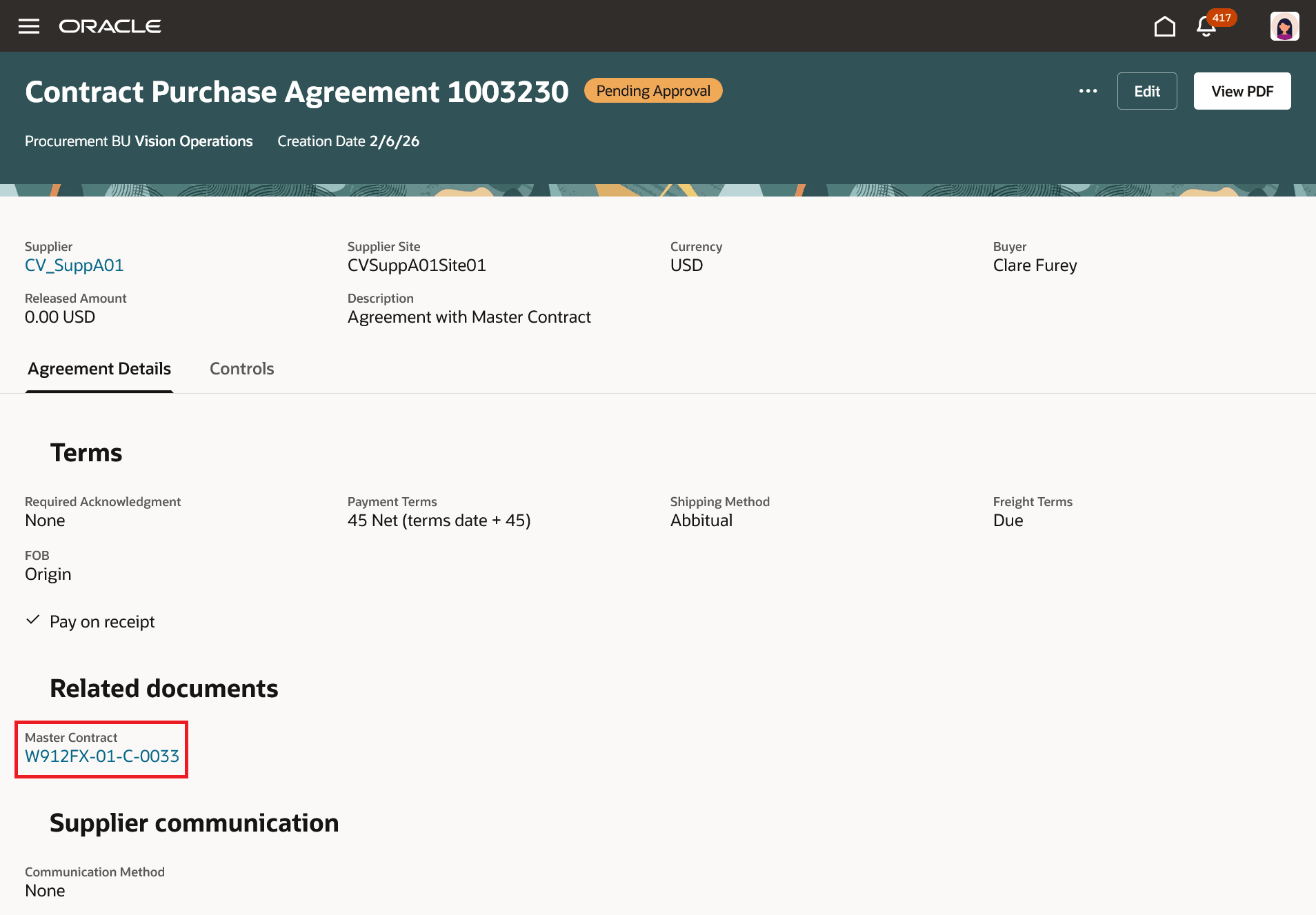
View Master Contract Details from Agreement Details
Additionally, you can also drill down to view the master contract details from the Redwood Purchase Agreements page - Agreements tab.
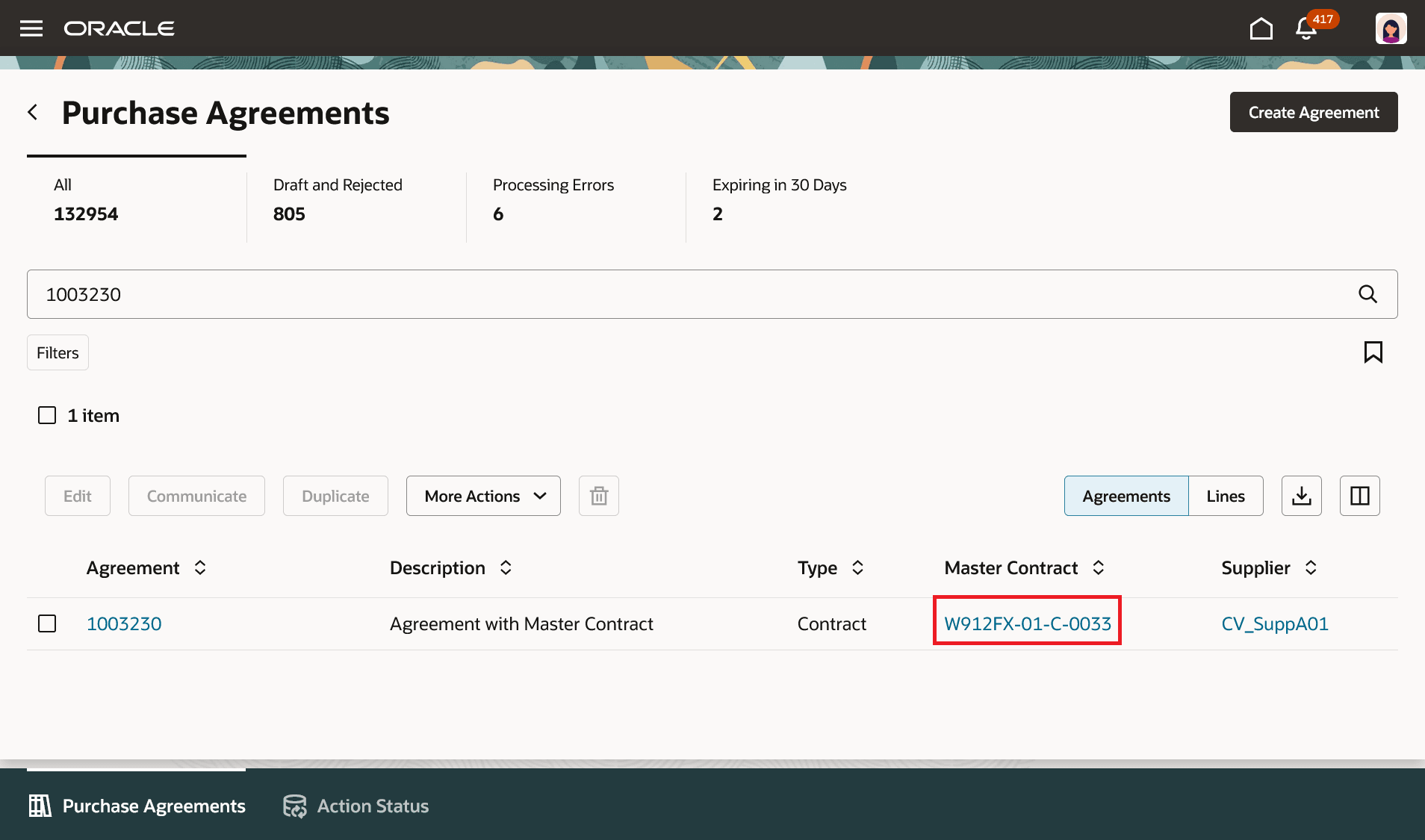
View Master Contract Details from the Redwood Purchase Agreements Page
Steps to enable and configure
To enable this feature, opt in to the Redwood Contract Management feature under the Enterprise Contracts offering. If you haven't enabled Redwood for Purchasing, see the Getting Started with Redwood in Purchasing topic on the SCM Resource Center in Customer Connect.
Tips and considerations
- As a buyer, if you don’t have the required access, the master contract link lets you download the master contract document.
- As a supplier, you can only view the master contract as read-only text. The option to download or view more details isn't available.
Key resources
For details on associating a master contract with a purchasing document, refer to the How You Associate a Master Contract with a Purchasing Document topic.
Access requirements
Users who are assigned a configured job role that contains this privilege can access this feature:
- View Contract (OKC_VIEW_CONTRACT_PRIV)
This privilege was available prior to this update.