Redwood: Process Credit Requisition Lines into Purchase Orders
Process requisition lines with negative amounts into purchase orders using a Redwood page. Before this update, credit lines could only be added directly to the purchase order.
You can use the Line Type filter on the Requisitions page to quickly find credit requisition lines.
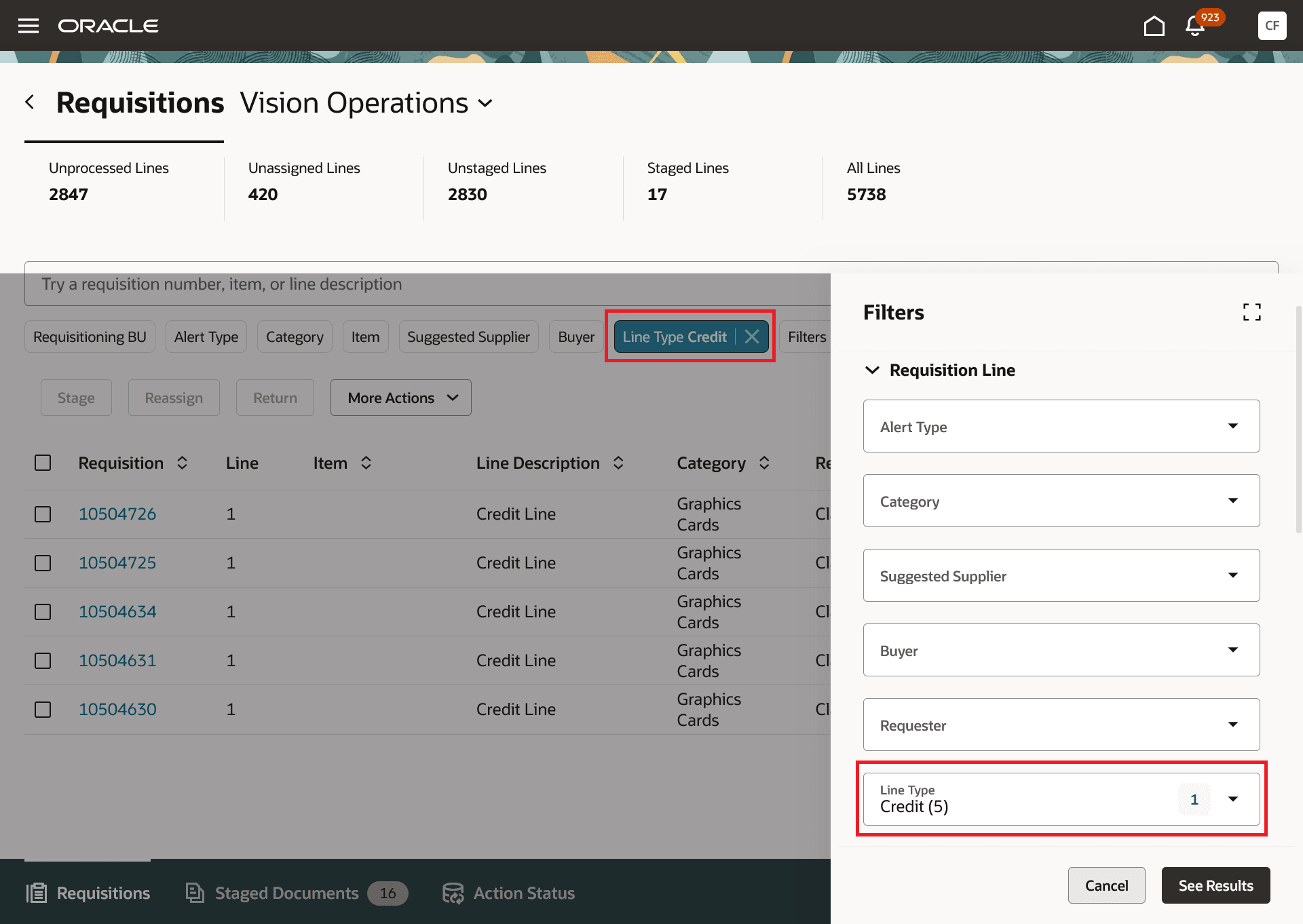
Line Type Filtered Search on the Requisitions Page
On the Requisitions page, you can only stage, reassign to another buyer, or return a credit line. You can't split it or send it back to the requester. When you stage a credit requisition line, you can't start a negotiation or contract. It can only be staged to a purchase order. The supplier and supplier site are set from the requisition and can't be changed. The Source Agreement doesn't apply to a credit requisition line.
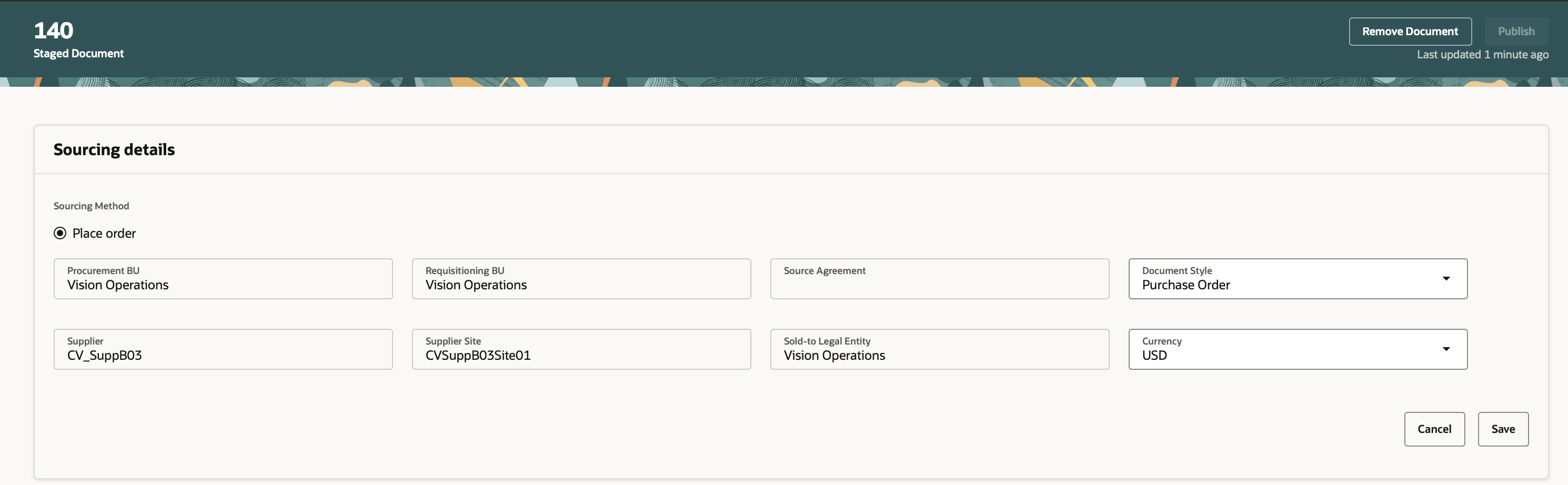
Stage a Credit Requisition Line
You can add the credit requisition line either to a new purchase order or to an existing order. The existing purchase order must be of the same document style as stated in the staged document.
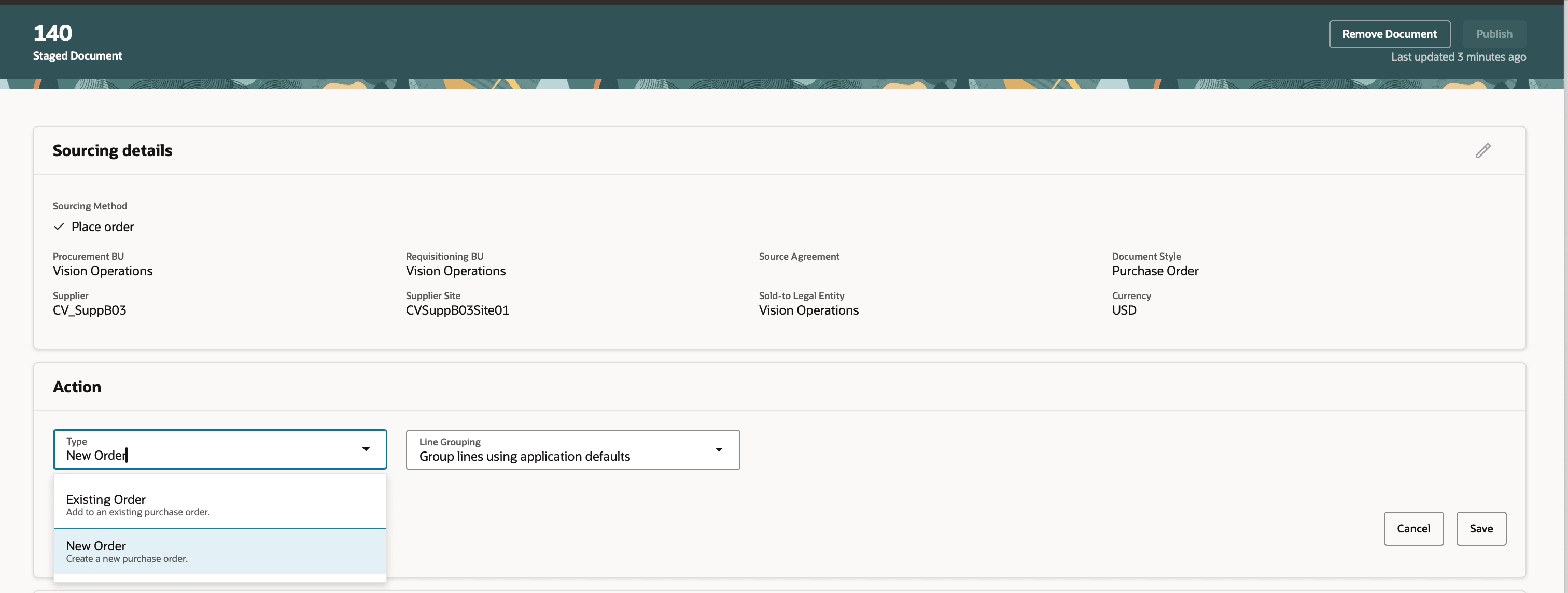
Add a Credit Line to an Existing Order
You can't group credit requisition lines with any other requisition line (goods or service).
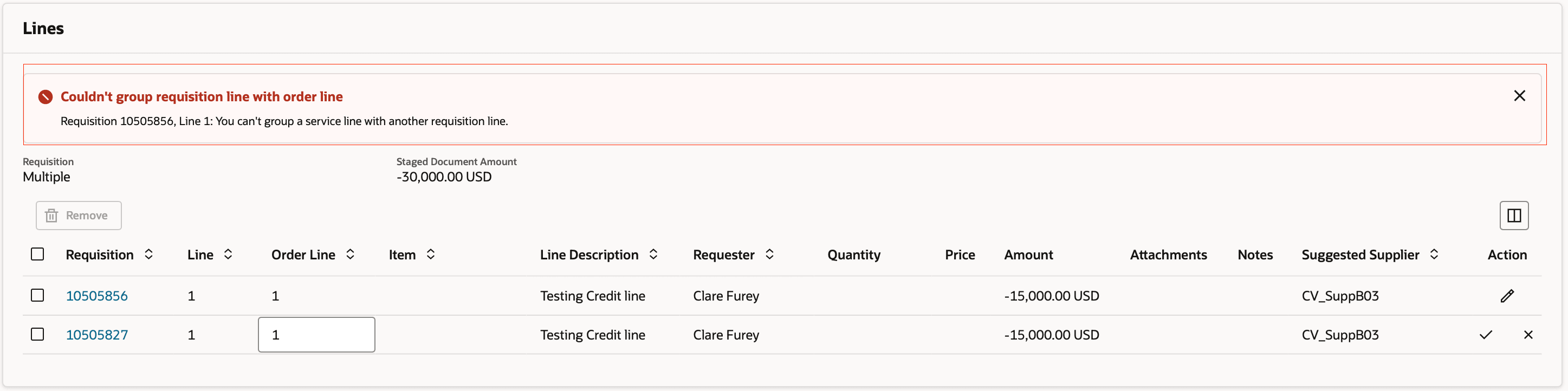
Group Credit Requisition Lines Manually
Use this feature to process requisitions that consolidate purchases and credits into a single document, eliminating manual, multi-step transactions.
Steps to enable and configure
If you haven't enabled Redwood for Purchasing, see the Getting Started with Redwood in Purchasing topic on the SCM Resource Center in Customer Connect.
Tips and considerations
- Credit requisition lines are most often automatically processed into purchase orders.
- Credit lines are amount-based lines.
- The value for a credit line is 0 or a negative number.
- If the credit requisition line isn't in the buyer's queue to process manually, it will be automatically processed into an implemented purchase order irrespective of how the "Autogenerate orders from requester-negotiated requisition lines" option is set in Configure Procurement Business Function.
Key resources
For details on how to create credit requisition lines, refer to the Create Requisitions with Credit Lines feature, available in Oracle Fusion Cloud Self Service Procurement What’s New, update 26B.
Access requirements
No specific privileges are needed to process credit requisition lines into purchase orders.