Redwood: Register Suppliers with Trusted Data from Moody's
Embed trusted data from the integration with Moody’s to enrich and validate supplier profile details during supplier registration. With an increasing number of bad actors attempting payment fraud, using accurate profile data during onboarding is a basic safeguard to minimize risk. When onboarding suppliers, inaccurate or falsified profile information can lead to downstream transaction problems. With trusted data from Moody’s, you can be confident that the supplier being onboarded is genuine and the core profile data is accurate.
The supplier registration process now includes an enrichment capability powered by Moody’s Orbis database, that has curated data for over 600 million private and public companies, enabling faster and more accurate company onboarding.
This process involves two steps:
- Search for a company – At the start of registration, a requester can search for a company using the Moody’s dataset. Relevant matches are returned based on the entered company name.
- Select and autopopulate – After the requester selects a company, mapped registration attributes are automatically populated using Moody’s data, reducing manual entry and improving data quality.
This feature also provides flexible configuration options:
- Configuration of search results: Define the company attributes such as website, address and so on, that will be displayed in search results to help requesters identify the company they are looking for registration.
- Attribute mapping configuration: Configure the company details to be retrieved and populated during registration. This includes mapping to standard company attributes as well as supplier descriptive flexfields to capture additional data such as Moody’s company scores which can be displayed on the registration or only to approvers.
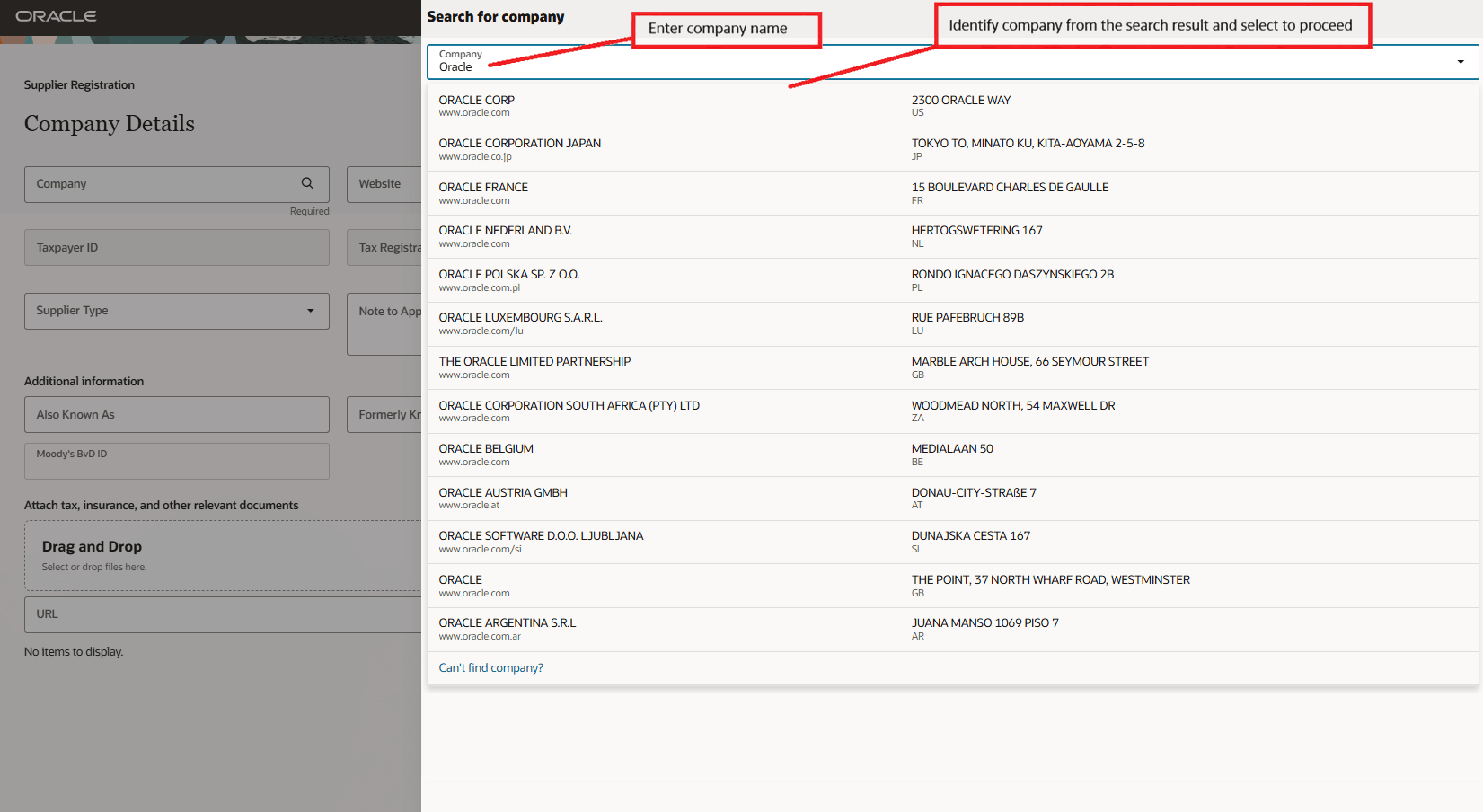
Moody's Company Search
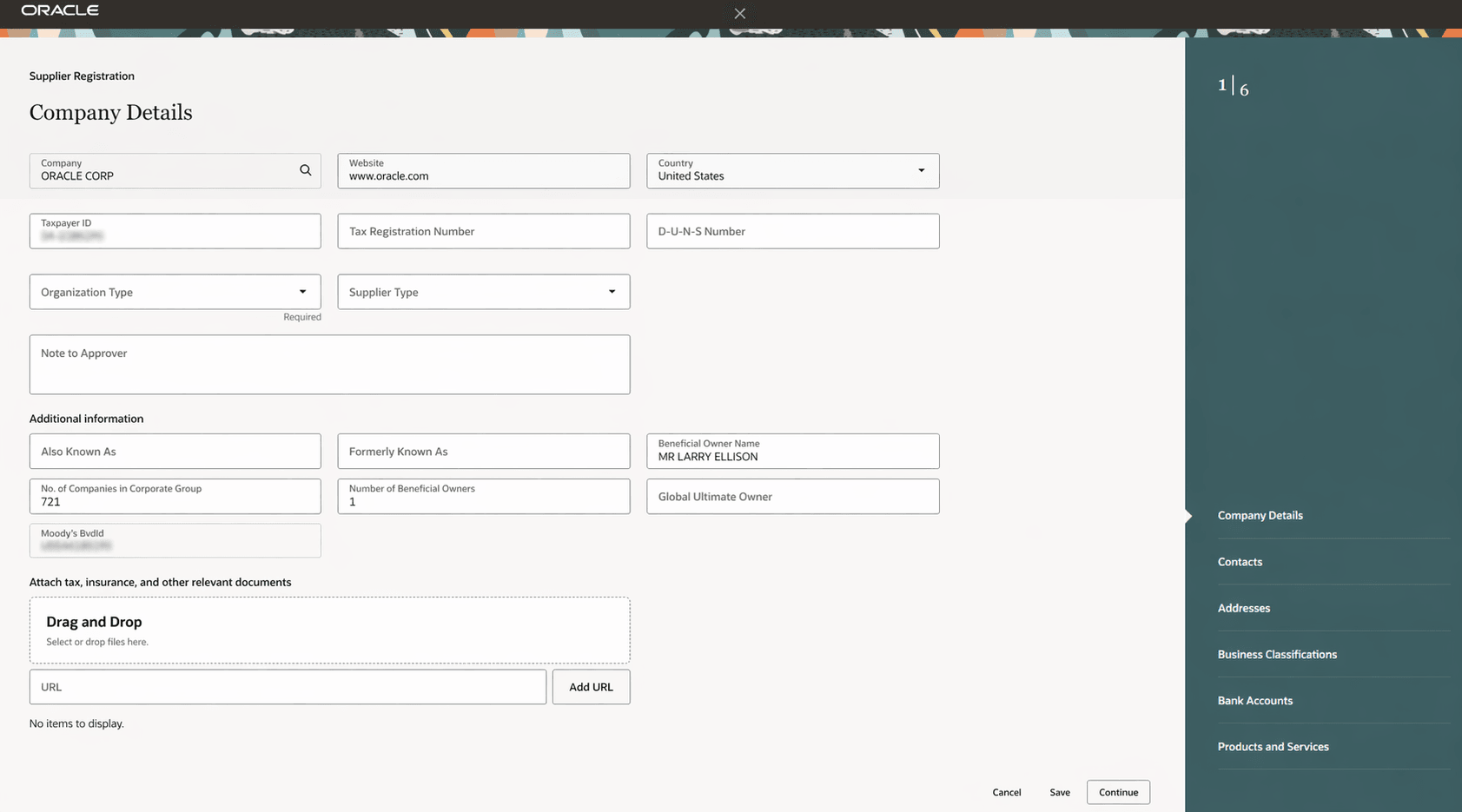
Registration Populated with Moody's Data
Approvers gain enhanced visibility into registering suppliers during the review process. Additional Moody's data such as company financial and cyber risk scores can be displayed to enable more confident approval decisions.
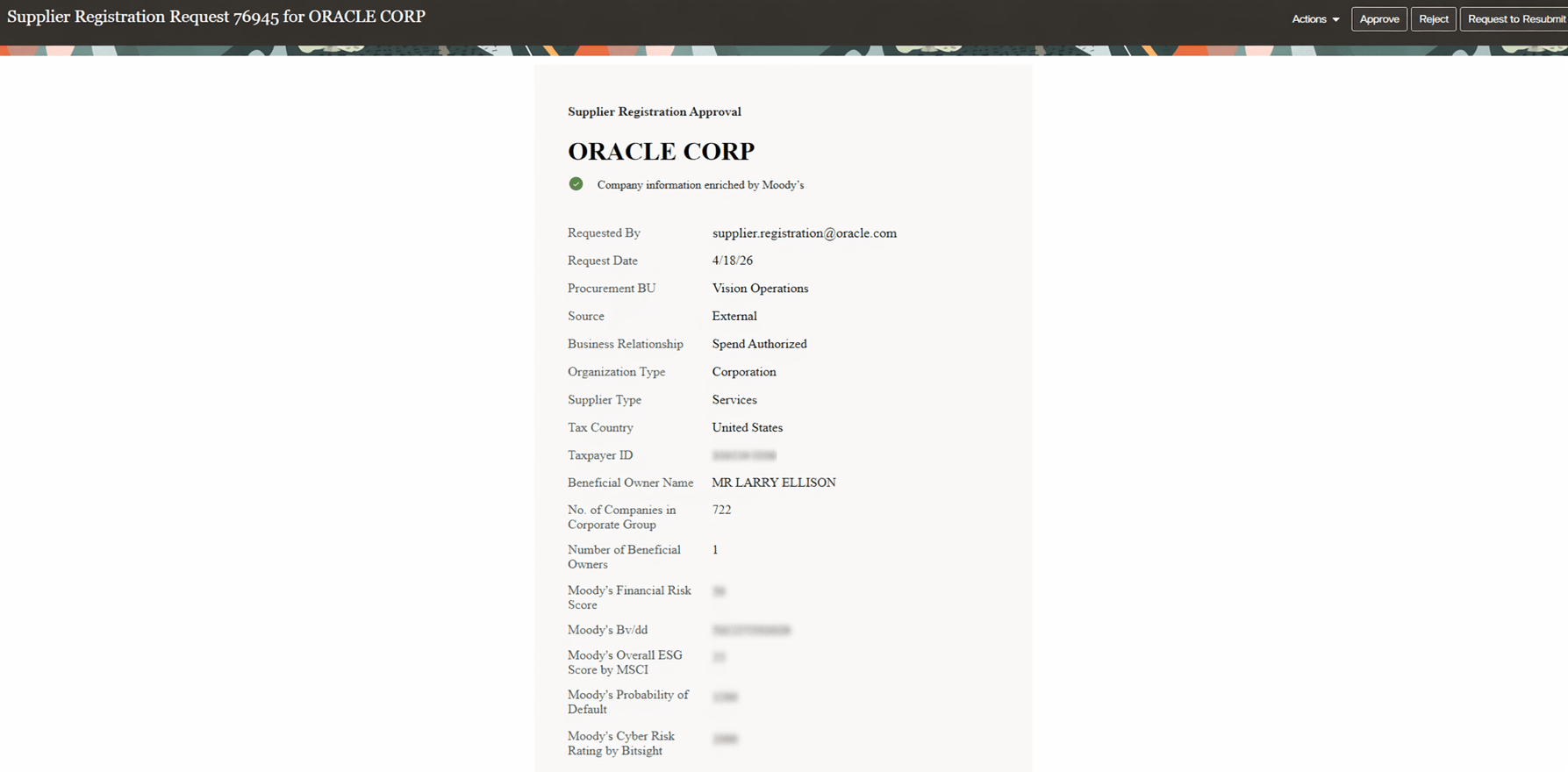
Supplier Registration Request Approval Notification
Steps to enable and configure
This feature requires a paid subscription to the Moody’s Orbis database with API access, and setup in the Oracle Fusion application.
Subscription to Moody’s Orbis database:
- If you already have a subscription to Moody’s Orbis database via API, contact your Moody's Customer Success Manager to confirm your API access credentials. Or send an email to clientservices@moodys.com.
- If you do not have a paid subscription to the Moody’s Orbis database via API, fill out the Contact Us form found here, or contact your designated Moody’s representative.
- Ensure your subscription includes API delivery access.
Application setup:
Follow the setups in the order below:
- Configure backend integration: In the Manage Backends for Visual Builder Studio setup task, create a backend required for the integration.
- Extension ID: oracle_prc_supplierregistrationUI
- Backend Name: ExternalDataProviderForSuppliers
- Instance URL: Provided by Moody’s.
- Authentication: Configure using the credentials provided by Moody’s.
- Configure enrichment service provider (search integration) and mapping for supplier registration enrichment. These setups define the search experience and map Moody’s data to supplier registration attributes. Follow the customer connect post Set Up Moody’s Search and Enrichment for Supplier Registration for more details on these two setups.
- You can also do this setup using the REST APIs directly: External Data Provider for Suppliers and Map External Data Provider and Supplier Attributes REST APIs.
- When configuring attribute mappings between Moody’s data and supplier registration attributes, ensure data types and field lengths are compatible to prevent data truncation or integration errors.
- Feature requires Redwood Supplier Registration to be implemented:
- Opt in to the Procurement > Suppliers feature Redwood: Next Generation User Experience for Supplier Registration. This feature isn't available in classic flow for supplier registration.
- Opt in to the Procurement > Suppliers feature Redwood: Configure Supplier Registration Approval Notification Using Oracle Analytics Publisher. The company enrichment status is shown to approvers on the Redwood supplier registration approval notification. If the feature is already enabled but you've personalized the notification by modifying the RTF template, you need to download the latest RTF template, supplier registration approval notification report, and redo your changes.
- Enable the feature through a profile option: For instructions on profile options, refer to the Set Profile Option Values topic.
- Create the profile option POZ_DIRECT_CONNECT
- Set the profile value to Y.
- This profile option is only required for update 26B.
Tips and considerations
- Enabling the feature enables it for the external, internal and self-service procurement Redwood supplier registrations.
- Company search is initiated only after the requester enters at least three characters in the search box.
- Requesters can search and select their company from Moody’s data:
- Selecting a company automatically populates mapped attributes.
- All autopopulated fields remain editable, except for the company name, which is system-controlled after selection.
- The company attributes that you can access depends entirely on your subscription with Moody’s.
- In this update, the company enrichment indicator displayed to supplier registration approvers is not persistent or displayed on the supplier profile after approval.
- Moody’s is a global enrichment service. Confirm with Moody’s for any country and language restrictions.
Key resources
- For information about the Moody’s Orbis Database, see Orbis database: Global private company data and intelligence.
- For information about External Data Provider for Suppliers REST API, see External Data Provider for Suppliers REST.
- For information about Map External Data Provider and Supplier Attributes REST API, see Map External Data Provider and Supplier Attributes REST.
Access requirements
To set up this feature, you'll need a configured job role that contains this new privilege:
- Manage External Data Providers for Suppliers (POZ_DIRECTCONNECT_DATA_PROVIDERS_SETUP_PRIV)
To create and manage backends for Visual Builder Studio, you'll need a configured job role that contains this existing privilege:
- Create and Edit Backends for Visual Builder Studio (ORA_FND_TRAP_PRIV)