Redwood: Support Business Rules for Business Classifications in Supplier Registration
Supplier registration can have unique requirements based on factors like country and industry. If the information requested in the registration flow isn't tailored using these types of factors, it can be confusing and result in higher support costs with lower registration success rates. Such extensibility requirements are addressed using business rules in Oracle Visual Builder Studio, which now includes the Business Classifications page in supplier registration. You can make fields required or optional, read only or editable, and shown or hidden based on specific criteria.
For example, you can configure certifying agency, certificate number, and certificate start date fields to be required when the country is set to United States.
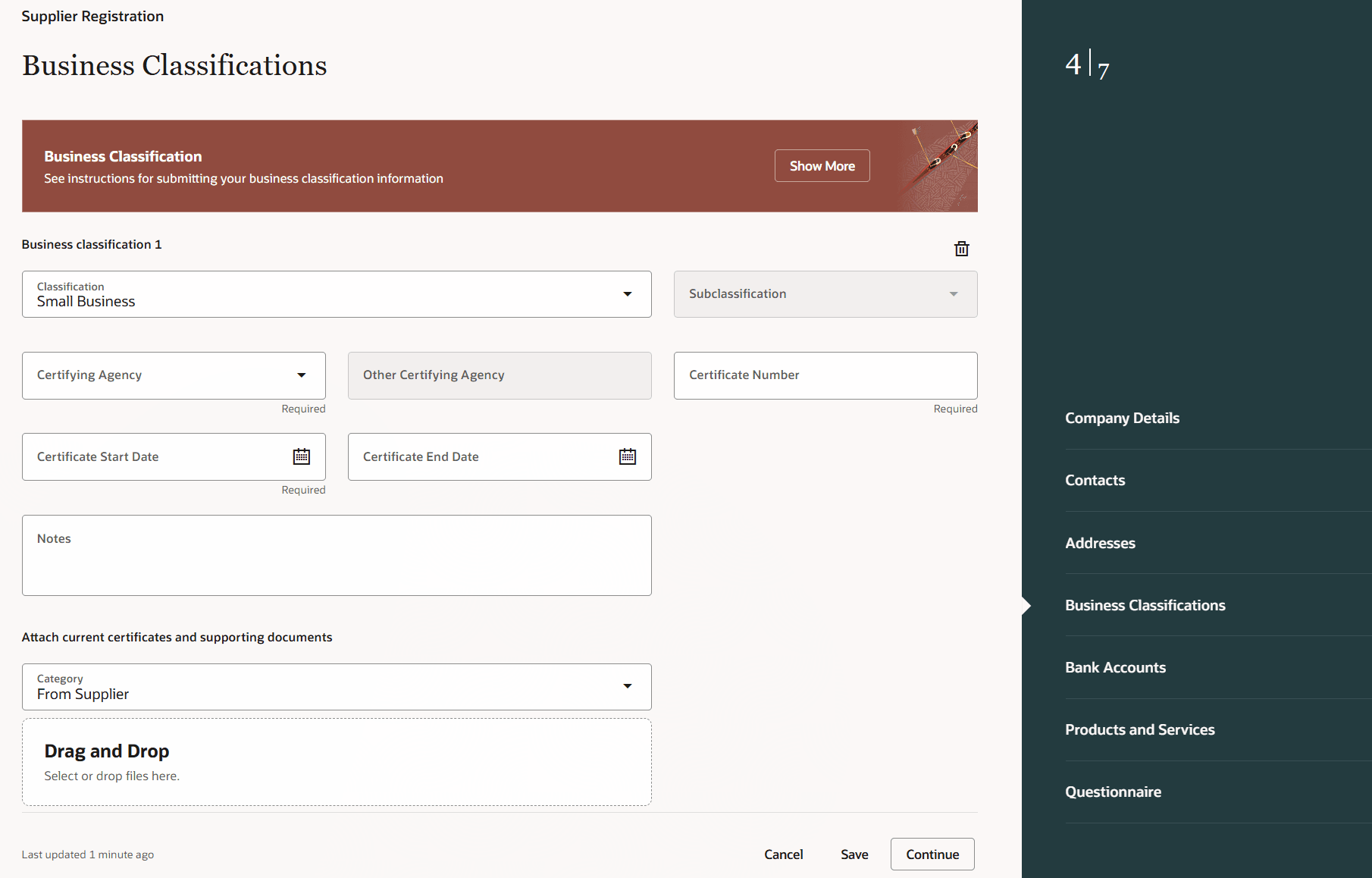
Supplier Registration Business Classification
With this enhancement, supplier registration is more personalized and efficient, reducing support needs and improving onboarding, while staying flexible and compliant with your organization’s practices.
Steps to enable and configure
Personalize supplier registration business classification fields by creating business rules in Visual Builder Studio using the express mode. To get started, in VB Studio, navigate to: Supply Chain Management (SCM) > Supplier Management > Registration – Start Page.
Tips and considerations
- Business classification extensibility is supported in all Redwood supplier registration flows. You can configure the specific registration template you wish to extend using the Business Rules conditions.
- If you have already published extensions on supplier registration pages, you can modify the existing rule or add a new rule within the same project workspace, depending on the business classification conditions you want to apply.
- Business classification attachments aren't supported for extensibility.
Key resources
- To get an overview of the Redwood supplier registration feature, refer to the Oracle Fusion Cloud Procurement What's New (23C Update), What's New (Update 24D) and TOI.
- To get more details on the extension capabilities using business rules for Redwood supplier registration, refer to the Oracle Fusion Cloud Procurement What's New (Update 24A) and What's New (Update 24B).
- To get an overview of using business rules in Oracle's Visual Builder Studio to extend the Redwood supplier self-service registration, refer to the TOI.
- To get more details on the extension capabilities supported in previous updates, refer to Extending the Next Generation Self-Service Supplier Registration Pages in Update 23C and Update 23D.
- To get more details on setting up project and workspaces in VB Studio, refer to Setting Up Project and Workspaces in VB Studio to Extend Next Generation Supplier Registration Pages.
- To get more details on using business rules to control display, refer to Set Properties for an Extension Rule and Understand What Will be Shown at Runtime.
- To get more details on using Visual Builder Studio to extend the Oracle Cloud Applications, refer to Oracle Help Center.
Access requirements
Users who are assigned a configured job role that contains this privilege can access VB Studio for extension:
- Administer Sandbox (FND_ADMINISTER_SANDBOX_PRIV)