Redwood: Reopen Award Decision
In Redwood, you can now reopen an awarded and finalized negotiation to award a different supplier even after purchasing documents are created. You must cancel or delete all purchasing documents created from the previous award decision to reopen the finalized award. Enter the reason for reopening, which can be shared with award approvers in the award approval notification.
You can also send an online message to all supplier participants while reopening the award.
The feature’s behavior in Redwood is the same as the classic application. Refer to the key resources section for more details.
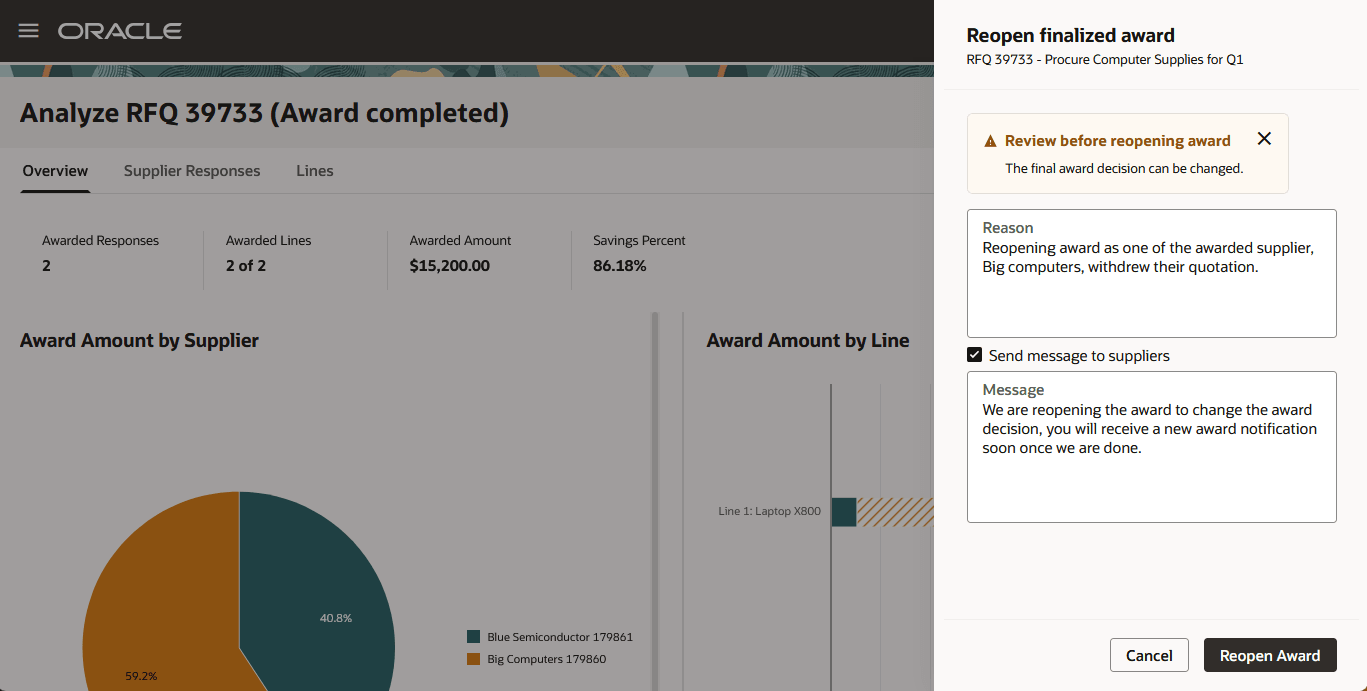
Reopen Finalized Award
A completed RFI can also be reopened, which can be leveraged to create a new round or to create new surrogate responses.
This feature provides category managers the flexibility to manage real world business challenges. For example, if the awarded supplier declines to fulfill the purchase order, they can change their award decision to choose the next eligible supplier and recreate the purchasing documents.
Steps to enable and configure
To use this feature, you must enable these profile options if you haven't already.
- Redwood Pages for Sourcing Enabled (ORA_PON_SOURCING_REDWOOD_ENABLED).
- Redwood Page to Create Negotiation Enabled (ORA_PON_CREATE_NEGOTIATION_REDWOOD_ENABLED)
- Redwood Page to Award Negotiation Enabled (ORA_PON_AWARD_NEGOTIATION_REDWOOD_ENABLED)
For instructions on enabling a profile option, refer to the Set Profile Option Values topic.
Key resources
- Reopen Award Decision After Negotiation Is Completed.
- For information about using Oracle Visual Builder Studio to extend your Redwood application pages, see Oracle Fusion Cloud HCM and SCM: Extending Redwood Applications for HCM and SCM Using Visual Builder Studio.
Access requirements
Users who have been assigned a configured job role that contains this existing privilege can access this feature:
- Reopen Completed Award (ORA_PON_REOPEN_COMPLETED_AWARD_PRIV)