Redwood: Use Extensibility Capabilities
Use the extensibility capabilities supported in the Redwood Purchasing application. With this update, you can use extensibility capabilities for these functionalities:
- Default purchase order and purchase agreement attributes using business rules.
- Personalize purchase order and purchase agreement attachments.
- Default attachment categories to purchase orders and purchase agreements.
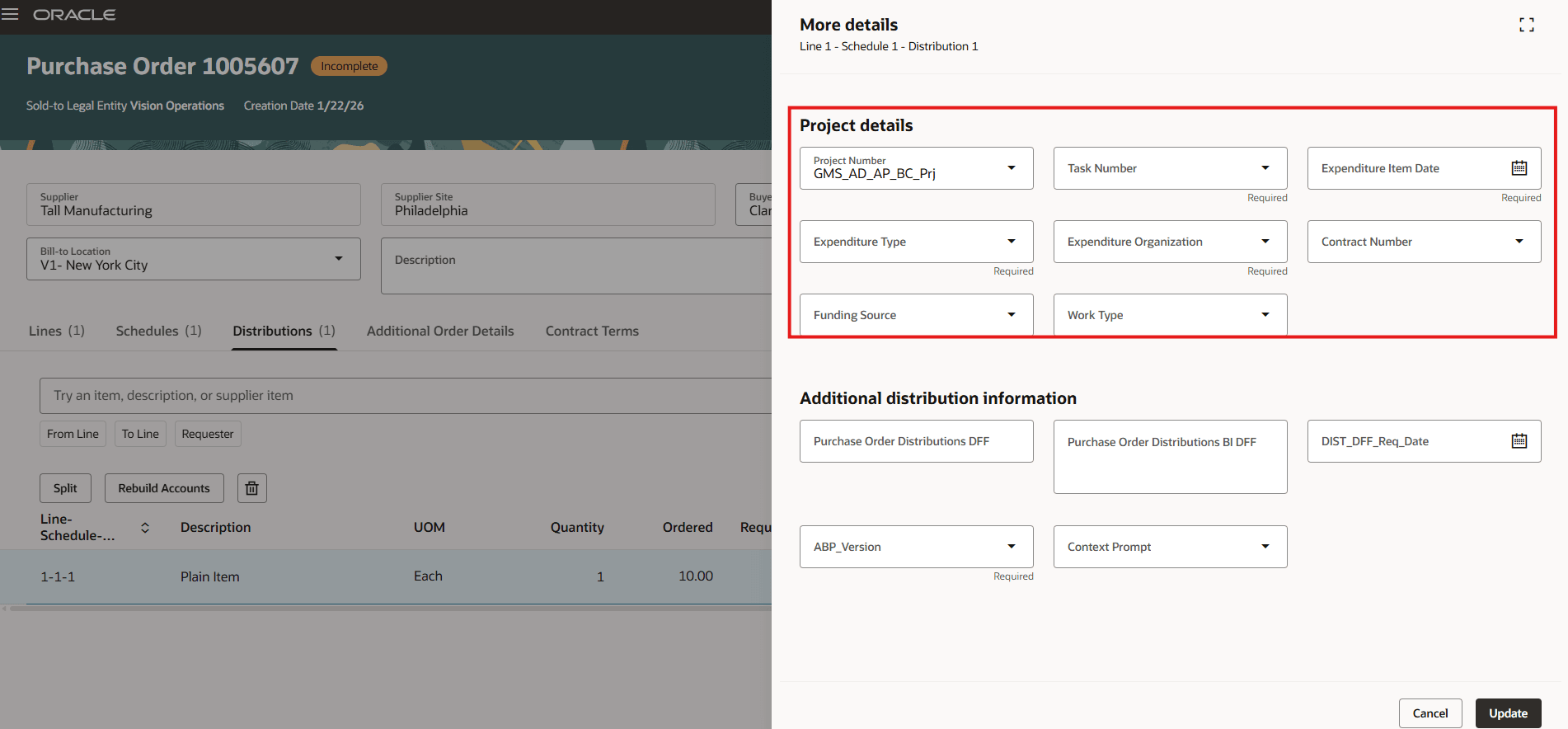
- Personalize project descriptive flexfields in the purchase order distributions.
- Personalize View PDF action on the View Purchase Order page.
Default purchase order and purchase agreement attributes using business rules
You can now set a default value for these attributes using business rules in Oracle Visual Builder Studio. These defaults are applied only at the time of document creation and aren't reapplied afterward.
- Required Acknowledgement on purchase orders and purchase agreements.
- Acknowledge Within Days on purchase orders and purchase agreements.
- Start Date on purchase agreement header.
- End Date on purchase agreement header.
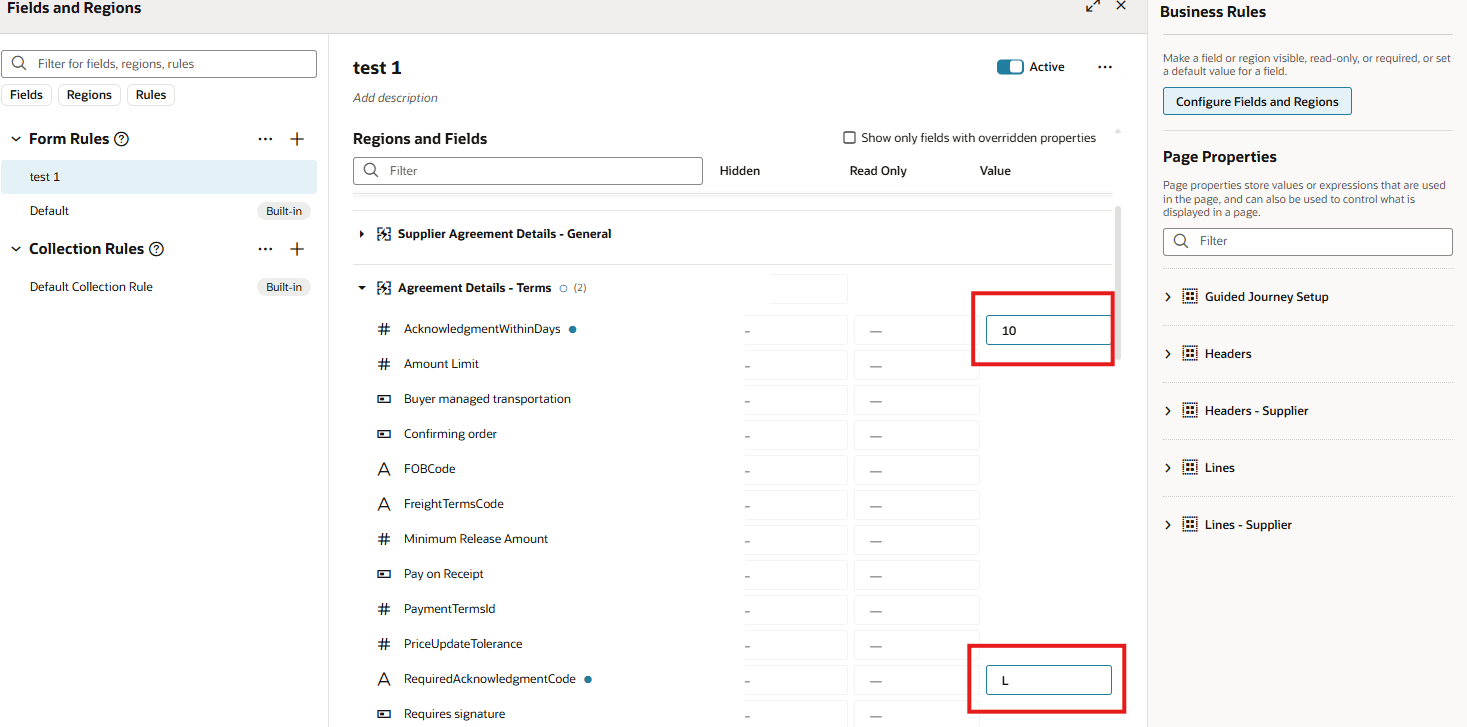
Use these codes to default the value for the Required Acknowledgement attribute:
- D – Document
- L – Document and Line
- Y – Document and Schedule
- N – None
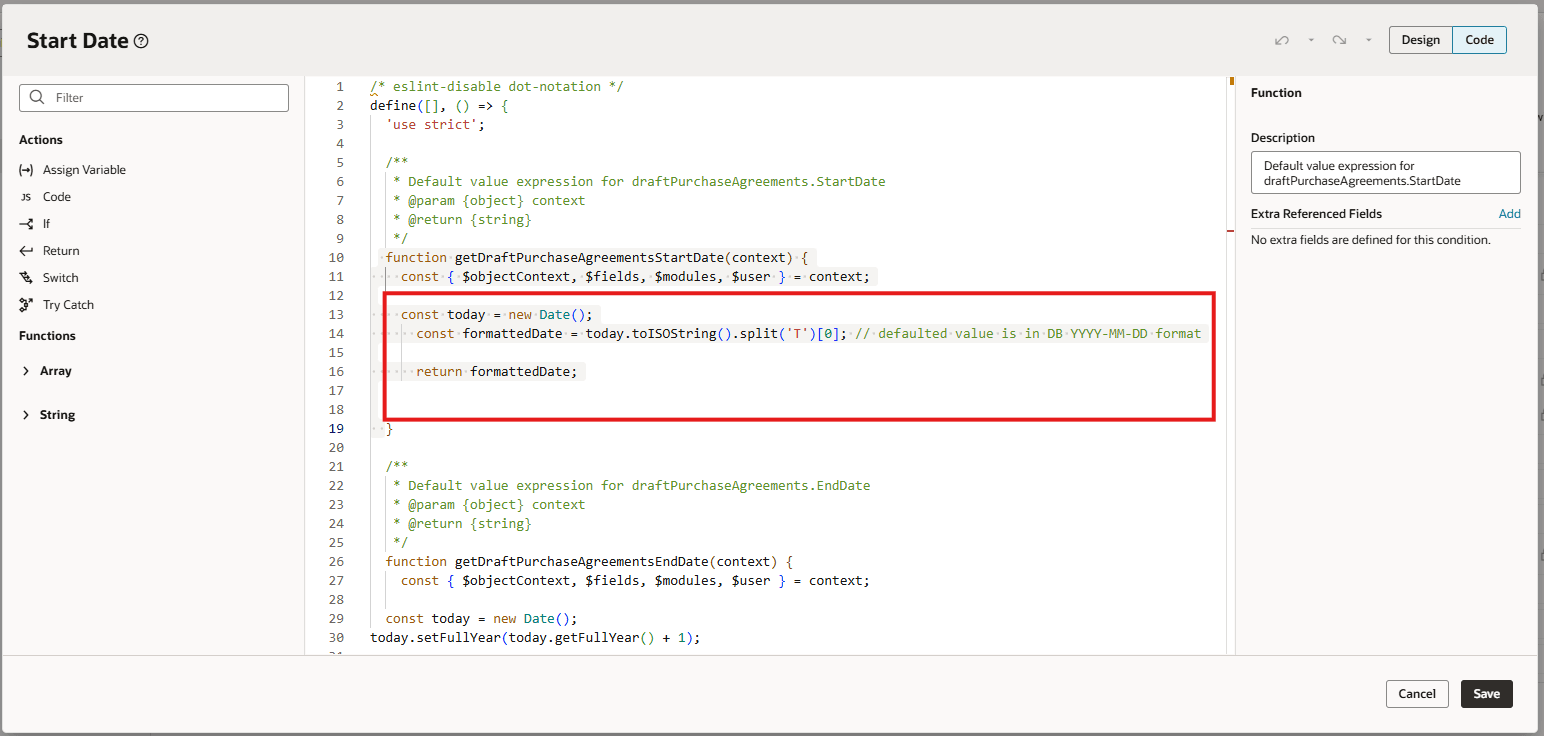
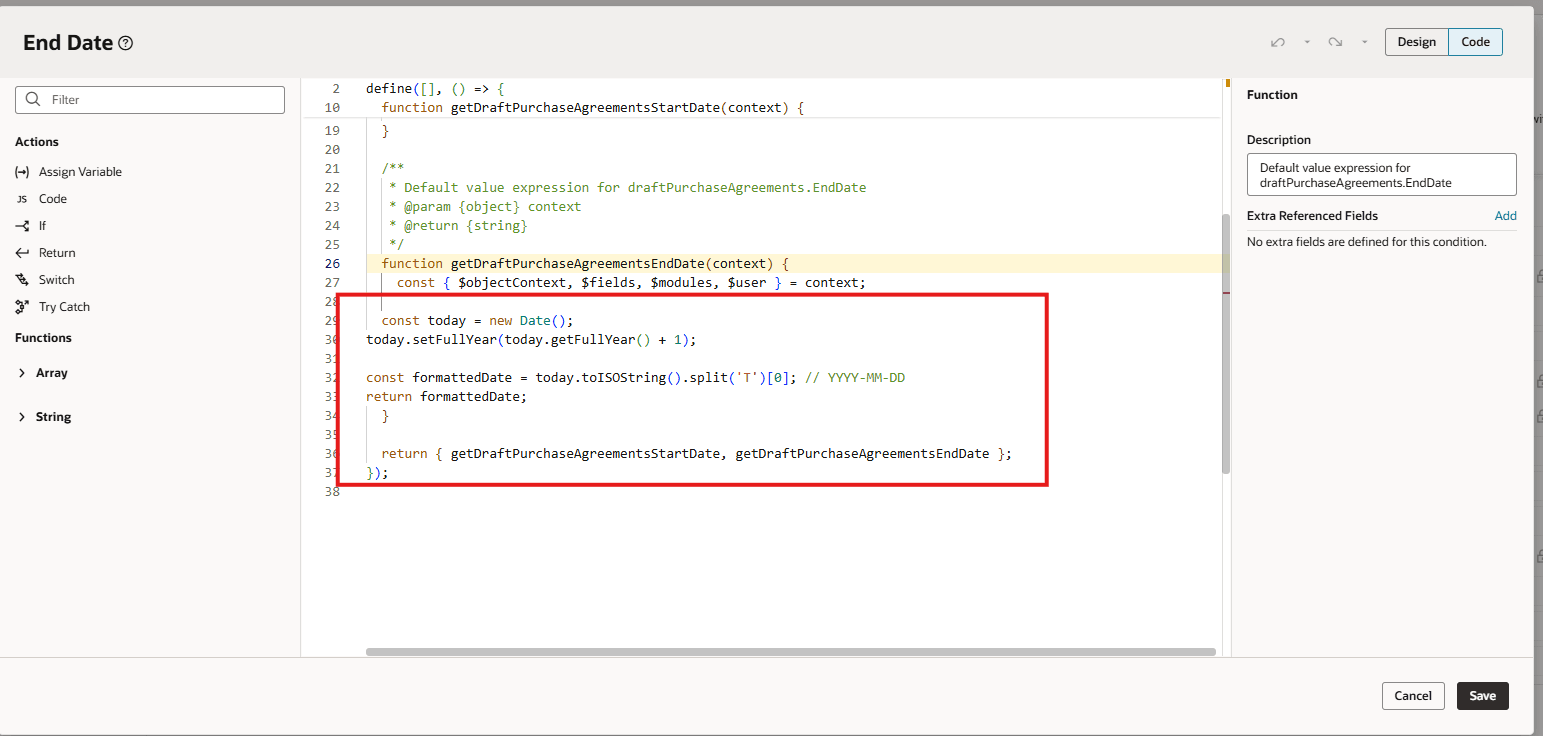
To default Start Date and End Date, specify the date in YYYY-MM-DD format.
These screenshots illustrate the feature.
Default Required Acknowledgement and Acknowledge Within Days Using Oracle Visual Builder Studio
Open the Advanced Expression Editor in Oracle Visual Builder Studio to Configure Start Date and End Date
Default Start Date to Today Using Expression in Oracle Visual Builder Studio
Default End Date Using Expression in Oracle Visual Builder Studio
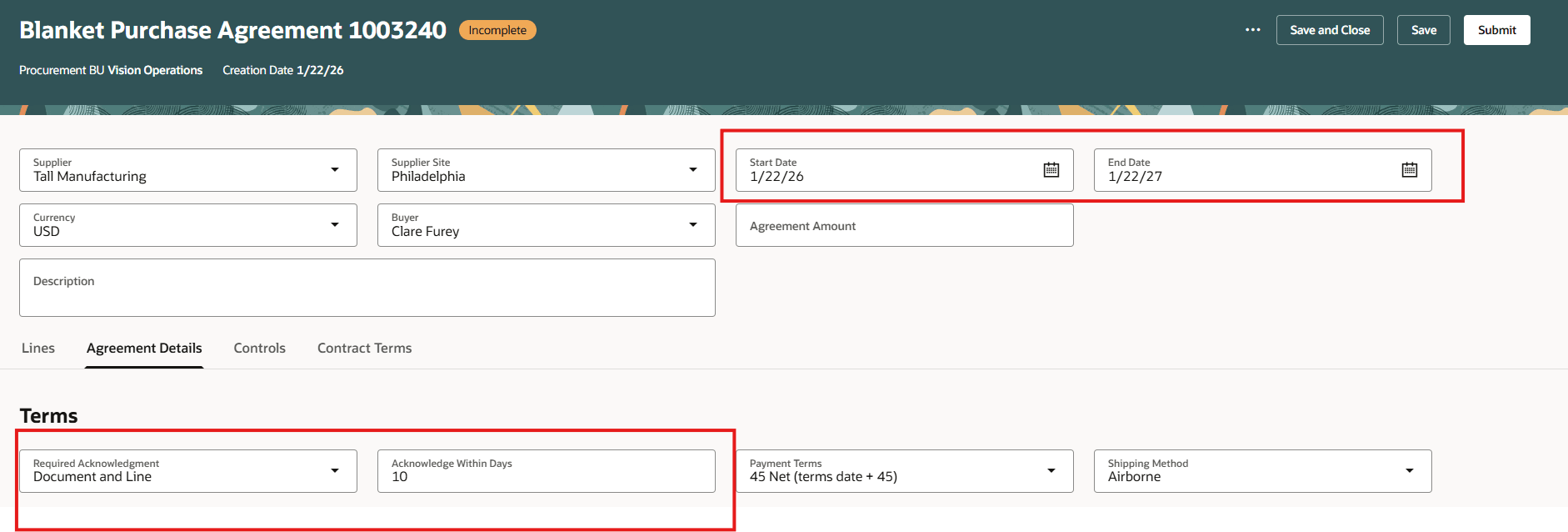
Agreement Attributes Defaulted Using Oracle Visual Builder Studio
Personalize purchase order and purchase agreement attachments
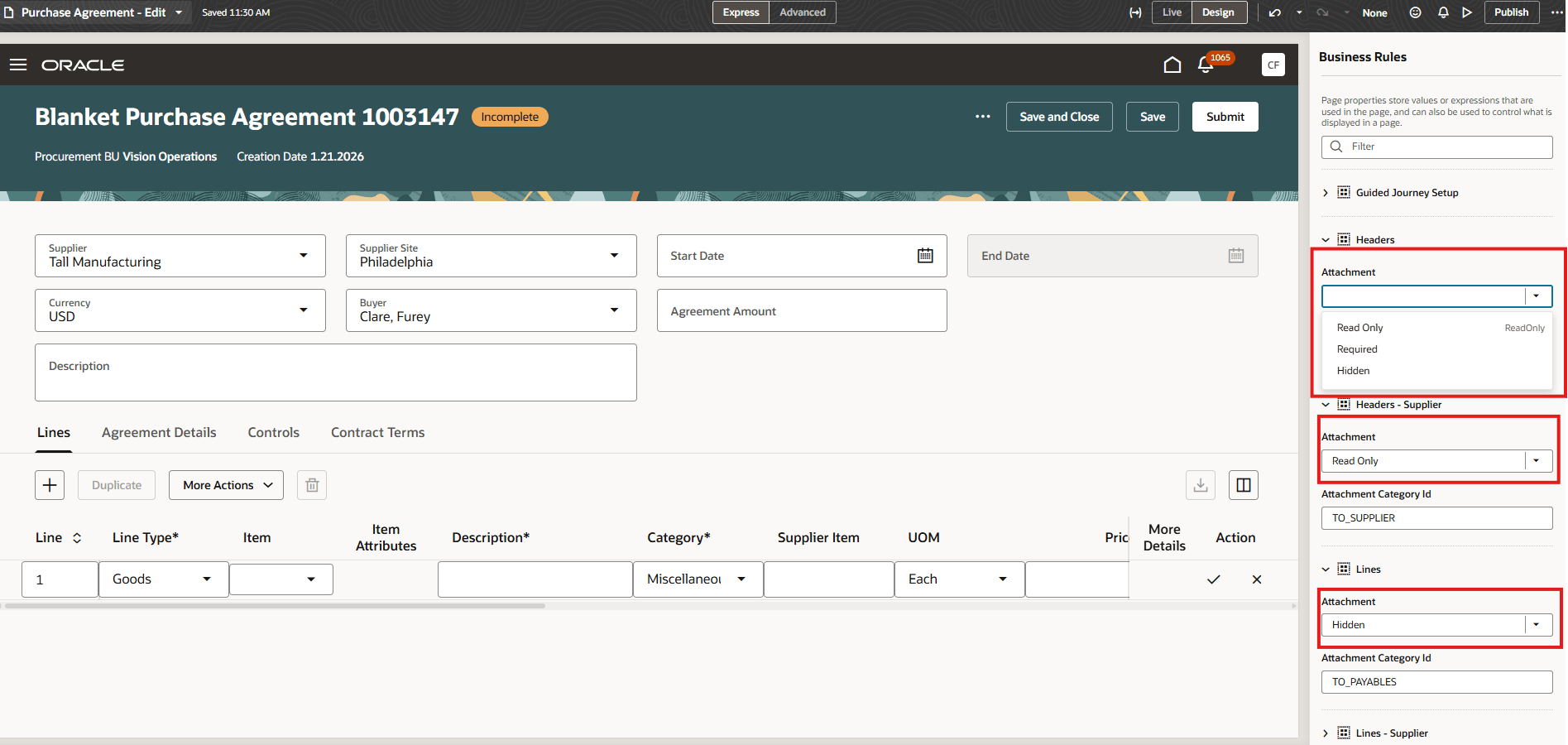
The Attachment regions on the purchase agreement header and line now supports extensibility capabilities.
Purchase Agreement Attachments Configuration Using Oracle Visual Builder Studio
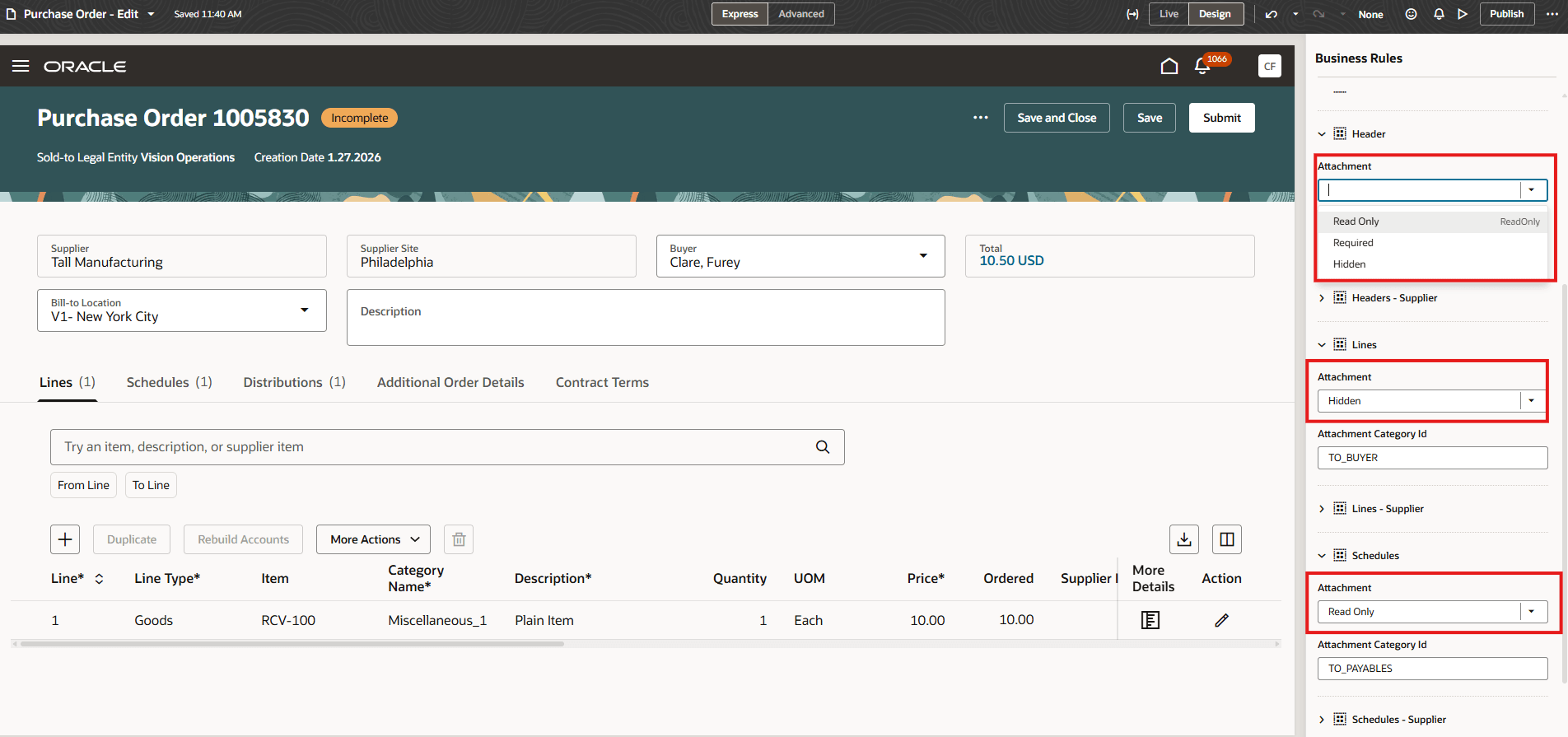
You can now modify the purchase order header, lines, and schedules attachments using page properties in Oracle Visual Builder Studio.
Purchase Order Attachments Configuration Using Oracle Visual Builder Studio
Default attachment categories to purchase orders and purchase agreements
Use these values to default the Attachment categories:
- MISCELLANEOUS
- TO_SUPPLIER
- TO_BUYER
- TO_RECEIVER
- TO_APPROVER
- TO_PAYABLES
- FROM_SUPPLIER
- INTERNAL_TO_PURCHASE_ORDER
Here are some examples:
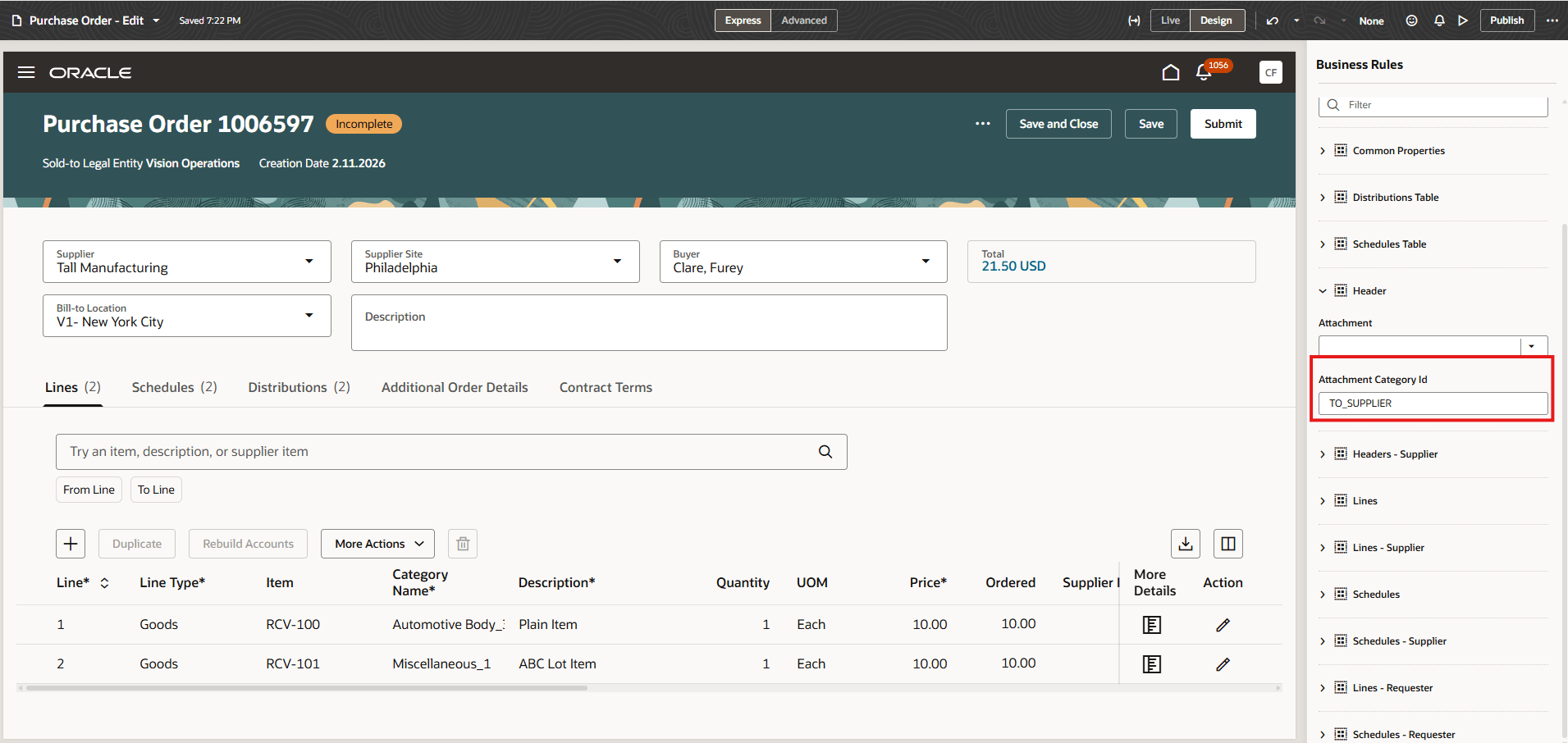
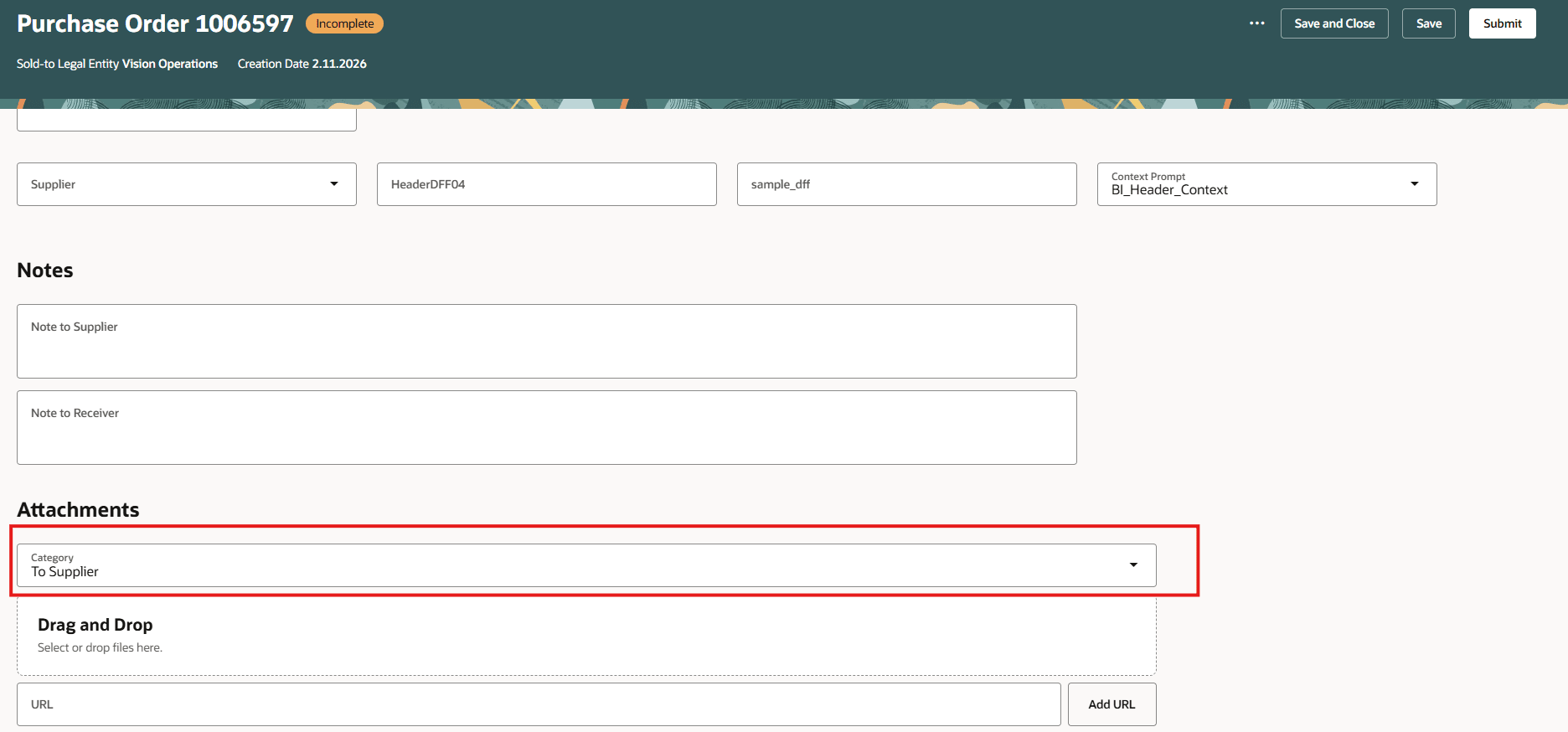
- Set the header-level attachment category on a purchase order header to "TO_SUPPLIER" using Visual Builder Studio.
Set Attachment Category to "TO_SUPPLIER" on Redwood Edit Purchase Order Page
Attachment Category Defaulted to “To Supplier” on Purchase Order Header
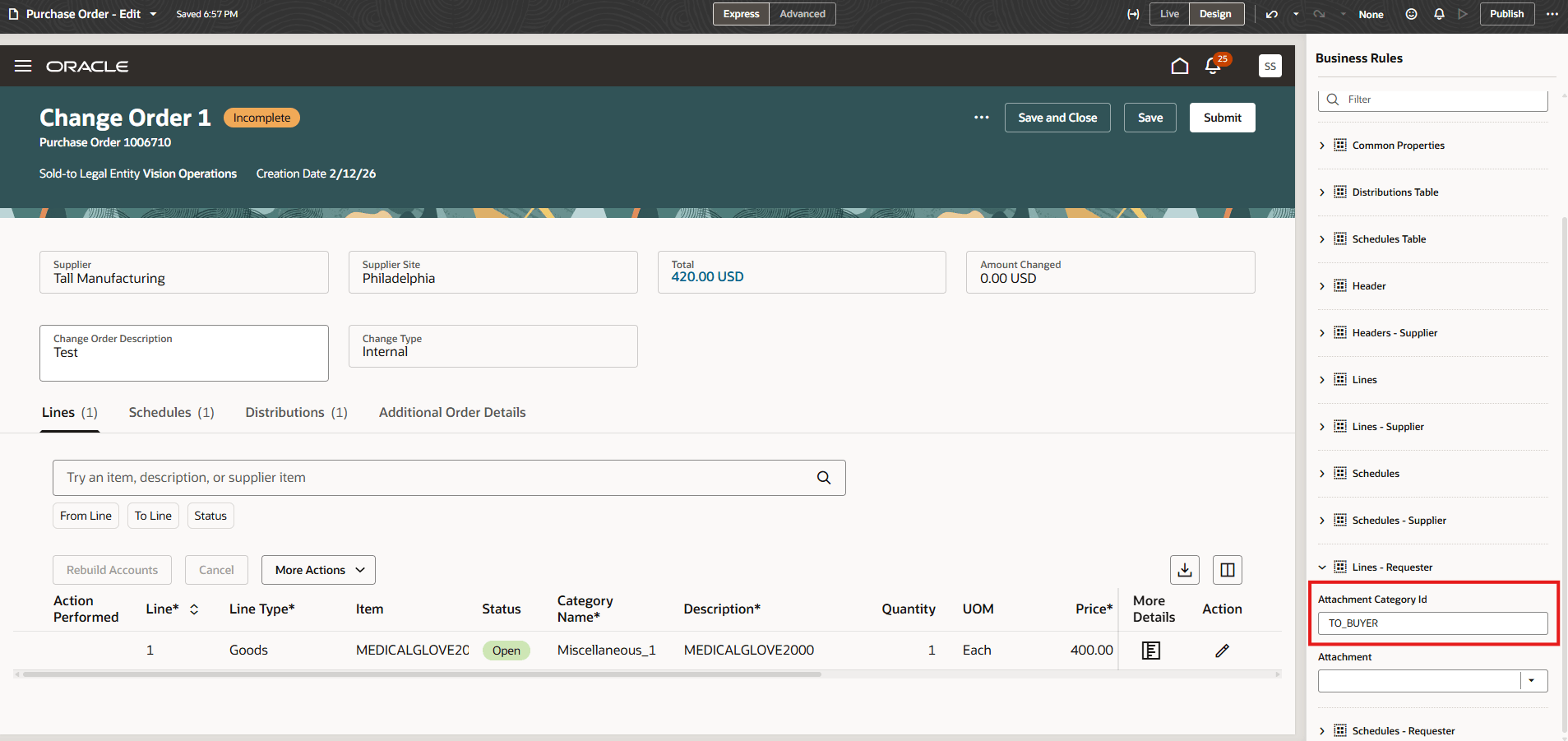
- Set the line-level attachment category on a purchase order change order initiated by a procurement requester to "TO_BUYER" using Visual Builder Studio.
Set Attachment Category to "To_BUYER" on Requester-Initiated Change Order
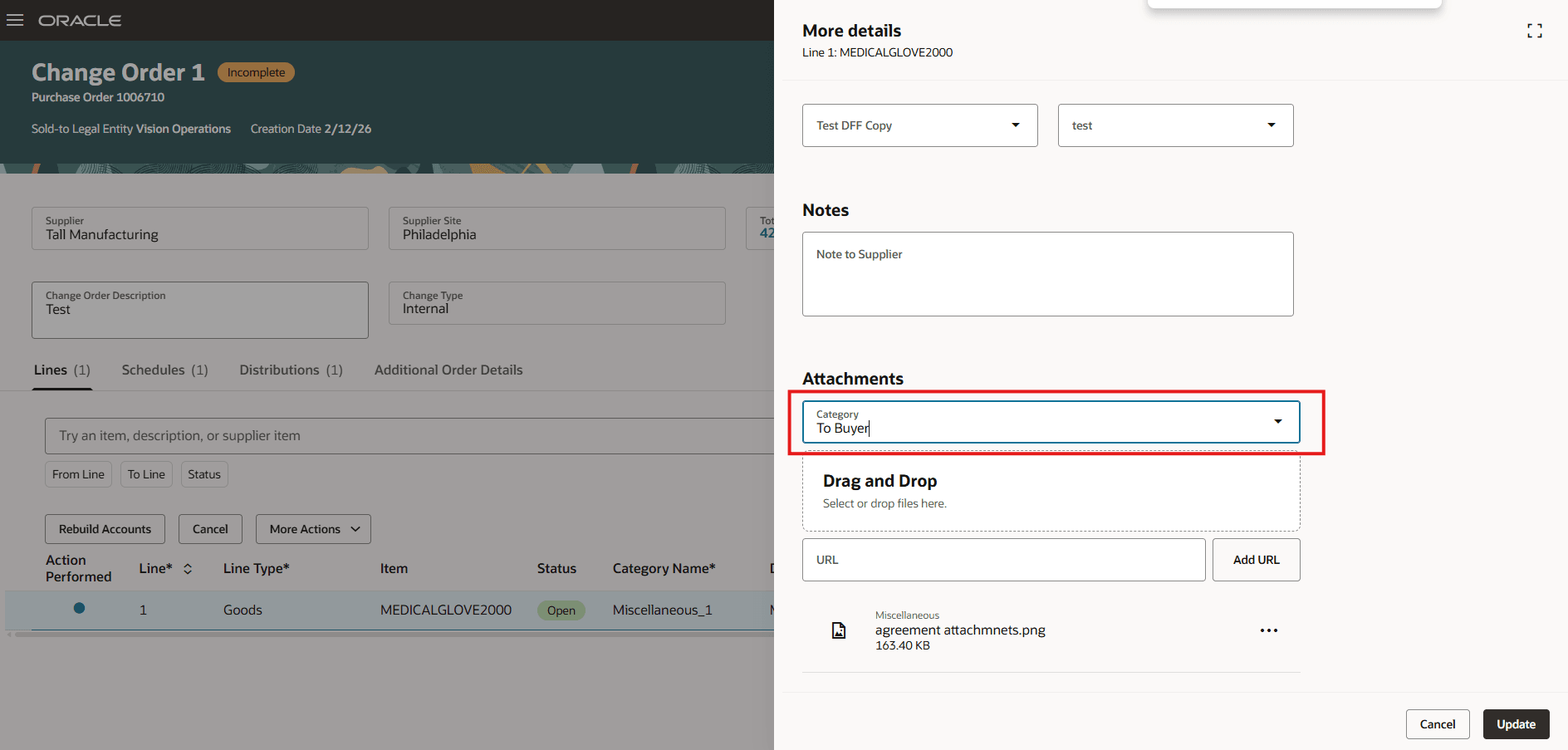
Attachment Category Defaulted to “To Buyer” on Requester-Initiated Change Order
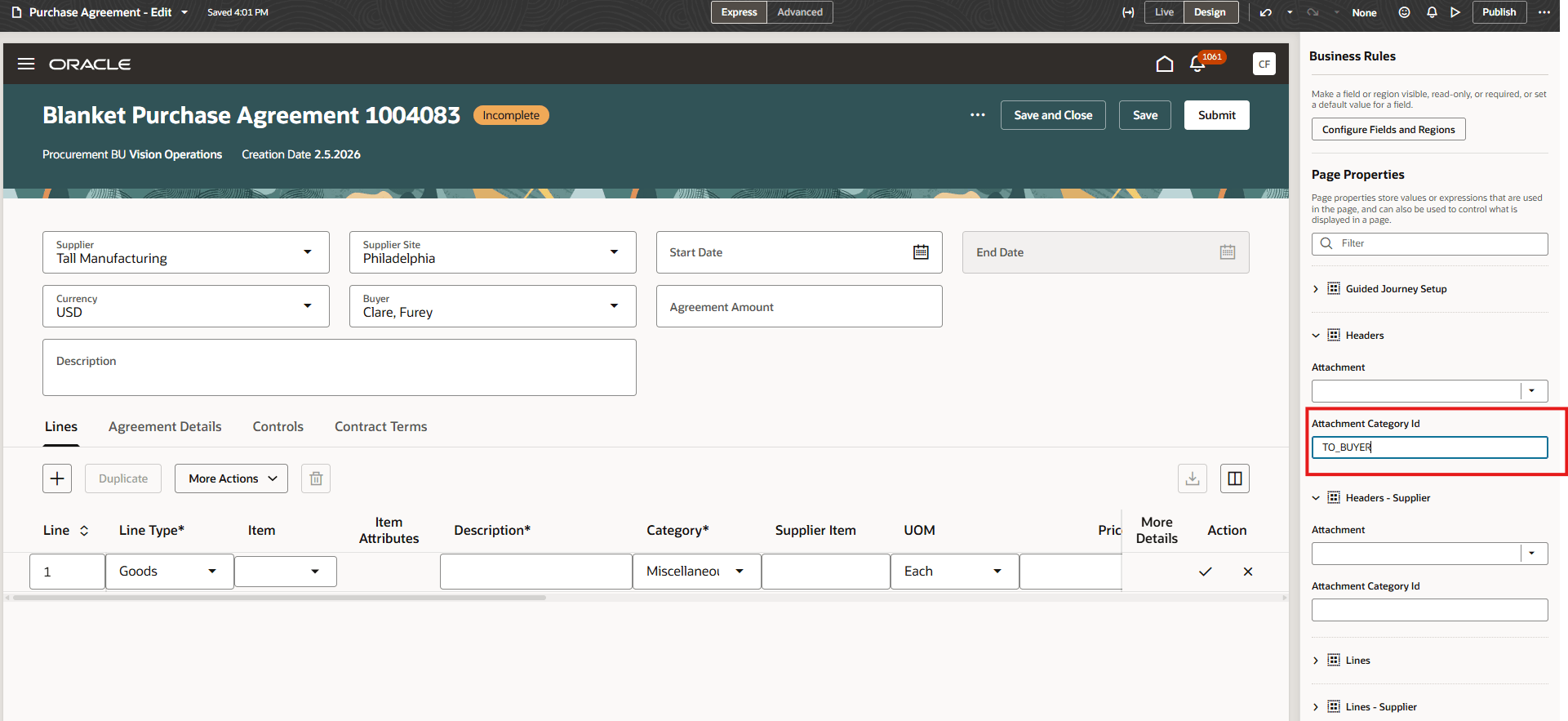
- Set the header-level attachment category on a purchase agreement header to "TO_BUYER" using Oracle Visual Builder Studio.
Set Attachment Category to "TO_BUYER" on Purchase Agreement Header
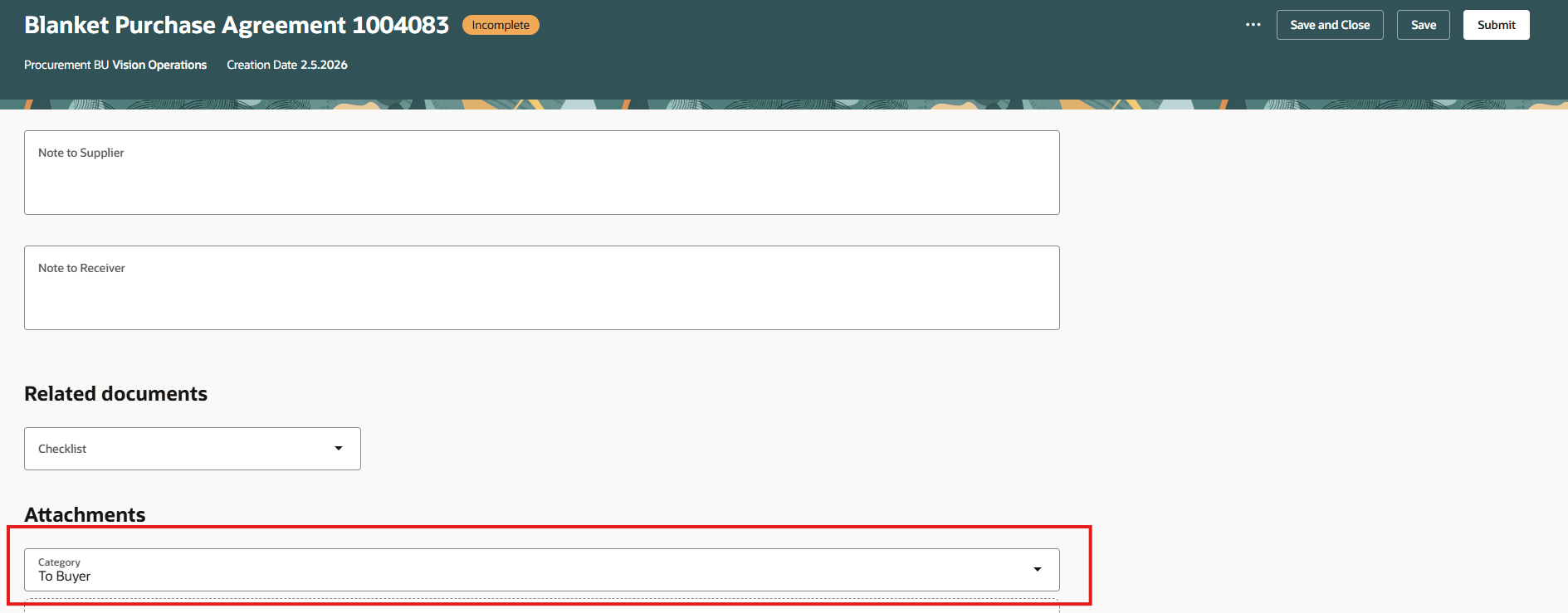
Attachment Category Defaulted to “To Buyer” on Purchase Agreement Header
Personalize project descriptive flexfields in the purchase order distributions
Project descriptive flexfields in the Purchase Order Distributions “More Details” drawer support extensibility capabilities.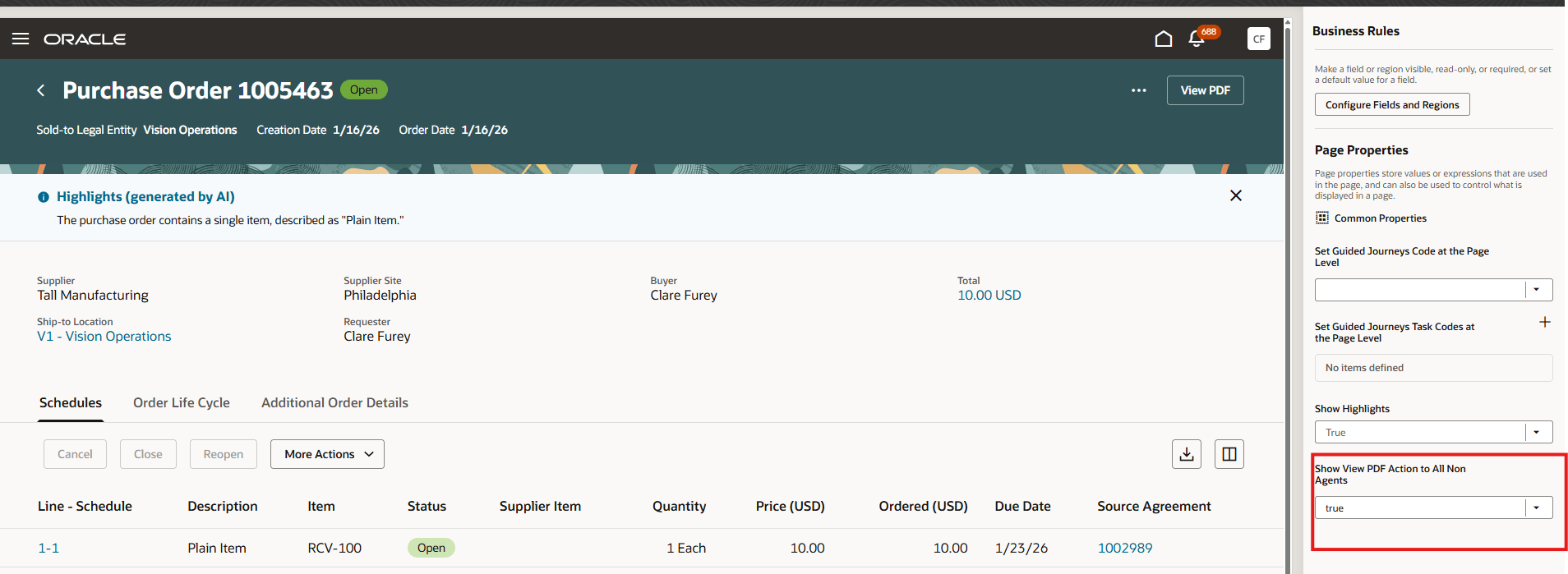
Project Descriptive Flexfields for Distributions
Personalize View PDF action on the View Purchase Order page
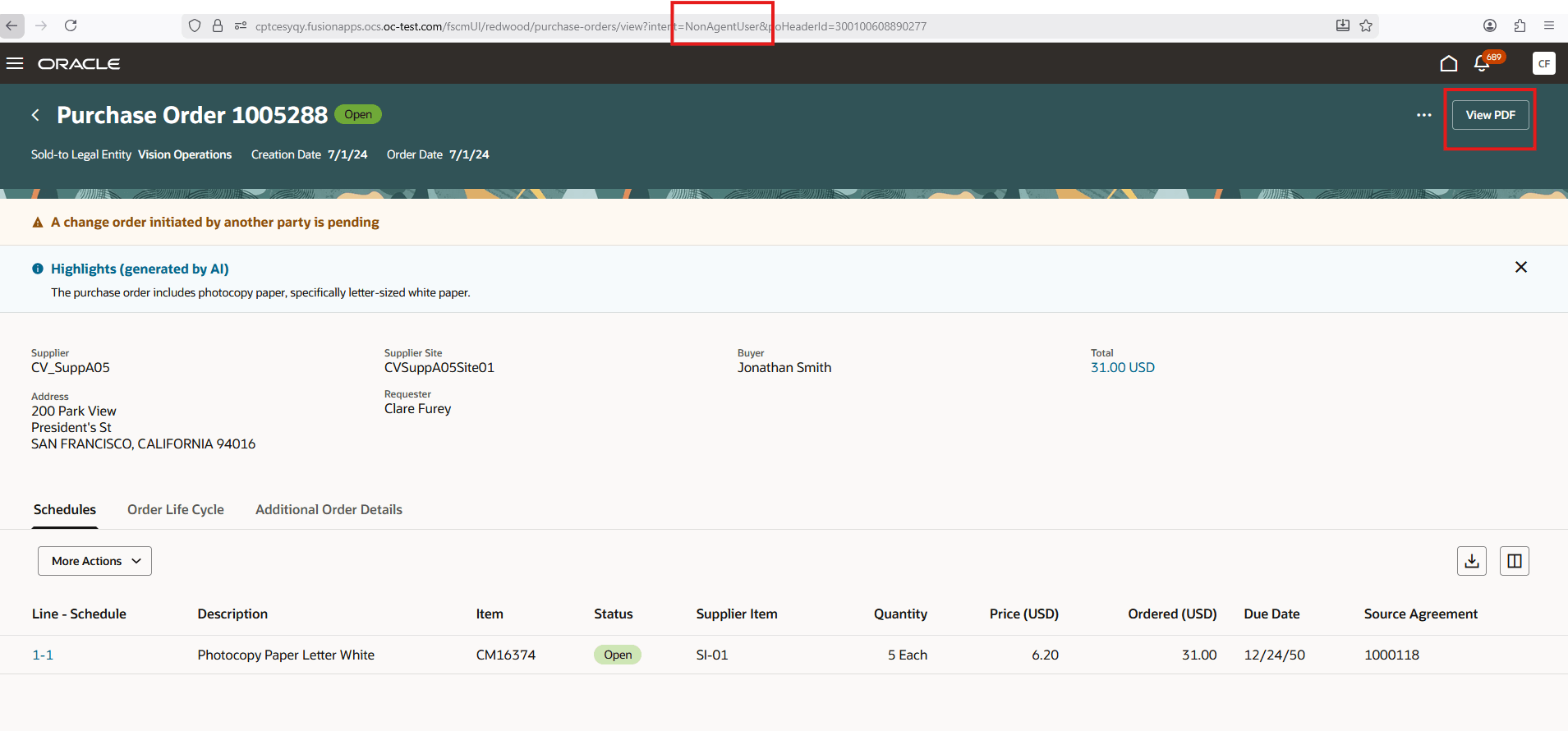
You can configure the View PDF action to be shown or hidden for nonagent users and not just procurement requesters. To show the View PDF action for all nonagents, open the View Purchase Orders page in Oracle Visual Builder Studio, under the page properties section, set the corresponding property value to 'true'. This will make the View PDF action visible on the View Purchase Order page for all nonagent users.
View PDF Action in Page Properties of Oracle Visual Builder Studio is Set to True

View PDF Action Visible for Nonagent User
In addition, business rules support has been enhanced in this update across various pages:
- Hide and view columns in the Revision History and Change History tabs of the Order history drawer on the View Purchase Order and Redwood Purchase Orders pages.
- Hide and view fields in the Distributions section of the Billing tab within the Schedules drawer on the View Purchase Order page.
- Hide and view columns in the Order exceptions and Processing errors drawer on the Redwood Purchase Order pages.
- Hide and view columns in the Agreement exceptions and Processing errors drawer on the Redwood Purchase Agreement pages.
- New purchase order drawer.
- New agreement drawer.
Steps to enable and configure
If you haven't enabled Redwood for Purchasing, see the Getting Started with Redwood in Purchasing topic on the SCM Resource Center in Customer Connect.
Tips and considerations
- Oracle Visual Builder Studio: You should extend the application in Express mode only.
- Attributes in tables must be modified using collection rules.
- Attributes in forms must be modified using form rules.
Key resources
For information about using Oracle Visual Builder Studio to extend your Redwood application pages, see Oracle Fusion Cloud HCM and SCM: Extending Redwood Applications for HCM and SCM Using Visual Builder Studio.
Access requirements
Users who are assigned a configured job role that contain these privileges can access this feature in Purchasing:
- View Administration Link (FND_VIEW_ADMIN_LINK_PRIV)
- Administer Sandbox (FND_ADMINISTER_SANDBOX_PRIV)
These privileges were available prior to this update.