Redwood: Add Ad Hoc Approvers on Purchasing Documents at Additional Positions
Add ad hoc approvers on purchase orders and purchase agreements at additional positions.With this update, you can now add and manage ad hoc approvers at additional positions in the default approval hierarchy when submitting purchase orders or purchase agreements for approval in the Redwood user application.
You can now also add ad hoc approvers at these positions:
- Start of task — Adds ad hoc approvers before those generated by approval rules.
- Start of stage — Adds ad hoc approvers before the participant set.
- End of stage — Adds ad hoc approvers after the participant set.
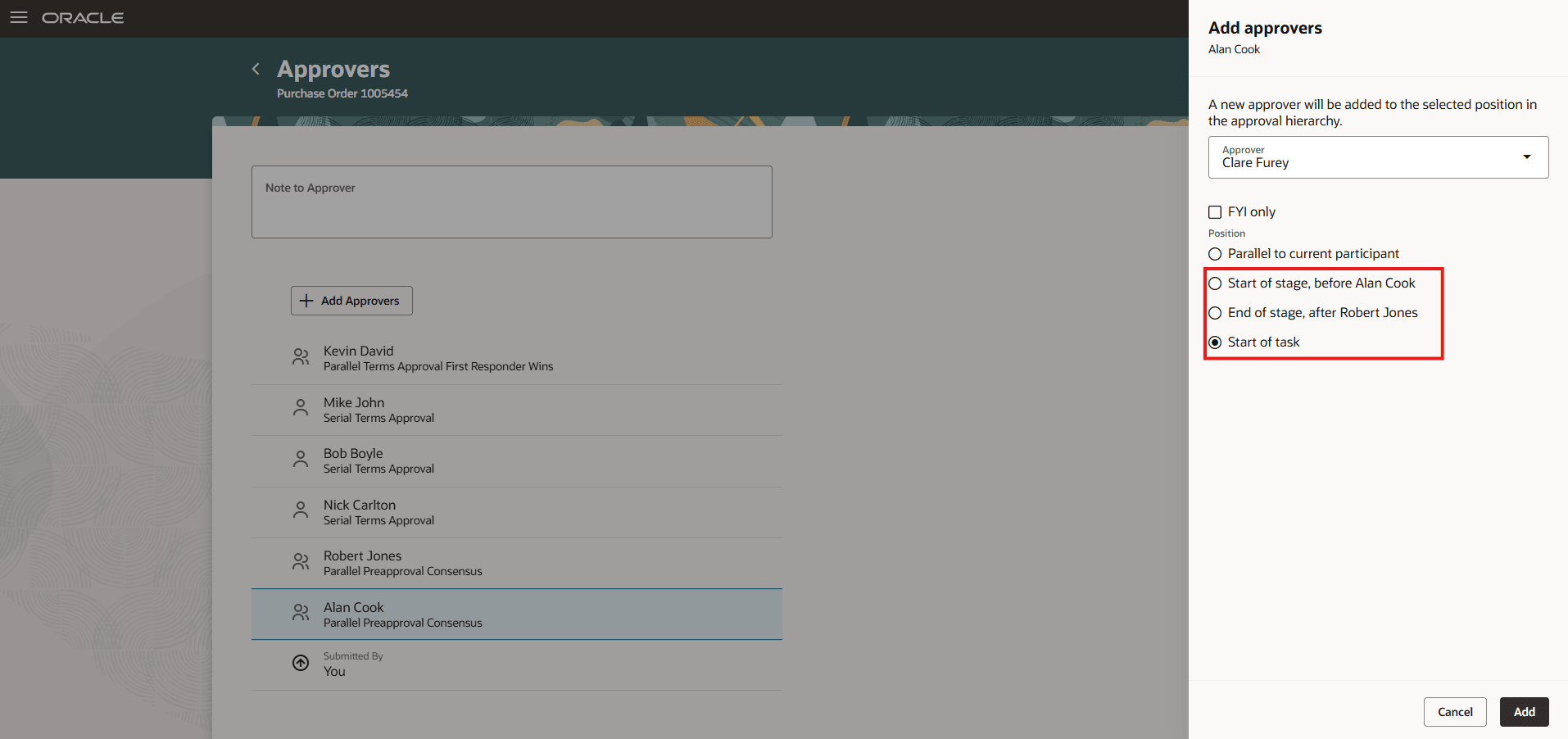
Search and Add Approver at the Desired Position
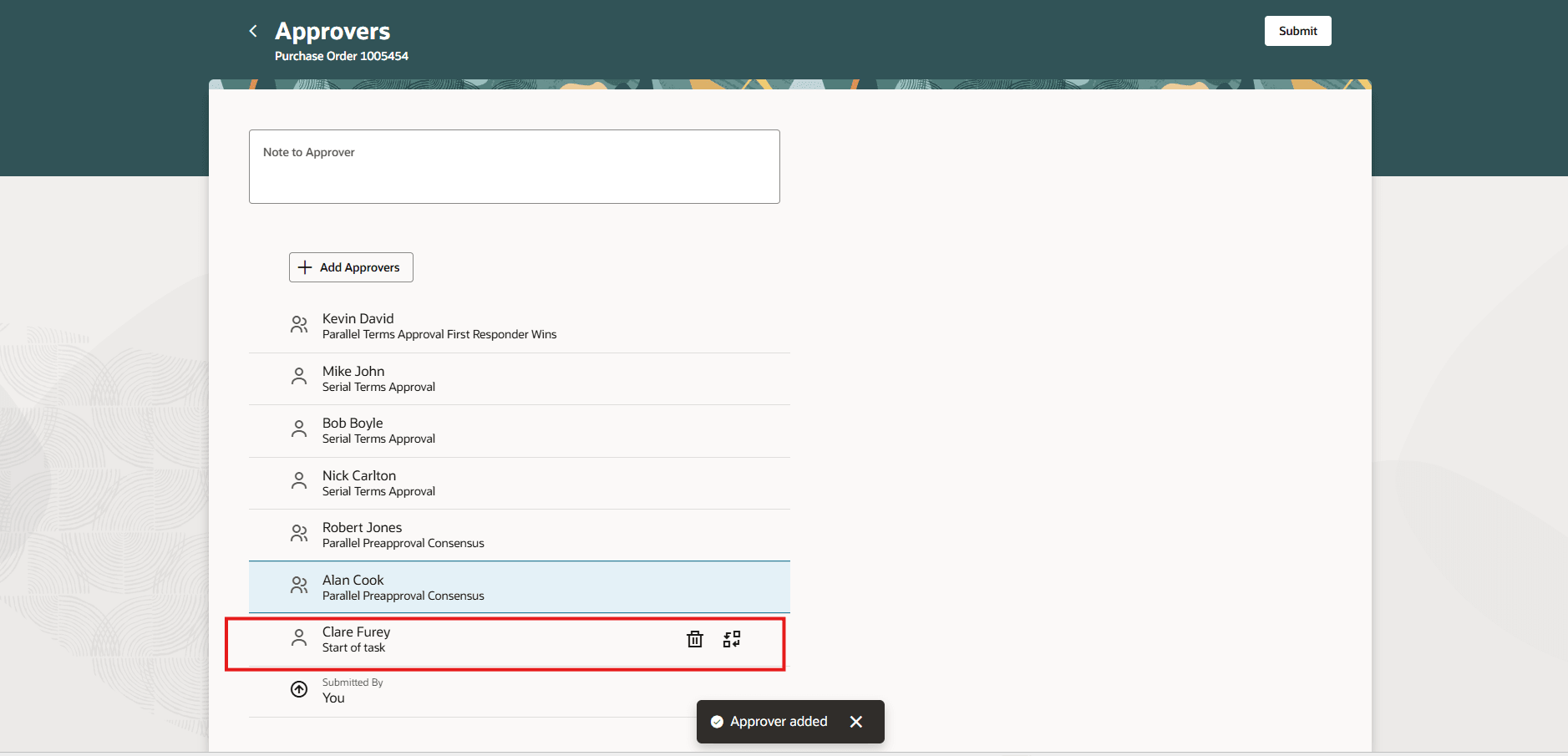
An Approver Added to Start of Task
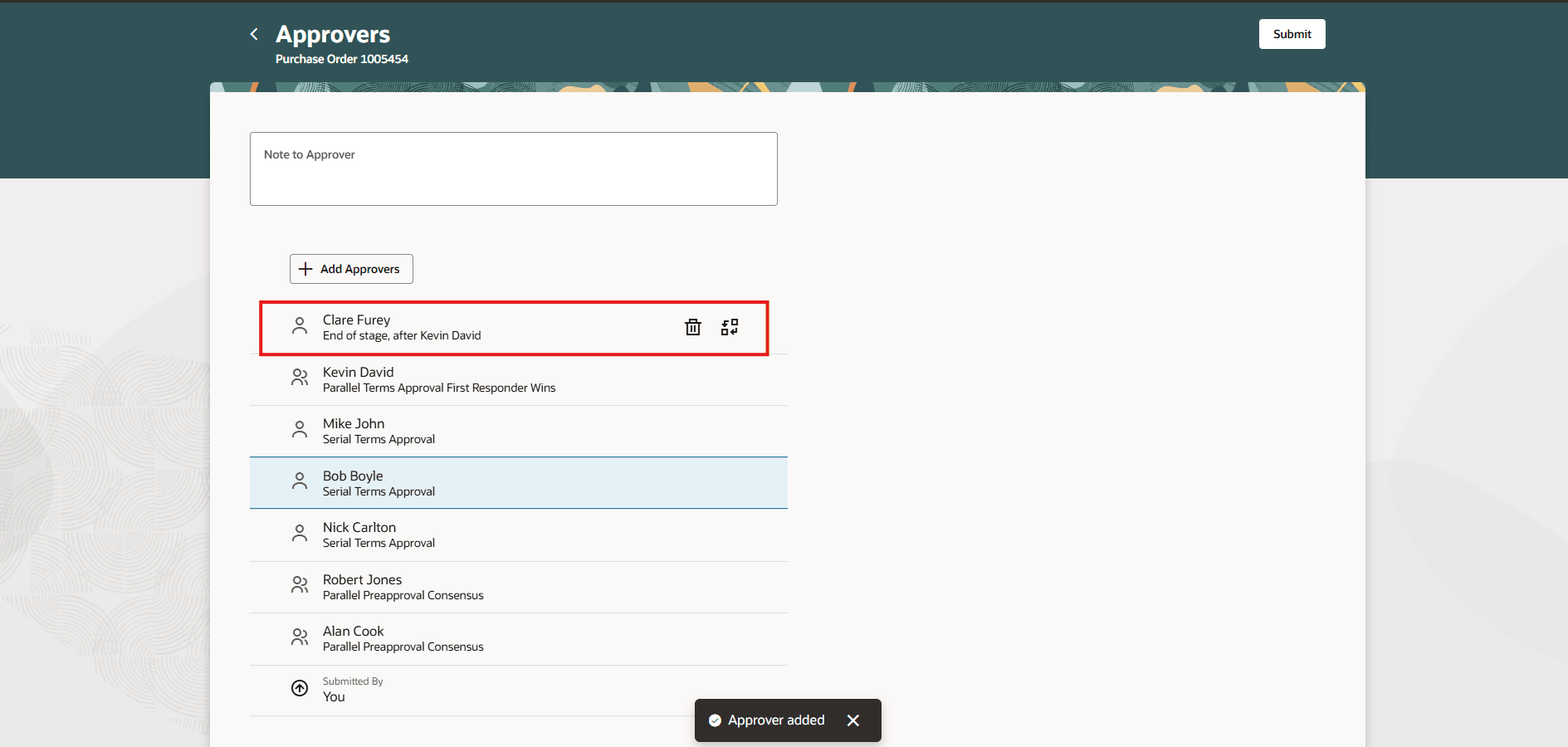
An Approver Added to End of Stage
You can mark ad hoc approvers as FYI when you add them or when replacing an ad hoc approver.
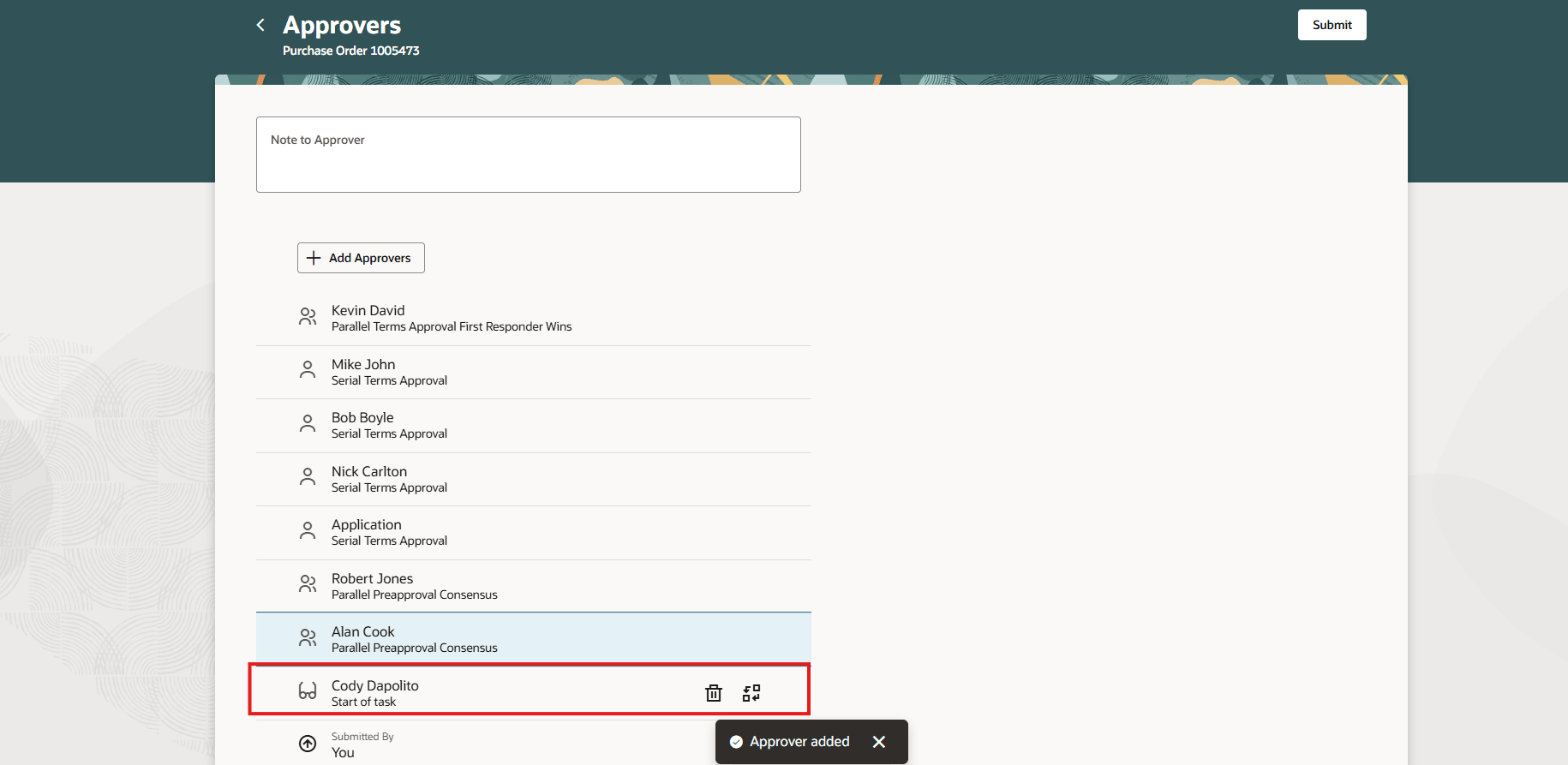
Add Ad Hoc Approver Cody Dapolito as an FYI Participant
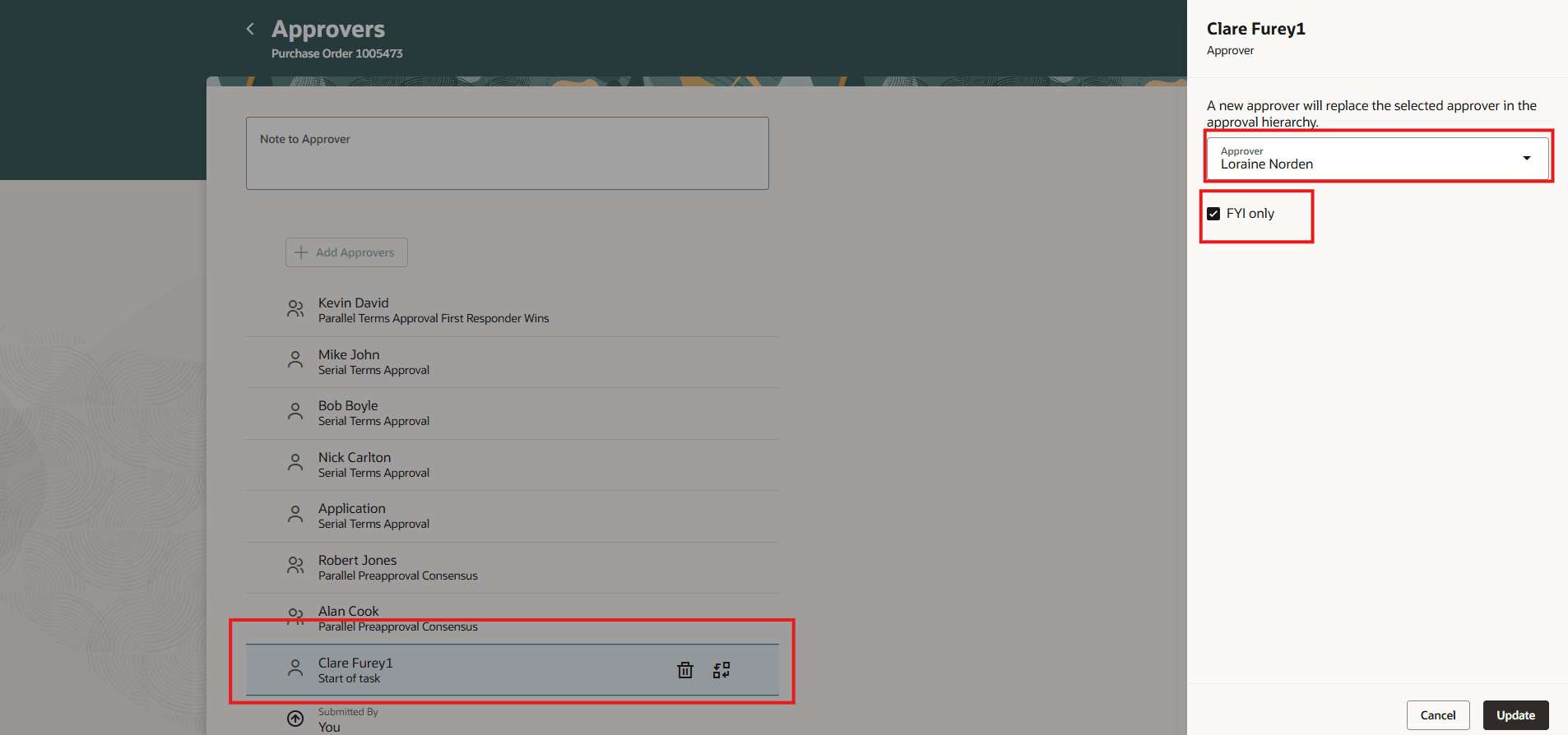
Add Ad Hoc Approver Loraine Nordein as an FYI Participant While Replacing Clare Furey1
Steps to enable and configure
If you haven't enabled Redwood for Purchasing, see the Getting Started with Redwood in Purchasing topic on the SCM Resource Center in Customer Connect.
Tips and considerations
You can use the Add Approvers action only in certain situations. It isn't available when you select FYI approvers or approvers who were manually added at the start of a task, start of a stage, or end of a stage.
Key resources
For details on adding ad hoc approvers for purchase requisitions, refer to the Add Approvers on Requisitions at Additional Positions During Shopping Checkout feature, available in Oracle Fusion Cloud Self Service Procurement What's New, update 26B.
Access requirements
Users who are assigned a configured job role that contains these privileges can access this feature:
- Manage Workflow Notifications (FUN_MANAGE_WORKFLOW_NOTIFICATIONS_PRIV) to view approvers.
- Use REST Service - Workers List of Values (PER_REST_SERVICE_ACCESS_WORKERS_LOV_PRIV) to search for an approver. This is a functional privilege added using the Function Security Policy step in the create or edit role flow. This privilege requires an additional data security policy. Add a data security policy for this privilege with these parameters:
Data Resource: Public Person
Action: Choose Public Person
Data Set: ‘All Values’ or restricted as per your organization’s policies - Use REST Service - Public Workers Read Only (ORA_PER_REST_SERVICE_ACCESS_PUBLIC_WORKERS_RO) to add the approver searched. This is an aggregated privilege added using the Role Hierarchy step in the create or edit role flow. This privilege requires an additional data security policy. Add a data security policy for this privilege with these parameters:
Data Resource: Public Person
Action: Search Person Deferred
Data Set: ‘All Values’ or restricted. This can be the same as the option you selected for the Use REST Service - Workers List of Values privilege.
These privileges were available prior to this update.