Redwood: Duplicate a Purchase Order or Its Lines When Editing the Purchase Order
Duplicate a purchase order or its lines when editing the purchase order using a Redwood page.
These screen captures illustrate the feature.
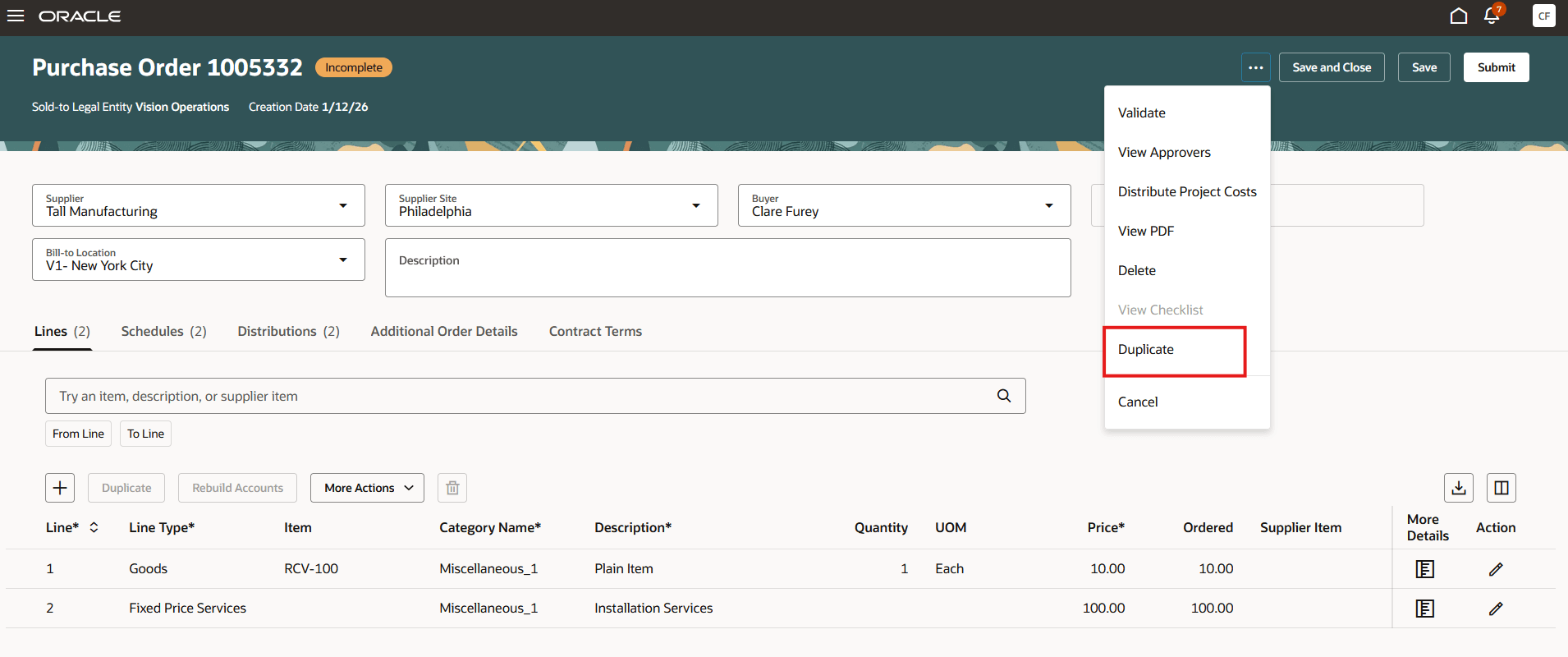
Duplicate Action on a Purchase Order Header
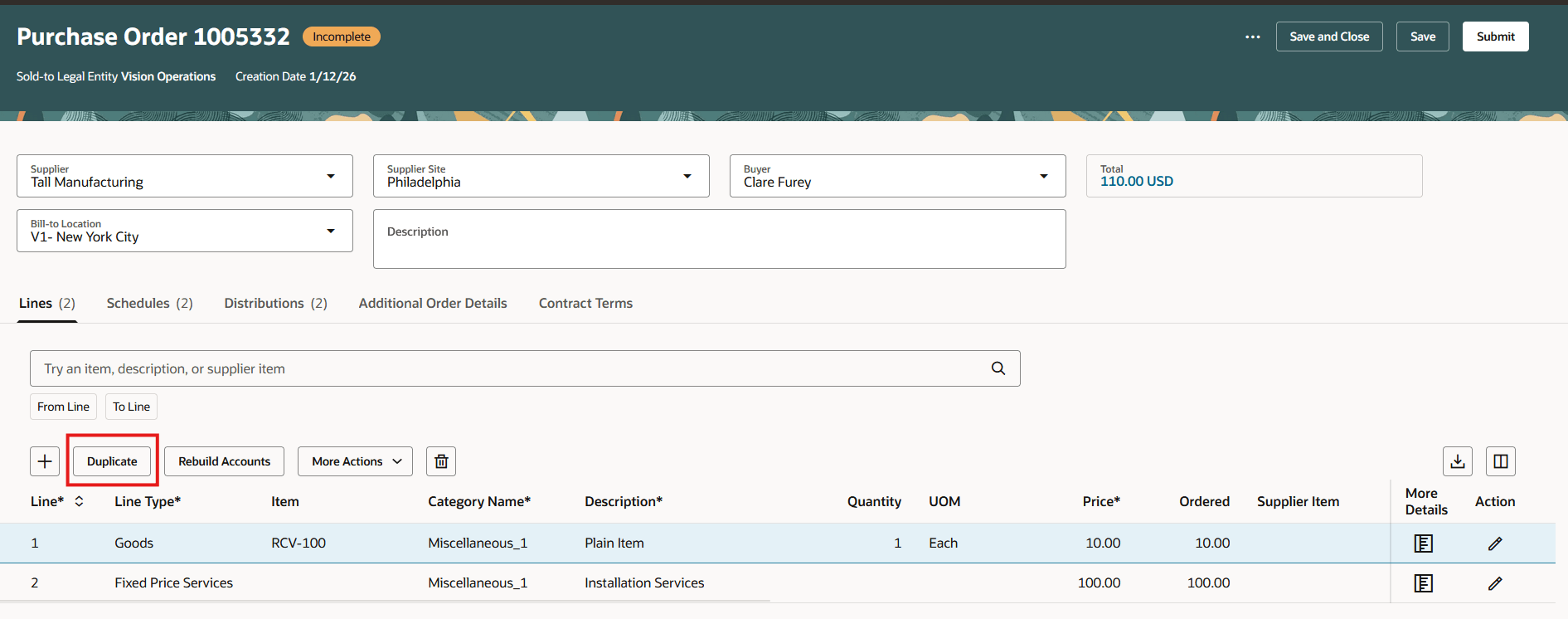
Duplicate Button on a Purchase Order Line
Buyers and requesters can now duplicate change order lines on their own change orders. If you duplicate a purchase order or a change order line with multiple schedules and distributions, the new line will include all the schedules and distributions from the original.
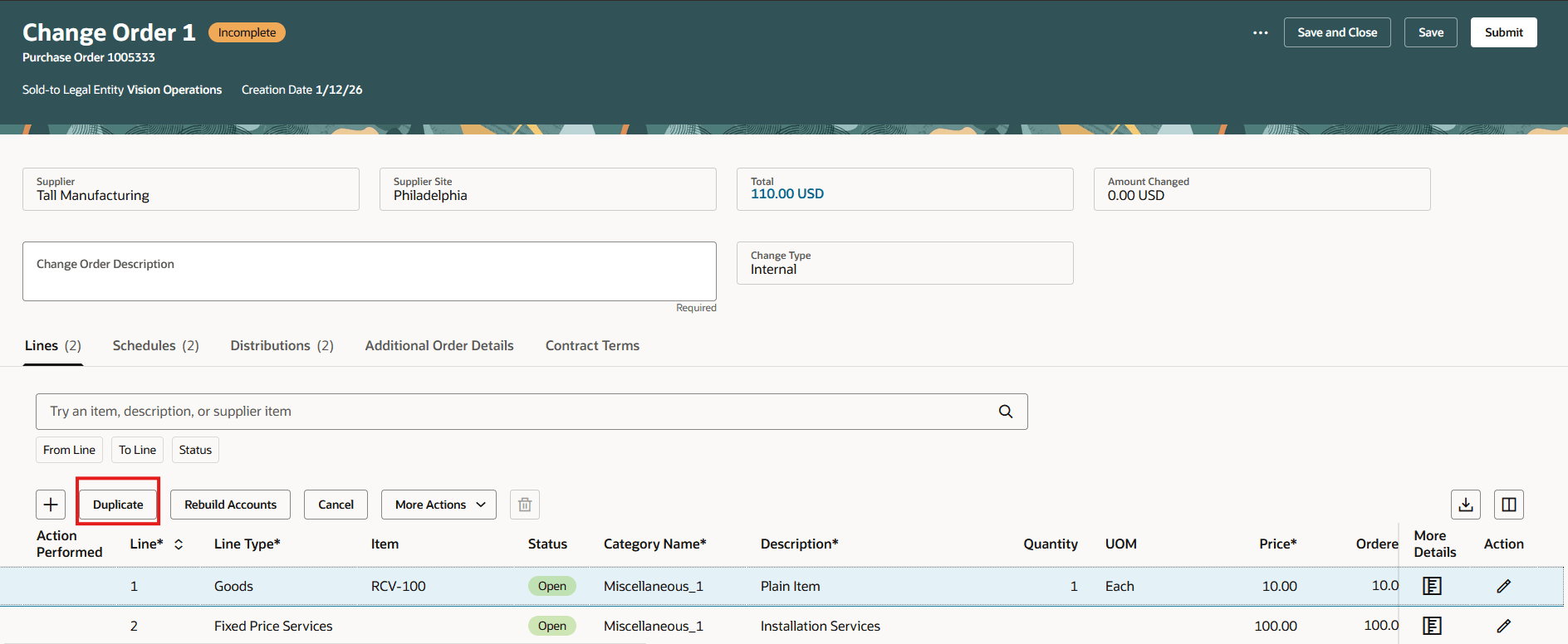
Duplicate Action on a Change Order Line
Steps to enable and configure
If you haven't enabled Redwood for Purchasing, see the Getting Started with Redwood in Purchasing topic on the SCM Resource Center in Customer Connect.
Tips and considerations
- When you duplicate a purchase order line, all descriptive flexfields on the line, schedule, and distribution levels are also copied to the newly created line.
- You can duplicate a change order line even if it's marked for cancellation.
- You can't duplicate a purchase order header in these scenarios:
- Purchase orders contains one or more line with a punchout item.
- Drop Shipment purchase orders.
- Back-to back purchase orders.
- Configure-to-order purchase orders.
- Outside processing purchase order.
- Purchase order is associated with a work order.
- You can't duplicate a purchase order line in these scenarios:
- Purchase orders contains one or more line with a punchout item.
- Drop Shipment purchase orders.
- Back-to back purchase orders.
- Configure-to-order purchase orders.
- Outside processing purchase order.
- Purchase orders associated with a work order.
Access requirements
Users who are assigned a configured job role that contains these privileges can access this feature:
- Create Purchase Order Line as Procurement Requester (PO_CREATE_PURCHASE_ORDER_LINE_AS_PROCUREMENT_REQUESTER_PRIV)
- Create Purchase Order (PO_CREATE_PURCHASE_ORDER_PRIV)
These privileges were available prior to this update.