Allow Nonworkers to Create Requisitions as Preparers
You can now allow nonworkers to act as preparers to create purchase requisitions. Before this update, only users defined as Workers in HCM could do this.
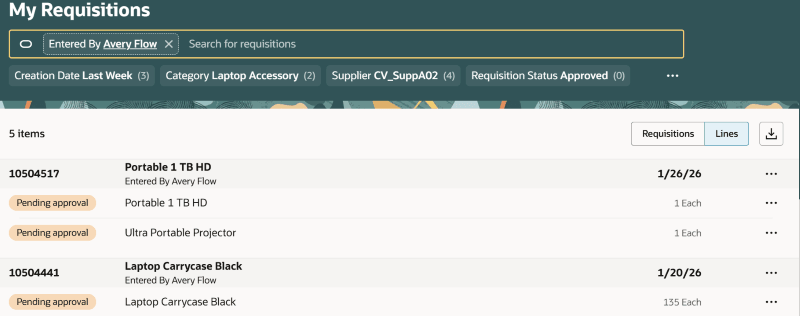
Nonworker as the Preparer of the Requisition
Nonworkers can't be assigned as requesters on a requisition. They always create requisitions on behalf of others. Hence, users that are assigned a configured job role must have the Create Requisition with Changes to Requester privilege to use this feature.
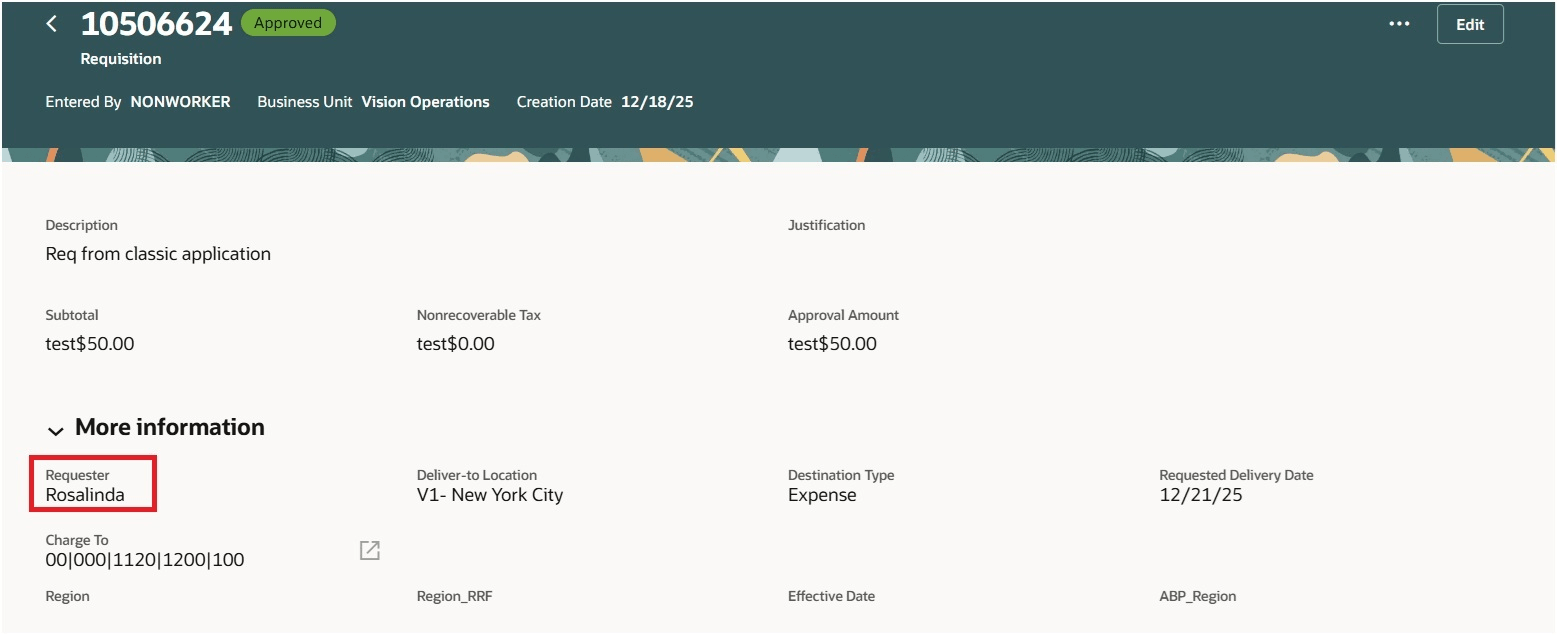
Requisition Created by Nonworker for an Employee
Steps to enable and configure
You must enable this profile option to access the Allow Nonworkers to Create Requisitions as Preparers feature:
- Requisition Creation Enabled for Nonworkers (ORA_POR_NONWORKER_ENABLED). By default, this profile option is set to No.
To enable the profile option, follow these steps:
- In the Setup and Maintenance work area, search and select the Manage Administrator Profile Values task.
- On the Manage Administrator Profile Values page, search for and select the profile option name or code, Requisition Creation Enabled for Nonworkers (ORA_POR_NONWORKER_ENABLED).
- Set the Profile Value to Yes.
- Click Save and Close
- Changes in the profile value will affect users the next time they sign in.
Tips and considerations
- You can't reassign requisitions to a nonworker.
- You can't make a nonworker the assignee using the Update Preparer and Requester feature.
- A nonworker can't be a preparer when creating requisitions using Purchase Request Web Service (PRWS) or Requisition Import (FBDI).
- A nonworker can't create work order–based requisitions originating from Maintenance Management.
Key resources
- To know how to provide the required privileges to your requesters to use your own configured role instead of the Requisition Self Service User role, refer to the Privileges Required for a Predefined Role for a Requisition Self Service User topic.
- For more information on how to enable a guided journey for Redwood pages, refer to the Enable a Guided Journey for Redwood Pages topic.
- For information about using Oracle Visual Builder Studio to extend your Redwood application pages, see Oracle Fusion Cloud HCM and SCM: Extending Redwood Applications for HCM and SCM Using Visual Builder Studio.