Redwood: Manage Policy Profiles Using a Redwood Page
You can view, search for, create, edit, and delete policy profiles that are specified for PAR or min-max planning. A policy profile in Oracle Inventory Management represents a set of rules that define how PAR replenishment and min-max planning calculate quantities.
You can create policy profiles to define the policy parameters for PAR replenishment and min-max planning. Policy parameters refer to a set of attributes for the minimum quantity, maximum quantity, and Economic Order Quantity (EOQ). These attributes define how the calculation program for the inventory policies calculates the PAR and min-max quantities to maintain inventory levels.
Policy profiles work in conjunction with the classifications that you define for PAR replenishment and min-max planning. After creating a policy profile, you assign the policy profile to a classification using the Policy Profile Assignments task. A policy profile can be assigned to a classification at the organization and subinventory levels. You can define one policy profile and assign it to multiple classifications.
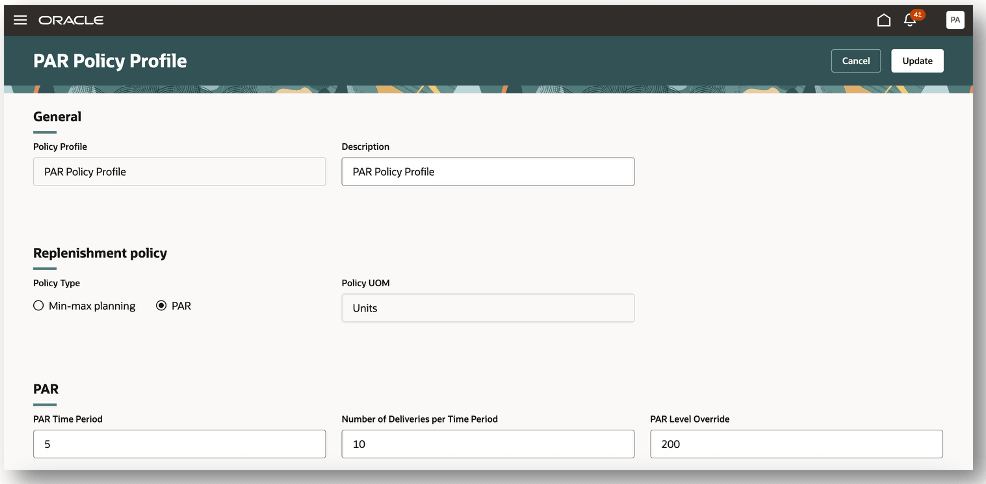
Policy Profiles
This feature automates rule-based PAR and min-max planning calculations that will lead to improved inventory replenishment calculations.
Steps to enable and configure
You don't need to do anything to enable this feature.
Key resources
- Oracle Fusion Cloud SCM: Using Inventory Management guide, available on the Oracle Help Center.
- Oracle Fusion Cloud SCM: Implementing Manufacturing and Supply Chain Materials Management guide, available on the Oracle Help Center.
- Oracle Fusion Cloud SCM: Security Reference for Manufacturing and Supply Chain Materials Management guide, available on the Oracle Help Center.
Access requirements
To set up this feature, you'll need a configured job role that contains this existing privilege:
- Manage Min-Max Planning Policies (INV_MANAGE_MIN_MAX_PLANNING_POLICIES)
This privilege was available prior to this update.