Capture Fiscal Documents for Intercompany Drop Shipments
Enable Fiscal Document Capture for intercompany drop-shipment flows that import goods into Brazil. This update introduces the new fiscal flow Import Material by Drop Shipment, supports fiscal-document capture against the sales-order context, and works with shipment-event hold controls so trade events can wait until the required fiscal document is captured and validated.
Key Capabilities
· Capture import fiscal documents for intercompany drop-ship flows in Brazil.
· Use the new Import Material by Drop Shipment fiscal flow.
· Associate sales order, sales-order line, and fulfillment line information to fiscal-document lines.
· Hold trade events until the required fiscal document is captured and ready for release.
· Bring recoverable and non-recoverable import taxes into receipt and in-transit accounting.
· Support both ship-from-stock and ship-from-supplier drop-shipment patterns for the targeted Brazil scenarios.
How It Works
- Create the intercompany drop-shipment order and establish the related financial orchestration flow.
- Capture the import fiscal document against the sales order, line, and fulfillment-line context in Fiscal Document Capture.
- Hold the logical trade event until the fiscal document reaches the required captured or confirmed status.
- Release the held event so Financial Orchestration can continue processing.
- Calculate and carry the import taxes into Trade Receipt Accrual, Trade In Transit, and downstream cost-of-goods processing according to the flow.
Illustrative Screens
New Fiscal Flow for Import Material by Drop Shipment
The new fiscal flow supports Brazil import drop-shipment processing.
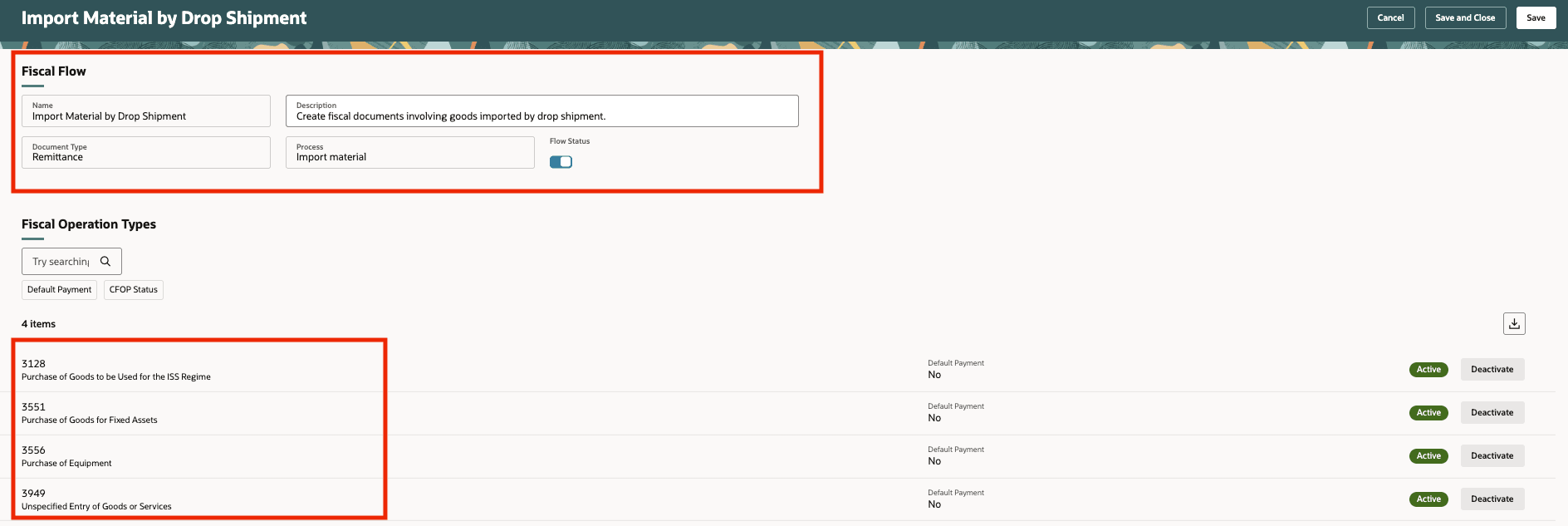
Import Material by Drop Shipment fiscal flow
Import Fiscal Document for the Drop-Shipment Flow
Capture the fiscal document against the targeted intercompany drop-shipment transaction.
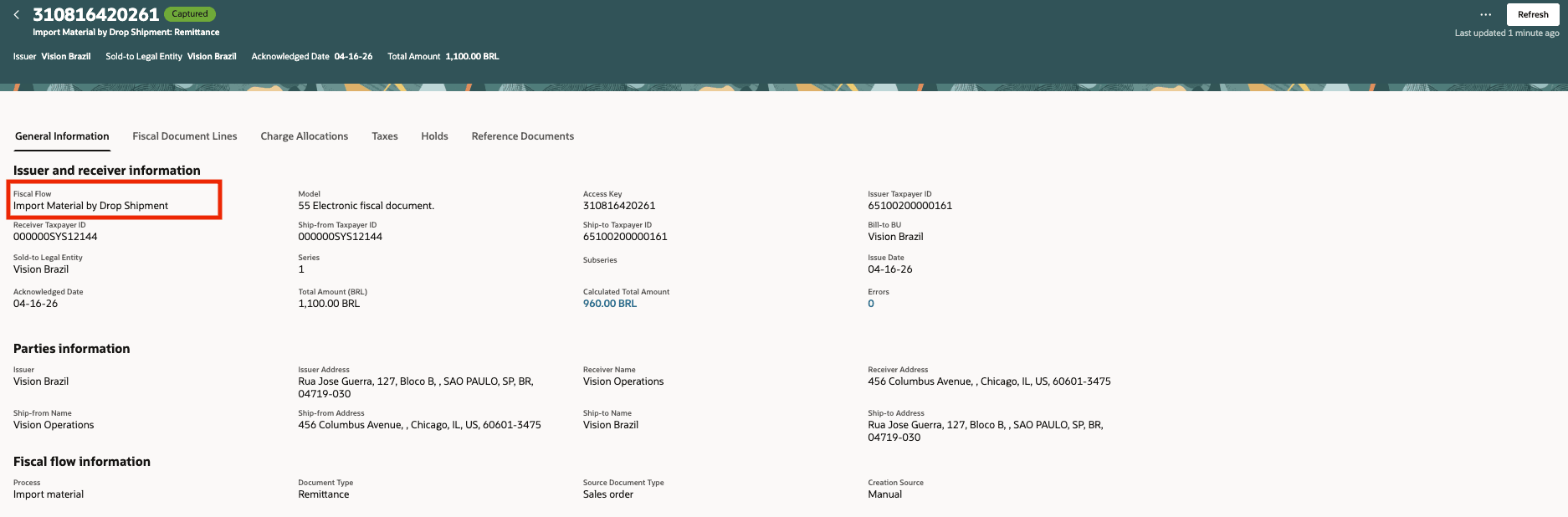
Fiscal document for import drop shipment
Review Import Taxes on the Fiscal Document
Fiscal-document capture includes the import taxes that later influence downstream accounting.

Import taxes on the fiscal document
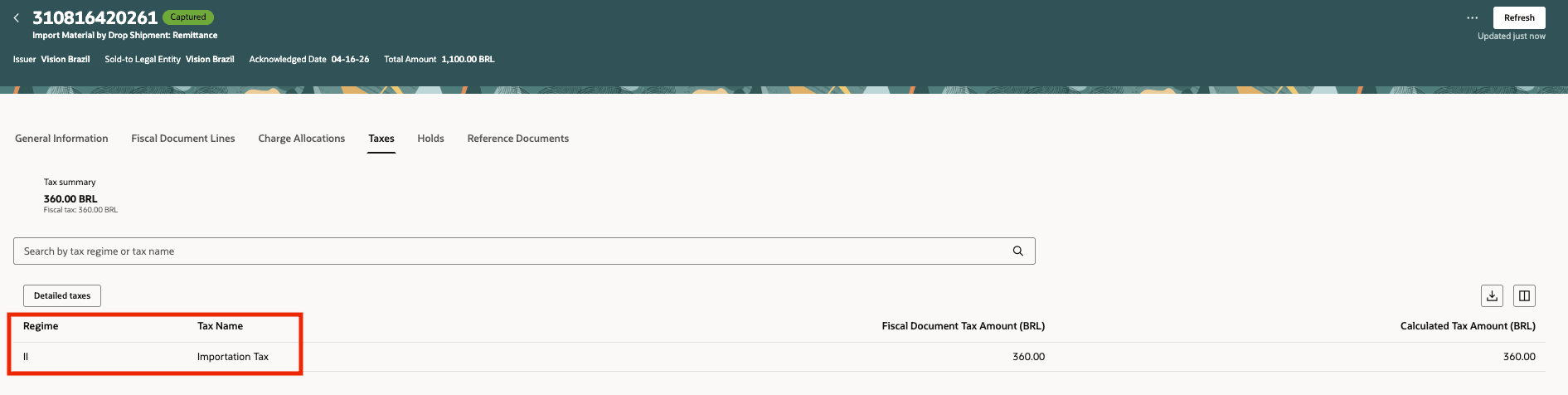
Import document taxes for IDS and CDS processing
Hold and Release Financial Orchestration Events Around Fiscal Document Capture
Trade events can stay on hold until the fiscal document is available and then be released for downstream processing.
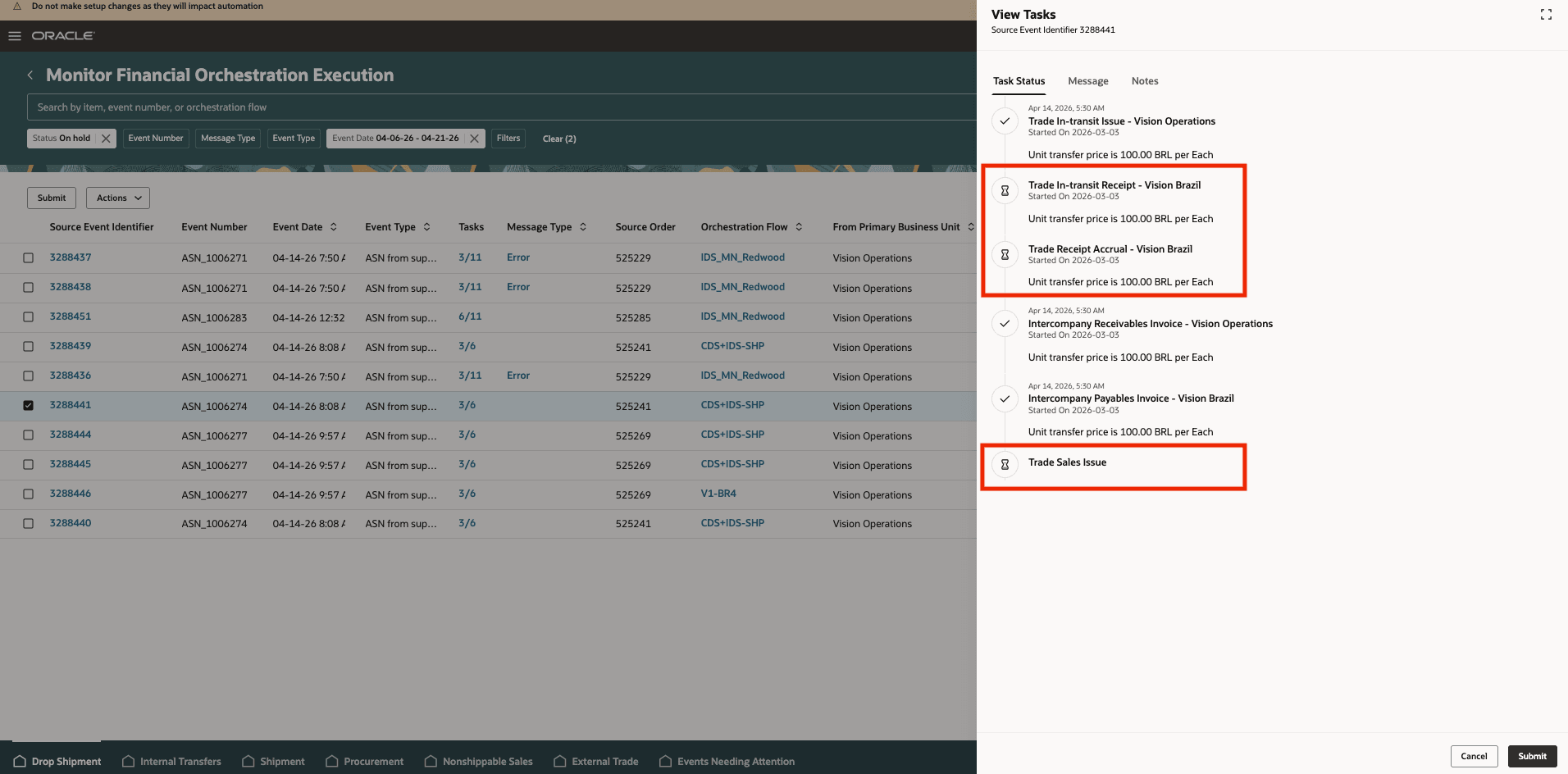
Financial orchestration event on hold for fiscal document capture
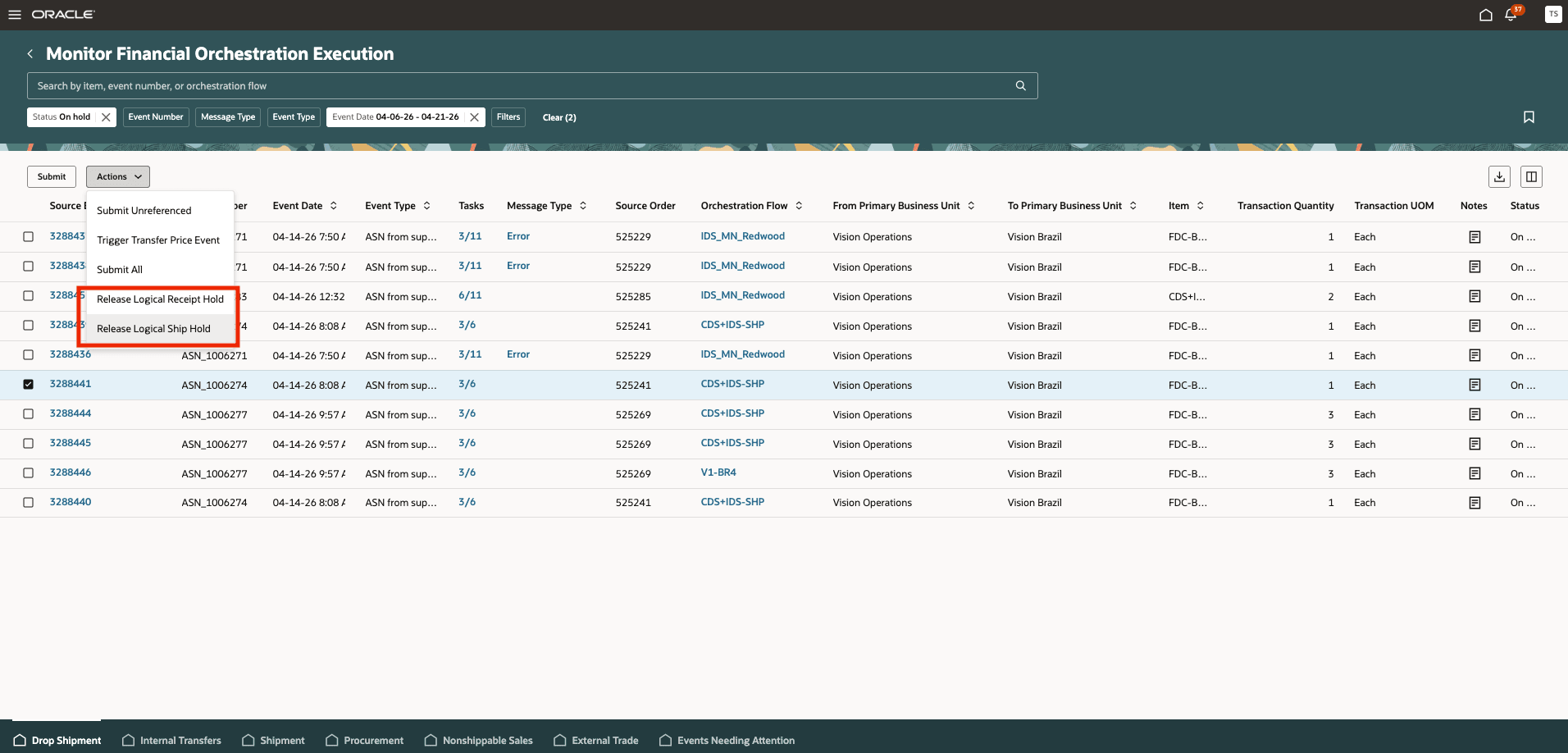
Release hold after fiscal document capture
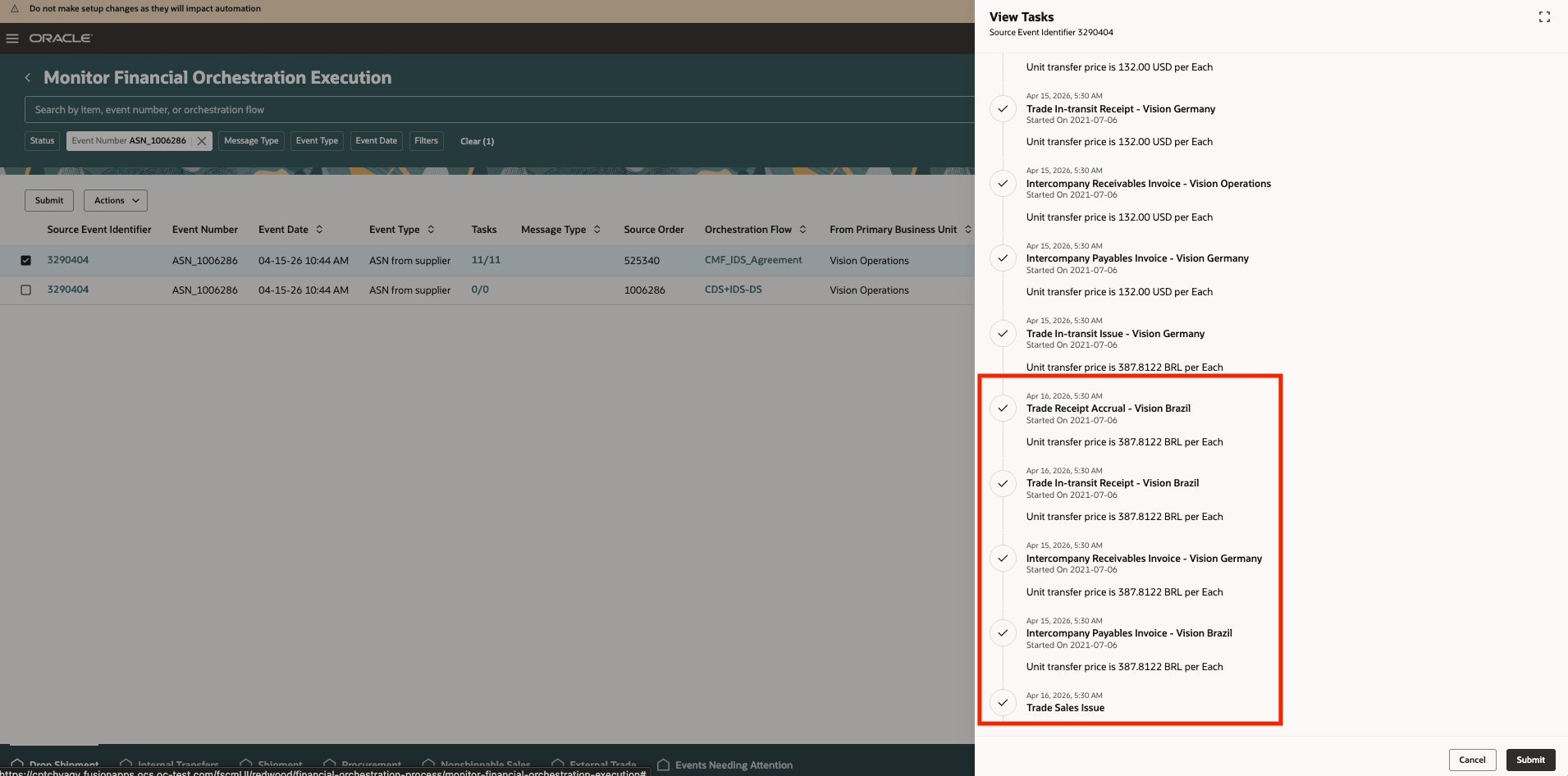
Financial orchestration completes after fiscal document capture
Accounting and SLA Mapping for Brazil Drop Shipment
The captured fiscal-document information and taxes feed the related accounting flows.
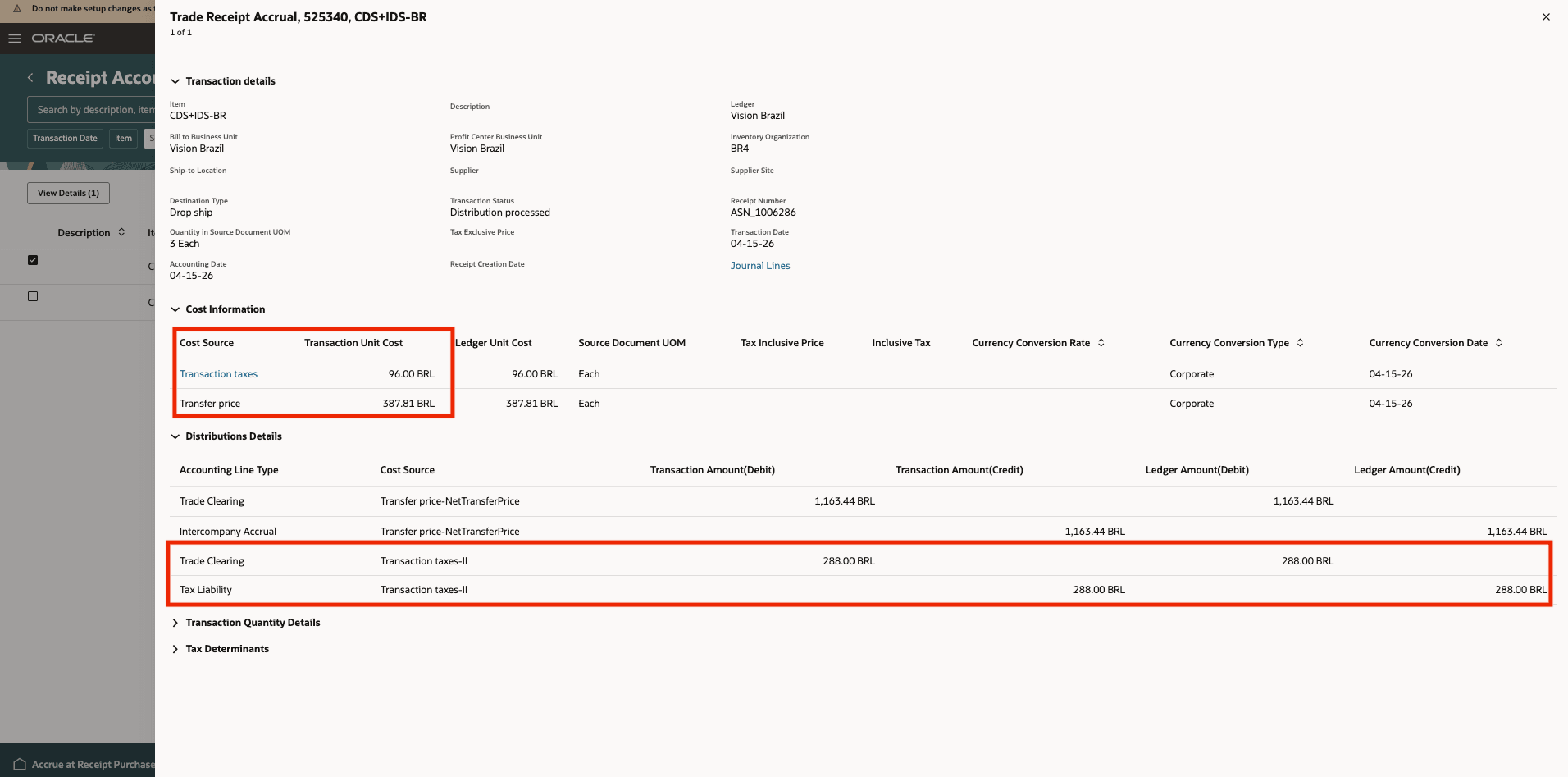
Receipt accrual accounting with fiscal-document tax
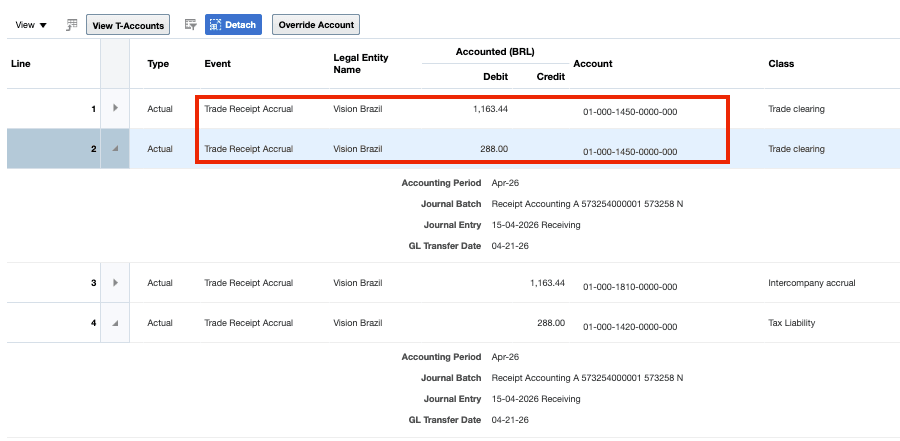
Accounting with new SLA source for fiscal-document context
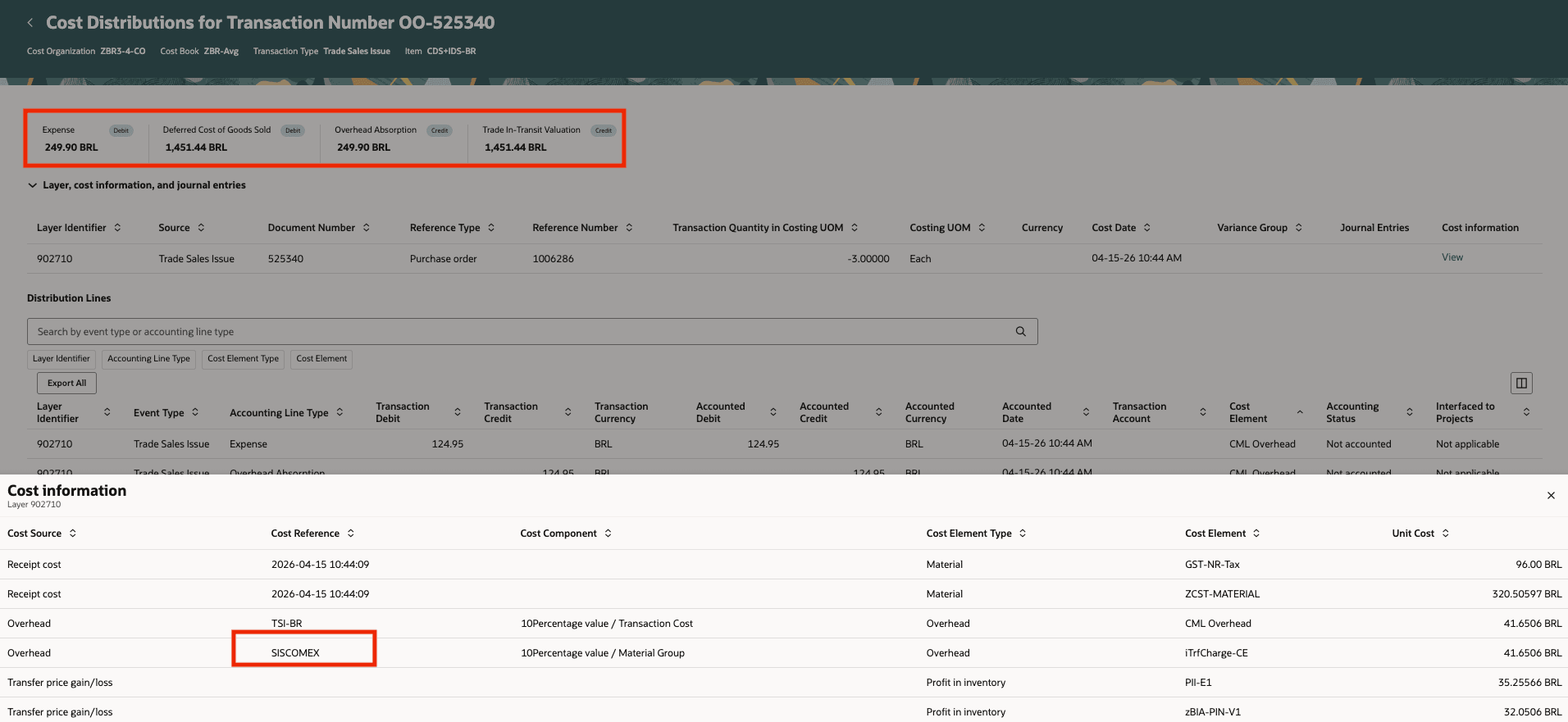
Trade sale issue cost accounting with fiscal-document tax
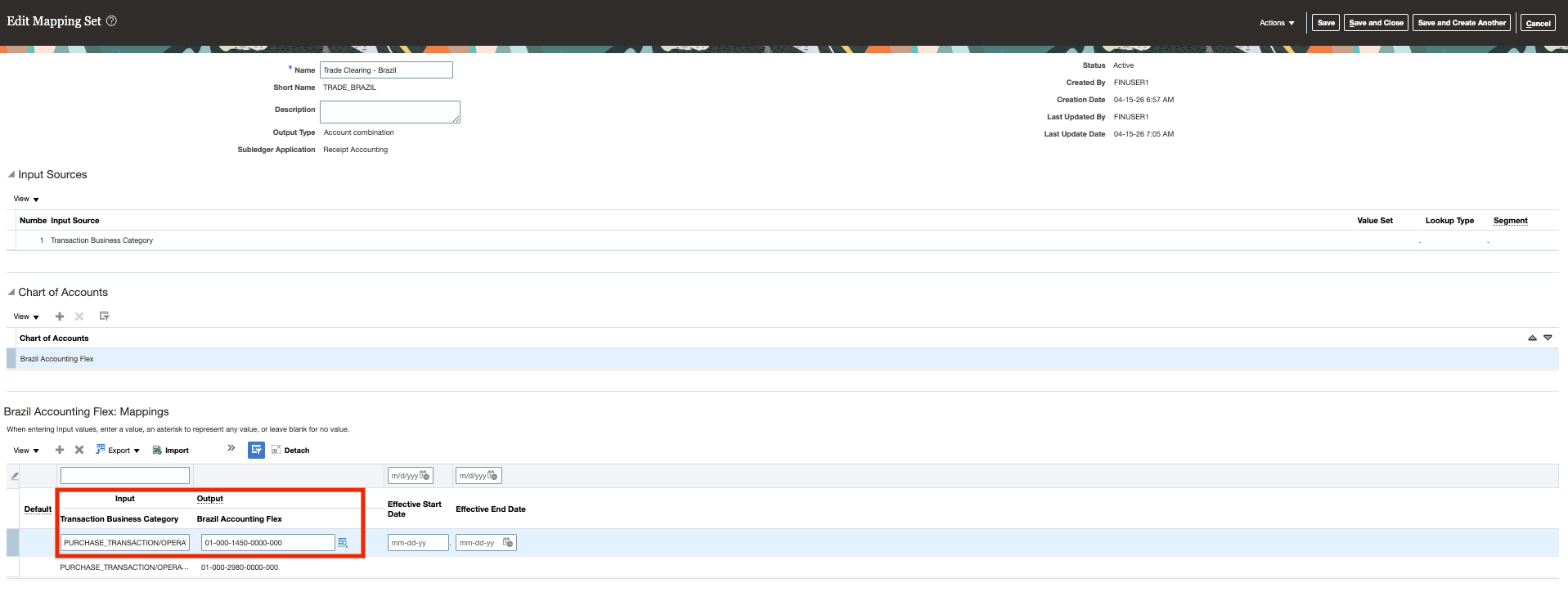
SLA source for inbound CFOP
The business benefit is better compliance and more accurate costing for Brazil intercompany drop shipments. Organizations can delay financial orchestration until the correct fiscal document is available, include import taxes in downstream accounting, and support import, warehouse-transfer, and customer-sales scenarios with the fiscal data required for local processing.
Steps to enable and configure
Set up a valid financial orchestration flow between the participating business units, enable the 26A shipment-flow hold-control feature, and configure the relevant financial flow agreements for the drop-shipment scenario. Then define the fiscal setup needed for the new import drop-shipment fiscal flow and capture the appropriate fiscal document against the order context.
Tips and considerations
- Taxes are computed from the assessable value reflected on the fiscal document.
- The actual transfer price can differ from the fiscal-document amount; when that happens, the flow can create holds for user review and correction.
- Define a suitable tolerance rule so the system can identify significant price or data-entry differences between the fiscal document and the transfer price.
- Non-recoverable import taxes are included in cost of goods sold, while related charges such as Siscomex can be handled through overhead absorption based on the agreed configuration.
- Sales returns directly to the originating business unit are not in scope for this drop-shipment flow.
Key resources
- Refer to the 26C what's new documents on Enable Hold Control While Processing Trade Events in the Shipment Flow available on the Oracle Release Readiness.
- Oracle Fusion Cloud SCM: Using Fiscal Document Capture, available on the Oracle Help Center.
- Oracle Fusion Cloud SCM: Implementing Manufacturing and Supply Chain Management - Fiscal Document Capture, available on the Oracle Help Center.
- Oracle Fusion Cloud SCM: Using Supply Chain Cost Management guide, available on the Oracle Help Center.
Access requirements
Users who are assigned a configured job role that contains these privileges can access this feature:
- Set Up Fiscal Flows (CMF_FISCAL_FLOWS)
- Manage Fiscal Flows by Web Service (CMF_FISCAL_FLOWS_WEB_SERVICE_PRIV)
- Capture Fiscal Document (CMF_ENTER_FISCAL_DOCUMENT)
- Process Electronic Fiscal Documents (CMF_PROCESS_E_FISCAL_DOCUMENTS)
- Review Fiscal Documents with Exceptions by Web Service (CMF_LANDING_PAGE_SUMMARY_OF_EXCEPTIONS_WEB_SERVICE)
- Record Incoming Fiscal Documents using a Web Service (CMF_ENTER_FISCAL_DOCUMENT_WEB_SERVICE)
- Manage Holds for Fiscal Documents by Web Service (CMF_MANAGE_FISCAL_DOCUMENT_HOLDS_WEB_SERVICE)
- Maintain Supply Chain Financial Orchestration Flow by Web Service (FOS_MAINTAIN_SUPPLY_CHAIN_FINANCIAL_TRADE_AGREEMENT_WEB_SERVICE)
- Manage Supply Chain Financial Orchestration Flow by Web Service (FOS_MANAGE_SUPPLY_CHAIN_FINANCIAL_TRADE_AGREEMENT_WEB_SERVICE)
- Manage Financial Orchestration Qualifiers by Web Service (FOS_MANAGE_QUALIFIER_WEB_SERVICE)
- Manage Transfer Pricing Rules (FOS_MANAGE_TRANSFER_PRICING_RULES)
- Maintain Transfer Pricing Rules (FOS_MAINTAIN_TRANSFER_PRICING_RULES)
- Create Cost Accounting Distributions (CST_CREATE_COST_DISTRIBUTIONS)
- Create Receipt Accounting Distributions (CMR_CREATE_RECEIPT_ACCOUNTING_DISTRIBUTIONS)
- Review Receipt Accounting Distributions (CMR_REVIEW_RECEIPT_ACCOUNTING_DISTRIBUTIONS)
- Review Receipt Accounting Distributions by Web Service (CMR_REVIEW_RECEIPT_ACCOUNTING_DISTRIBUTIONS_WEB_SERVICE)