AI Agent: Transfer Price Advisor - Calculate Transfer Price for Configured Items
The Intercompany Transfer Price AI Agent was initially introduced to support plain items. With this update, the agent is enhanced to support configured items as well, completing the capability across all items. This enhancement helps users estimate transfer price earlier in the fulfillment process and use the same agent experience for more item types.
You now have configured item support. This means the Intercompany Transfer Price AI Agent can include all items present in a configured item including both parent and child items, provided the item is shippable.
The agent uses the shippable items only to calculate transfer price and gross margin when requested.
Here's how it behaves:
- The agent shows all items present in the configured item structure.
- The agent uses the shippable items only for transfer price and gross margin calculations.
- Role-based controls continue to apply. Shipping users see transfer prices by default, while profitability and gross margin are shown only on explicit request and when privileges permit.
- The agent can continue to validate the calculation against the organization’s transfer pricing policy document.
It can:
- Calculate transfer price for a sales order number.
- Calculate transfer price for sales order details.
- Request gross margin together with transfer price, when authorized.
- Request an email with transfer price and gross margin details, when configured.
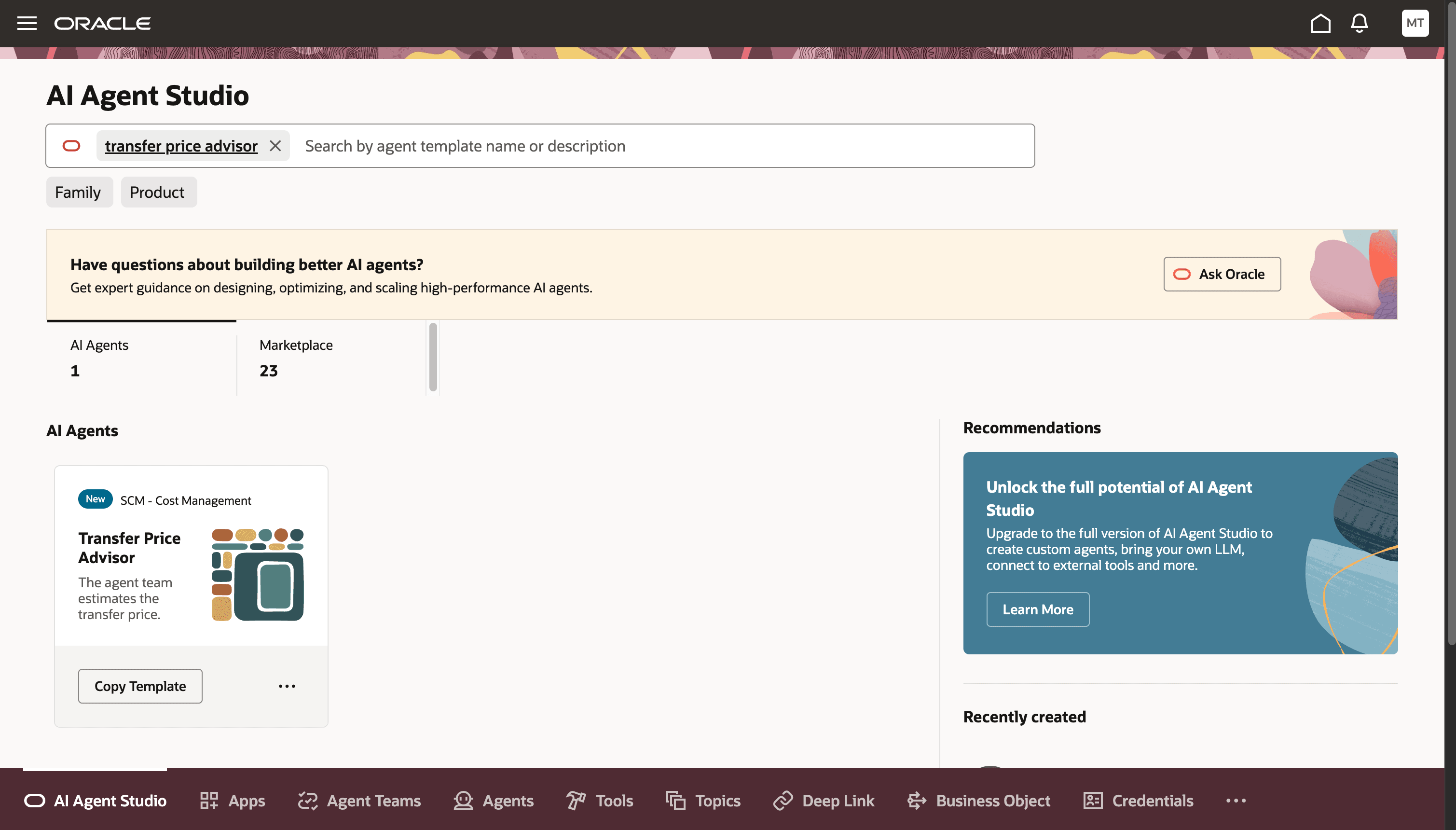
Transfer Price Advisor Template
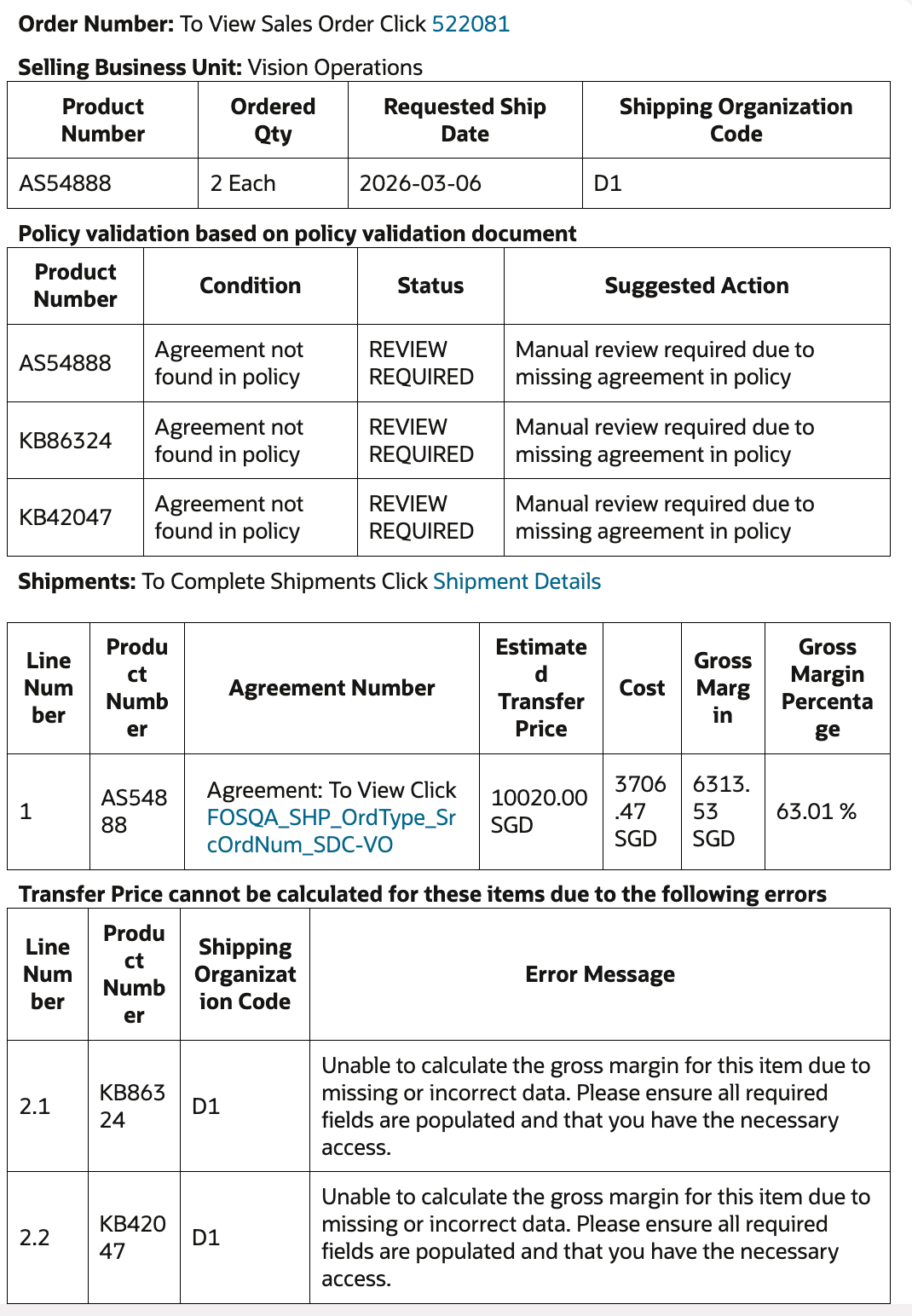
Email Template on Completion of Transfer Price Estimate
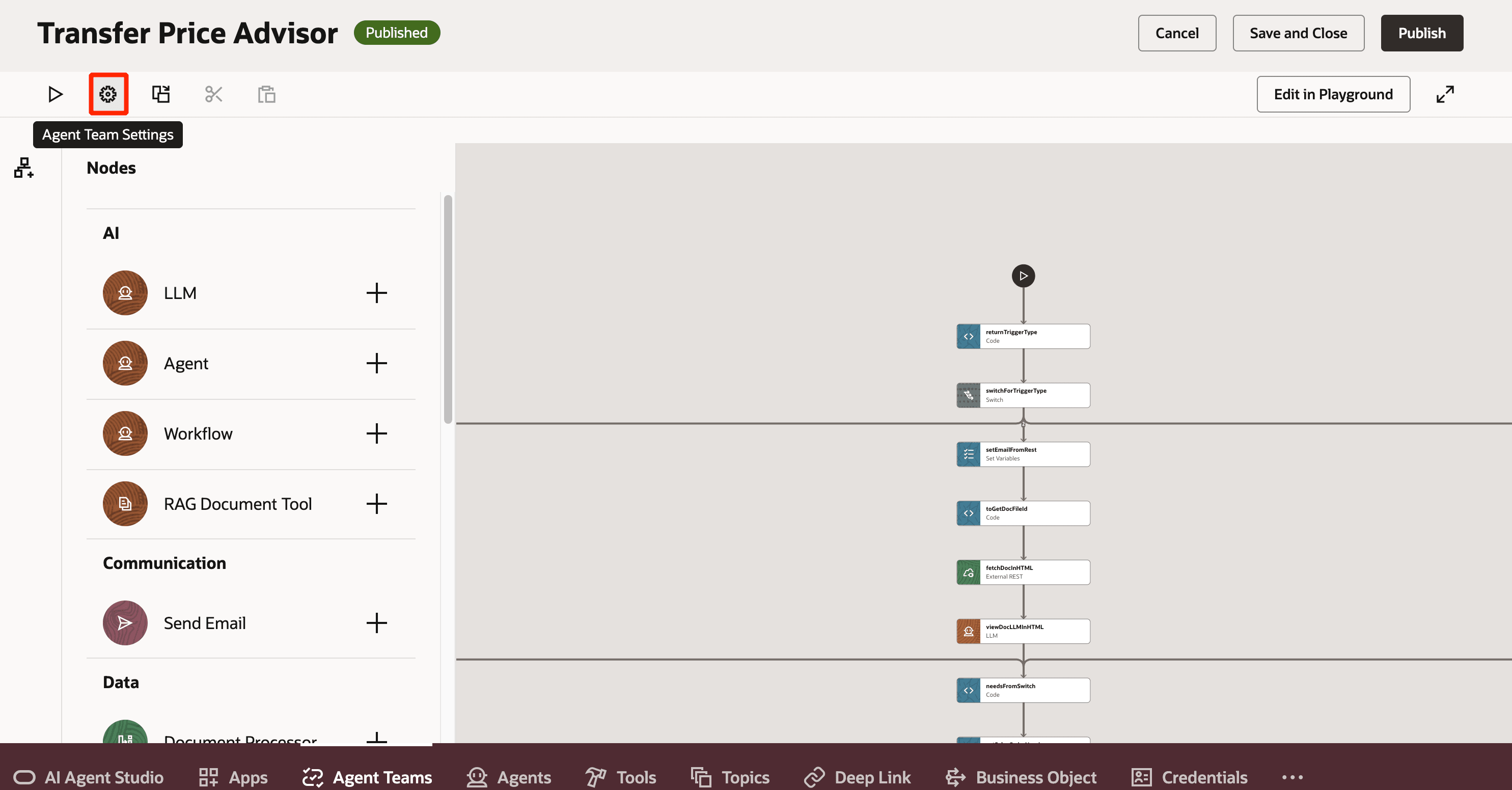
Agent Team Settings to Set Email Trigger
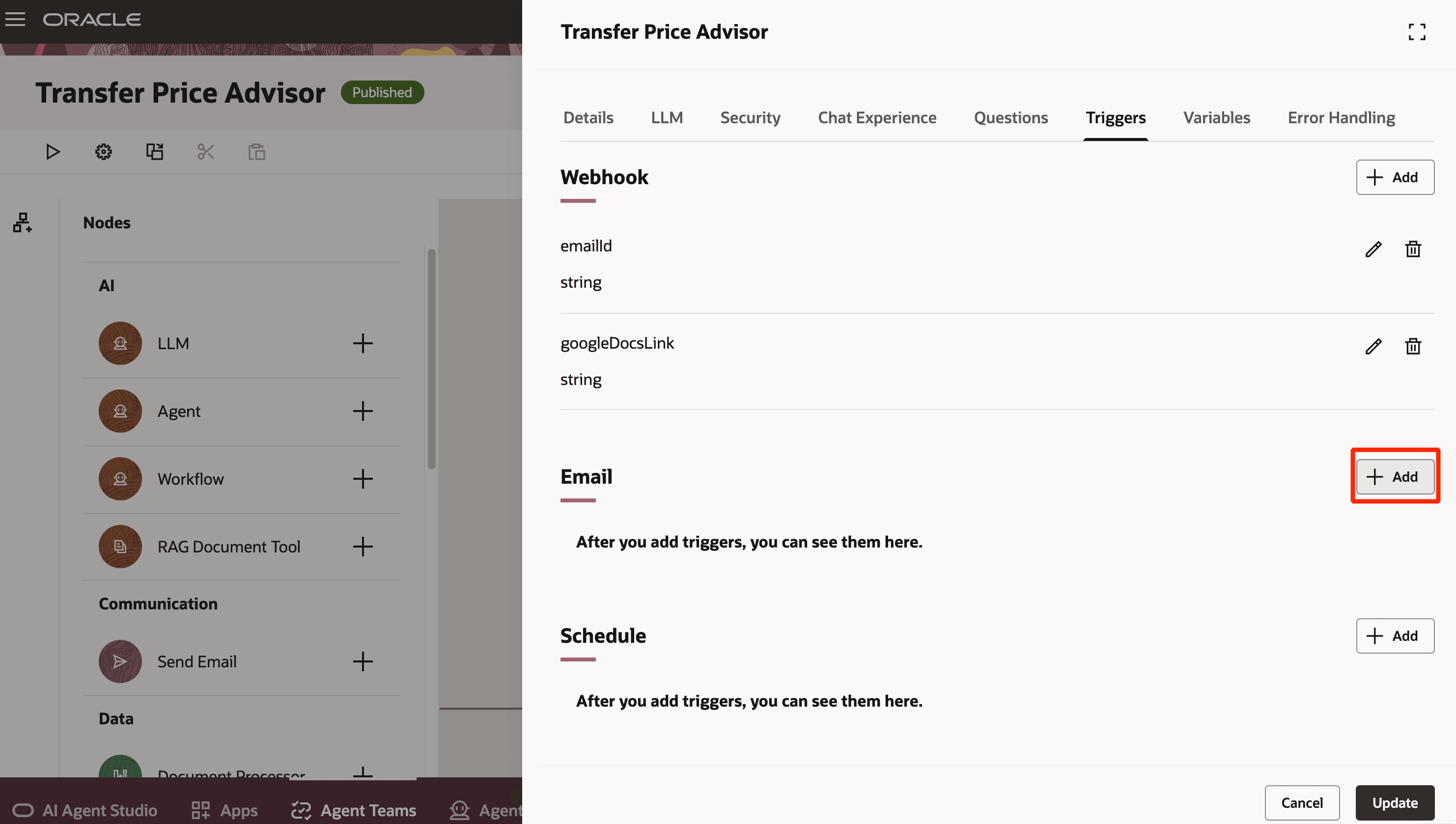
Adding Email Trigger
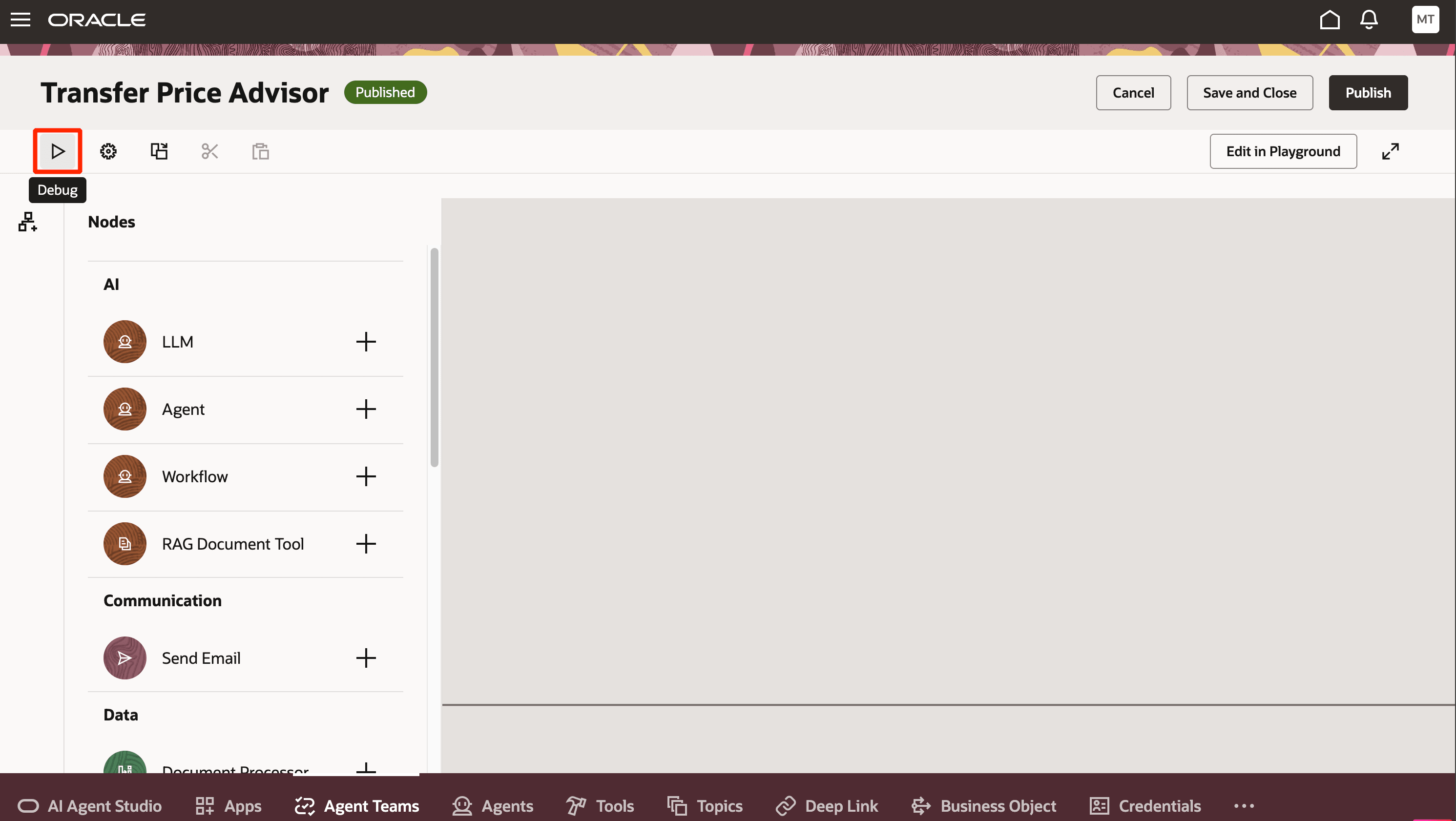
Running Agent Using the Debug Option
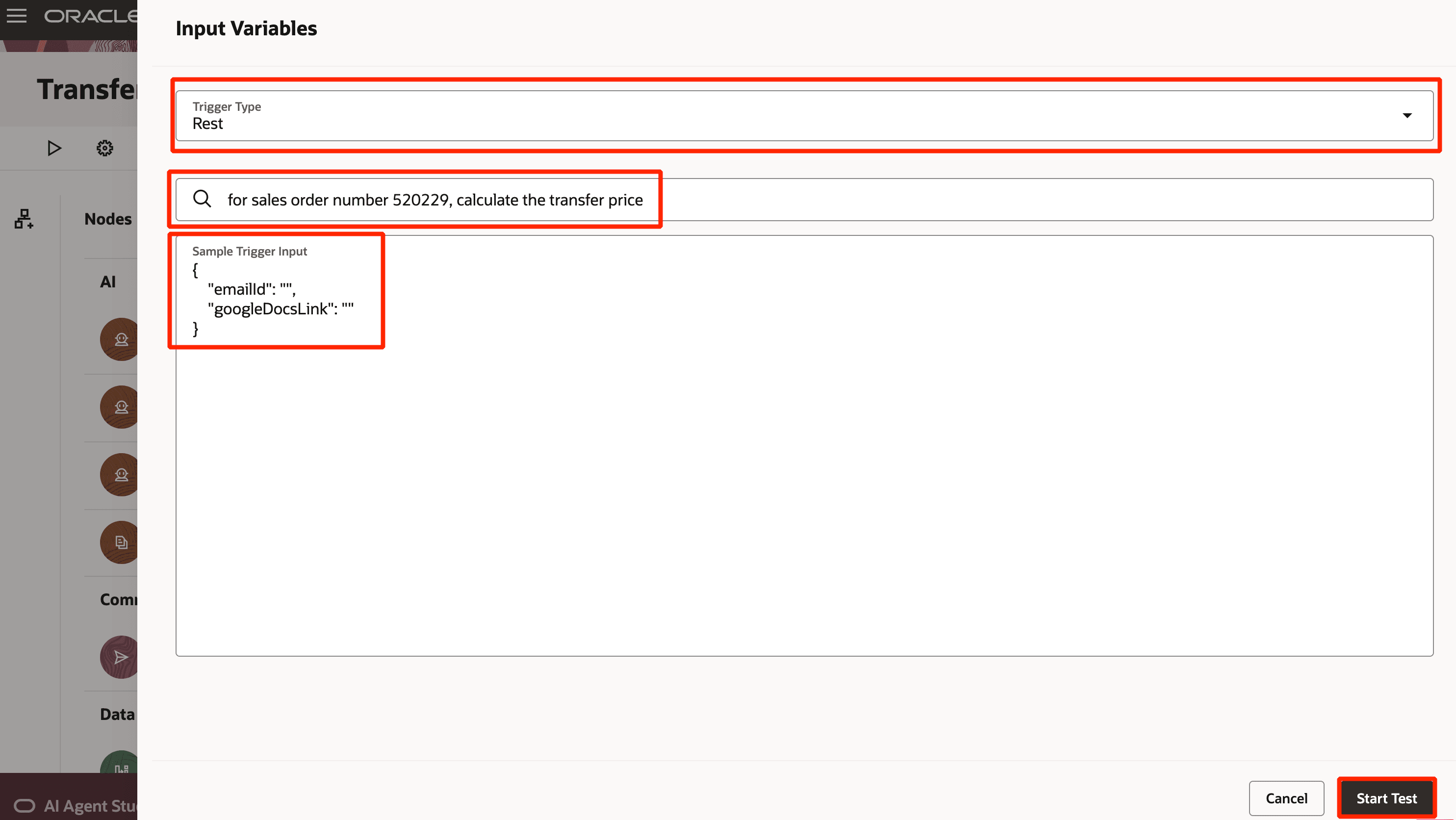
Run Agent Through Chat Interface
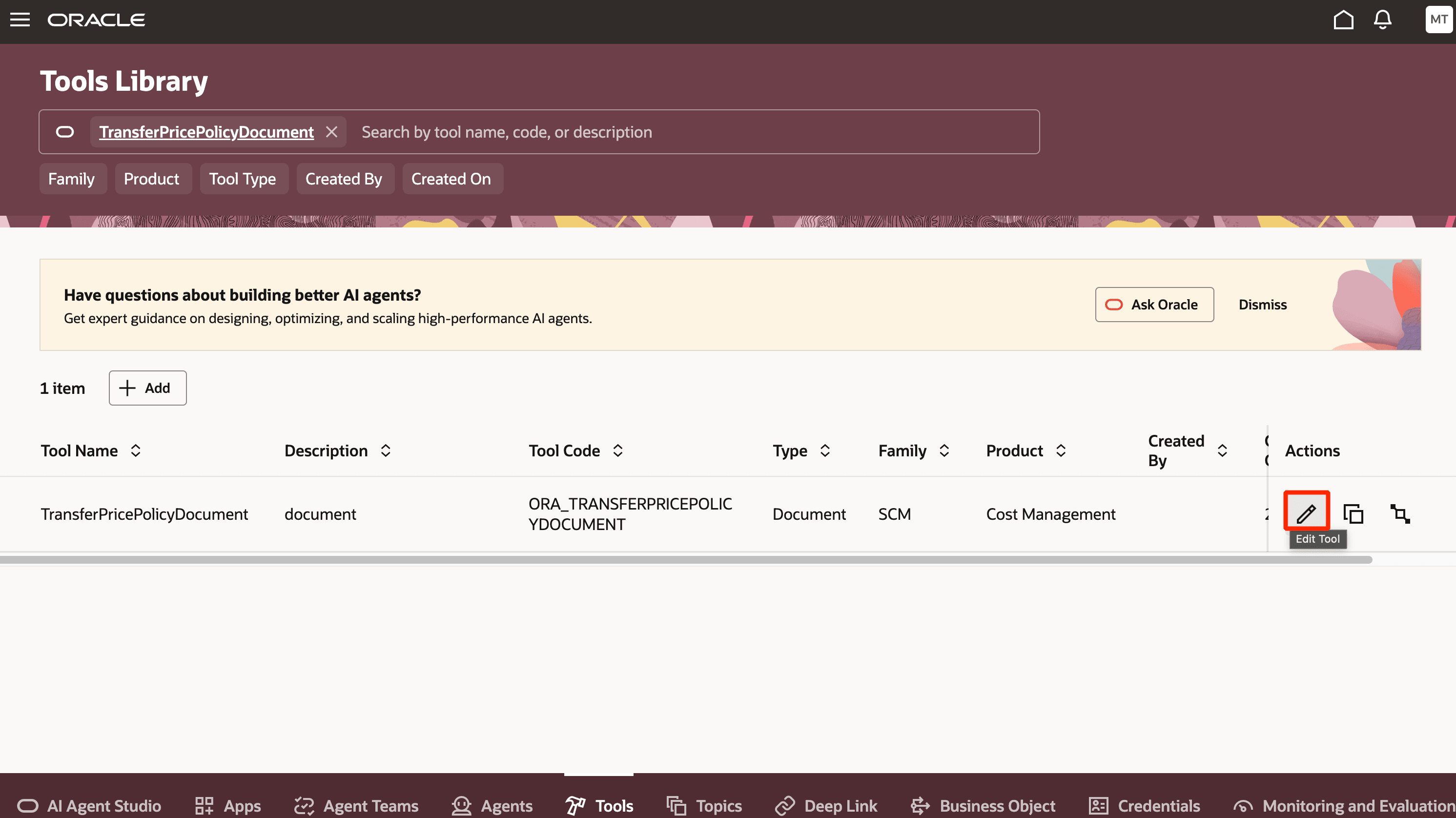
Viewing TransferPricePolicyDocument Tool
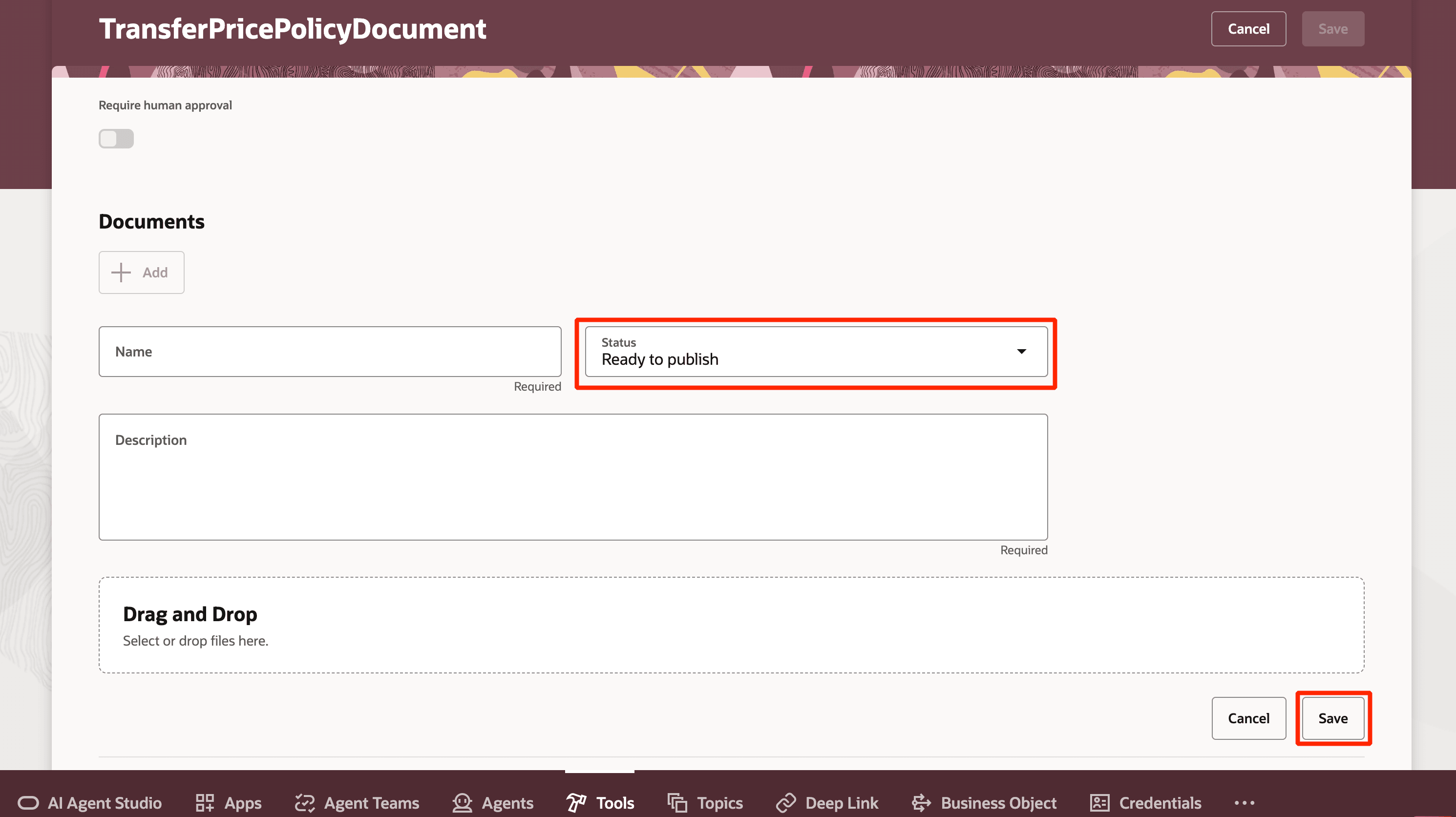
Uploading a Document Ready to Publish
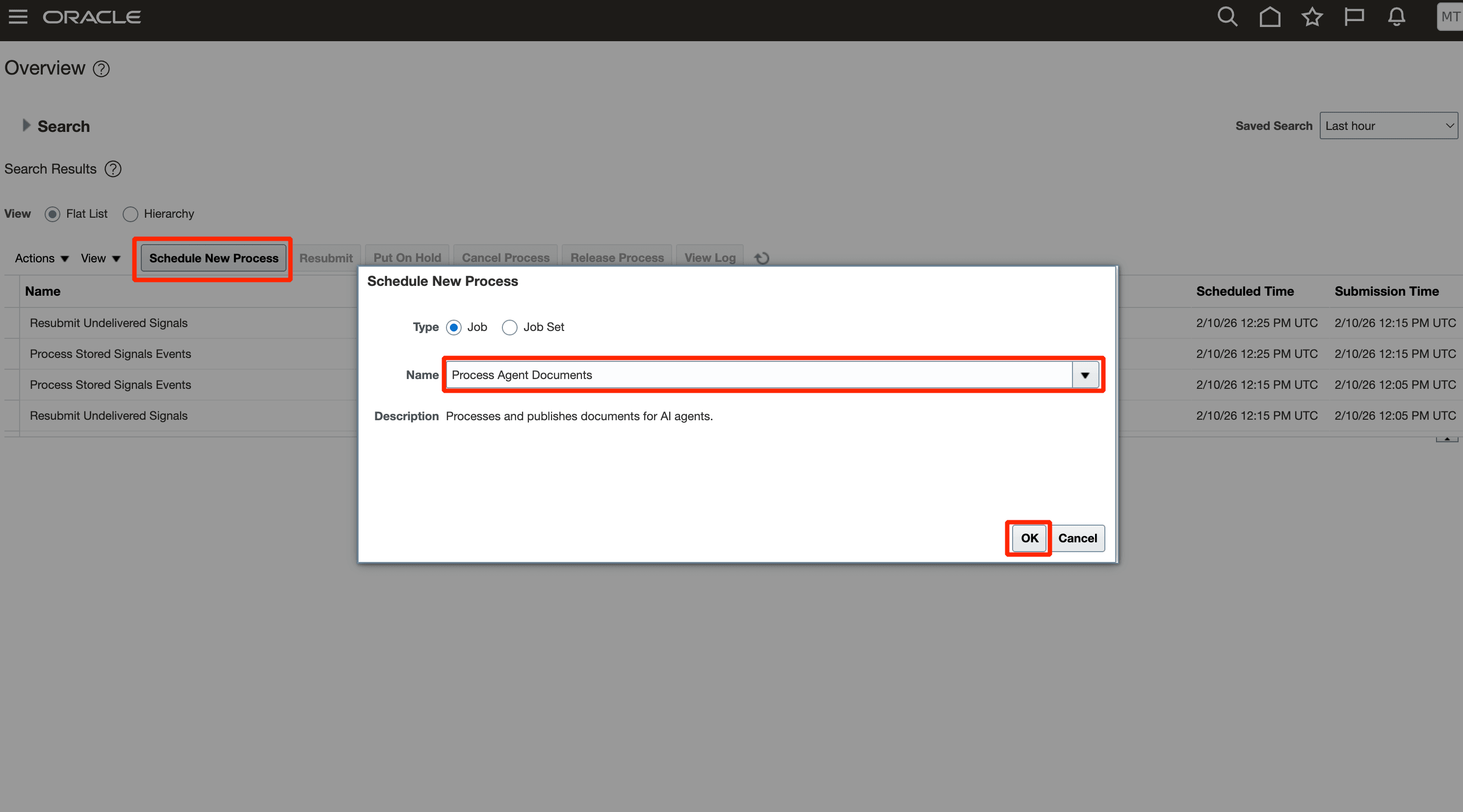
Running the Process Agent Documents Task
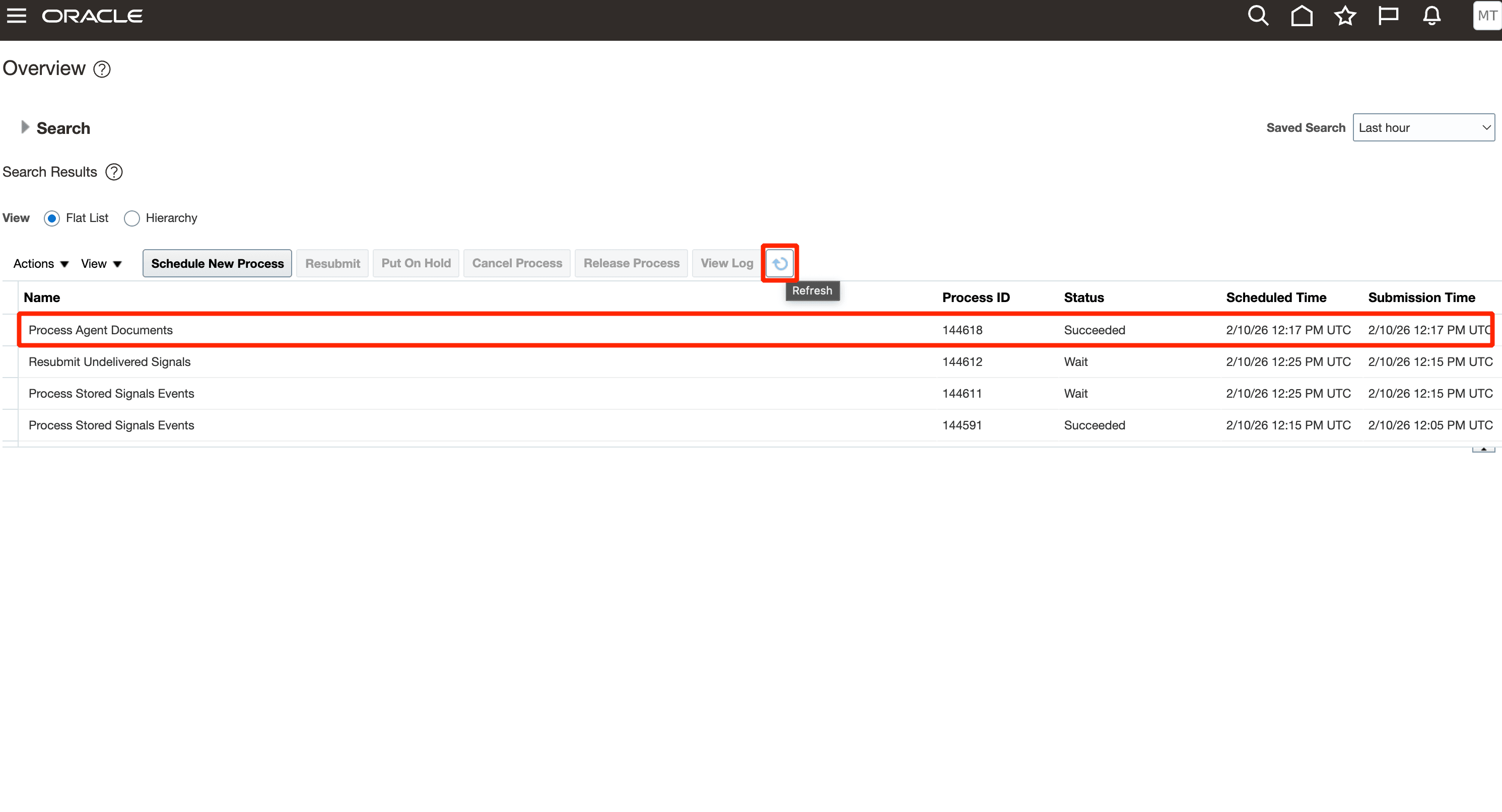
Check for Task Status
- Extends the capability to configured items along with plain items, thereby completing support for all items.
- Helps users validate transfer pricing before shipment.
- Reduces manual coordination and late stage corrections by bringing transfer price intelligence into the operational flow.
- Supports profitability analysis when gross margin is requested and permitted.
Steps to enable and configure
Use the same AI Agent Studio setup and document publishing steps shown for the agent in earlier releases. No additional configured item-specific setup steps are provided in the source beyond the existing agent and document configuration.
1. Create an email account in AI Agent Studio from the Credentials tab.
- Select Add Account and select the email provider.
- Select Inbound and enter the account details like Account Name, Email Address, Email Folder, Pooling Interval, Description, Tenant Id, Client Id, and Client Secret.
- Select Create.
2. Copy the agent template in AI Agent Studio.
- Search for Transfer Price Advisor by Agent Team Name, Family, Product, or Created By.
- Select Copy Template.
- Provide a valid suffix and select Continue.
- Open Agent Team Settings. On the Triggers tab, add the Email trigger and select the email account created earlier.
3. Configure the document used for transfer price validation.
- Go to Tools and search for the organization-specific document reference. For example, TransferPricePolicyDocument.
- Edit the tool and upload the document in PDF format only.
- Set the document status to Ready to publish and select Save.
- Run the Process Agent Documents ESS job and confirm that the status is Succeeded.
- Return to Tools and confirm that the document status is Published.
Tips and considerations
- Once the agent accesses an email, it automatically marks the email as read.
- Transfer price estimation for complex items such as PTO, ATO, or kits is also supported.
- Configured item support applies only to shippable items in the configured item structure.
Key resources
- Oracle Fusion Cloud SCM: Using Cost Management guide, available on the Oracle Help Center.
- Oracle Fusion Cloud SCM: Implementing Manufacturing and Supply Chain Materials Management guide, available on the Oracle Help Center.
- Oracle Fusion Cloud SCM: Security Reference for Manufacturing and Supply Chain Materials Management guide, available on the Oracle Help Center.
- Access Requirements for AI Agent Studio
- How can I give users access to AI agents?
- Create AI Agents
Access requirements
To access Oracle AI Agent Studio for Fusion Applications and manage SCM AI agents, users must be assigned a configured job role that contains these duty roles:
- SCM Intelligent Agent Management Duty (ORA_RCS_SCM_AI_AGENT_MANAGEMENT_DUTY and ORA_RCS_SCM_AI_AGENT_MANAGEMENT_DUTY_HCM – both duty role codes are required)
- Fai Genai Agent SCM Administrator Duty (ORA_DR_FAI_GENERATIVE_AI_AGENT_SCM_ADMINISTRATOR_DUTY)
To interact with AI agents in product pages, users must be assigned a configured job role that contains this duty role:
- Fai Genai Agent Runtime Duty (ORA_DR_FAI_GENERATIVE_AI_AGENT_RUNTIME_DUTY)
Users’ configured job roles must also contain privileges that allow access to the pages where AI agents are enabled.
- Get Financial Orchestration Transfer Price by Service (FOS_GET_TRANSFER_PRICE)
- Get Internal Transfer Requesting Organization Price (FOS_INTERNAL_TRANSFER_TRADE_AGREEMENT_SERVICE_GET_REQUESTOR_ORG_PRICE)
- View Supply Chain Financial Orchestration Flow by Web Service (FOS_VIEW_SUPPLY_CHAIN_FINANCIAL_TRADE_AGREEMENT_WEB_SERVICE)