 Redwood: Capture Service Estimate Approvals
Manage Service Estimate Approvals
Use this feature to submit service estimates for internal approval and route them to the appropriate approvers using a configurable approval workflow. Service Logistics organizations can use this approval process to review estimates before they’re approved for further processing.
The approval process starts from the Estimates search list, where users can find the estimate that needs review and open the estimate details.
Search List
Users can search for and select the service estimate that they want to submit for approval.
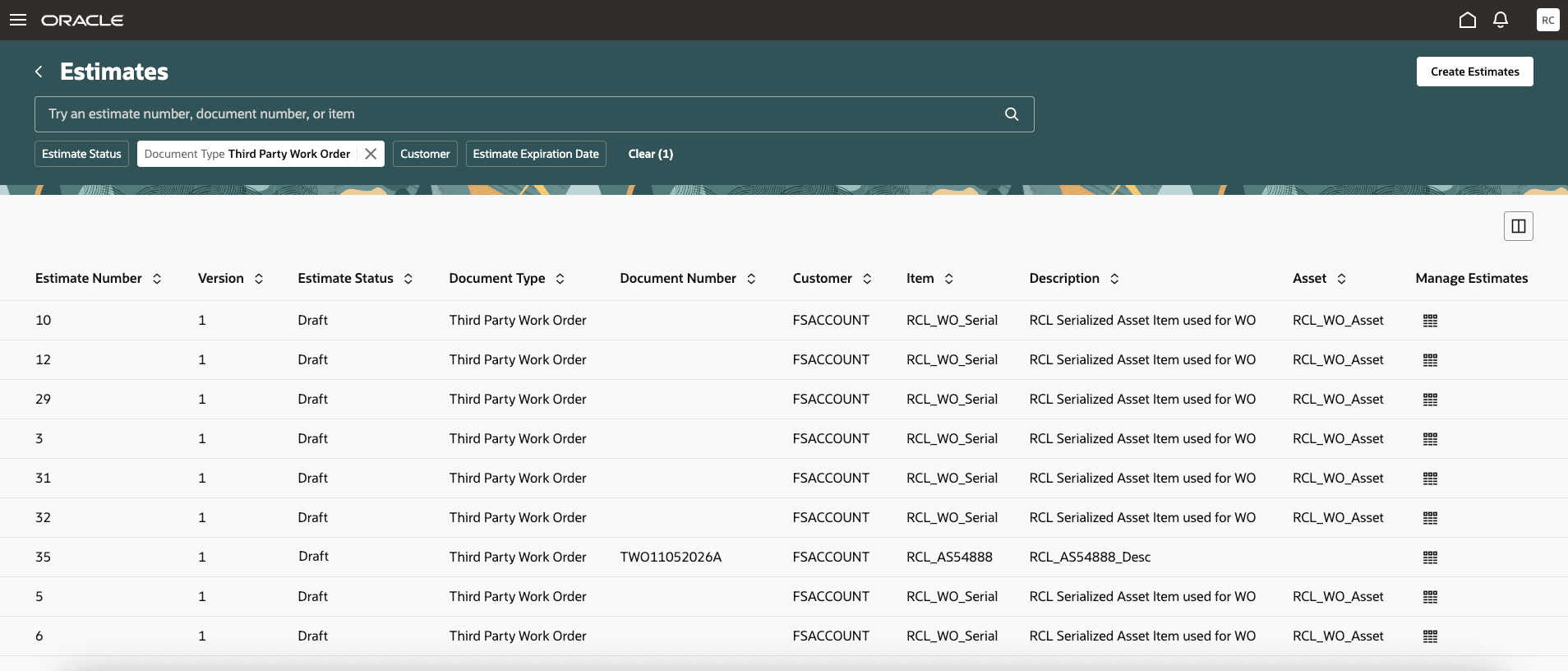
Estimates Search List - Draft
Submit for Approval
From the Estimate Details page, users can submit the estimate for approval using the Submit for Approval action. This action is available when the Estimates Approval task is configured. When the user submits the estimate, the approval workflow is initiated and the estimate status is updated to Pending Approval.
Users can submit an eligible estimate for approval directly from the Estimate Details page. After submission, the workflow sends an approval notification to the approver configured in the approval rules. The notification includes key estimate information, such as estimate number, estimate description, customer, estimate total, business unit, document details, item, asset, and expiration date.
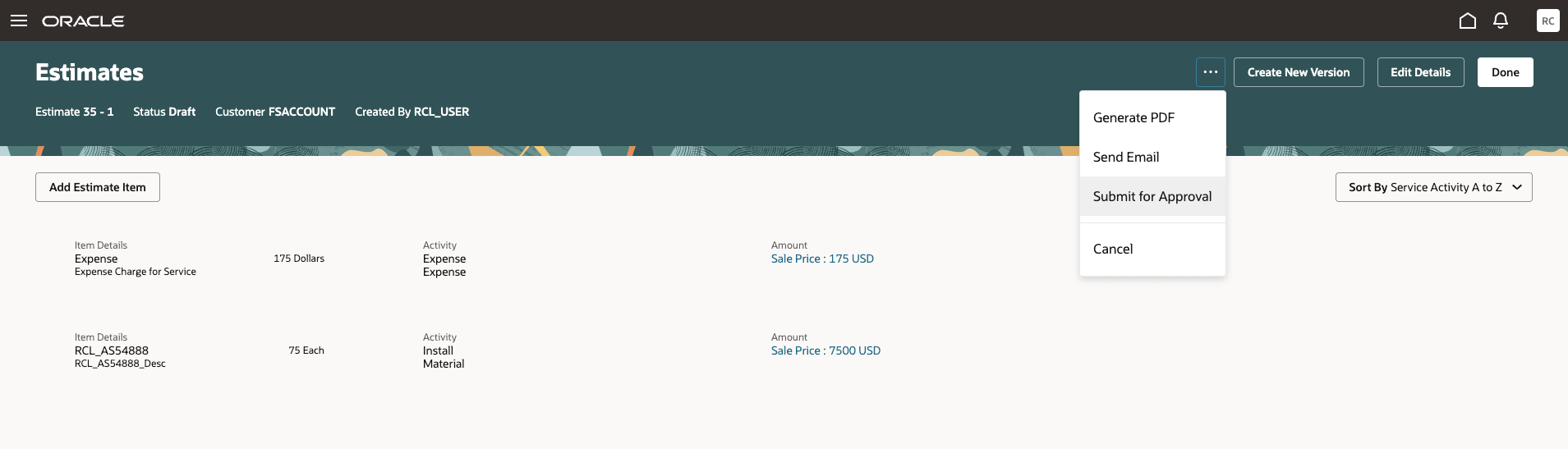
Submit Estimate for Approval
Notifications
Approvers receive a notification with the estimate details required to review the approval request.
Approvers can open the notification to review the estimate information and take the appropriate action. The notification provides actions to approve the estimate or reject it. A View Details link is available to open the Estimate Details page for additional review.
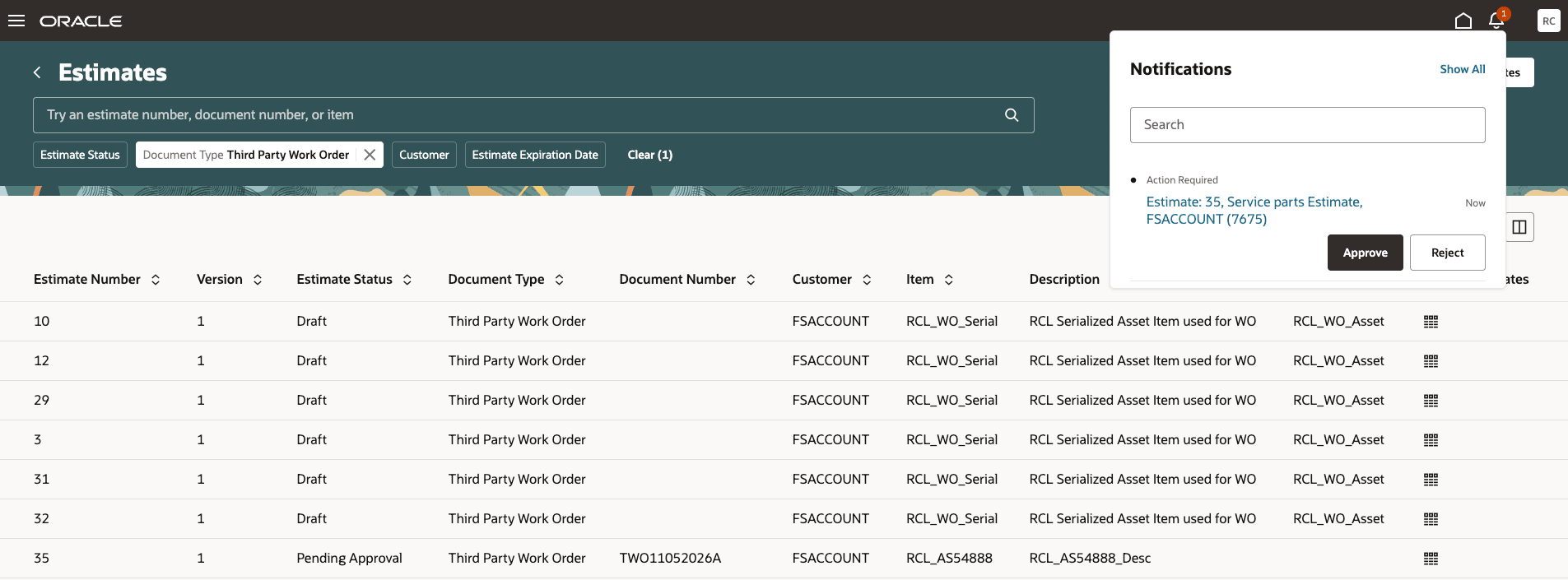
Notification for Approver
View Notification
Approvers can review the estimate approval request and access the Estimate Details page from the notification.
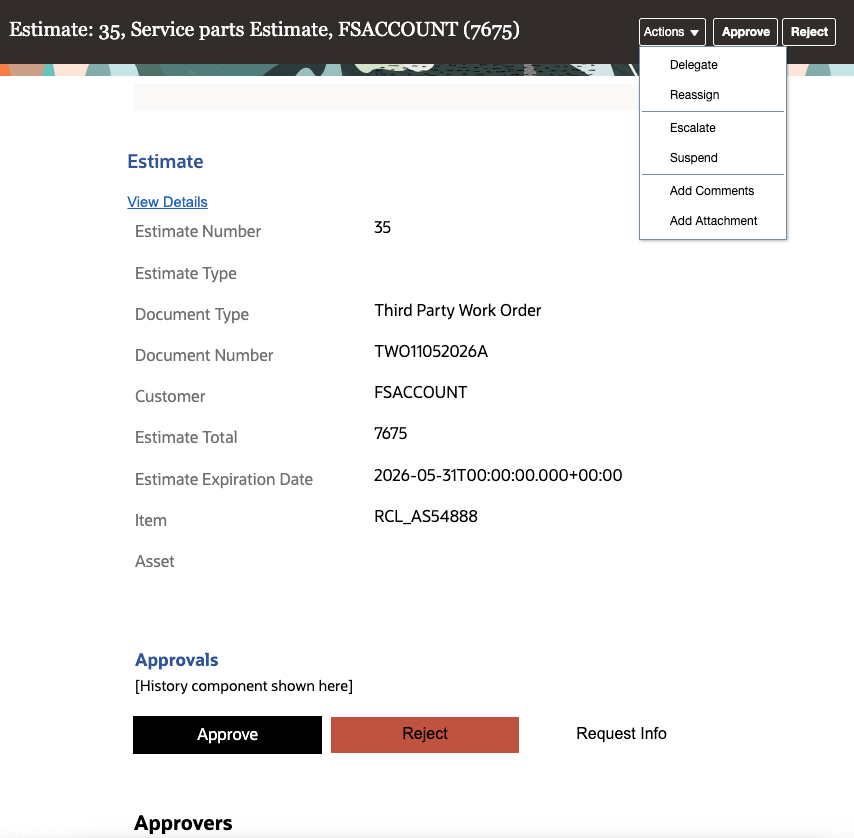
Notification to Approver
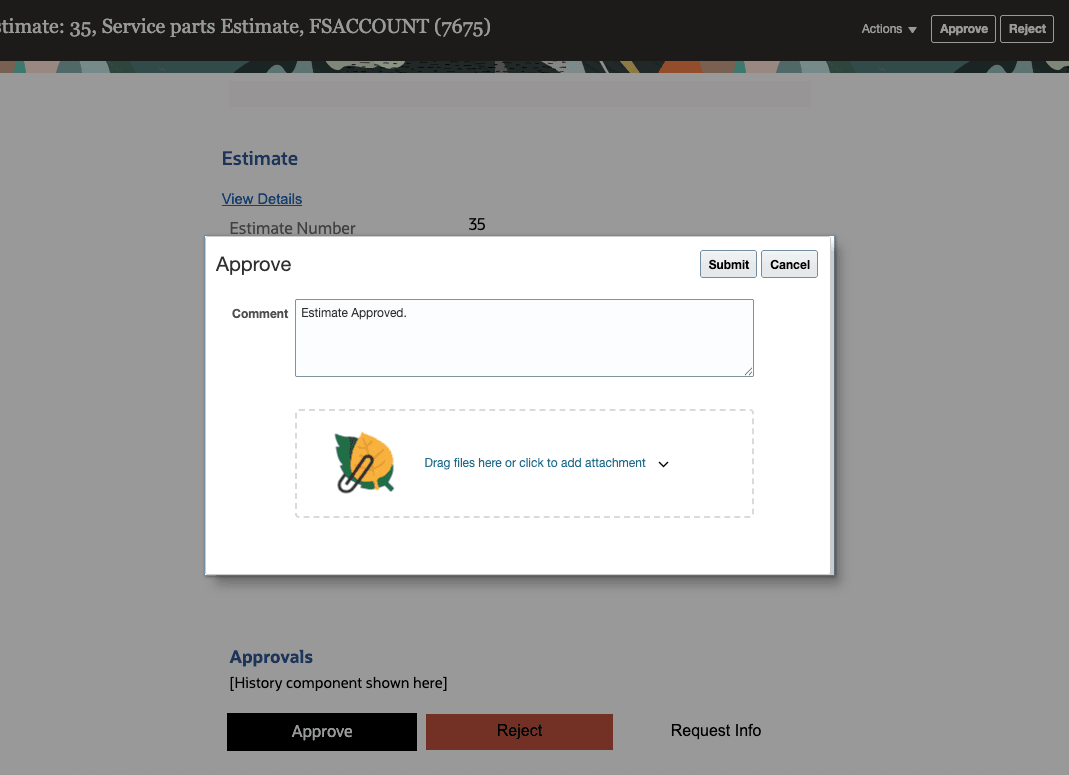
Approval With Comments
Approve Estimate
When the approver approves the estimate, the approval decision is captured by the workflow and the estimate status is updated as part of the approval process. If the estimate is pending approval, the Estimate Details page is displayed in read-only mode so users can’t change the estimate while it’s being reviewed.
Approvers can approve the estimate from the approval notification, and the estimate is updated through the approval workflow.
This feature gives service teams a controlled and consistent way to submit, review, and approve service estimates before the estimate is finalized.
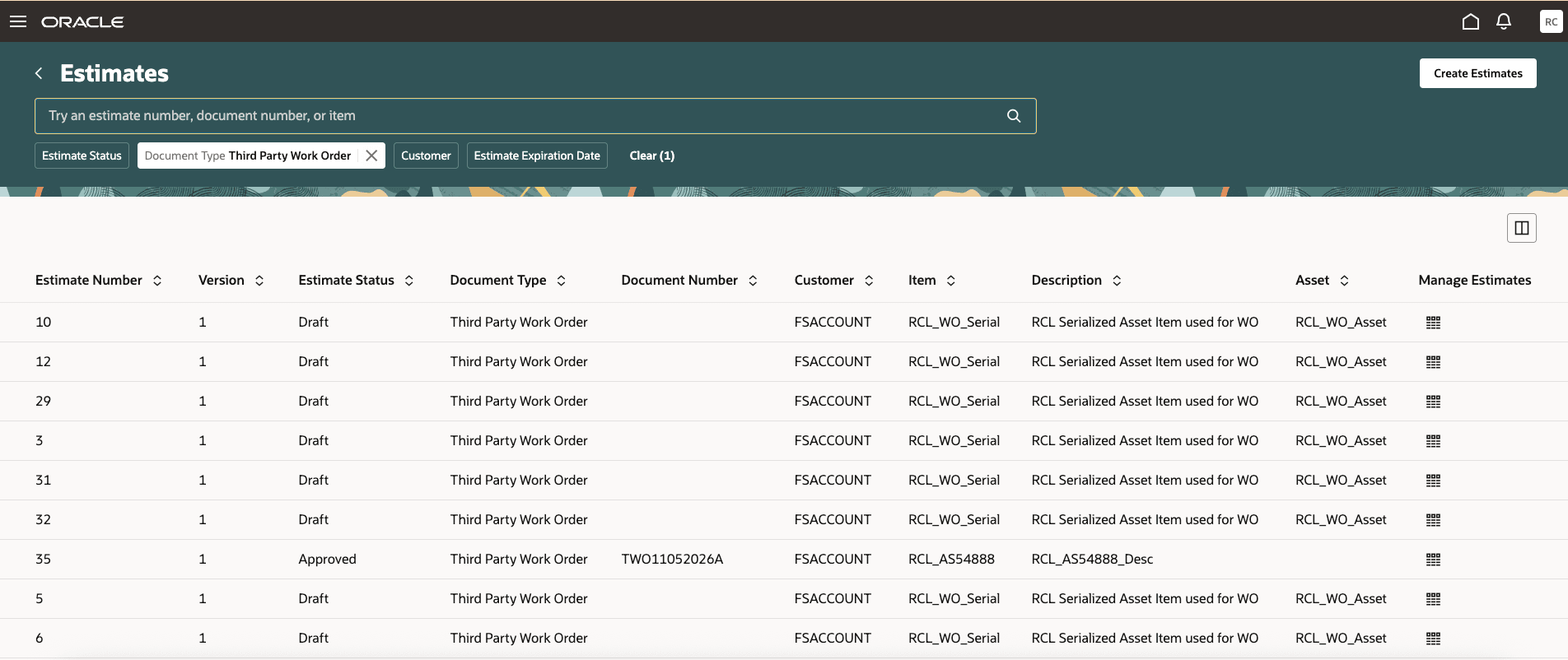
Estimate Approved
This feature gives service logistics teams a simple way to review and approve estimates before they are finalized. Approvers can see the key estimate details, take action from the notification, and help ensure that estimates are approved through the right process.
It also helps prevent changes while an estimate is waiting for approval, so the estimate being reviewed stays consistent during the approval cycle
Steps to enable and configure
To enable approval process below steps has to be followed and configured:
1. Enable Estimate Approval Process in Service Logistics Setup and maintenance.
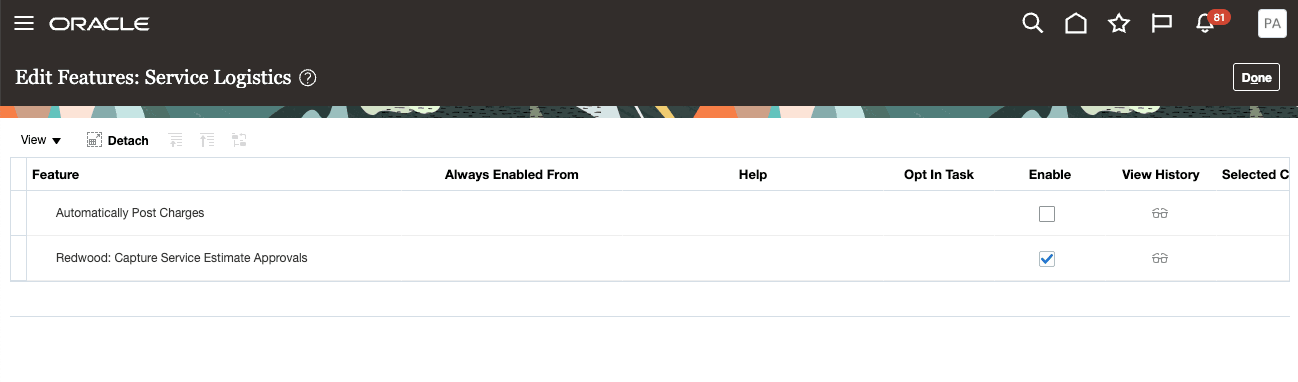
Service Logistics >> Change Feature Selection >> Redwood: Capture Service Estimate Approvals
2. Service Logistics Estimates Approval process should be configured in the HCM Approval Rules UI, check for Estimate approval process and configure rule.
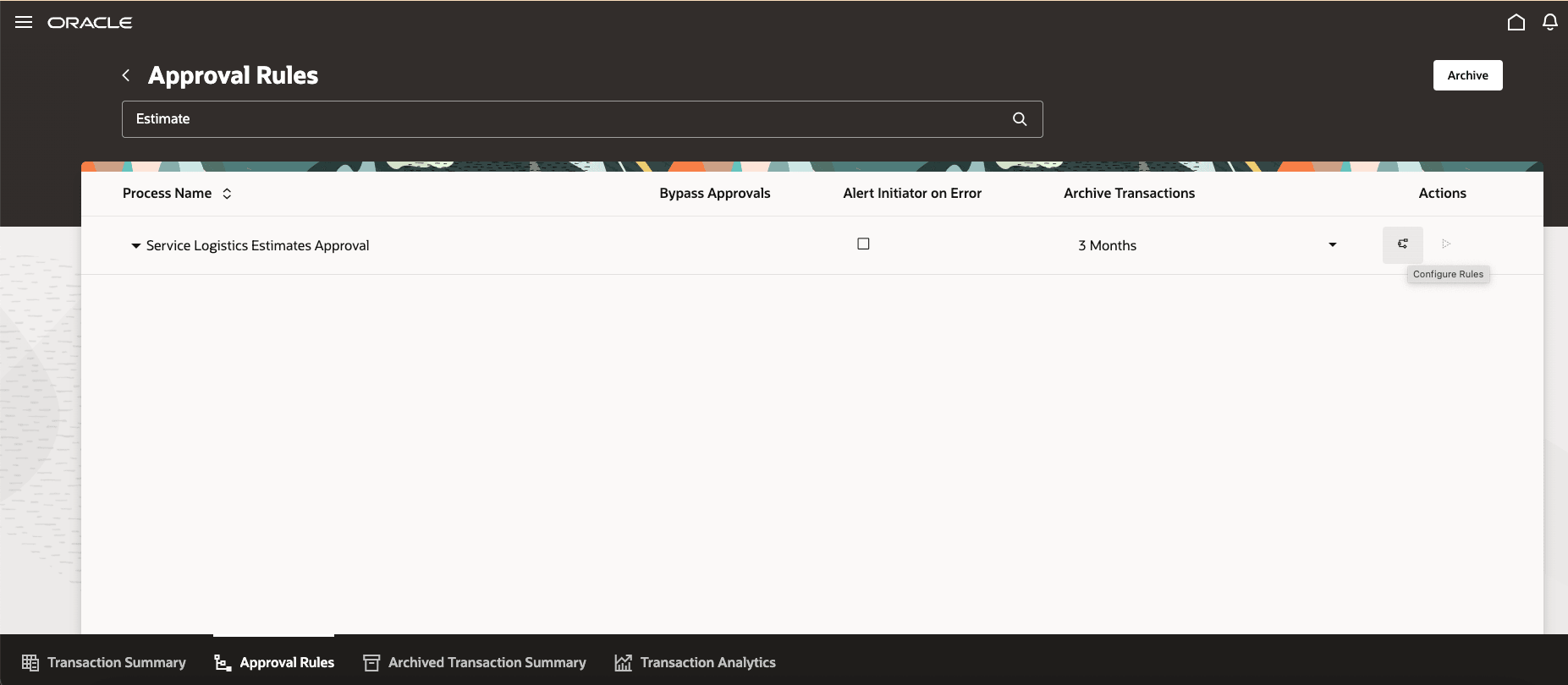
HCM Workflow for Service Logistics Estimates Approval
Note: The rule configuration can also be done from BPM task list.
Tips and considerations
- The Submit for Approval action is available only when estimate approvals are configured.
- After an estimate is submitted, its status changes to Pending Approval.
- While an estimate is pending approval, users can view it but cannot edit estimate.
- Approvers can approve or reject from the notification.
Access requirements
This feature is available in the Redwood Service Logistics user experience.
To access the Estimates page, users must have the required estimate access privileges and the ORA_RCL_ESTIMATES_REDWOOD_ENABLED profile option must be enabled.
Users assigned to roles such as Field Service Administrator, Depot Repair Manager, or Field Service Technician can create and submit estimates for approval when their roles include the Manage Estimates by Service privilege (RCL_MANAGE_ESTIMATES_BY_SERVICE_PRIV).
Users assigned roles with approval privileges can view estimate approval notifications and take approval actions, such as approving or rejecting an estimate.