 Redwood: Support Credit Card Payment Method
Service Logistics now supports the credit card payment method for service work order charges.
Your customers can now pay for field service work order charges with a credit card. In the Work Order Charges header, you can select the payment method as On Account or Credit Card as shown in the following screenshot.
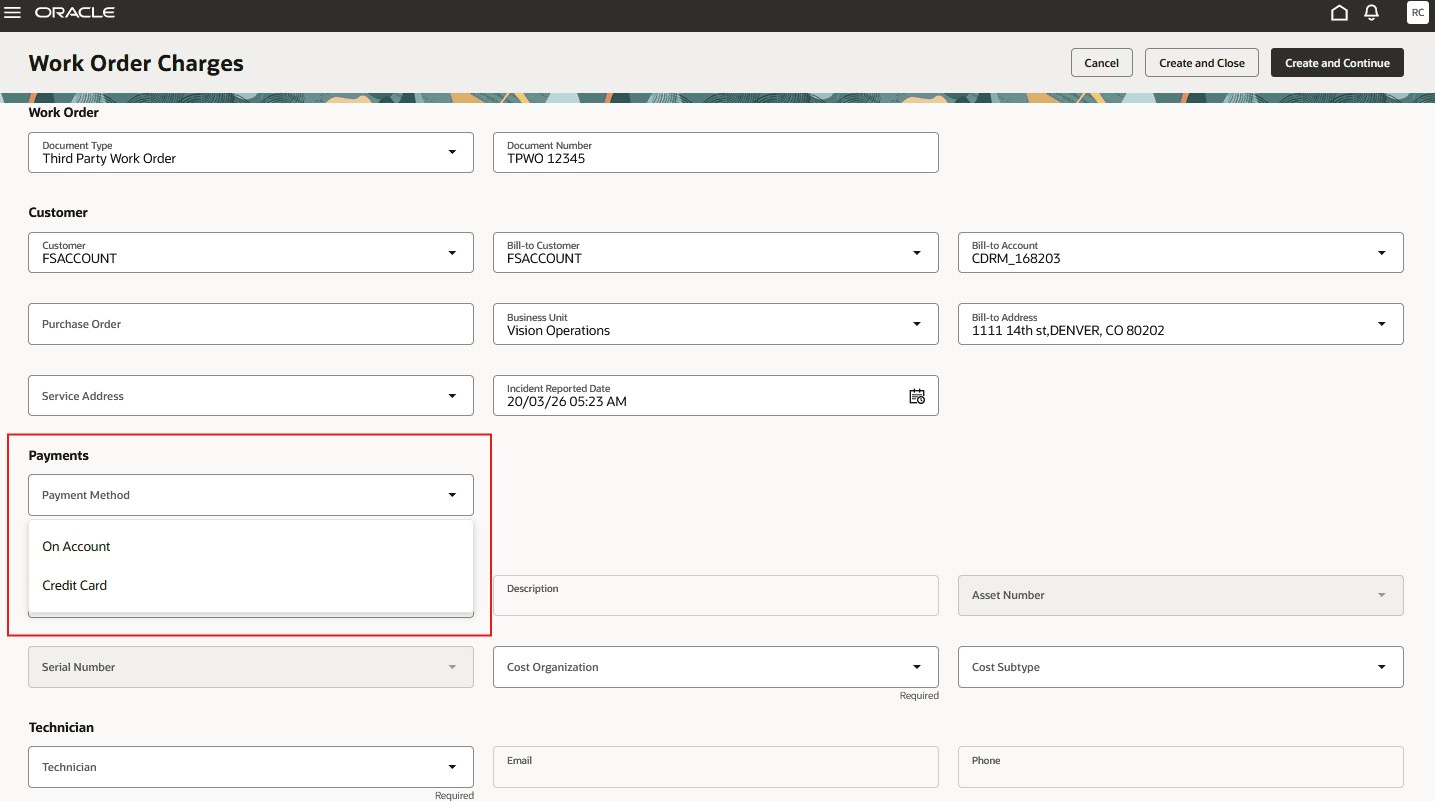
Charges Payment Method
When you select Credit Card as the payment method, the Credit Card drawer automatically opens so you can select one of the customer's credit card on file or add a new one.
Credit Card Drawer
The Credit Card LOV lists all credit card numbers associated with the bill-to address.
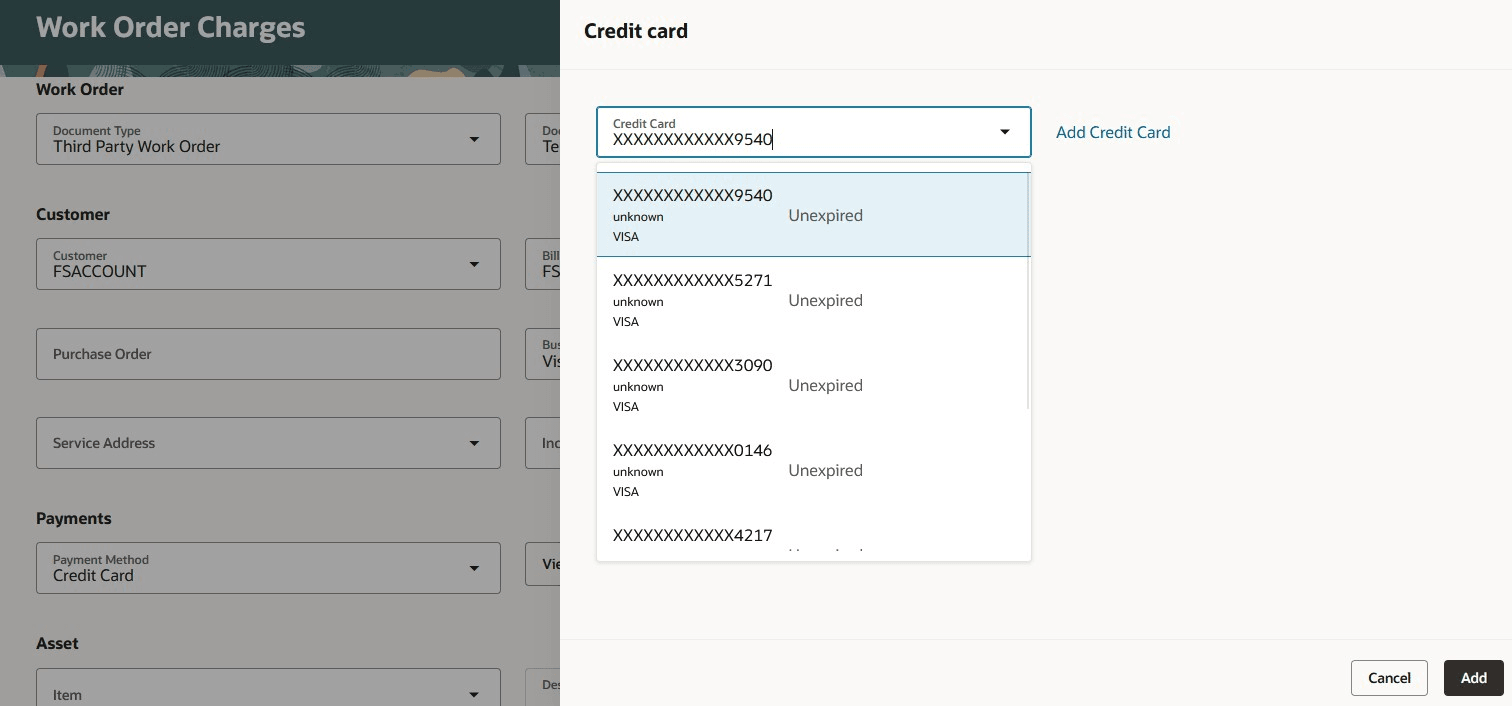
Credit Card LOV
Select the View Credit Card button next to Payment Method to open the Credit card drawer, where you can view and edit the credit card number.
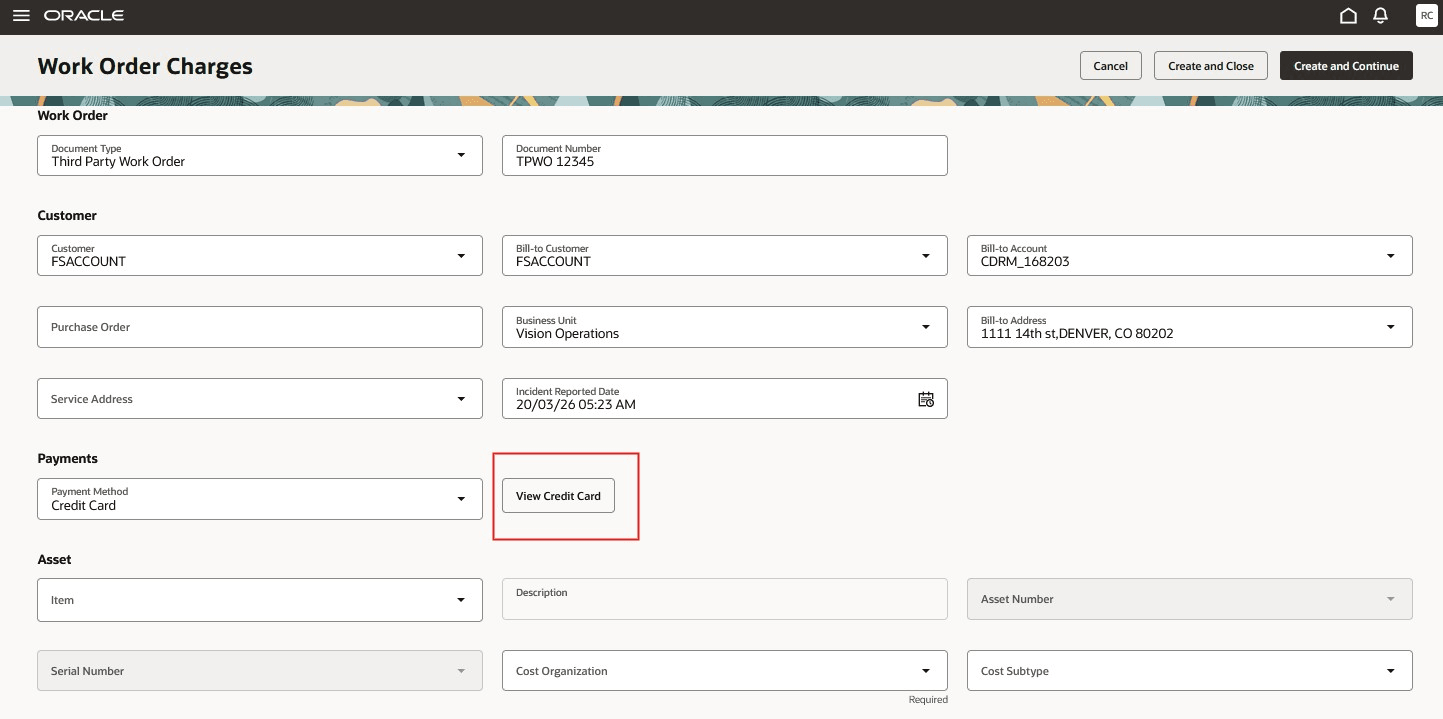
View Credit Card Button
When you post the charges to create the bill-only sales order, the selected credit card is authorized for the total or additional charge amount. This authorization and credit card are added to the bill-only sales order. The credit card will actually be charged when the invoice is created in Accounts Receivable.
Allowing your customers pay with credit card provides better customer service and eliminates the need to collect payment for invoices.
Steps to enable and configure
To enable credit card authorization, you must perform the following:
1) Create and enable the profile RCL_ENABLE_CARD_PAYMENT and set it to Y at the site level.
2) Enable REST API Access for the RCL_ENABLE_CARD_PAYMENT profile. To access a custom profile via REST, you must add it to the Authenticated User Profile Option Values category.
- In Setup and Maintenance, search for the Manage Profile Categories task.
- Search for the category code: ORA_FND_AUTH_REST_ACCESS.
- In the Profile Options section of this category, click Add (+).
- Search for and select your newly created custom profile option.
- Click Save and Close.
Key resources
See the Order Management 26B What's New for details on how to setup and configure Order Management credit card functionality:
Access requirements
Duty Roles
In a future release, Payments (IBY) will seed the duty roles listed below to enable viewing/capturing credit card info. These duty roles use permission sets and secured views instead of privileges. You will need to assign them to your configured job roles.
These duty roles will be added to the seeded Service Logistics Depot Repair Manager and Field Service Administrator job roles.
- ORA_DR_IBY_CUSTOMER_PAYER_CREDIT_CARD_MANAGEMENT_DUTY (Customer Payer Credit Card Management Duty)
- ORA_DR_IBY_CUSTOMER_PAYER_TXN_EXTENSION_MANAGEMENT_DUTY (Customer Payer Transaction Extension Management Duty)
Until the new duty roles listed above are available, you will need to create them and assign them to their configured job roles. These duty roles should not have the same names as the ones to be seeded by Payments (IBY) previously listed. See the Order Management 26C What's New for details on how to set up these duty roles.
You will need to add the following duty role to your configured job roles in order to create credit cards and perform authorizations.
- ORA_IBY_CUSTOMER_PAYMENT_INSTRUMENT_MANAGEMENT_DUTY
- IBY_SET_FUNDS_CAPTURE_TRANSACTION_EXTENSION_DETAILS_PRIV
Data Security
You need to create a Data Security Policy for your configured job roles to provide access to the reference data set which enables the Credit Card LOV in the Credit card drawer.
Username: User
Role: Job Role
Security Context: Reference Data Set
Security Context Value: Reference Data Set Value