Redwood: Enable the Maintenance Work Order Cost Task
You now have a quick action on the Maintenance Management landing page to get a direct access to the new Maintenance Work Order Cost page. Here's a screenshot that shows the link to the Maintenance Work Orders Cost page from Actions menu.
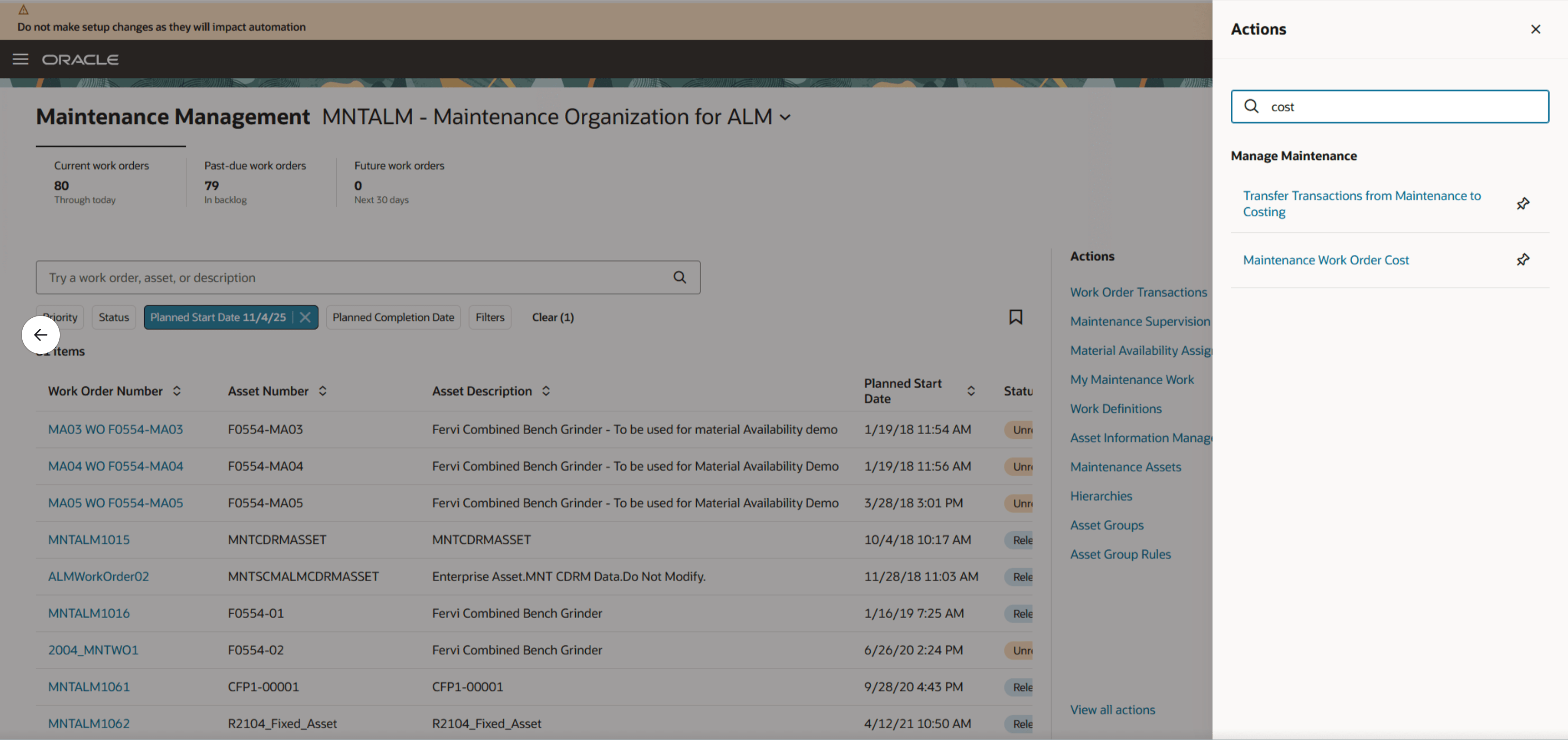
A Quick Link to the Maintenance Work Order Cost Page from Maintenance Management landing page
This feature lets you review a summary of work order costs that include details such as work order number, status, cost book, plant, item, asset, and more, as shown in the screenshot here. You get these details for all work orders within your accessible cost organizations and plants.
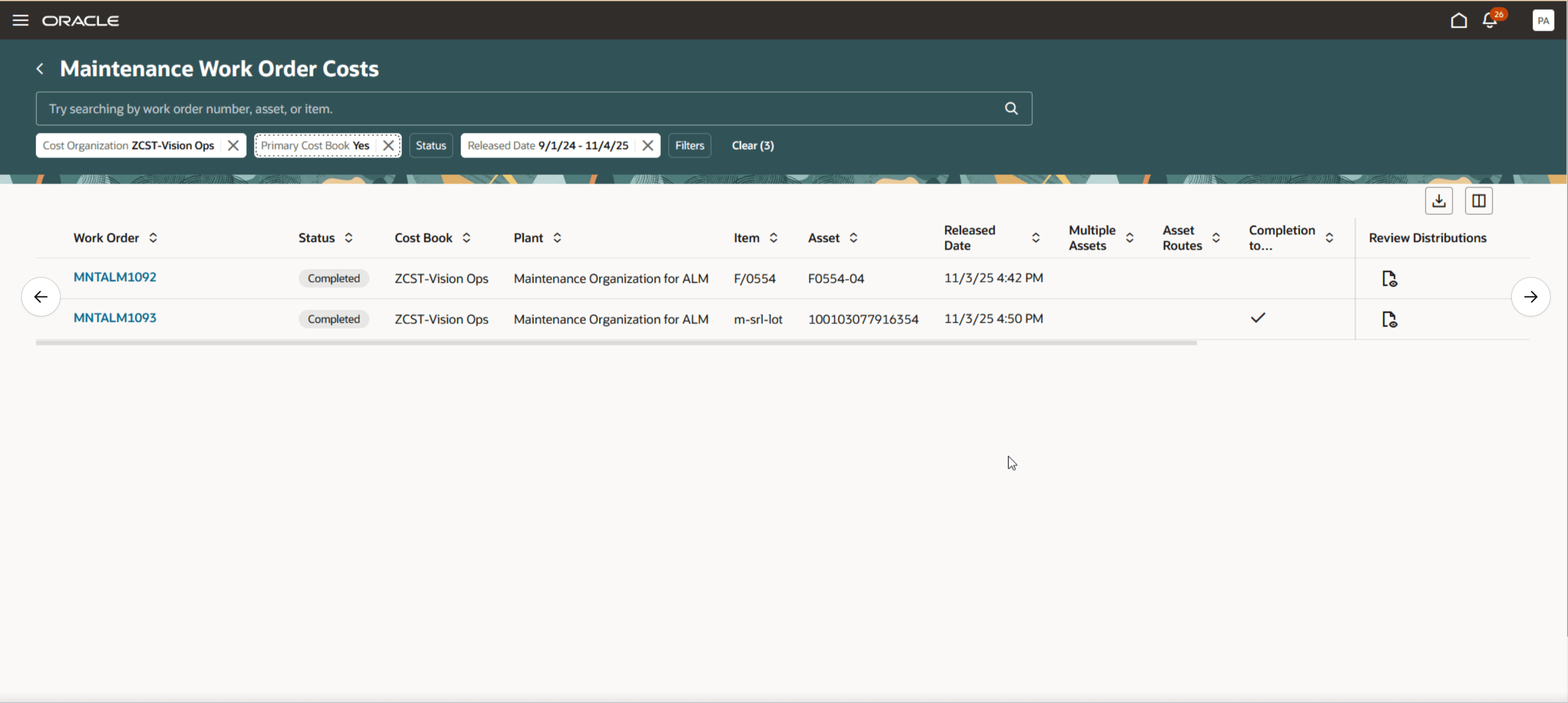
Maintenance Work Order Costs Page with Work Order Cost Details
When you select a work order, you can review a detailed breakdown of input costs and cost distributions. You can further refine your analysis using advanced filters and smart search to quickly find data by operation, item, resource, or cost element.
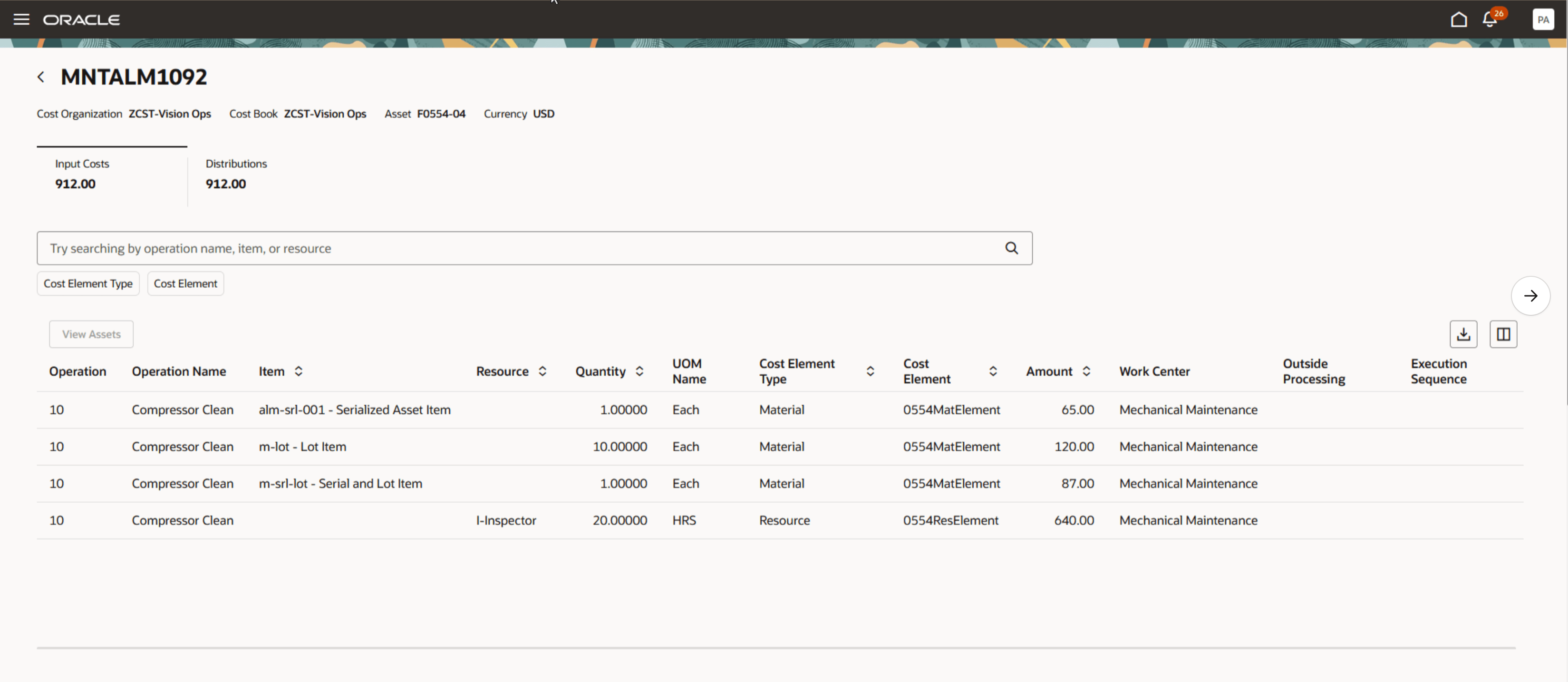
Work Order Cost Details for Selected Work Order Showing Input Costs and Distributions
You can also access the Maintenance Work Order Costs page by clicking the View Cost button on the Edit Maintenance Work Order page in Maintenance Supervision, as shown in the screenshot here.
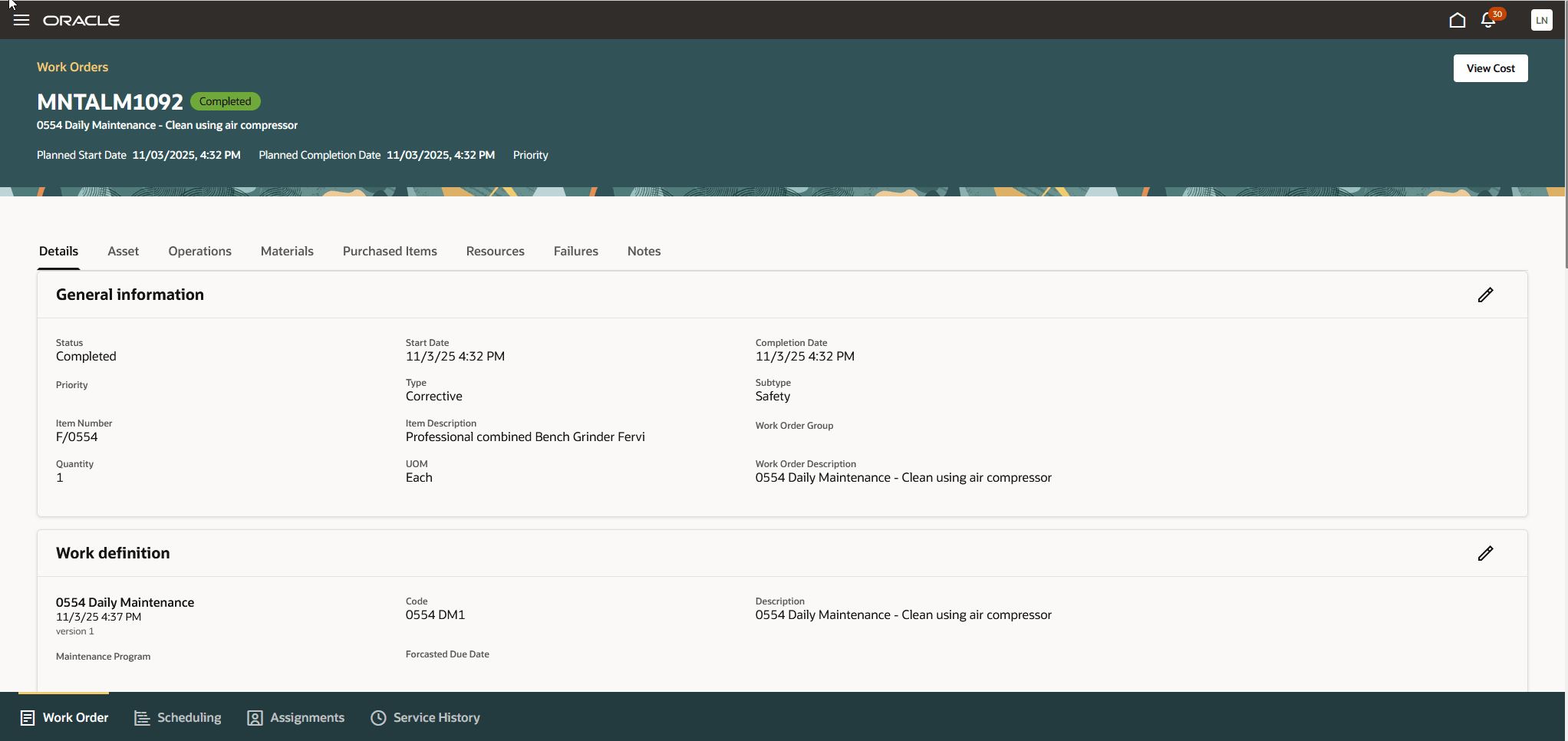
Maintenance Supervision with the View Cost button that Navigates to Show Work Orders Costs
This opens a detailed breakdown for the selected work order, similar to the view when accessing the page directly from the Maintenance Work Order Costs page.
You can now review costs for maintenance work orders using the new Redwood page Maintenance Work Order Costs, which provides a summarized view as well as the ability to drill down into detailed cost information. Enhanced filtering options such as operation name, component, resource, and cost elements make it easy to analyze cost data from multiple perspectives, empowering you to make informed maintenance decisions and optimize resource allocation.
Steps to enable and configure
- In the Setup and Maintenance work area, search for and select the Manage Administrator Profile Values task.
- On the Manage Administrator Profile Values page, search for and select the profile option code for ORA_CST_REVIEW_MNT_WORK_ORDER_COSTS_REDWOOD_ENABLED and ORA_MNT_SUPERVISION_REDWOOD_ENABLED.
- In the Profile Values section, set the Site level to Y or N. The default value of the profile option is N.
- Y = enables the feature
- N = disables the feature
- Click Save and Close. Changes in the profile value will affect users the next time they sign in.
Access requirements
Users who are assigned a configured job role that contains these privileges can use this feature:
- Maintenance Work Order Costs (CST_REVIEW_MAINTENANCE_WORK_ORDER_COSTS_PRIV)
- Allows review of costs and balances by each individual work order using a web service. (CST_REVIEW_MAINTENANCE_WORK_ORDER_COSTS_WEB_SERVICE_PRIV)