Redwood: Edit Work Orders from My Maintenance Work
Maintenance technicians can now edit work order details directly from My Maintenance Work, Preview Work, and Report Work pages. This enhancement provides in-context access to the Edit Work Order page, so technicians can make updates without leaving their current workflow.
Technicians can initiate the Edit Work Order action from search results or work execution pages and make updates across all work order tabs, including operations, materials, resources, and attributes.
The following screenshot shows the new action that enables technicians to edit a work order in My Maintenance Work.
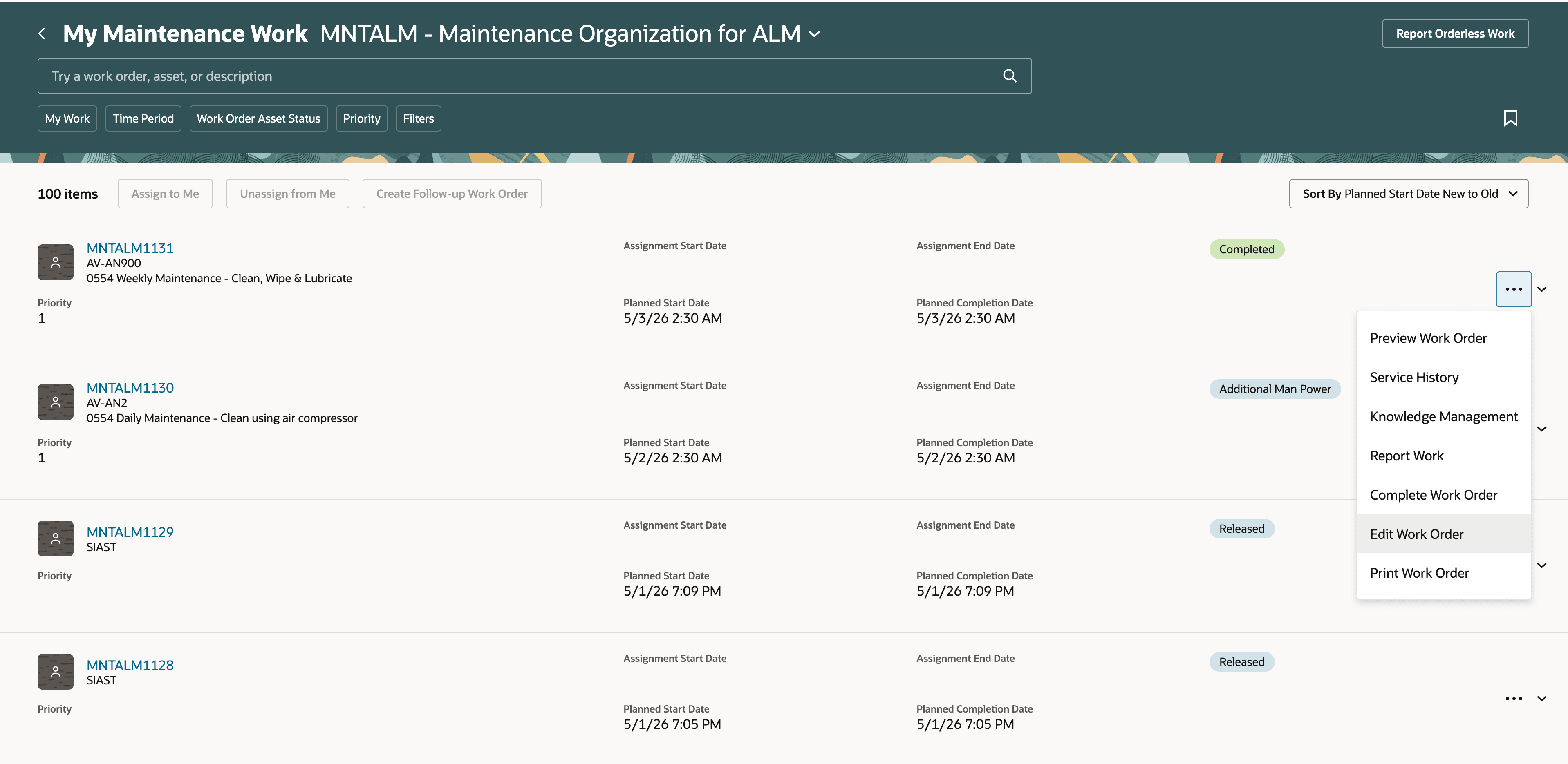
New Edit Work Order action in My Maintenance Work
The following screenshot shows how to edit a work order on the Report Work page during work execution while maintaining work order context.
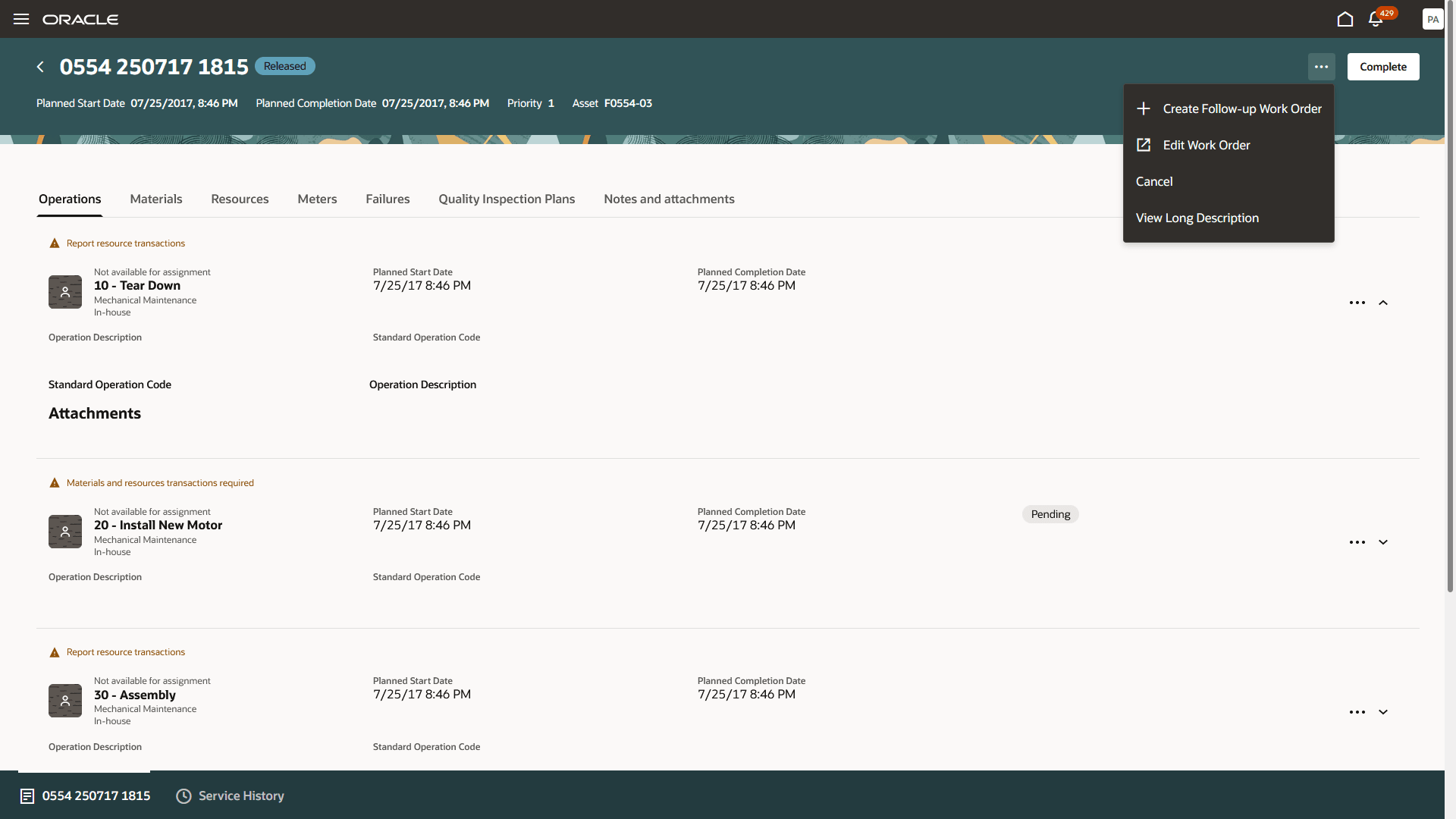
New Edit Work Order action on Report Work page in My Maintenance Work
Upon completion, the technician is navigated back to their original page with their search or work context maintained.
This feature helps organizations ensure that work order updates can be made quickly and in context, improving data accuracy and reducing disruption during maintenance execution.
Improve maintenance execution by enabling technicians to update work order details in context, ensuring more accurate information while minimizing workflow disruption.
Steps to enable and configure
You don't need to do anything to enable this feature.
Access requirements
Users who are assigned a configured job role that contains these privileges can use this feature:
- Manage Maintenance Work Orders (MNT_MANAGE_MAINTENANCE_WORK_ORDER_HEADERS_PRIV)
- Manage Maintenance Work Order Operations (MNT_MANAGE_MAINTENANCE_WORK_ORDER_OPERATIONS_PRIV)
These privileges were available prior to this update.