Specify the Preferred Grade of Materials and Products in a Recipe
Operators need clear guidance on which material or product grade should be used during production. Now you can specify the preferred grade for grade-controlled materials and products in manufacturing work definitions or recipes. The preferred grade flows to the downstream work orders, batches, flow schedules, and production transaction pages, so that operators see the preferred grade when issuing materials, completing products, or working with preassigned lots.
Operators can use the preferred grade as guidance, but the actual grade recorded in production transaction history remains the grade completed and sent to inventory.
The preferred grade applies to operation inputs and outputs, including primary products, co-products, and by-products. You can leave the value blank when a preferred grade isn't required.
You can use preferred grades to:
- Set guidance for your recipes and batches: Use the Recipes page to set the preferred grade for operation outputs and operation inputs. Review the preferred grade details when you create a batch.
- Select an applicable lot with a preferred grade for material issue or backflush transactions: Preferred grade guidance is available in Production Execution, Orderless Transactions, Material Transactions, Flow Schedule Completions, Post Production Reporting, and the transaction actions under Production Reporting when using an industrial handheld device.
- Set the preferred grade for a new lot completed into inventory: Preferred grade guidance is available in Production Execution, Orderless Transactions, Material Transactions, Flow Schedule Completions, Post Production Reporting, and the transaction actions under Production Reporting when using an industrial handheld device.
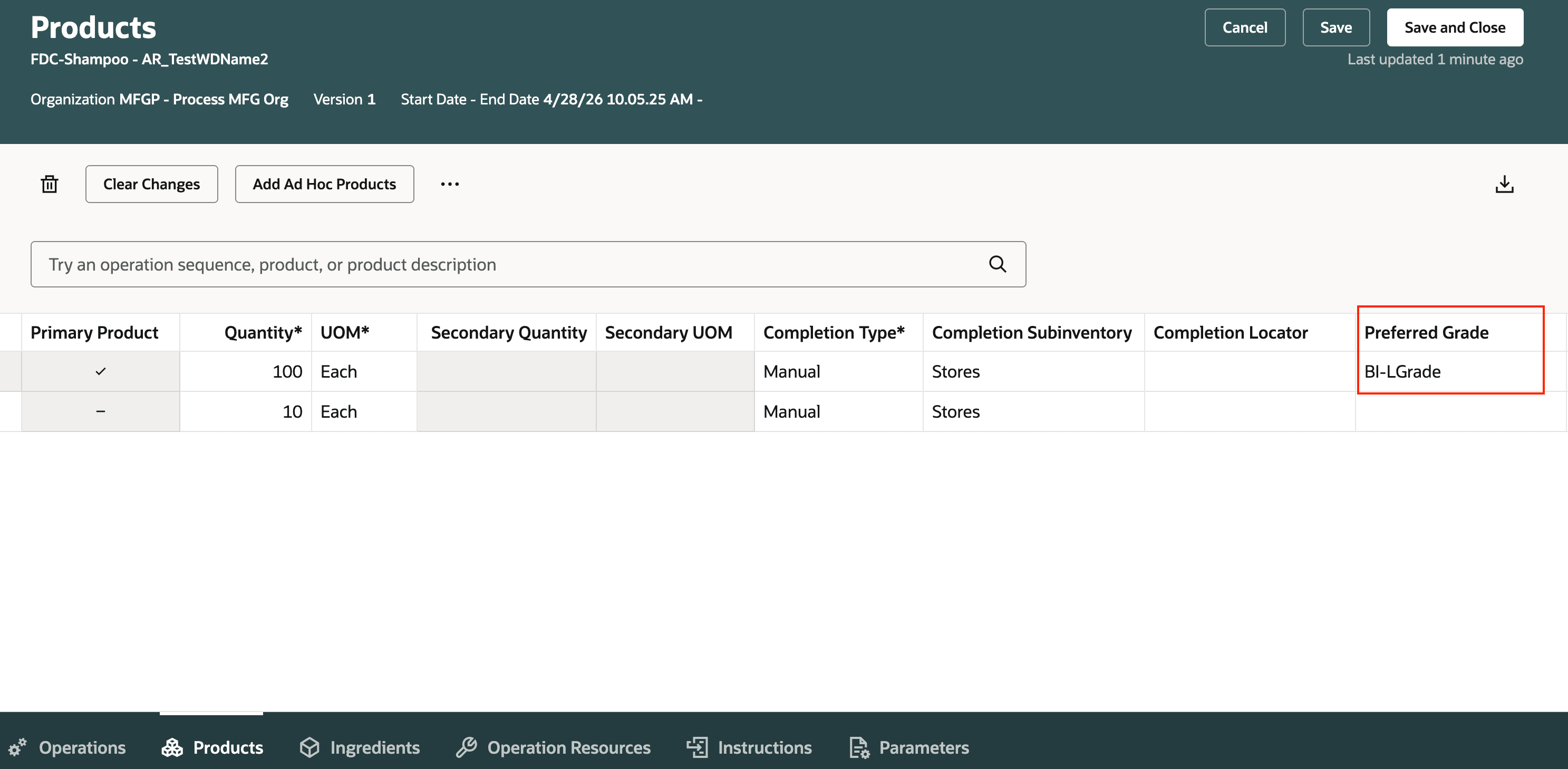
Setting Up Preferred Grade Guidance for Recipe Operation Outputs
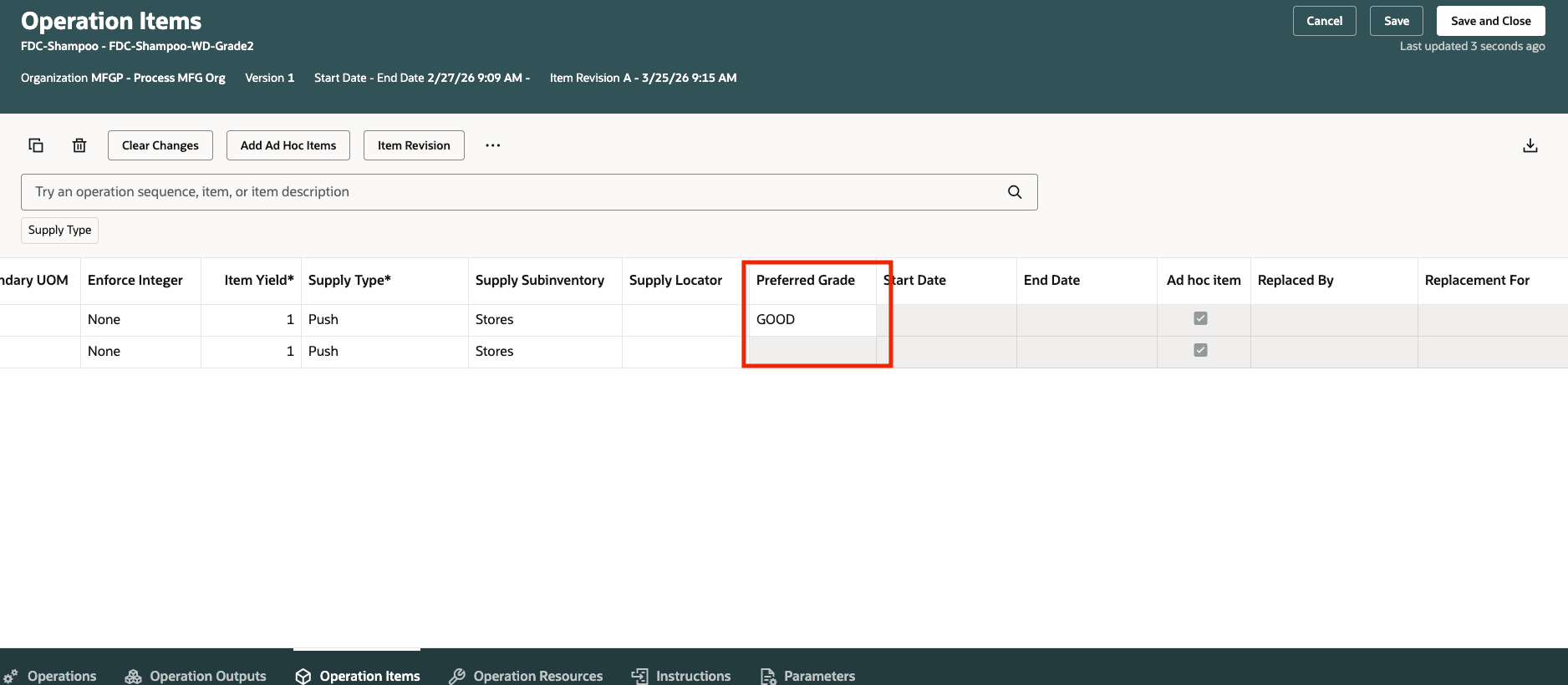
Setting Up Preferred Grade Guidance for Recipe Operation Inputs
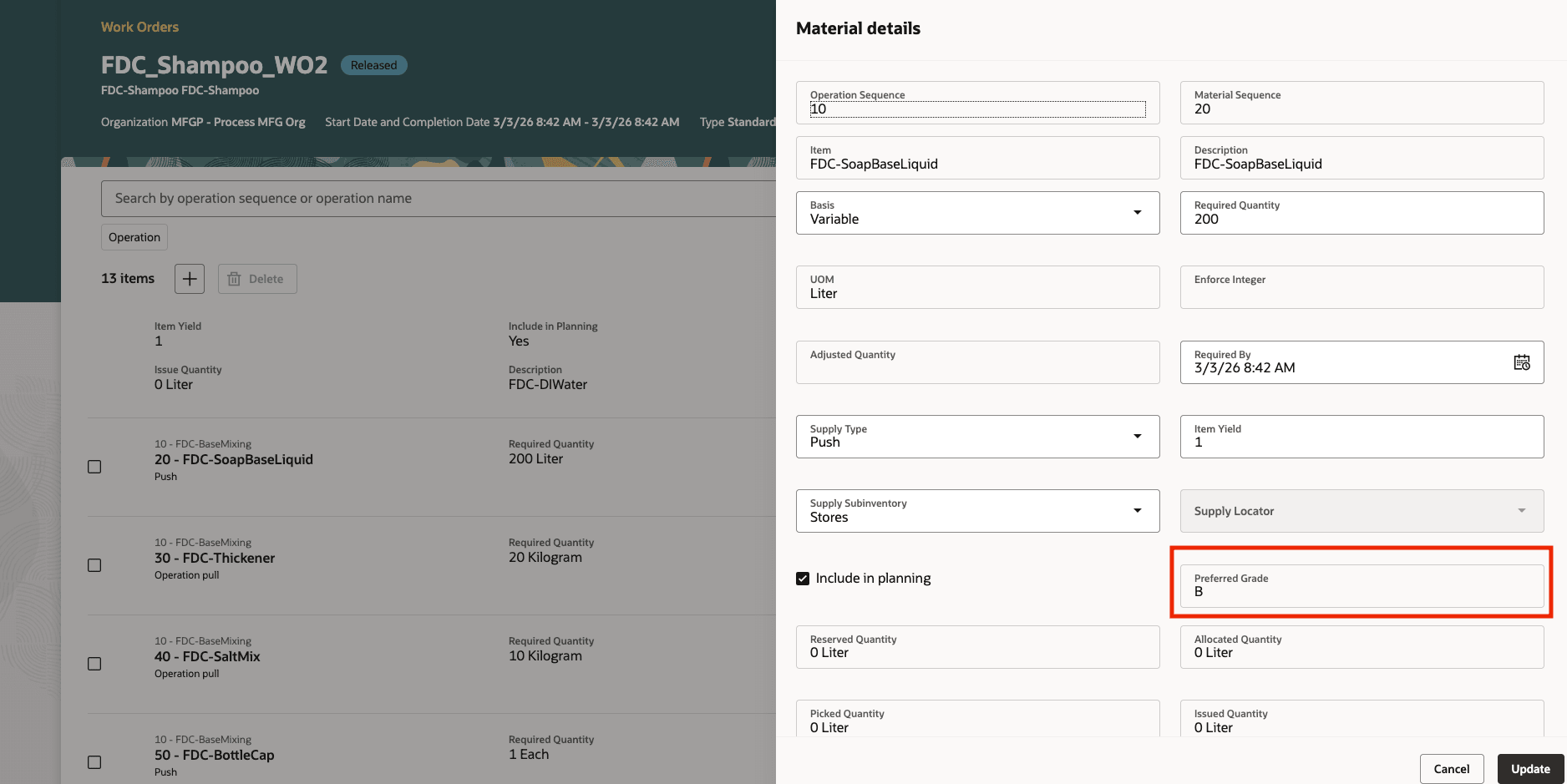
Review Work Order or Batch Material Lines Before Execution
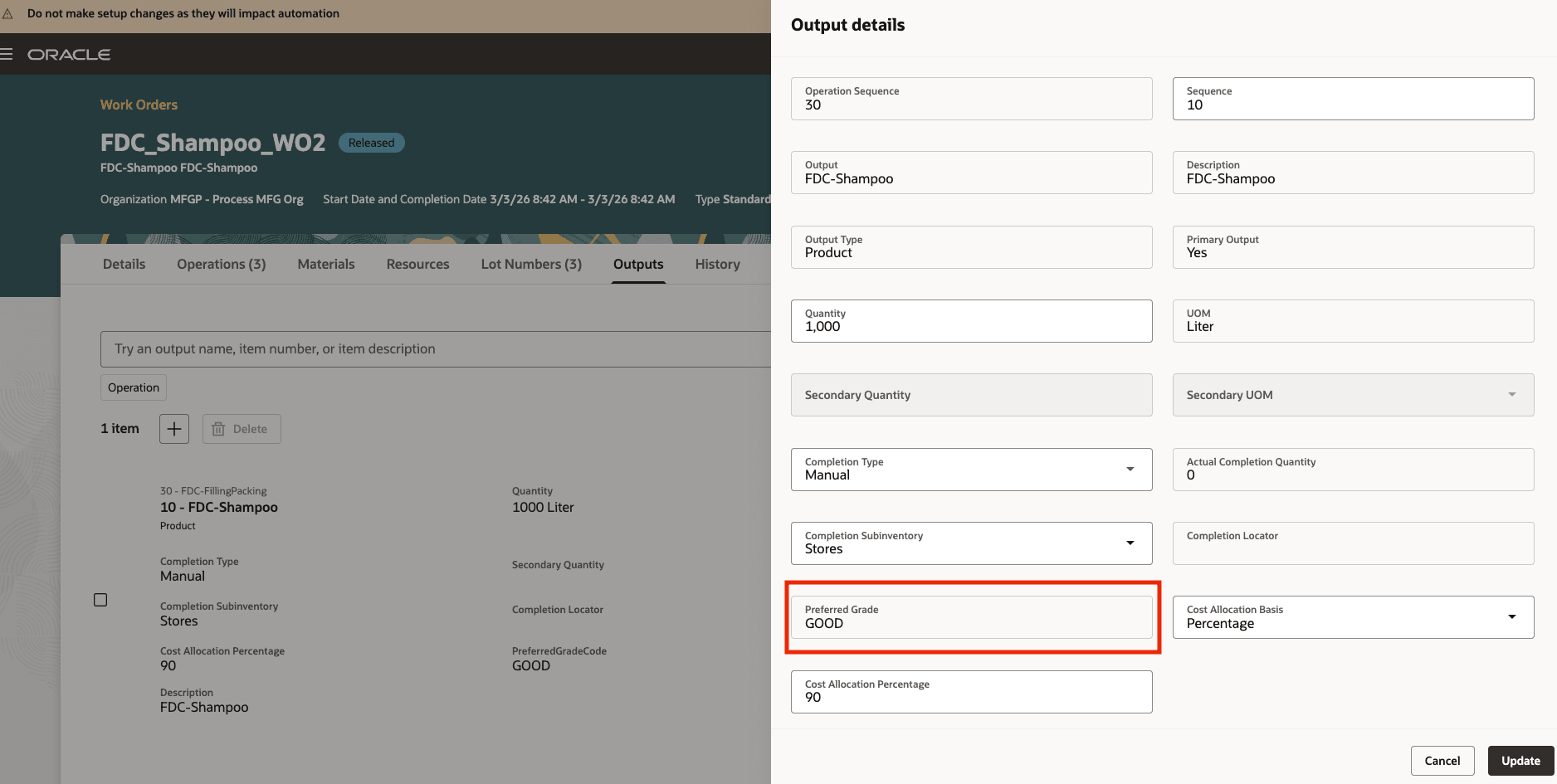
Review Work Order or Batch Output Lines Before Completion
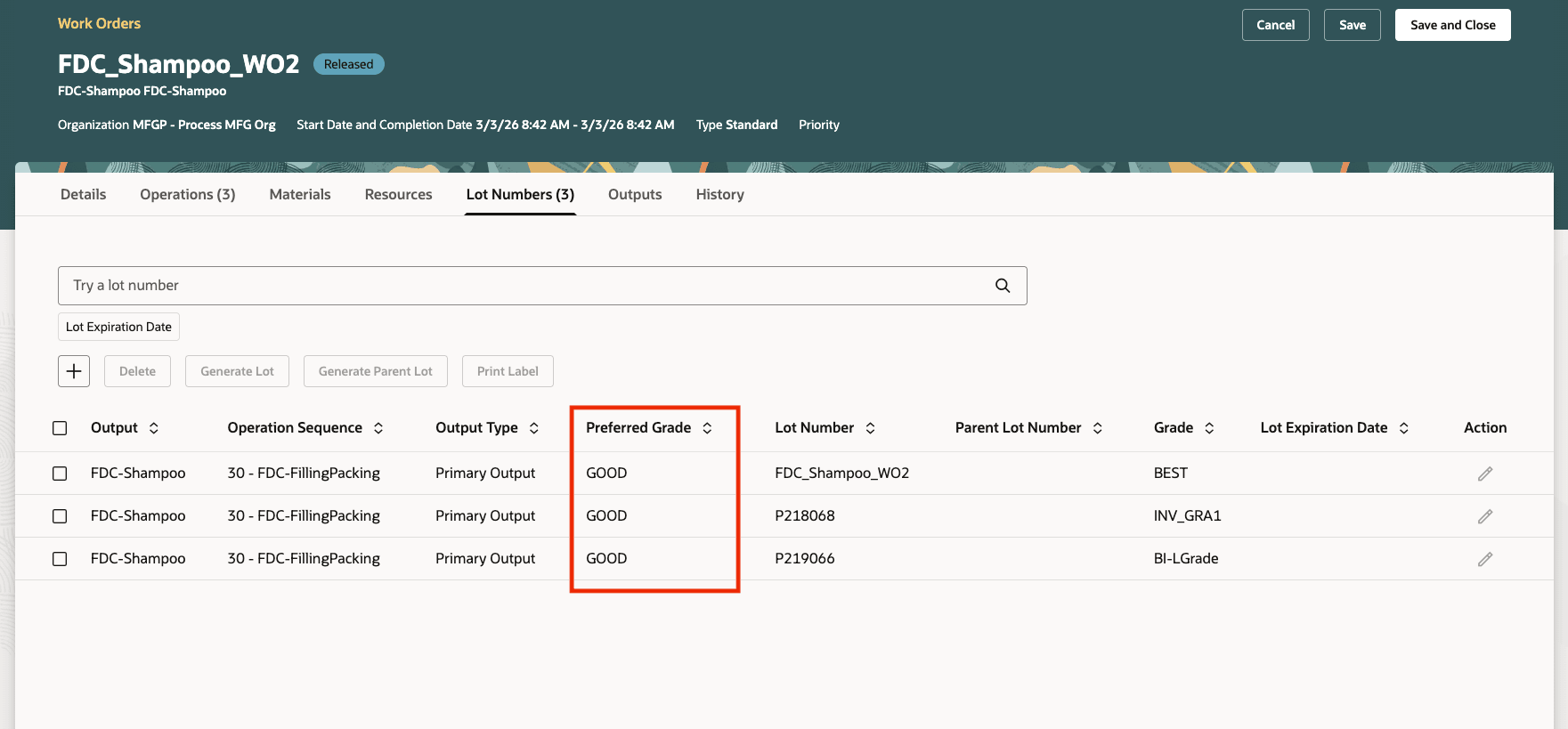
Review Preassigned Lots Used During Work Order or Batch Completion
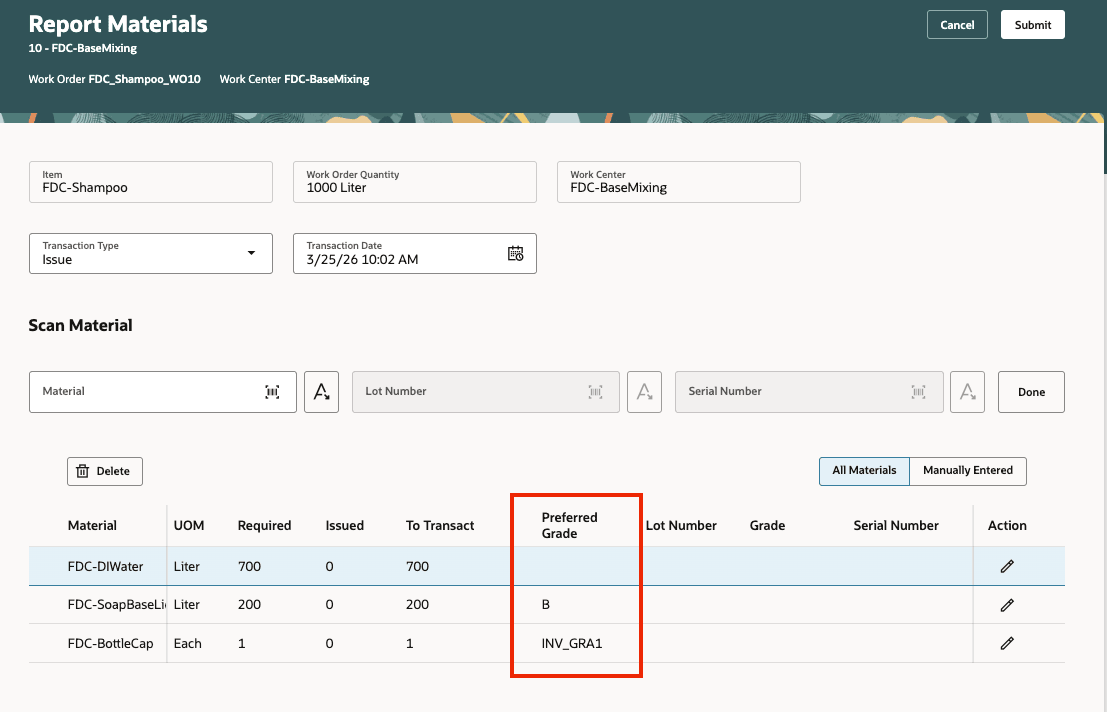
Use Preferred Grade Guidance When Reporting Material in Production Execution
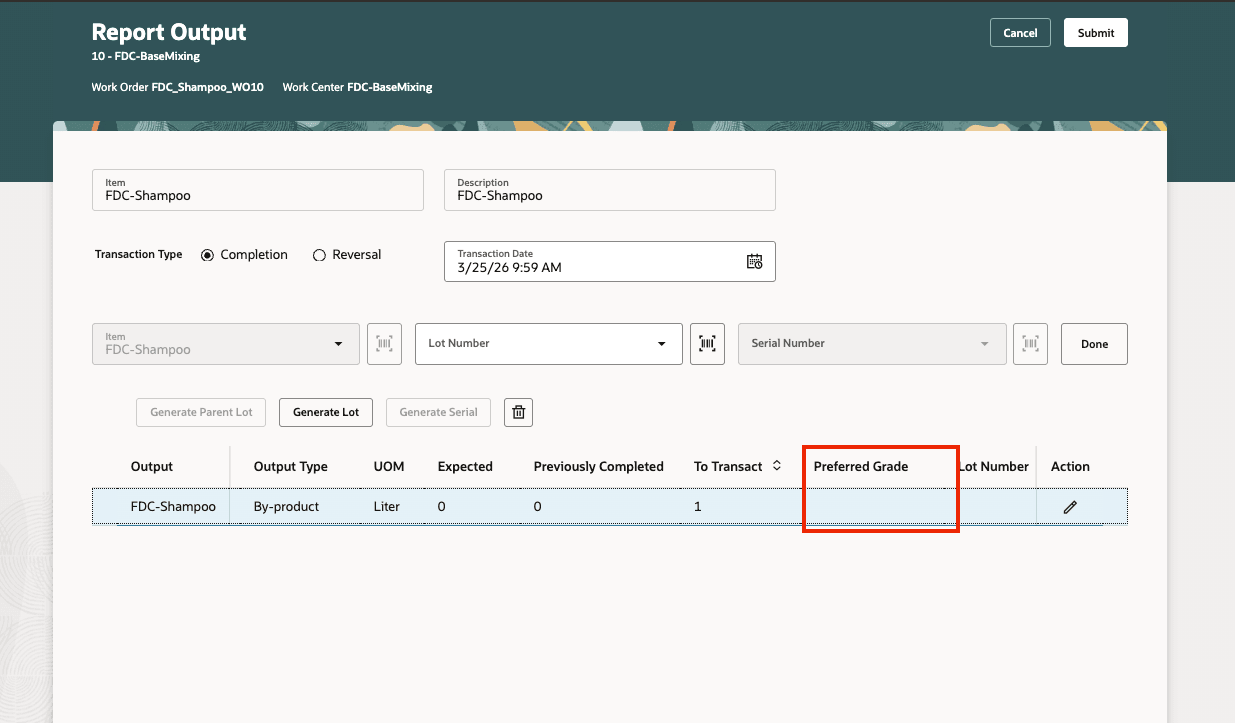
Use Preferred Grade Guidance When Reporting Output in Production Execution
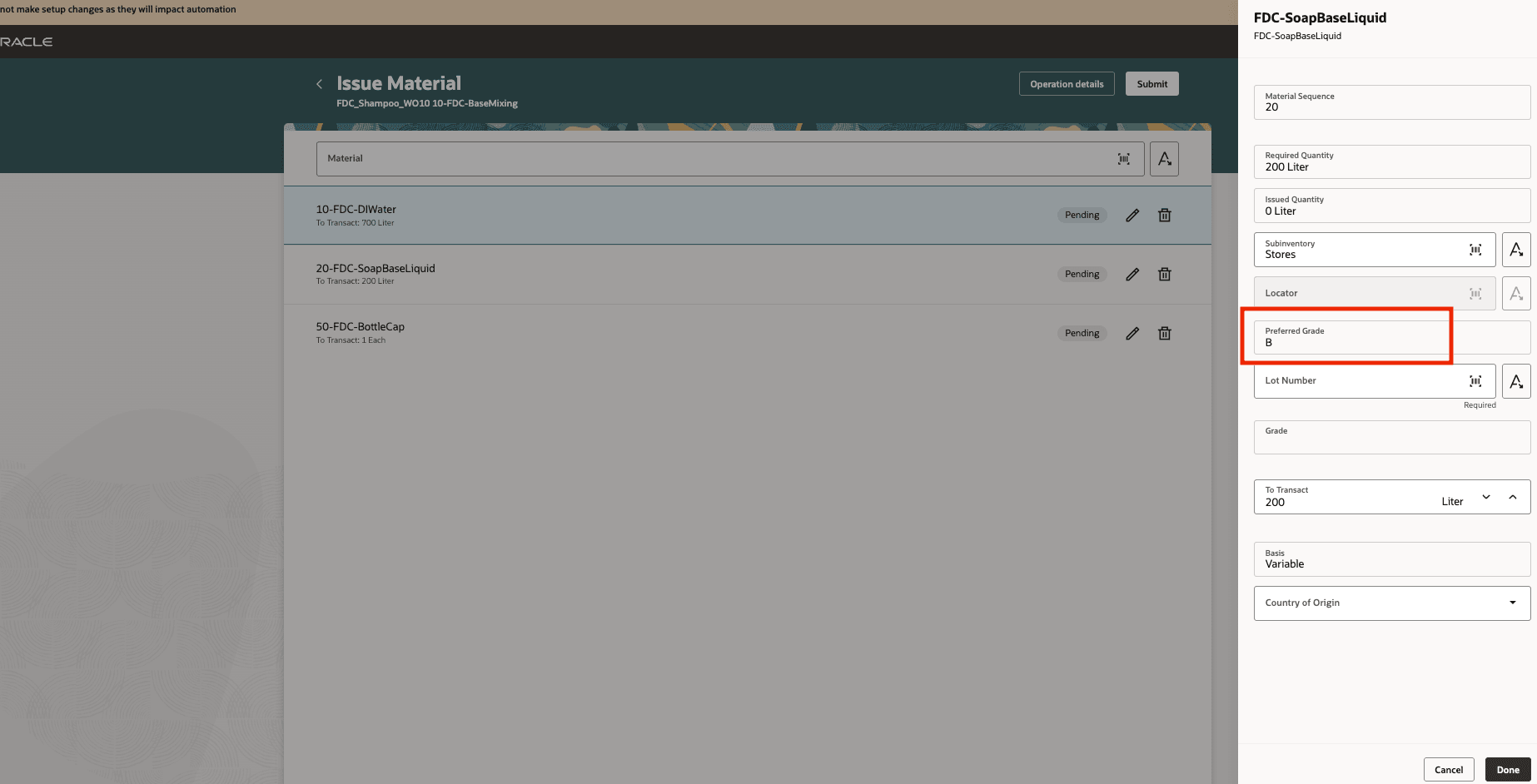
Use Preferred Grade Guidance When Reporting Material Issue Transactions
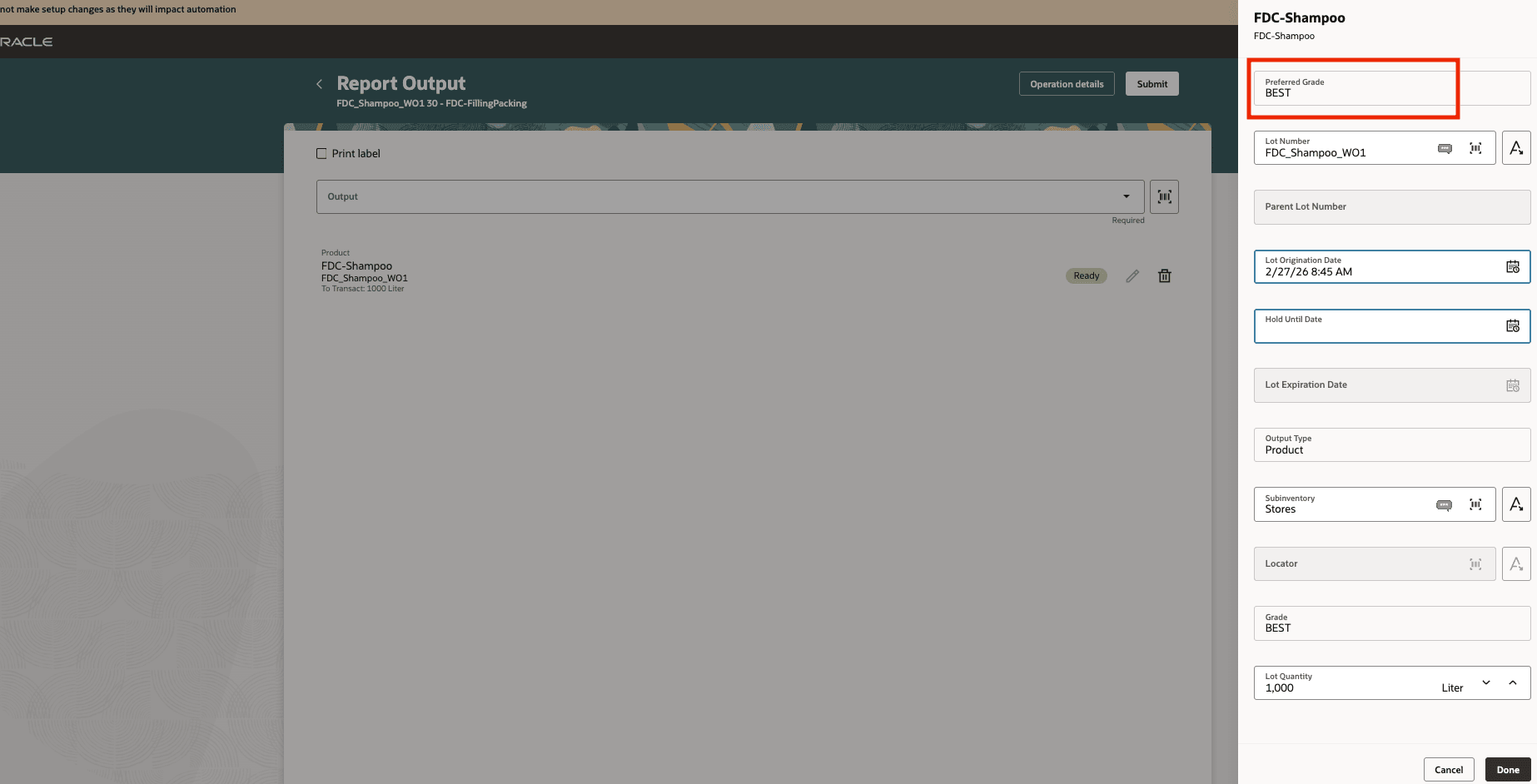
Use Preferred Grade Guidance When Reporting Output Transactions on Mobile Devices
File-Based Data Import (FBDI) Changes
The FBDI template for Process Work Definition has been enhanced to enable passing the grade along with the lot when reporting transactions. A new column, Preferred Grade has been added to the worksheet. Use the latest template after upgrading to 26C.
REST API Changes
You can now specify and use the preferred grade in your manufacturing activities using the following REST APIs for Work Definitions, Work Definition Requests, and Process Work Orders
BIP Report Changes
- Work Definition E-Record
- Work Definition Report
- Electronic Production Record
- Work Order E-Record
- Work Order Operation Transactions E-Record
- Components List Report
- Work Order Traveler
- Work Order Material Transaction E-Record
- Work Order Output Transaction E-Record
- Work Order Traveler Extensible
Specifying preferred grades in manufacturing work definitions or recipes helps engineers communicate intended material and product grade targets to supervisors and operators. This improves execution guidance for grade-controlled manufacturing while preserving the flexibility for operators to record the actual grade selected or completed during production.
Steps to enable and configure
Use the Opt In UI to enable this feature. For instructions, refer to the Optional Uptake of New Features section of this document.
Offering: Manufacturing and Supply Chain Materials Management No Longer Optional From: Update 27A
Tips and considerations
- You can choose to leave the field blank, so that the default grade specified as an inventory item attribute is used during production transactions.
- Use preferred grade as a guide for selecting the right lot for material issues or product completions.
- For ad hoc items added directly to a batch, or during transactions, no preferred grade is defaulted from the work definition or recipe, as the item isn’t derived from the recipe.
- Preferred grade doesn't create detailed reservations by grade in 26C, as on-hand inventory isn't striped by grade.
- The production transaction history shows the actual grade completed and sent to inventory.
- Selecting a lot grade that differs from the preferred grade doesn't prevent manufacturing inventory transactions.
- For discrete work orders, batches or flow schedules with a single output, preferred grade isn't applicable.
Key resources
- Oracle Fusion Cloud SCM: Refer to the Using Manufacturing guide, available on Oracle Help Center.
- Oracle Fusion Cloud SCM: Refer to the Implementing Manufacturing and Supply Chain Materials Management guide, available on Oracle Help Center.
- Oracle Fusion Cloud SCM: Refer to the 26A Issue or Complete a Lot with a Specific Grade in Work Orders and Flow Schedules on Oracle Release Readiness.
Access requirements
Users who are assigned configured job roles that let them perform these activities can use this feature:
- Import Work Definitions (WIS_IMPORT_WORK_DEFINITIONS_PRIV)
- Manage Work Definitions (WIS_MANAGE_WORK_DEFINITIONS_PRIV)
- Manage Work Definitions by Service (WIS_MANAGE_WORK_DEFINITIONS_SERVICE_PRIV)
- Get Work Definitions by Service (WIS_GET_WORK_DEFINITIONS_SERVICE)
- Report Operation Transactions (WIP_REPORT_OPERATION_TRANSACTIONS_PRIV)
- Report Material Transactions (WIP_REPORT_MATERIAL_TRANSACTIONS_PRIV)
- Report Postproduction Transactions (WIE_REPORT_POSTPRODUCTION_TRANSACTIONS)
- Report Orderless Transactions (WIP_REPORT_ORDERLESS_TRANSACTIONS_PRIV)
- Execute Flow Schedules (WIP_EXECUTE_FLOW_SCHEDULES_PRIV)
- Import Material Transactions (WIP_IMPORT_MATERIAL_TRANSACTIONS_PRIV)
- Import Work Orders (WIP_IMPORT_WORK_ORDERS_PRIV)