Track Parent and Child Lots for Batches with Multiple Execution Runs
When splitting a batch work order into multiple execution runs, lot traceability is an important requirement to properly track the material usage and product completion. The hierarchical relationship between the work order and each execution run also needs to be reflected in the lot numbering and genealogy for improved visibility and tracking.
You can now generate the lot number by prefixing the batch number to the execution run number when you split a batch into multiple execution runs. The parent lot number, if applicable, uses the batch number.
If your batch is split into execution runs, you can now generate unique lot numbers for each execution run using the Generate Lot for Execution Runs option.
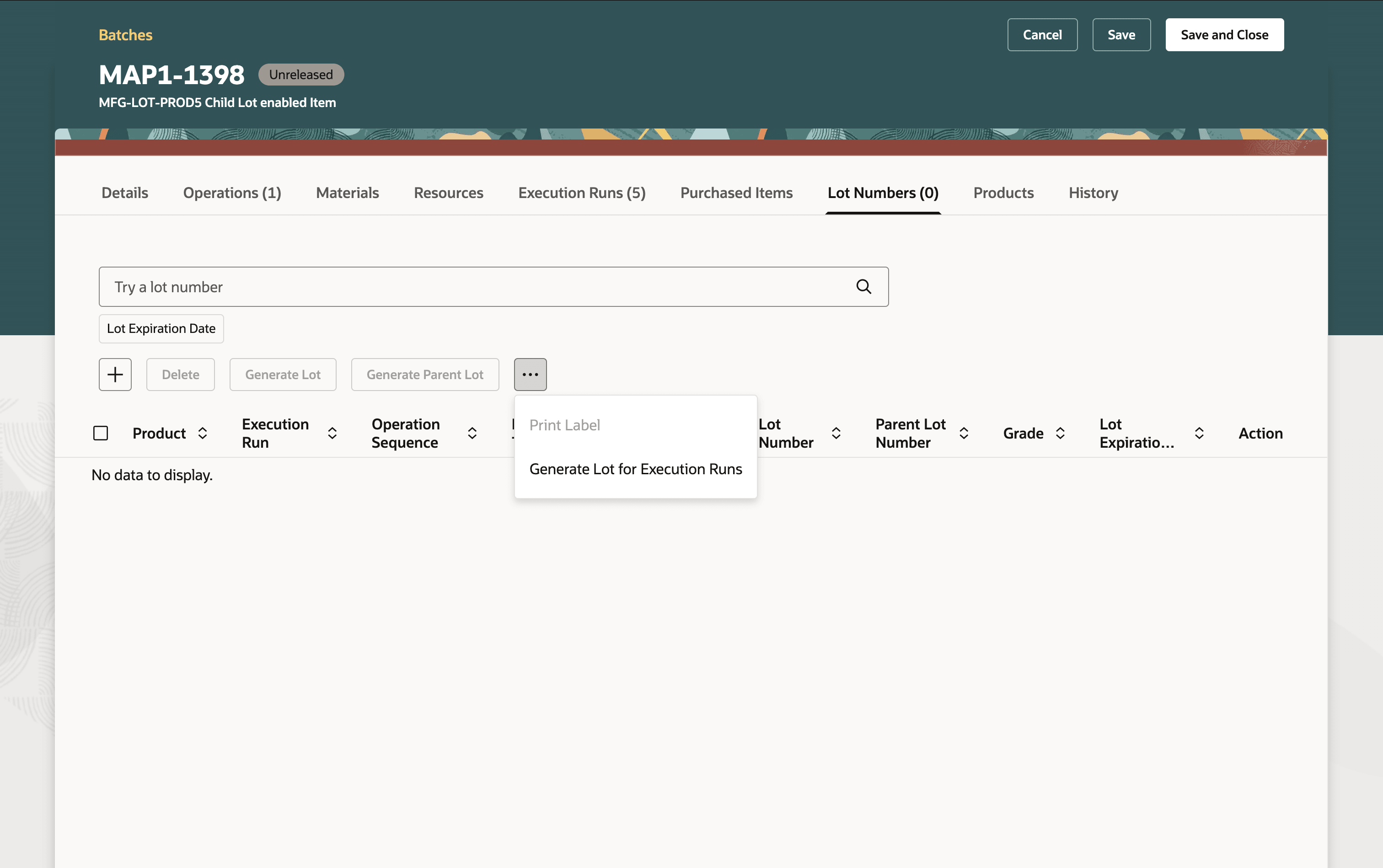
New Option to Generate Lot for Execution Runs
If you have chosen to use the work order number as the Default Lot Number for Product Completion option in the Plant Parameters page, then this option defaults the batch number as the parent lot and appends the execution run number to the batch number for the lot number. You can also add lot numbers that are applicable for all execution runs by leaving the execution run number field blank.
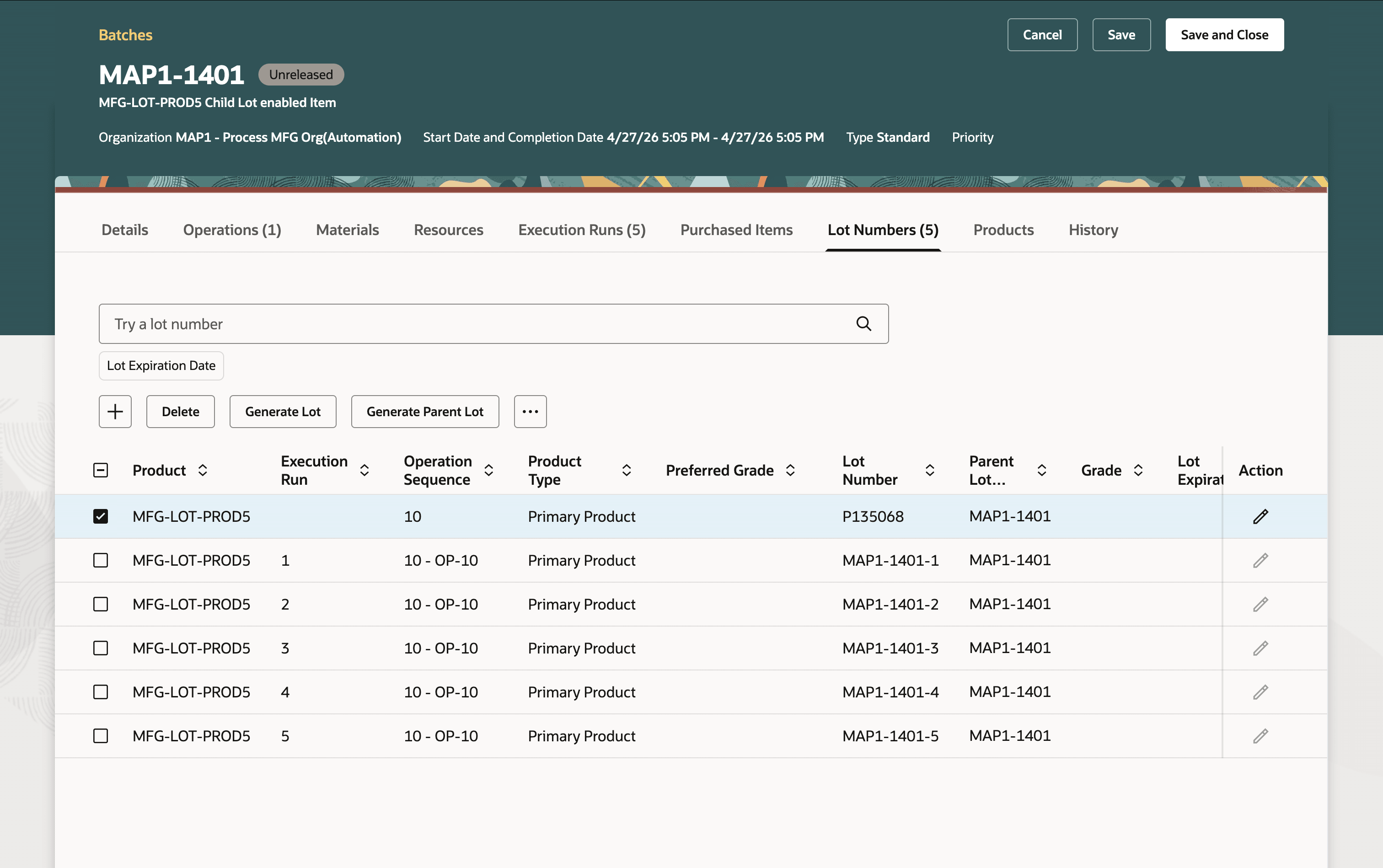
Lot Numbers Generated
When reporting product completions for a batch with execution runs, you'd see the lot numbers that are associated with that specific execution run and lot numbers that are assigned to the work order without an execution run reference.
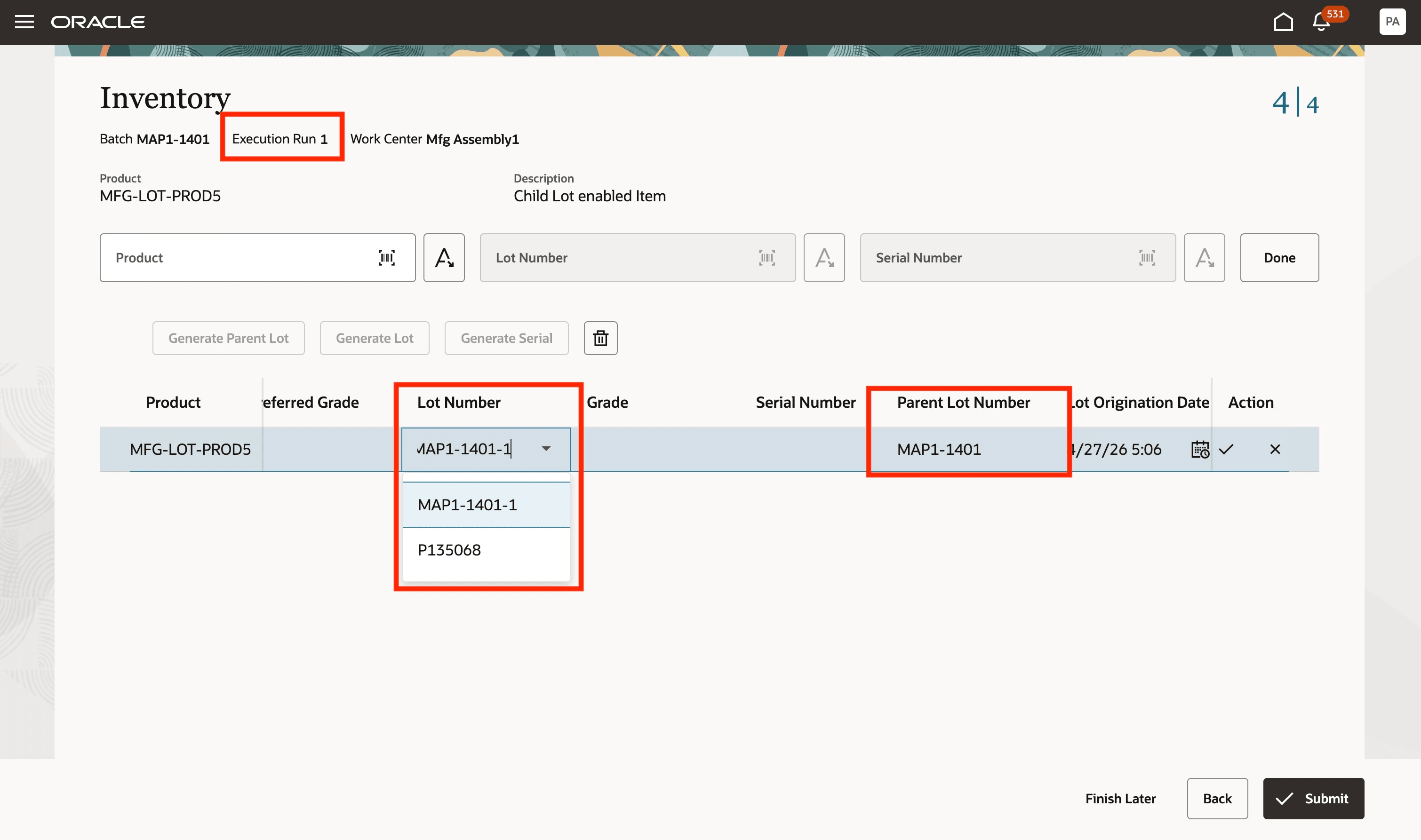
Lot Numbers Shown During Product Completions
REST API changes:
The following REST APIs have been enhanced to include lot numbers for execution runs:
- Work order material transactions
- Work order operation transactions
FBDI changes:
Lot numbers for execution runs have been added to the following FBDI templates:
- Process Work Order Import
- Process Work Order Material Transaction Import
- Work Order Import
- Work Order Material Transaction Import
The following BIP reports have been updated to include the lot numbers for execution runs:
- Print Work Order Traveler Report
- Print Extensible Work Order Traveler Report
- Work Order Approval through Electronic Records
This capability improves operational visibility and compliance by enabling precise tracking of materials and production across split execution runs through hierarchical lot traceability.
Steps to enable and configure
Set up the plant parameters to enable this feature:
- In the Setup and Maintenance work area, search for, and select the Manage Plant Parameters task.
- On the Manage Plant Parameters page, select the required inventory organization.
- In the Work Execution tab, under Manage Production, enable the Allow splitting of work orders for multiple execution runs checkbox.
- If you would like to use the batch number (work order number) as the lot number, ensure that Default Lot Number for Product Completion is set to Work Order Number.
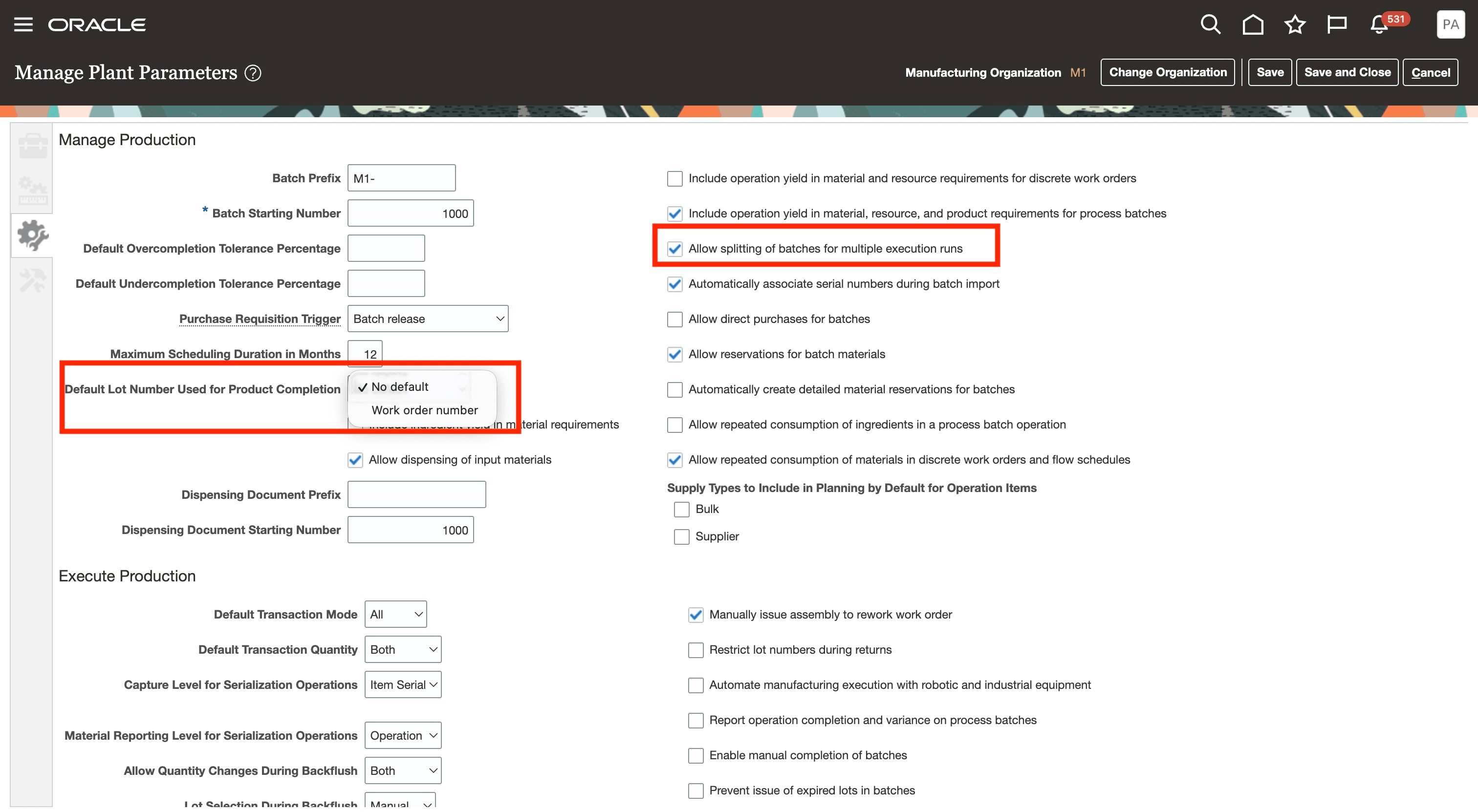
Plant Parameters to Enable the Feature
Tips and considerations
- This feature is available only with the Redwood experience.
- For a consistent user experience, you can enable the Redwood pages for work orders, production execution, mobile production reporting using industrial handheld devices, postproduction reporting, quality inspection, production transaction history, and product genealogy.
- You can also enable the 26B feature Use Process Manufacturing Terminology with the Redwood User Experience.
- As a best practice, you can preassign product lot numbers that correspond to the execution runs for better traceability throughout the manufacturing process.
- Once you associate lot numbers with the execution run number reference, you won't be able to modify or delete the execution runs. You will have to delete the lot numbers associated with the execution run before you can modify or delete an execution run.
Key resources
- Refer to the Oracle Fusion Cloud SCM: Using Manufacturing guide, available on the Oracle Help Center.
- Refer to the Oracle Fusion Cloud SCM: Implementing Manufacturing and Supply Chain Materials Management guide, available on the Oracle Help Center.
- Refer to the related feature Split a Work Order into Execution Runs in 26B for additional information.
Access requirements
Users who are assigned a configured job role that contains the following privileges can access this feature:
Manage Plant Parameters (RCS_PLANT_PARAMETERS_PRIV)
Manufacturing privileges
- Manage Work Execution Work Area (WIP_MANAGE_WORK_EXECUTION_WORK_AREA_PRIV)
- Manage Work Order Headers (WIP_MANAGE_WORK_ORDER_HEADERS_PRIV)
- View Work Orders (WIP_VIEW_WORK_ORDERS_PRIV)
- Report Material Transactions (WIP_REPORT_MATERIAL_TRANSACTIONS_PRIV)
- Report Postproduction Transactions (WIE_REPORT_POSTPRODUCTION_TRANSACTIONS)