Redwood: Build an Expression to Calculate an Inspection Result
Previously, quality engineers relied on their own procedures to determine whether an inspection result should be calculated from prior inspection data. This approach required manual validation and kept critical calculation logic outside the system.
You can now define calculated expressions for numeric inspection characteristics to automatically derive result values during inspection execution. This capability is available within inspection plan specifications, enabling more flexible and dynamic quality data capture.
Use the Build Expression action on a characteristic to configure the calculation logic. The defined expression is then used to compute the result value based on other numeric characteristics in the inspection plan.
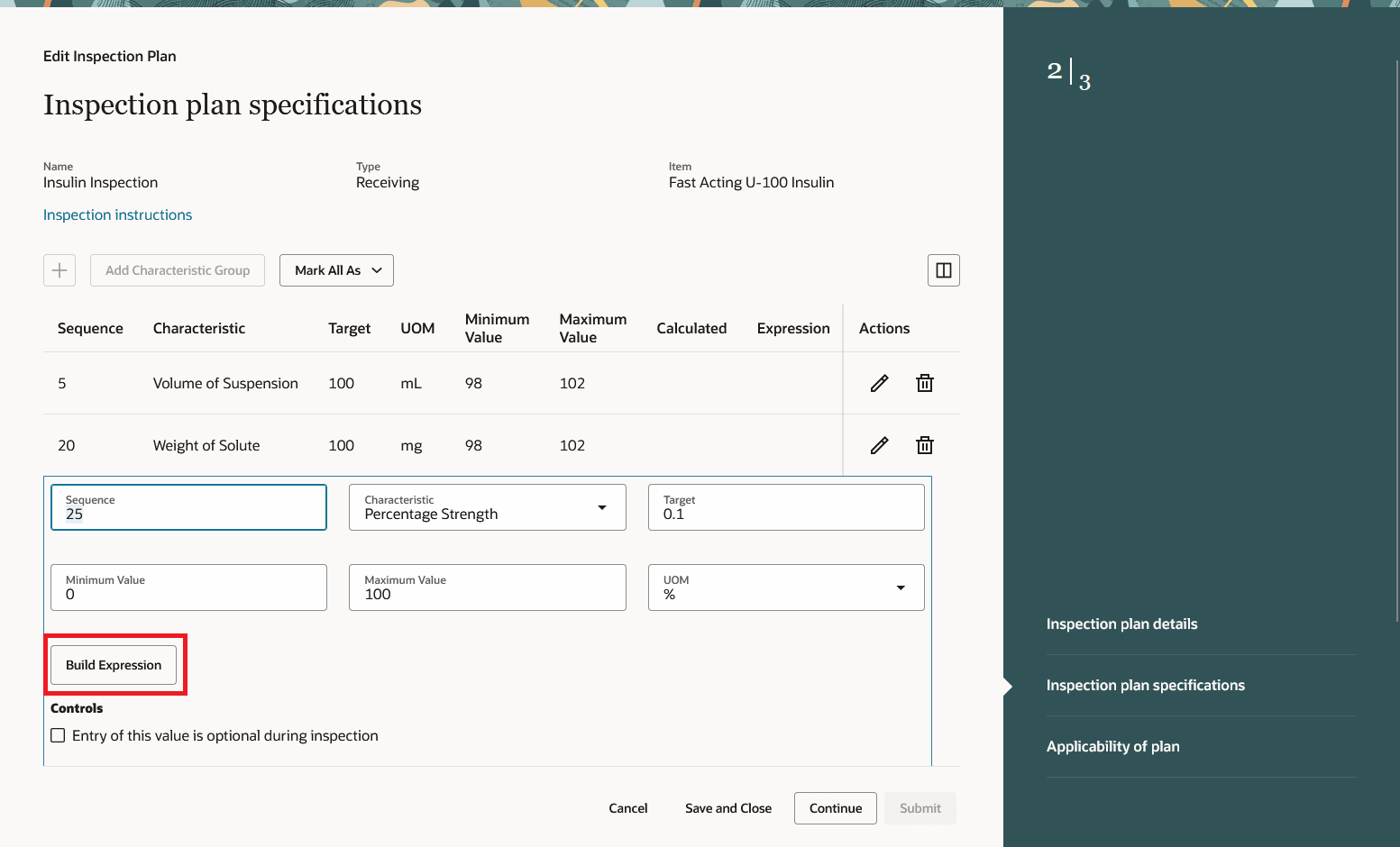
Choose to Build an Expression to Calculate a Result Value
Use the Expression Builder to define calculations for result values based on other numeric characteristics in the inspection plan.
Once the expression is defined, click Validate to ensure it’s correctly formed.
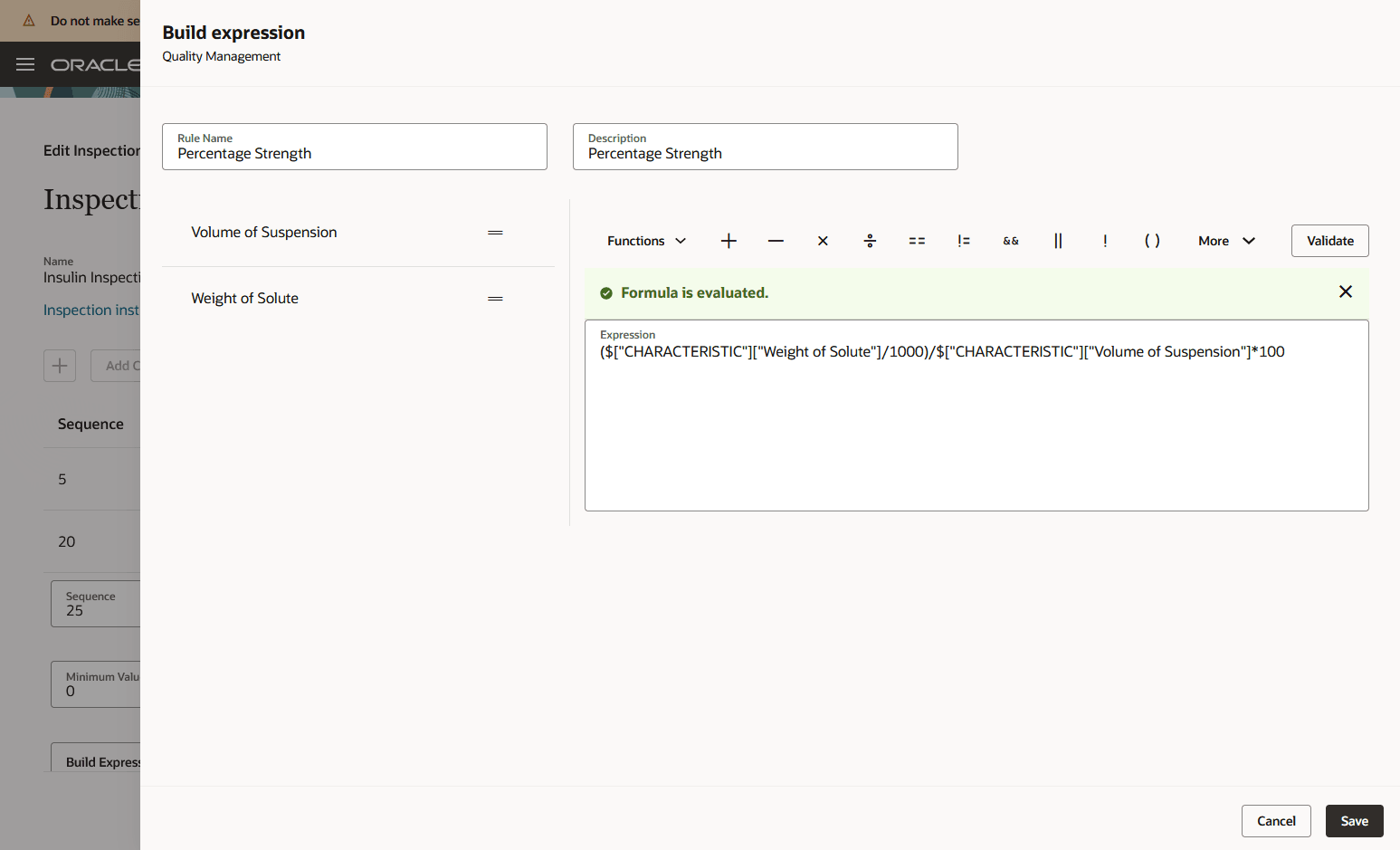
Expression Builder
Save the expression and save the specification line.
You’ll see an indicator showing the value is calculated. Click on the icon in the Expression column to view the defined expression.
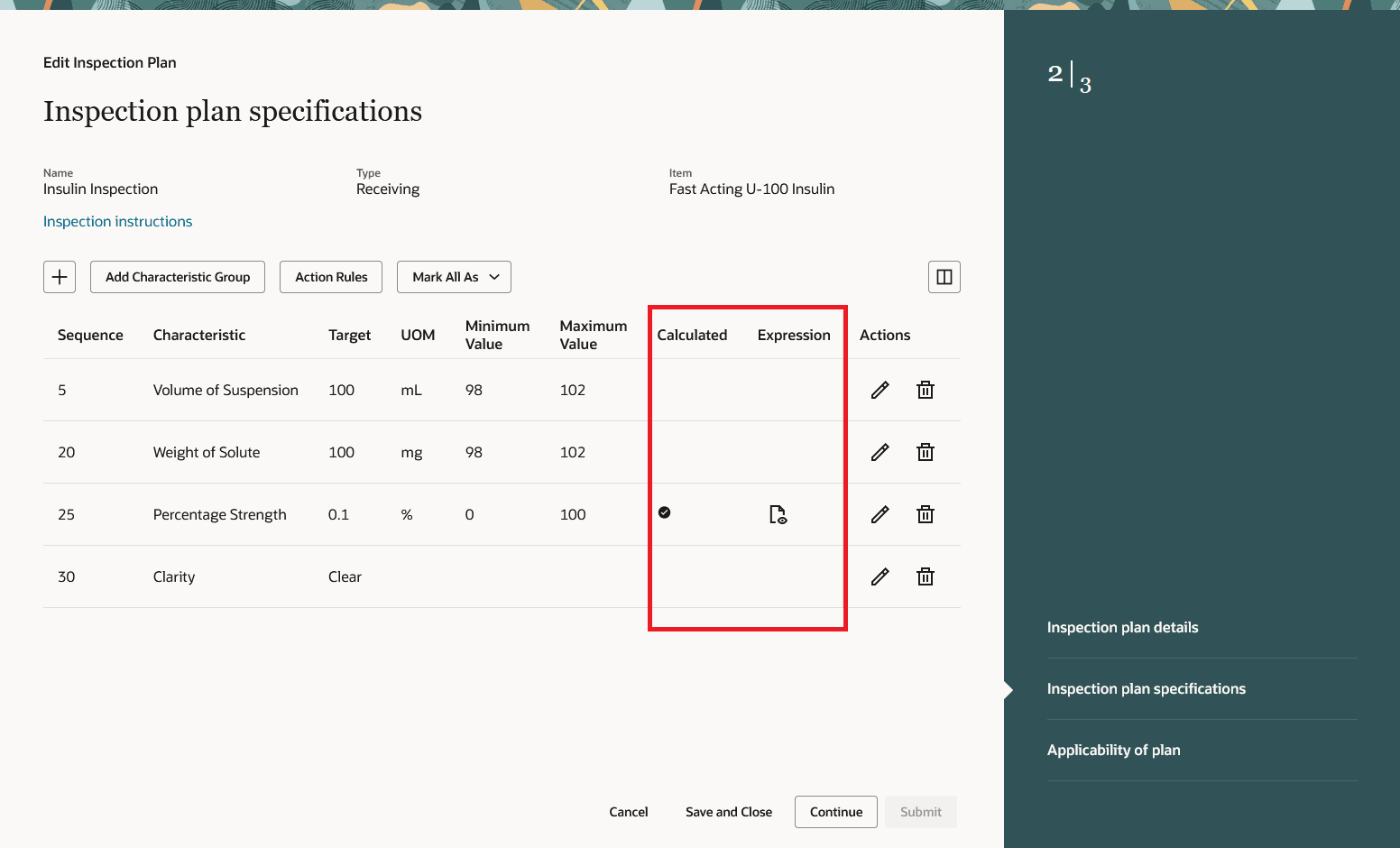
Calculated Indicator and Expression Icon
You will see the same indicators and icons when you view the inspection plan.
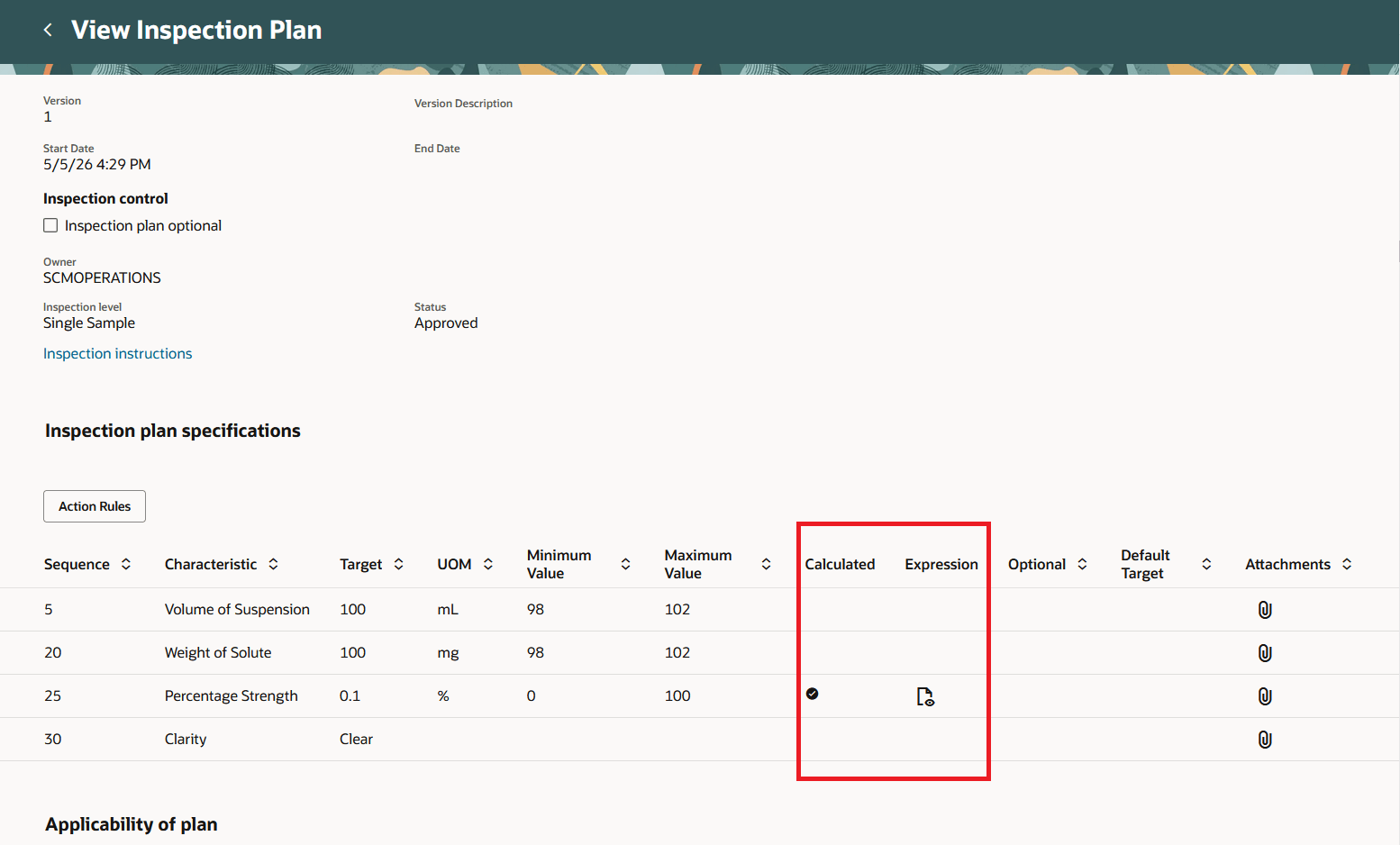
View Inspection Plan
After defining and approving the inspection plan, you can perform inspections where calculated characteristics are automatically derived during execution.
During inspection:
-
An indicator identifies characteristics with calculated results
-
An icon allows you to view the underlying expression
-
Calculated values are read-only and cannot be entered manually
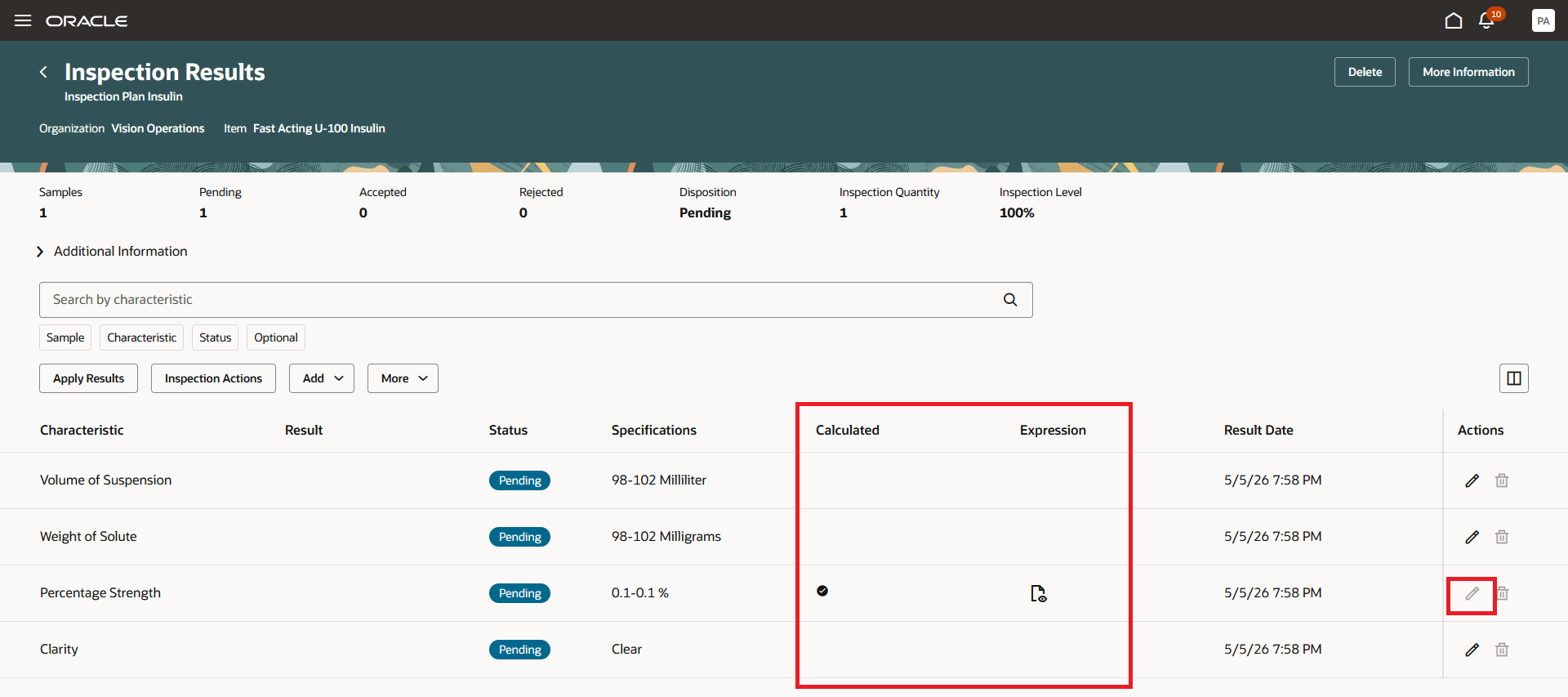
Results Entry
When all inspection results referenced in the expression are entered, the application automatically calculates, displays, and evaluates the derived result value for the characteristic.
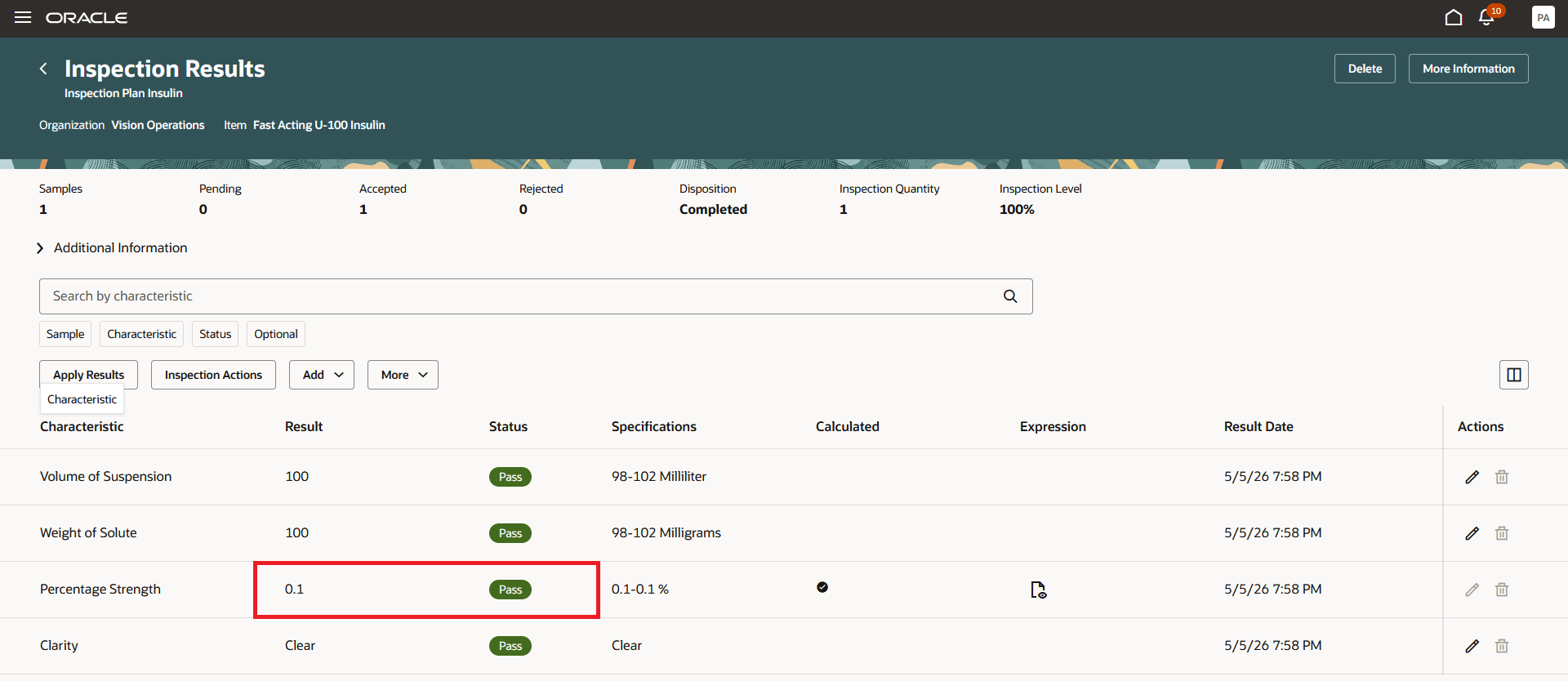
Results Entry with Calculated Value
When entering inspection results using the Inspect Goods mobile transaction in Receiving, calculated characteristics are clearly identified with indicators showing that values are automatically derived.
For these characteristics, manual entry of result values is not allowed, ensuring that calculated results are consistently applied during inspection execution.
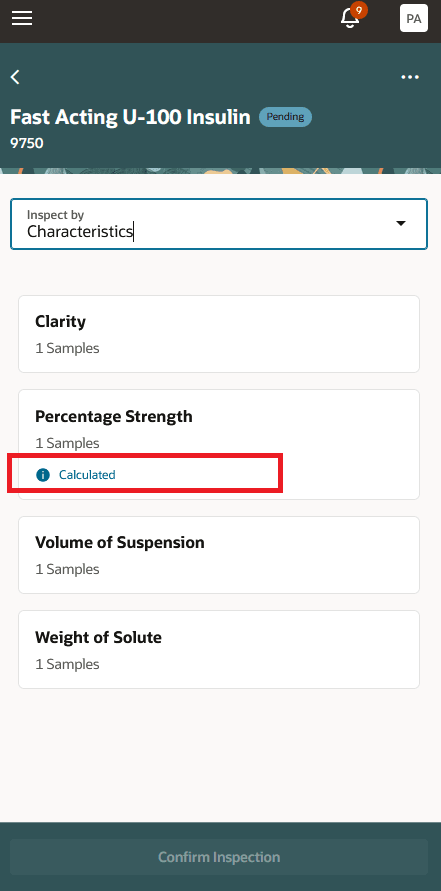
Mobile Receiving Inspection by Characteristic
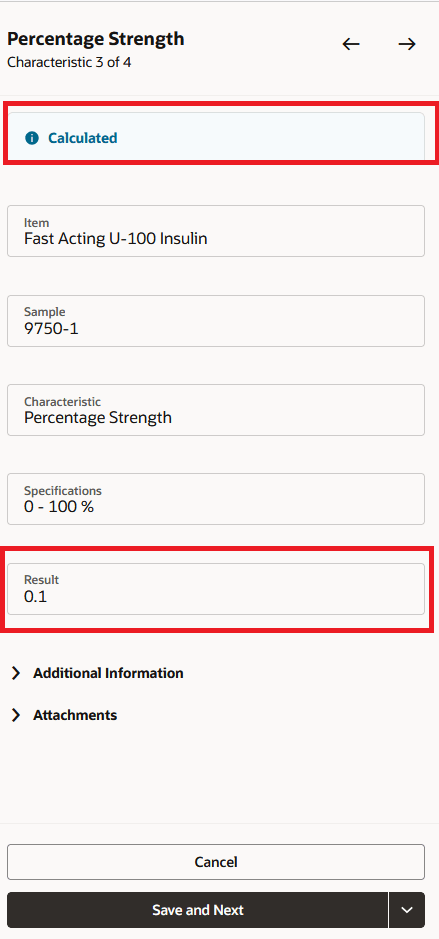
Mobile Receiving Inspection by Sample
This update enhances efficiency and accuracy by automating the calculation of inspection results. It eliminates the need for manual calculations by operators, reducing the potential for human error and ensuring consistent application of inspection specifications. This streamlined process supports better compliance with product and process requirements, ultimately leading to improved quality control and productivity.
Here's the demo of these capabilities:
Steps to enable and configure
Follow these steps to enable or disable this feature:
- In the Setup and Maintenance work area, search for and select the Manage Administrator Profile Values task.
- On the Manage Administrator Profile Values page, search for and select the ORA_QA_EXPRESSIONS_ENABLED profile option code.
- In the Profile Values section, set the Site level to Y or N. The default value is N.
- Y = enables the feature
- N = disables the feature
- Click Save and Close. Changes in the profile value will affect users the next time they sign in.
Tips and considerations
- This feature is available only in the Redwood Experience
- Logical operators (for example, != and &&) are not currently supported in calculated expressions
- You cannot define an expression for an item-based characteristics
- Calculated expressions are not included in AI-generated inspection instructions
Key resources
- Refer to Redwood: Manage Inspection Plans using the Redwood Experience for information about defining inspection plans using the Redwood experience.
- Refer to Redwood: Perform Quality Inspections using the Redwood Experience for information about results entry using the Redwood experience.
- Refer to Redwood: Inspect Received Goods Using Industrial Handheld Devices for information about performing Receiving inspections using a handheld device.
Access requirements
Users who are assigned a configured job role that contains these privileges and codes can access this feature:
- Manage HCM Rules ( HRC_MANAGE_HCM_RULES)
- Edit Inspection Plans (QA_EDIT_INSPECTION_PLANS)
- Edit Inspection Results (QA_EDIT_INSPECTION_RESULTS)