Redwood: Edit Charge Account Segments on Multiple Purchase Order Schedules
Select multiple schedules and edit the cost center and natural account segments directly from the Purchase Orders page.
You can choose to split partially delivered or billed distributions, and the application will update the segments on the new distribution for the unprocessed remainder.
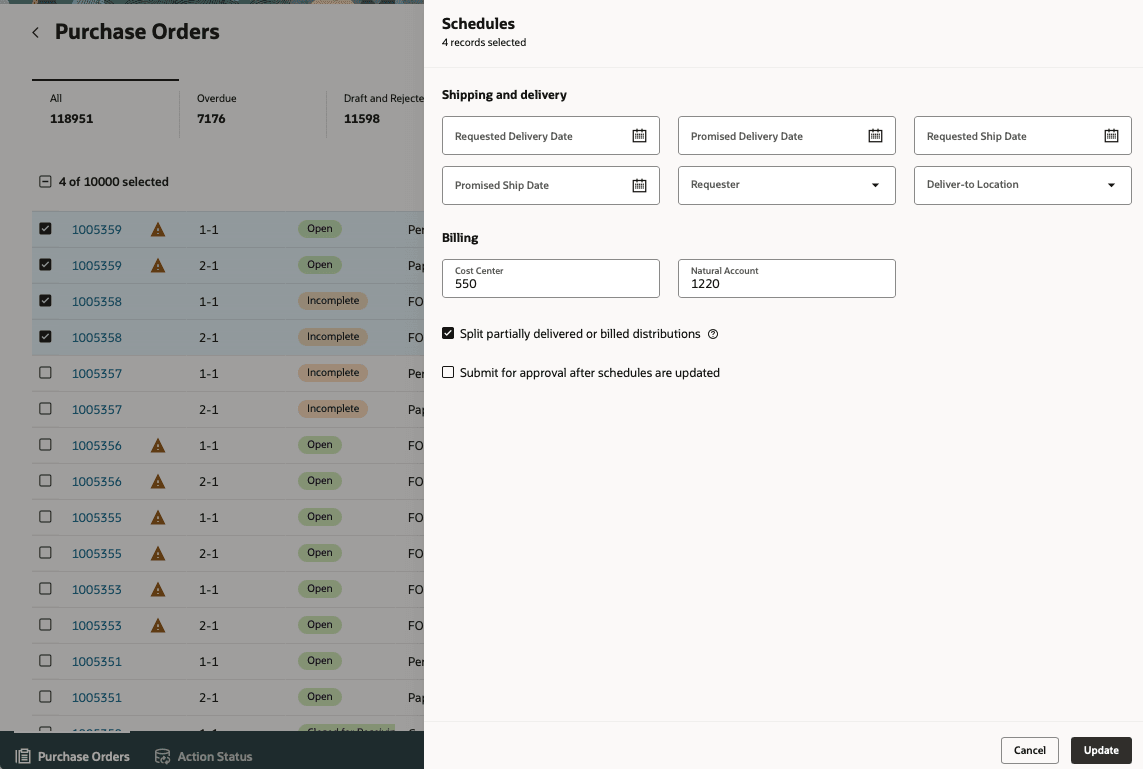
Update Charge Account Segments
Steps to enable and configure
If you haven't enabled Redwood for Purchasing, see the Getting Started with Redwood in Purchasing topic on the SCM Resource Center in Customer Connect.
Tips and considerations
- When splitting processed distributions, the application adjusts the original distribution to the greater of the delivered or billed value and creates a new distribution with the remaining amount. The charge account segments are updated only on the new distribution. Updates to other attributes, such as requester, are applied to both the original and new distributions.
- You can update charge account segments only for schedules with an expense destination type.
- If your purchase order is set up for supply chain financial orchestration, the application will update the destination charge account and not the PO charge account.
- If your line is priced in the secondary UOM, you must split the distributions manually.
Key resources
For details on how to update multiple schedules, refer to the Redwood: Edit Delivery Information on Multiple Purchase Order Schedules feature, available in Oracle Fusion Cloud Purchasing What’s New, update 26B.
Access requirements
No specific privileges are needed to edit multiple schedules from the Purchase Orders page.